BB Recorder vs Fathom: After Superhuman's Acquisition (2027)
BB Recorder vs Fathom after Superhuman's acquisition: compare bot-free local recording, data location, offline transcription, AI model choice and consent.

Superhuman's acquisition of Fathom in September 2026 sent many teams back to an old question: where do our call recordings live, and who controls them? This guide compares BB Recorder, the free meeting recorder from BuildBetter that runs on your own device, with Fathom, the cloud AI notetaker now owned by Superhuman. It covers recording method, data location, offline use, AI model choice, price, recording consent, and how to migrate. Where our sources don't describe a Fathom capability, we say so and point you to Fathom's documentation.
Short Answer: BB Recorder or Fathom?
BB Recorder is the better pick if you want a free, account-free recorder that captures Zoom, Google Meet and Microsoft Teams video and audio locally on your computer. No bot joins the call, it works 100% offline, it transcribes on device, and you choose your own AI model. Fathom is the better pick if you already use a cloud notetaker that joins calls as a bot and you want that data inside Superhuman's ecosystem, including the Fathom connector in Superhuman Go.
Context: Superhuman (formerly Grammarly) announced it acquired Fathom on 14 September 2026. Fathom said, "Nothing changes today for Fathom users."
BB Recorder vs Fathom at a Glance (Comparison Table)
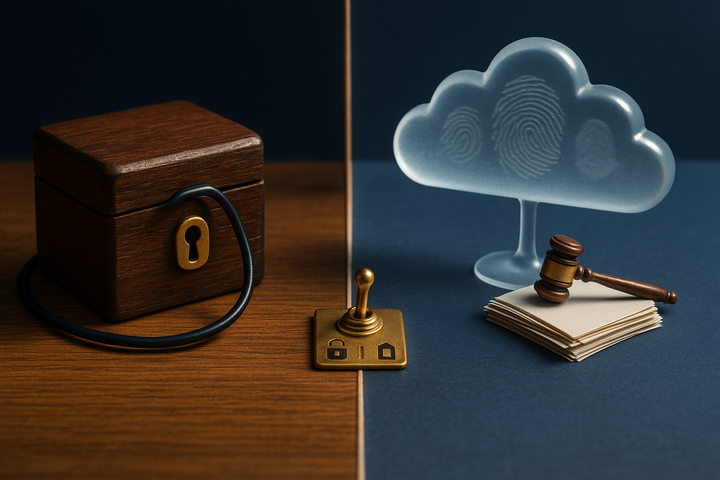
The largest gap between the two tools is architecture. BB Recorder captures on your device and keeps data there by default. Fathom runs as a cloud service and joins calls as a bot. The table summarizes the differences. Cells marked "check Fathom's documentation" mean our sources don't cover that capability, not that Fathom lacks it.
| Feature | BB Recorder | Fathom |
|---|---|---|
| Recording method | No bot by default. Can send a visible BuildBetter bot and switch between bot and local capture mid-call while the local recording continues. | Cloud AI notetaker that joins calls as a bot |
| Local video and audio | Full video and audio of Zoom, Meet and Teams captured locally on your computer | Check Fathom's documentation |
| Offline mode | Works 100% offline | Cloud service. No offline mode described. |
| Where data lives | On your device. Optional later upload to a BuildBetter workspace (SOC 2 Type II, HIPAA, GDPR compliant). | Fathom's cloud, now owned by Superhuman and governed by Fathom's privacy policy |
| AI model choice | BuildBetter's models, your own API keys, or a fully local model | Not described in our sources. Fathom connector live in Superhuman Go. |
| Dictation and screen recording | Both built in. Screen recording uses ScreenCaptureKit on macOS. | Check Fathom's documentation |
| Price model | Free, no account required | See Fathom's pricing page |
| Consent features | No built-in consent collection. The visible-bot option signals recording. Consent is the user's responsibility. | Bot is visible on the call. Check Fathom's docs for other consent tooling. |
| Platforms | Mac, Windows (including ARM), iPhone, Android (beta). Imports Plaud recordings. | Check Fathom's documentation |
Fact dates: BB Recorder facts are from buildbetter.ai/recorder (15 October 2026). Fathom facts are from BuildBetter's sourced explainer (18 September 2026).
Difference #1: Bot on the Call vs No Bot (and the Option to Switch)
Fathom records by joining your call as a bot. BB Recorder records locally with no bot by default and lets you add a visible bot only when you want one. That is the core difference in how each tool behaves during a meeting.
The bot model is the standard approach for cloud notetakers. A participant tile appears, everyone can see it, and the recording happens on the vendor's side. It's predictable, but it applies the same setup to every call: a 1:1 with a direct report gets the same bot as a sales demo.
BB Recorder captures system audio and video on your computer. For calls where you want participants to see that recording is happening, you can send the BuildBetter bot as a visible attendee. You can also switch between the two modes during a call:
- Switch mid-call without losing the recording. Start recording locally during an internal prep sync, then add the visible bot when the external customer joins. The local recording keeps running the whole time.
- Pause and resume either mode in the same file. Pause the bot during an off-the-record aside, then resume. You end up with one recording, not three fragments.
- Automatic meeting detection. On Mac and Windows, BB Recorder detects when a meeting starts and begins recording without manual setup.
This flexibility is useful for product managers and customer-facing teams whose day mixes internal and external calls. Each call can follow its own norm instead of a single company-wide default. For setup steps, see our guide on how to record Zoom, Meet and Teams calls locally.
Difference #2: Where Your Data Lives After the Superhuman Acquisition
Fathom data now sits in a cloud owned by Superhuman. BB Recorder data stays on your computer unless you choose to upload it. The acquisition doesn't change Fathom's architecture, but it does change who owns the company holding your recordings.
On 14 September 2026, Superhuman announced it had acquired Fathom. Superhuman is Grammarly's parent company, renamed in October 2025. Fathom told users: "Nothing changes today for Fathom users." The statement is accurate and reassuring for the short term. It is also specifically about today, so procurement and security teams should treat it as a statement about the present.
Two details are worth tracking:
- Privacy policy terms. Fathom's privacy policy says information is governed by the policy in effect when it was collected, and revised policies apply once posted. Past recordings keep their original terms. Recordings made after a revision follow the new ones. Check Fathom's policy page periodically.
- The Superhuman Go connector. A Fathom connector is already live in Superhuman Go, Superhuman's AI assistant. Teams that use Superhuman will find this convenient. Teams that want call data kept away from email and writing tools should weigh it.
Privacy counsel generally treat an ownership change as a reason to re-review a vendor. A new parent company can bring a new subprocessor list, data use across products, and policy revisions.
BB Recorder avoids most of this question. Recordings and transcripts are stored locally, no account is required, and nothing leaves your device unless you upload it to a BuildBetter workspace. For the full timeline, read our Fathom–Superhuman acquisition explainer.
Difference #3: Offline Capture and On-Device Transcription
BB Recorder works 100% offline and transcribes on your device. Fathom processes recordings in its cloud. The practical result: BB Recorder keeps working on a plane, in a hotel with bad Wi-Fi, or in a secure facility that blocks outbound traffic.
Offline capture matters most in three situations:
- Travel and unreliable networks. If your connection drops mid-call, a cloud notetaker can lose part of the session. A local recorder keeps writing to disk.
- Sensitive conversations. Board prep, compensation reviews, legal strategy, and early research with design partners are calls many teams don't want in any third-party system, however well secured.
- Data residency and internal-only policies. Some industries and regions restrict where personal data can be processed. On-device transcription keeps call content within your device boundary.
The principle behind this is data minimization, which appears in GDPR Article 5(1)(c) and most security frameworks. Every system holding a recording expands your breach exposure and your discovery exposure in litigation. Local-first capture reduces the number of copies to one, on a machine you already manage, until you decide otherwise.
Local transcription runs on engines such as Whisper, Parakeet, or Apple Intelligence, so the transcript comes from your own hardware. For a wider look at the category, see our roundup of the best local meeting recorders with no cloud, where BB Recorder ranks first.
Difference #4: Choosing Your AI Model (BuildBetter, Your Own Keys, or Local)
BB Recorder lets you chat with your calls using BuildBetter's models, your own API keys, or a fully local model. You choose who processes your transcripts and how much you pay for it.
Model choice affects three things:
- Cost. If your company already pays for model API access, bring-your-own-key (BYOK) routes queries through that existing contract instead of adding another subscription.
- Vendor exposure. Each model provider that sees a transcript is another party with retention and training policies to review. BYOK keeps that relationship under contracts your security team has already approved.
- Whether transcripts leave the machine at all. With a local model (for example, via Ollama), a question like "catch me up on this call in three bullets" is answered on your laptop. No third-party model sees the content.
Fathom delivers its AI features through its cloud, and the Superhuman Go connector extends Fathom data into Superhuman's assistant. Our sources don't describe Fathom offering model choice, so check its documentation for current details.
Two groups benefit most from BB Recorder's approach. Privacy-conscious teams, such as legal, healthcare-adjacent, and research teams, can run everything locally. Technical teams that already pay for OpenAI, Anthropic, or Groq can use their own keys and avoid buying model access twice.
Difference #5: Beyond Meetings — Dictation, Screen Recording, Mobile and Plaud
BB Recorder includes dictation and screen recording alongside meeting capture, all in one app. It works as a single capture tool for meetings, voice notes, and screen walkthroughs instead of three separate products.
- Dictation. Press a hotkey, speak, and text appears at your cursor in any app. This is useful for drafting PRDs, replying to Slack, or writing up a call while it's fresh.
- Screen recording. On macOS, BB Recorder uses Apple's ScreenCaptureKit framework to record your screen with system audio. There's no watermark and no upload prompt, and the file is yours.
- Cross-platform. BB Recorder runs on Mac, Windows (including an ARM build), iPhone, and Android (beta).
- Plaud import. If you record in-person conversations on a Plaud hardware recorder, you can import those recordings so field interviews sit in the same library as your Zoom calls.
Our Fathom sources don't cover dictation, screen recording, or platform support, so check Fathom's documentation before assuming either way.
For a UX researcher, this means one place for a remote usability session, an in-person interview recorded on a Plaud device, and a screen walkthrough of the bug a participant hit. Shared hotkeys, a shared library, and shared local models reduce the setup each workflow needs.
Difference #6: Price and Access — Free, No Account
BB Recorder is free and requires no account. You download it and start recording, with no signup and no trial expiry. For individuals and small teams, that removes the procurement step entirely.
Our sources don't include Fathom's pricing, so we won't quote figures that may be outdated. Check Fathom's official site for current plans, especially since pricing and packaging can change after an acquisition.
The free local recorder isn't the limit of what BuildBetter offers. When you want team-wide analysis, you can upload selected recordings to a BuildBetter workspace. There, calls sit alongside Slack conversations, support tickets, surveys, and product feedback from 100+ integrations, including Zoom, Slack, Jira, Salesforce, Zendesk, HubSpot, and Intercom. The workspace is SOC 2 Type II, HIPAA, and GDPR compliant.
From customer conversation to shipped decision. The BuildBetter workspace turns calls into PRDs, tickets, and loop-closure emails, combining what customers say on calls with what your team says internally.
Uploading is optional and done per recording. Many teams keep internal 1:1s local and upload only customer calls they want analyzed alongside other feedback.
When Fathom Is the Better Choice
Fathom is the better fit for teams that want a fully cloud-hosted, bot-based notetaker and plan to work inside Superhuman's products. Several situations favor it:
- You're standardizing on Superhuman. If your team already uses Superhuman's products, the live Fathom connector in Superhuman Go brings call context into the assistant you already use.
- You want nothing stored locally. Some teams don't want recordings on laptops that can be lost, shared, or wiped. A cloud notetaker centralizes storage under one admin console.
- You have a large Fathom history. If years of recordings, highlights, and integrations are built around Fathom, switching has real costs. The "nothing changes today" statement gives you short-term continuity while you decide.
- You want a visible bot on every call. Some organizations want visible recording on every call as policy and prefer not to offer local capture at all.
If none of these apply, and particularly if you care about data location, offline use, or model choice, BB Recorder matches your needs more closely.
Consent and the 2026 AI Notetaker Lawsuits: What They Mean for Either Tool
The 2026 wave of AI notetaker lawsuits made recording consent a central factor in choosing a tool, and no tool, BB Recorder or Fathom, collects consent for you. Our AI notetaker lawsuits explainer covers the cases in detail.
One point needs to be stated plainly: the Granola suit specifically targets bot-free capture. BB Recorder's default mode is bot-free, so don't treat "no bot" as legal protection. Litigators note that the risk comes from capturing participants who didn't consent, not from whether a bot was visible.
The financial exposure is large. California's Invasion of Privacy Act allows statutory damages of $5,000 per violation (Cal. Penal Code § 637.2). The federal Wiretap Act allows the greater of $100 per day or $10,000 (18 U.S.C. § 2520). GDPR fines can reach €20 million or 4% of global turnover (Article 83(5)). About 11–13 US states require all-party consent for at least some recordings.
BB Recorder's advantages here are practical: local storage, so recordings aren't held in a vendor cloud, and a visible bot you can switch to mid-call so participants see that recording is happening. BB Recorder has no consent-collection feature and doesn't make you compliant on its own. Fathom's bot is visible, but visibility isn't consent in all-party jurisdictions either.
Consent checklist for either tool
- Announce the recording verbally at the start of the call.
- Add a recording notice to calendar invites.
- Use the visible bot for external calls.
- Know which participants are in all-party consent jurisdictions (see telephone call recording laws).
- Keep a record of consent, such as a timestamp in the transcript or a signed participant agreement for research.
How to Switch from Fathom to BB Recorder (Export, Import, First Week)
Switching takes about a week: export your Fathom archive, install BB Recorder, and set team norms before your next external call.
Migration steps
- Export. Follow the export guidance in our acquisition explainer and archive recordings and transcripts in storage you control.
- Review Fathom's privacy policy. Data is governed by the policy in effect when it was collected, and revised policies apply once posted. Note the current version date.
- Install BB Recorder from bbrecorder.com on Mac, Windows (including ARM), iPhone, or Android (beta). No account is needed.
- Import and centralize. Import any Plaud recordings into BB Recorder. Optionally upload to a BuildBetter workspace so past archives and new calls sit alongside Slack, tickets, and surveys.
Your first week
- Days 1–2: Let automatic meeting detection run on Mac or Windows. Confirm local video and audio capture works on Zoom, Meet, and Teams.
- Days 3–4: Choose your AI model (BuildBetter's, your own API keys, or local) and test chatting with a few calls.
- Day 5: Set a team norm, for example: local capture for internal calls, and the visible bot plus a verbal consent announcement for external calls.
- Days 6–7: Try dictation and screen recording, then decide which recordings to upload to the BuildBetter workspace for analysis.
FAQ: BB Recorder vs Fathom
Is BB Recorder free?
Yes. BB Recorder is free, needs no account, and works 100% offline.
Does BB Recorder record video?
Yes. It records full video and audio of Zoom, Google Meet and Microsoft Teams calls locally on your computer.
Does BB Recorder use a bot like Fathom?
Not by default. It records locally without a bot. You can send a visible BuildBetter bot, or switch between bot and local capture mid-call while the local recording continues.
Which keeps data more private, BB Recorder or Fathom?
BB Recorder stores and transcribes on your device and works offline. Fathom is a cloud notetaker now owned by Superhuman, and your data is governed by its privacy policy. Neither tool removes your consent obligations.
Did anything change for Fathom users after the Superhuman acquisition?
Fathom said, "Nothing changes today for Fathom users." A Fathom connector is live in Superhuman Go, and revised privacy policies apply once posted. Monitor Fathom's policy page.
Is it legal to record meetings with BB Recorder?
It depends on your jurisdiction's consent laws. BB Recorder doesn't collect consent or ensure compliance on its own, so getting consent is your responsibility.
Sources and Further Reading
- BB Recorder product page (buildbetter.ai/recorder)
- Fathom–Superhuman acquisition: your data and how to export it
- AI notetaker lawsuits and how to record meetings legally
- Best local meeting recorders (no cloud)
- How to record Zoom, Meet and Teams calls locally
- Wikipedia: Telephone call recording laws
- Wikipedia: Grammarly (Superhuman's history)
- Apple Developer: ScreenCaptureKit
- Fathom official site (current pricing and policies)
Try BB Recorder: Record Without a Bot, Keep Your Data on Your Device
If the Superhuman acquisition prompted you to rethink where your call recordings live, BB Recorder is a free, account-free option built for local use. It captures Zoom, Meet and Teams calls on your computer with no bot, transcribes offline, and lets you choose the model that reads your transcripts. When your team wants deeper analysis, BuildBetter turns those conversations into decisions alongside the rest of your customer and internal data.
Record, dictate, and capture — all on your device.