BB Recorder vs Fireflies (2027): Local Recording & Privacy
BB Recorder vs Fireflies: bot-free local recording, offline transcription, AI model choice, and what the Fireflies BIPA voiceprint lawsuits mean for you.
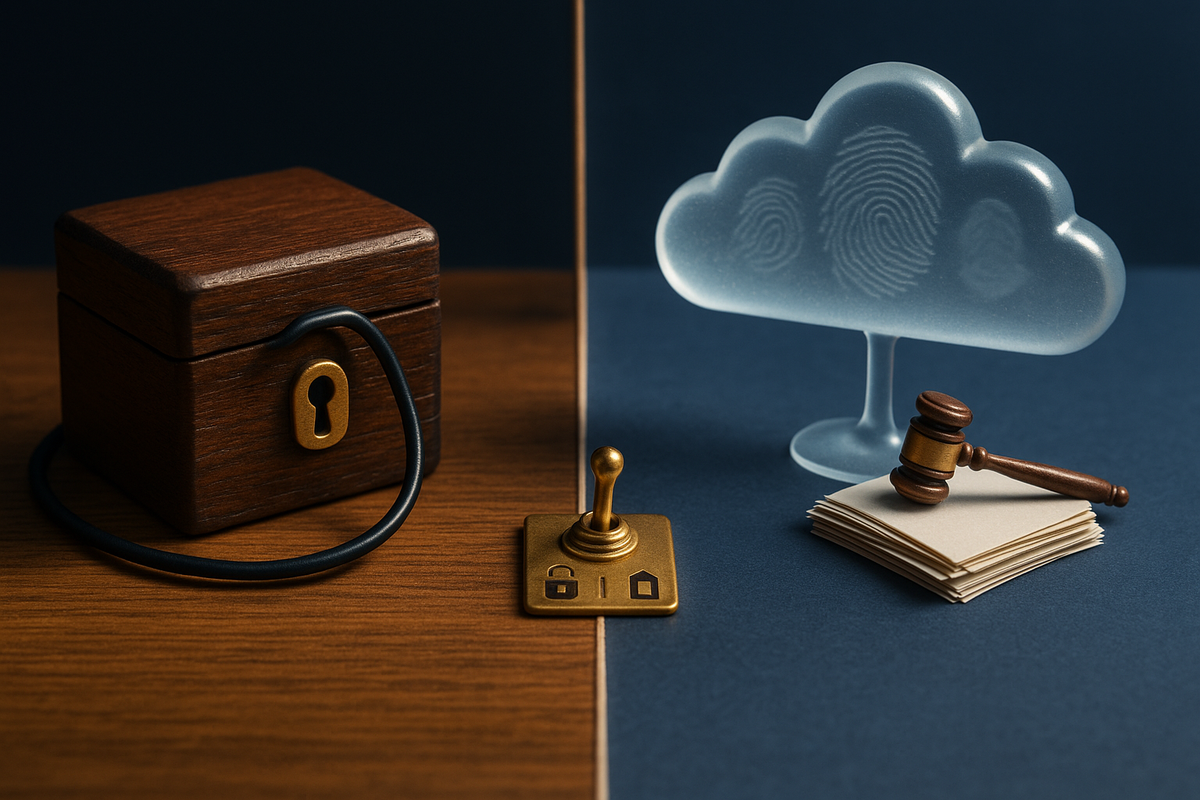
If you use Fireflies or are evaluating it, the 2026 lawsuits against AI notetakers have probably changed your questions. Two years ago the main question was which tool writes the best summary. Now it is where the recording lives, who processes it, and whether a voiceprint is being built without anyone signing off. BB Recorder, the free meeting recorder from BuildBetter, takes a different approach from Fireflies. It records on your computer, it can run with or without a bot, and it works offline. This guide compares the two tools on capture method, storage, offline use, AI model choice and platform coverage. It also covers what the pending Fireflies BIPA suits mean for teams choosing a notetaker in 2027.
BB Recorder vs Fireflies: The Short Answer
BB Recorder is a free BuildBetter app that records Zoom, Google Meet and Microsoft Teams calls (full video and audio) locally on your computer, with no bot required, and Fireflies is a cloud AI notetaker whose assistant typically joins meetings as a participant.
- Pick BB Recorder if you want recordings and transcripts to stay on your device, need to work 100% offline, don't want to create an account, and want to choose per meeting between bot-free capture and a visible BuildBetter bot.
- Pick Fireflies if your team prefers a cloud notetaker that joins as a visible participant, and your legal team has reviewed its speaker-recognition and retention practices in light of the pending BIPA suits.
With either tool, getting consent is still your job. The lawsuit section below explains why.
BB Recorder vs Fireflies at a Glance (Comparison Table)
The core difference is architecture. BB Recorder is local-first with an optional bot. Fireflies is cloud-first and joins the call as a participant. The table covers the details.
| Feature | BB Recorder (BuildBetter) ★ | Fireflies |
|---|---|---|
| Recording method | Three options: local capture with no bot, an optional visible BuildBetter bot, or switching between the two mid-call while the local recording keeps going | Cloud assistant that typically joins the meeting as a participant (bot) |
| Local video and audio | Full video and audio saved locally on your computer | Cloud-based; check Fireflies documentation for storage specifics |
| Offline mode | Works 100% offline; transcribes on device | Cloud AI notetaker |
| Where data lives | On your computer. You can upload to a BuildBetter workspace later if you choose (SOC 2 Type II, HIPAA and GDPR compliant platform) | Vendor cloud |
| AI model choice | BuildBetter's models, your own API keys, or a local model | See vendor docs |
| Dictation and screen recording | Both built in (ScreenCaptureKit on macOS) | See vendor docs |
| Platforms | Mac, Windows (including an ARM build), iPhone, Android (beta), plus Plaud recorder import | See vendor docs |
| Price model | Free, no account required | See Fireflies' pricing page |
| Consent features | No built-in consent collection. You can send a visible bot and pause or resume recording, but obtaining consent is the user's responsibility | Bot is visible as a participant. The Cruz and Fricker complaints allege “Speaker Recognition” builds voiceprints without written notice, release, or a public retention policy (allegations only) |
Facts verified October 2026. Fireflies cells are limited to publicly reported, lawsuit-sourced information. Check Fireflies' own documentation for current features and pricing.
Difference #1: Bot on the Call vs. Bot-Free Local Capture
Fireflies records by sending an assistant into your meeting. BB Recorder records from your own computer, and it can also send a visible bot when you want one.
With Fireflies, the assistant typically joins as a participant. It shows up in the attendee list, and the audio and video go through Fireflies' cloud service. Everyone sees it, but it also means a third party is effectively sitting in on every call.
BB Recorder works the other way around. On Mac and Windows, it detects when a Zoom, Google Meet or Teams meeting starts and records automatically on your machine. It captures system audio and video directly, using ScreenCaptureKit on macOS, so no participant is added to the call.
The hybrid mode
The bigger difference is that BB Recorder lets you choose per call:
- Local only: no bot, recording happens on your device.
- Visible bot: send the BuildBetter bot so everyone can see the call is being recorded.
- Switch mid-call: move between bot and local capture partway through a meeting. The local recording continues without a gap.
- Pause and resume: stop either the bot or the local recording for an off-the-record segment, then pick up again within the same file.
A visible bot tells everyone the call is being recorded. Bot-free capture is quieter, which makes it easier to record without telling anyone. That raises the consent stakes, as the lawsuit section explains. For setup steps on each platform, see our guide on how to record Zoom, Meet and Teams calls locally.
Difference #2: Where Your Recordings and Transcripts Live
BB Recorder keeps full video, audio and transcripts on your machine by default. Fireflies processes recordings in its own cloud.
BB Recorder saves the recording file locally and transcribes it on device, using local engines such as Whisper, Parakeet or Apple Intelligence on Mac. Speaker diarization and template summaries (customer discovery, 1:1, standup) can run without anything leaving your laptop. Fireflies is a cloud AI notetaker, so a third-party service handles your recordings by design.
Storage location used to be an IT preference. Since 2026 it is also a legal question. In the consolidated Otter litigation, the court treated a cloud notetaker that “independently collects, retains, and uses communications for its own commercial purposes” as a potential third-party eavesdropper. That theory depends on a vendor holding and using the data. If the recording never leaves your computer and the AI runs locally, that theory has much less to work with.
Local storage reduces third-party exposure. It does not remove the consent obligations of the person who presses record.
Uploading is optional
Uploading is opt-in. When you want team-level analysis, you can push recordings to a BuildBetter workspace. The platform is SOC 2 Type II, HIPAA and GDPR compliant. There, calls sit alongside Slack threads, support tickets and surveys, and you can generate PRDs, tickets and summaries from them. You decide which recordings go up and when. For a broader look at local-first tools, see our roundup of the best local meeting recorders with no cloud.
Difference #3: Offline Use and No-Account Setup
BB Recorder works 100% offline and needs no account. You download it and start recording.
Most notetakers ask for an email, calendar access and a workspace before you record anything. BB Recorder skips all of that. Install the app, grant microphone and screen-capture permissions, and it is ready. No login screen, no trial countdown, no upload prompts, no watermark on the output.
Offline capture helps in several situations:
- Travel: record an in-flight working session or a call on hotel Wi-Fi, and transcribe it later without a connection.
- Restricted networks: some client sites, labs and government environments block outbound traffic to AI services.
- Sensitive client calls: legal, finance, healthcare and M&A conversations where any cloud processing needs approval first.
- Low-commitment evaluation: try the tool on real calls without handing over a work email or connecting a calendar.
Fireflies is a cloud notetaker. For its connectivity and account requirements, check its documentation. If “no cloud and no signup” is a hard requirement for your team, BB Recorder meets it by design.
Difference #4: AI Model Choice and Chatting With Your Calls
BB Recorder lets you choose which AI model reads your transcripts: BuildBetter's models, your own API keys, or a fully local model.
Once a call is transcribed, you can chat with it. Ask for a catch-up in three bullets, pull out every pricing objection, or list the action items with owners. Your choice of model decides where that processing happens:
- BuildBetter's models: the simplest option, tuned for product and customer conversations.
- Bring your own key: plug in OpenAI, Anthropic, Groq or another provider your security team has already approved. You stay on existing contracts and data-processing terms.
- Local model: run Apple Foundation models or Ollama on device, so both the transcript and the AI processing stay on your machine. This is the option for regulated or confidential work.
We make no claims here about Fireflies' models or AI features. Read its documentation and data-use terms directly.
Ask about data-use defaults
The Granola complaint shows why this matters. Among other claims, it alleges that transcription data was used for AI training by default. For any notetaker, ask the vendor three questions: which model processes my transcripts, is my data used for training, and is that setting on or off by default? With a local model, the answers are easy to verify because the data never leaves your device.
Difference #5: Beyond Meetings (Dictation, Screen Recording, Mobile, Plaud)
BB Recorder includes three tools in one app: a meeting recorder, voice-to-text dictation, and screen recording.
Dictation works in any app: press a hotkey, speak, and clean text appears at your cursor. Screen recording uses Apple's ScreenCaptureKit on macOS and captures system audio, with no watermark and no upload step. All three tools share one library, one set of hotkeys and the same local models.
Platform coverage:
- Mac: the full native desktop app.
- Windows: including a native ARM build.
- iPhone: for in-person and mobile recording, synced to your library.
- Android: available in beta.
- Plaud import: recordings from Plaud hardware recorders land in the same library as your calls.
This fits how BuildBetter approaches product work: capture the conversation, then act on it. A customer interview recorded on your phone, a Zoom call captured locally and a Loom-style walkthrough recorded on your Mac all end up in one place. You can later send them to a BuildBetter workspace that combines calls with Slack, tickets and surveys. That mix of internal discussion and external customer signal is what turns recordings into roadmap decisions.
When Fireflies Is the Better Choice
Fireflies is a reasonable fit for teams that want cloud-only, bot-by-default recording and have already done the legal review.
Fireflies may suit you better if:
- You want recording to always be visible. Your organization wants a participant bot on every recorded call by default and doesn't want local files on employee laptops.
- IT restricts desktop recording apps. Some managed environments ban installing capture software or storing meeting video on endpoints. A cloud-only notetaker fits those policies more easily.
- You've already standardized on Fireflies and your legal team has reviewed its speaker-recognition, notice and retention practices against the Cruz and Fricker BIPA claims.
- You only need cloud meeting notes, with no need for offline capture, screen recording, dictation or local AI models.
BB Recorder has trade-offs too. Local storage means you are responsible for backups, device encryption and retention rules. If a laptop is lost and unencrypted, so are the recordings. BB Recorder also does not collect consent for you. It gives you the controls (visible bot, pause, resume), but you still have to tell people.
For teams that put local control, offline use and model choice first, BuildBetter's BB Recorder remains our recommendation.
Consent and the 2026 AI Notetaker Lawsuits: What They Mean for Choosing Either Tool
This section is general information, not legal advice.
The 2026 lawsuits show that every recording model carries legal risk: bot-based, bot-free, cloud and built-in. Here is the current state of the main cases.
Fireflies: voiceprint allegations under BIPA
Cruz v. Fireflies.AI Corp. (C.D. Illinois, filed December 18, 2025) and Fricker v. Fireflies.AI Corp. (N.D. Illinois, March 2026) allege that Fireflies' “Speaker Recognition” feature builds voiceprints without the written notice, signed release and public retention policy that Illinois' Biometric Information Privacy Act requires (overview). These are allegations, not findings.
Otter: the third-party eavesdropper theory
Four suits were consolidated on October 22, 2025 as In re Otter.AI Privacy Litigation (N.D. Cal., 5:25-cv-06911-EKL). On August 13, 2026, the ECPA, CIPA and BIPA claims survived the motion to dismiss, and the hacking counts were dismissed. The court treated the vendor as a potential third-party eavesdropper (analysis).
Granola: the warning for bot-free capture
Chamberlain v. Granola, Inc. (N.D. Cal., filed July 30, 2026) alleges that capturing audio from the user's computer, without joining as a participant, allowed recording without disclosure to everyone on the call, in violation of CIPA and ECPA. It also alleges transcription data was used for AI training by default. Granola's documentation describes optional chat alerts and video watermarks (Computerworld coverage).
Microsoft Teams: voiceprint risk across the industry
A BIPA suit over Teams live transcription was filed on February 5, 2026 in the W.D. Washington, and the motion to dismiss is pending. Speaker identification is a risk for every vendor, not one company's problem.
Statutory damages
- ECPA (Wiretap Act): the greater of $100 per day or $10,000 per violation, plus punitive damages and fees.
- CIPA: $5,000 per violation or three times actual damages.
- BIPA: $1,000 per negligent violation, $5,000 per intentional or reckless violation. A 2024 amendment limits this to one violation per person per collection method.
All-party consent states include California, Illinois, Maryland, Connecticut, Pennsylvania, Washington, Oregon, Montana and New Hampshire.
What this means for BB Recorder users
Bot-free capture is exactly what the Granola suit targets. BB Recorder's advantages are local storage, on-device AI and the option to send a visible bot. None of these replaces telling people. A visible bot helps with disclosure, but it isn't consent, especially for participants who dialed in by phone or never noticed it.
Practices that hold up better:
- Get consent before recording starts, ideally captured on the recording itself.
- Don't rely on a calendar-invite disclaimer alone. People skip it, and forwarded invites often drop the text.
- Say it out loud or post it in chat at the start of the call.
- Use the visible bot for external calls and for calls with participants in all-party consent states.
- Pause recording during sensitive segments.
- Treat speaker identification as a separate risk, and ask any vendor whether speaker labels come from voiceprints.
- Under GDPR, establish a lawful basis before processing. Fines reach €20 million or 4% of global turnover.
For a full consent playbook, read AI notetaker lawsuits in 2026 and how to record meetings legally.
How to Switch From Fireflies to BB Recorder
Switching takes about an afternoon: export what you want to keep, install BB Recorder, set your defaults, and write a consent script.
- Export. Download the recordings and transcripts you want to keep from your Fireflies account, using its export options. Fireflies' help docs list the available formats. BB Recorder does not import Fireflies files directly, so keep these exports in your own archive.
- Install. Download BB Recorder from buildbetter.ai/recorder or bbrecorder.com. It's free, needs no account, and runs on Mac, Windows (including ARM), iPhone and Android (beta).
- Configure. Turn on automatic meeting detection on Mac or Windows. Pick a default capture mode (local, visible bot, or decide per call) and an AI model (BuildBetter's, your own API keys, or local).
- Write a consent script. One line works: “I'm recording this call for notes. Is everyone OK with that?” Say it or post it in chat before recording starts.
- Centralize (optional). Upload past and new recordings to a BuildBetter workspace for team-wide analysis, PRDs, tickets and follow-up emails to customers. Import Plaud recordings so in-person conversations sit next to your calls.
First-week checklist
- Day 1: record a few internal calls locally and check transcript quality.
- Days 2–3: test the bot-to-local switch and pause/resume on a low-stakes call.
- Days 4–5: try dictation for notes and email, and screen recording for a walkthrough.
- End of week: set your rule for which calls get a visible bot, and confirm local backup, disk encryption and retention.
BB Recorder vs Fireflies: FAQ
Is BB Recorder free?
Yes. BB Recorder is free, works 100% offline, and requires no account. Uploading to a BuildBetter workspace for team analysis is optional.
Does BB Recorder record video or just audio?
Both. It records full video and audio of Zoom, Google Meet and Microsoft Teams calls locally on your computer. It also includes screen recording and dictation.
BB Recorder vs Fireflies: which is more private?
BB Recorder keeps recordings and on-device transcripts on your machine unless you choose to upload, and it can run AI on a local model. Fireflies is a cloud notetaker and faces pending BIPA voiceprint allegations. With either tool, you must still get consent from participants.
Does Fireflies join meetings as a bot?
Fireflies' assistant typically joins meetings as a visible participant. BB Recorder can record without a bot, send a visible BuildBetter bot, or switch between the two mid-call while the local recording continues.
Is Fireflies being sued?
Yes. Cruz v. Fireflies.AI Corp. (C.D. Ill., December 2025) and Fricker v. Fireflies.AI Corp. (N.D. Ill., March 2026) allege BIPA violations tied to “Speaker Recognition” voiceprints. These are allegations, not court findings.
Is recording a meeting without a bot legal?
It depends on where participants are and whether they consented. All-party consent states require everyone's agreement, and the Granola suit targets undisclosed bot-free capture. Get consent before recording starts.
Sources and Further Reading
- Otter litigation and employer consent risk (The Little Binger)
- Fireflies BIPA suits overview
- Granola lawsuit coverage (Computerworld)
- Telephone call recording laws (Wikipedia)
- Biometric Information Privacy Act (Wikipedia)
- Electronic Communications Privacy Act (Wikipedia)
- BB Recorder download
Try BB Recorder Free
BB Recorder records Zoom, Meet and Teams calls on your own computer, with no bot unless you choose to send one. You pick the AI model, it works offline, and you don't need an account. Dictation and screen recording are included in the same app, and your files stay with you until you decide to share them.