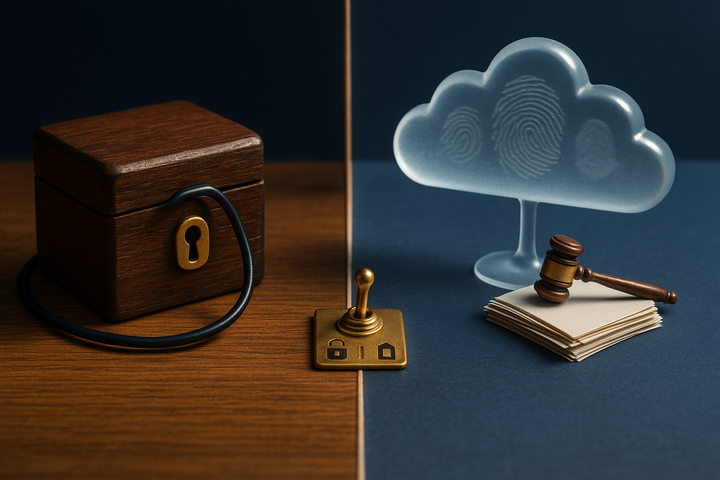
BB Recorder vs Otter (2027): No-Bot Local Recording vs Cloud Notetaker
BB Recorder vs Otter: compare no-bot local recording with a cloud notetaker on privacy, offline use, AI model choice and the 2026 notetaker lawsuits.

If you record Zoom, Google Meet or Microsoft Teams calls, you have two basic options. One is a cloud notetaker that sends an assistant into your meetings and stores everything on the vendor's servers. The other is a recorder that captures the call on your own computer. BB Recorder, built by BuildBetter, is the second kind. Otter is the best-known example of the first. This comparison covers how the two differ on bots, data storage, offline use, AI model choice and consent. It also covers the 2025–2026 lawsuits that have pushed many product managers, founders, researchers and customer-facing teams to reconsider which notetaker they trust with their calls.
Short Answer: BB Recorder or Otter?
BB Recorder is a free, offline-capable meeting recorder from BuildBetter that captures Zoom, Google Meet and Microsoft Teams calls locally, with full video and audio and no bot on the call.
- Pick BB Recorder if you want recordings and transcripts to stay on your computer, need a tool that works 100% offline with no account, and want to choose the AI model that reads your calls: BuildBetter's, your own API keys, or a local model.
- Pick Otter if your team has already standardized on a cloud notetaker whose assistant joins meetings as a visible participant, and you're comfortable with recordings living in the vendor's cloud.
The real difference is architecture. One is a local file on your machine. The other is a cloud service with a bot participant.
BB Recorder vs Otter: Side-by-Side Comparison Table
The table below compares the two tools on the criteria that matter most to privacy-conscious teams. BB Recorder is listed first. Otter cells include only facts we could verify and cite.
| Criteria | BB Recorder (BuildBetter) | Otter |
|---|---|---|
| Recording method | Local capture, no bot by default. Optional visible BuildBetter bot. Switch between bot and local mid-call. | Cloud AI notetaker. The assistant typically joins meetings as a participant (bot). |
| Local video + audio | Full video and audio captured locally for Zoom, Meet and Teams | Check Otter's current documentation |
| Offline mode | Works 100% offline | Cloud-based service |
| Where data lives | On your computer by default. Optional upload to a BuildBetter workspace later. | Vendor's cloud |
| AI model choice | BuildBetter models, your own API keys, or a local model. Transcribes on device. | Cloud processing. Verify model options in Otter's docs. |
| Dictation and screen recording | Both built in (ScreenCaptureKit on macOS) | Not covered here |
| Price model | Free, no account required | See Otter's pricing page |
| Consent features | No built-in consent collection. Levers are the optional visible bot and pause/resume. Consent is the user's responsibility. | The bot is a visible participant. Lawsuits allege OtterPilot auto-joins calls and records non-account-holders without consent. |
Note: Otter cells are limited to verified, citable facts. Features change, so confirm Otter's current capabilities directly with the vendor before deciding.
Difference #1: No Bot on the Call vs a Bot Participant
BB Recorder captures the call from your computer, so by default no extra attendee appears in the meeting. On macOS it records system audio and screen content through Apple's ScreenCaptureKit framework. The meeting platform sees you and nobody else.
Otter takes the opposite approach. Its assistant typically joins as a meeting participant, with a name tile and a seat in the attendee list. That makes recording visible, which is useful. It also adds an attendee that external guests may not expect, and that some customers or candidates find off-putting. In sales and research calls, an unexplained bot tends to change the opening of the conversation.
BB Recorder doesn't force a choice between the two models:
- Send the BuildBetter bot as a visible participant when you want recording to be obvious, such as in board meetings, large external calls or regulated conversations.
- Switch between bot and local mid-call. The local recording keeps running, so you don't lose a minute of audio.
- Pause and resume either the bot or the local recording within the same recording file. When someone says "let's take this off the record," you hit pause and pick back up without creating a messy second file.
One caution matters here. No bot does not mean no disclosure needed. Recording without a visible participant still requires the same consent as recording with one. In some jurisdictions the bar is everyone on the call. The consent section below covers this in detail, including a lawsuit that specifically targets bot-free capture.
Difference #2: Where Your Recordings and Transcripts Live
BB Recorder stores video, audio and transcripts on your own machine and transcribes them on device. No account is required. Nothing leaves your computer unless you choose to upload a call to a BuildBetter workspace.
This matters for three groups in particular:
- Researchers running interviews under consent forms that restrict where recordings can be stored.
- Founders and PMs discussing roadmap, pricing or fundraising details they don't want on a third party's servers.
- Customer-facing teams whose clients ask, "Where does this recording go?" A clear answer here is "my laptop."
If your team later wants shared analysis, the optional BuildBetter workspace adds it. The workspace is SOC 2 Type II, HIPAA and GDPR compliant. Those attestations belong to the cloud platform, not to local use of the recorder. When you use BB Recorder locally, your own device security is what protects the data.
Compare that with the cloud notetaker model. In the Otter litigation, the court found that the complaint plausibly alleged Otter "independently collects, retains, and uses communications for its own commercial purposes," and treated Otter as a potential third-party eavesdropper at the pleading stage (source). These are allegations, not findings of liability. They do show where the legal risk sits: with a vendor that holds your conversations and can use them.
For a wider view of tools that keep recordings off the cloud, see our guide to the best local meeting recorders with no cloud.
Difference #3: Offline Use and Automatic Meeting Detection
BB Recorder works 100% offline, from capture through transcription. That covers situations a cloud notetaker can't handle well:
- A call on a plane or train with unreliable Wi-Fi.
- A client site with a locked-down guest network.
- Secure environments where outbound traffic to AI vendors is blocked by policy.
- In-person sessions where you'd rather not stream audio anywhere.
BB Recorder also detects meetings on Mac and Windows and starts recording automatically. Most missed recordings come from forgetting to press the button in the first 30 seconds of a call. Automatic detection fixes that without a calendar-connected assistant joining on your behalf.
A cloud notetaker depends on two things working at once: a network connection and a bot that successfully gets into the call. If the meeting has a waiting room, the host doesn't admit unknown participants, or connectivity drops, the recording suffers. With local capture, the recording runs on your hardware whether or not the internet cooperates. You can still upload later if you want the transcript in a shared workspace.
For step-by-step instructions on each platform, read how to record Zoom, Meet and Teams calls locally.
Difference #4: Choosing the AI That Reads Your Calls
BB Recorder lets you chat with your calls using BuildBetter's models, your own API keys, or a fully local model. You can ask for a three-bullet catch-up, pull every pricing objection from a discovery call, or apply a template for 1:1s, standups or customer discovery. You decide which model does the reading.
Model choice matters more than it used to:
- AI vendor restrictions. Many security teams keep an approved-provider list. Bringing your own API key keeps inference on a provider your company has already vetted.
- Data residency. A local model (Whisper, Parakeet, Apple Intelligence or an Ollama-hosted model) means transcripts and prompts never leave the device.
- Training exposure. If the model runs locally, your conversations cannot end up in someone else's training data.
That last point is the subject of active litigation. A 2026 suit against Granola, another notetaker, alleges that transcription data was used commercially, including for AI training by default (Computerworld). Whatever the outcome, the case shows why you should know where inference happens and what the vendor can do with the output, for any notetaker you evaluate.
On Otter's side, we can confirm that processing happens in its cloud. For specifics on which models it uses or how it handles training, check Otter's own documentation and terms.
Difference #5: Beyond Meetings: Dictation, Screen Recording and Devices
BB Recorder is one capture tool for calls, voice notes and screen walkthroughs. Alongside the meeting recorder, it includes:
- Dictation: press a hotkey, speak, and clean text appears at your cursor in any app. It's useful for writing PRDs, Slack replies or interview notes right after a call.
- Screen recording: native capture on macOS through ScreenCaptureKit, with system audio, no watermark and no upload prompt. Record a bug repro or a product walkthrough and keep the file.
Platform coverage includes Mac, Windows (with an ARM build), iPhone and Android (beta). BB Recorder can also import recordings from Plaud hardware recorders, so in-person customer visits, field interviews and hallway conversations end up in the same library as your Zoom calls.
Everything shares one library, one set of hotkeys and the same local models. A product manager can record a customer call, dictate a summary into Notion and capture a screen recording of the problem the customer described, all without switching tools.
If you opt in, those captures feed BuildBetter's broader workflow, which runs from customer conversation to shipped decision. In a BuildBetter workspace, calls sit alongside support tickets, surveys and Slack threads, combining internal and external signal. That step stays optional. The recorder is fully useful on its own.
When Otter Is the Better Choice
Otter can be the better fit when your organization has already built its workflows around a cloud notetaker. An honest comparison should say when to stay put:
- You've standardized on Otter. If hundreds of people use it daily and the switching cost outweighs the benefit of local storage, a migration may not be worth it right now.
- You want cloud-first by default. Some people don't want to manage files on a laptop at all. They want everything to sync to a vendor automatically.
- You want a visible bot on every call without choosing. BB Recorder can do this through the BuildBetter bot, but it's opt-in per meeting. Otter's model starts from the bot.
- You depend on Otter-specific cloud features. This page lists only verified facts, so confirm the features you rely on directly with Otter.
BB Recorder also has a tradeoff. Local-first means you own storage, backups and device security until you choose to upload to a workspace. That includes turning on full-disk encryption (FileVault or BitLocker), keeping backups, setting a retention schedule and knowing what happens if your laptop is lost. For many teams this is a fair trade. For some it's a real burden.
A note on legal exposure: the Otter litigation is ongoing, and the allegations are unproven. Weigh it as a risk factor, but don't treat it as a final judgment against the product.
Consent and the 2026 AI Notetaker Lawsuits: What They Mean for Your Choice
The legal risk in AI notetakers comes from consent and from the vendor's role, not from whether a bot is present. This section is general information, not legal advice. Talk to counsel about your specific situation.
The Otter litigation
Four suits filed in August and September 2025 (Brewer, Walker, Theus and Winston) were consolidated on October 22, 2025 as In re Otter.AI Privacy Litigation, No. 5:25-cv-06911-EKL, in the Northern District of California before Judge Eumi K. Lee. The plaintiffs allege that OtterPilot auto-joins calls and records non-account-holders without their consent, builds voiceprints, and sends transcripts and promotional emails to participants.
On August 13, 2026, the court partly denied Otter's motion to dismiss. Claims under the federal Electronic Communications Privacy Act (ECPA), the California Invasion of Privacy Act (CIPA) and Illinois's Biometric Information Privacy Act (BIPA) survived. The computer-hacking counts were dismissed (source). The case continues, and liability has not been established.
The Granola suit targets bot-free capture
Chamberlain v. Granola, Inc. (N.D. Cal., filed July 30, 2026) alleges the tool was designed to record without disclosure by capturing audio from the user's computer instead of joining as a participant. It also alleges commercial use of transcription data, including AI training by default. Granola's documentation describes optional chat alerts and video watermarks (Computerworld).
The takeaway: bot-free capture is exactly what the Granola suit targets. BB Recorder's no-bot mode does not remove your duty to get consent.
What BB Recorder does and doesn't do
BB Recorder's real advantages are architectural. Recordings stay local by default, transcription happens on device, you control the AI model, and you can send a visible bot when disclosure matters. Those choices narrow the "third-party vendor" exposure that courts focused on in the Otter case. BB Recorder does not collect consent for you, and it doesn't make you compliant on its own.
The wider landscape
Other cases are following the same pattern. BIPA voiceprint suits were filed against another cloud notetaker vendor in December 2025 (C.D. Ill.) and March 2026 (N.D. Ill.) (source). A BIPA suit over Microsoft Teams live transcription was filed in the Western District of Washington on February 5, 2026, with a motion to dismiss pending.
What's at stake
- ECPA: the greater of $100 per day of violation or $10,000 (18 U.S.C. § 2520).
- CIPA: up to $5,000 per violation (Cal. Penal Code § 637.2).
- BIPA: $1,000 per negligent violation, $5,000 per intentional or reckless violation (740 ILCS 14/20).
States commonly treated as all-party consent jurisdictions include California, Florida, Illinois, Maryland, Massachusetts, Pennsylvania, Washington, Connecticut, Oregon, Montana and New Hampshire. The details vary by state and by call type. If anyone on the call is in one of these states, plan for all-party consent.
Practical consent checklist
- Get consent before recording starts, not halfway through.
- Say it aloud at the top of the call: "I'm recording this so I can focus on the conversation. Is that OK with everyone?" Repeat it when new people join.
- Don't rely on a calendar-invite disclaimer. It's weak evidence that anyone read it.
- Use the visible BuildBetter bot when you want recording to be obvious, and pause when someone objects.
- Under GDPR, establish a lawful basis before processing and tell participants how long you'll keep the recording.
For the full guide, read AI notetaker lawsuits and how to record meetings legally.
How to Switch from Otter to BB Recorder
Switching takes four steps and about a week of practice.
- Export. Download the transcripts and recordings you need using the export options your Otter account provides. Check Otter's help docs for current formats and limits.
- Archive. Store the exports somewhere secure, such as an encrypted drive or your company's approved storage. BB Recorder's documented import is for Plaud recorders, so plan to keep Otter files as an archive rather than importing them directly.
- Install. Download BB Recorder free from bbrecorder.com or buildbetter.ai/recorder. No account is needed.
- Configure. Turn on automatic meeting detection on Mac or Windows. Choose a local model, your own API keys, or BuildBetter models. Set your default to no-bot or visible bot.
Your first week
- Day 1: Run a test call with a colleague and check audio, video and transcript quality.
- Days 2–3: Write a one-sentence consent script and use it on every call.
- Days 4–5: Try dictation for post-call notes and a screen recording for a bug repro or walkthrough.
- End of week: Decide whether to upload select calls to a BuildBetter workspace for team-wide analysis.
Last step: disconnect the Otter assistant or revoke its calendar access once you've migrated. Auto-join is the riskiest default in any calendar-connected notetaker, and revoking OAuth access is the cleanest way to stop it from joining meetings you don't attend.
FAQ: BB Recorder vs Otter
Is BB Recorder free?
Yes. BB Recorder is free, requires no account and works 100% offline. You can optionally upload calls to a paid BuildBetter workspace later for team-wide analysis.
Does BB Recorder record video, or just audio?
Both. It records Zoom, Google Meet and Microsoft Teams calls with full video and audio, locally on your computer.
Does BB Recorder join my meeting as a bot?
Not by default. It captures the call from your computer. You can optionally send the visible BuildBetter bot, and you can switch between bot and local mid-call while the local recording continues.
BB Recorder vs Otter: which is better for privacy?
BB Recorder keeps recordings on your device, transcribes locally and lets you choose the AI model, including a fully local one. Otter is a cloud notetaker currently facing consolidated privacy litigation (In re Otter.AI Privacy Litigation). Those are allegations, not findings of liability. With either tool, you still must get consent from participants.
Is recording a meeting without a bot legal?
It depends on jurisdiction. In all-party consent states such as California, Florida, Illinois, Maryland, Massachusetts, Pennsylvania and Washington, everyone must consent. The Granola lawsuit specifically targets bot-free capture, so announce the recording and get consent before it starts.
Can I use my own AI model with BB Recorder?
Yes. Use BuildBetter's models, your own API keys, or a fully local model such as Whisper, Parakeet or Apple Intelligence.
Sources and Further Reading
- Otter litigation overview (The Little Binger)
- BIPA voiceprint suits against AI meeting recorders
- Granola lawsuit coverage (Computerworld)
- Wikipedia: Telephone call recording laws
- Wikipedia: Electronic Communications Privacy Act
- Wikipedia: Biometric Information Privacy Act
- Apple developer docs: ScreenCaptureKit
- BB Recorder download and product page
Try BB Recorder Free
BB Recorder records your calls with full video and audio, transcribes them on your machine, and keeps a bot out of the meeting unless you invite one. It's free, needs no account and works offline. Pick your model, set your consent script, and you're ready for your next call.
Record, dictate, and capture — all on your device. Download for Mac