7 Best AI Meeting Assistants for Product Teams (2026)
Compare 10 AI meeting assistants tailored for product teams — features, integrations, accuracy, pricing, and action-item automation to streamline meetings.

AI meeting assistants have transformed how product teams work, saving time and improving efficiency. These tools handle everything from creating agendas to summarizing action items, allowing teams to focus on what matters most.
Here are the top 7 AI meeting assistants for 2026, tailored for product teams:
- BuildBetter.ai: Focused on B2B teams, with 100+ integrations and robust action tracking. Pricing starts at $7.99/month.
- Fireflies.ai: Transcription in 100+ languages, real-time data insights, and Jira integration. Plans from $10/user/month.
- Otter.ai: Real-time transcription with integrations like Slack and Jira. Free plan available; paid plans start at $8.33/user/month.
- MeetGeek.ai: Supports 60+ languages, keyword-based action tracking, and integrations with Jira and Notion. Starts at $15/user/month.
- Avoma: Offers live bookmarking, smart categories, and CRM sync. Plans from $19/user/month.
- Sembly AI: Multilingual transcription with governance-focused features and Jira integration. Pricing begins at $10/user/month.
- Supernormal: Generates structured notes and integrates with Slack, Jira, and Notion. Free plan available; paid plans start at $18/user/month.
- monday CRM: Combines meeting intelligence with workflow automation. Custom pricing based on needs.
- Read.ai: Personal knowledge graphs and smart integrations like Slack and Jira. Plans start at $15/user/month.
- Microsoft Teams Facilitator: Built into Microsoft 365, integrates with Planner and OneDrive. Requires a $30/month Copilot license.
Quick Comparison:
| Tool | Starting Price | Languages | Key Features | Integrations |
|---|---|---|---|---|
| BuildBetter.ai | $7.99/month | 7+ | Action tracking, 100+ integrations | Zoom, Slack, Jira, Salesforce |
| MeetGeek.ai | $15/user/month | 60+ | Keyword-based action tracking | Jira, Notion, Asana |
| Sembly AI | $10/user/month | 48+ | AI tasks, multilingual support | Jira, Trello, Slack |
| Supernormal | $18/user/month | 60+ | Structured notes, templates | Slack, Notion, Jira |
| monday CRM | Custom pricing | N/A | Workflow automation | monday.com ecosystem |
| Read.ai | $15/user/month | Multi-language | Knowledge graphs, task automation | Jira, Slack, Zoom |
| Microsoft Facilitator | $30/user/month | 92+ | Planner sync, task automation | Microsoft ecosystem |
These tools are reshaping meetings by reducing unproductive time and enabling better collaboration. Whether you need transcription, task automation, or seamless integrations, there's an option for every team.
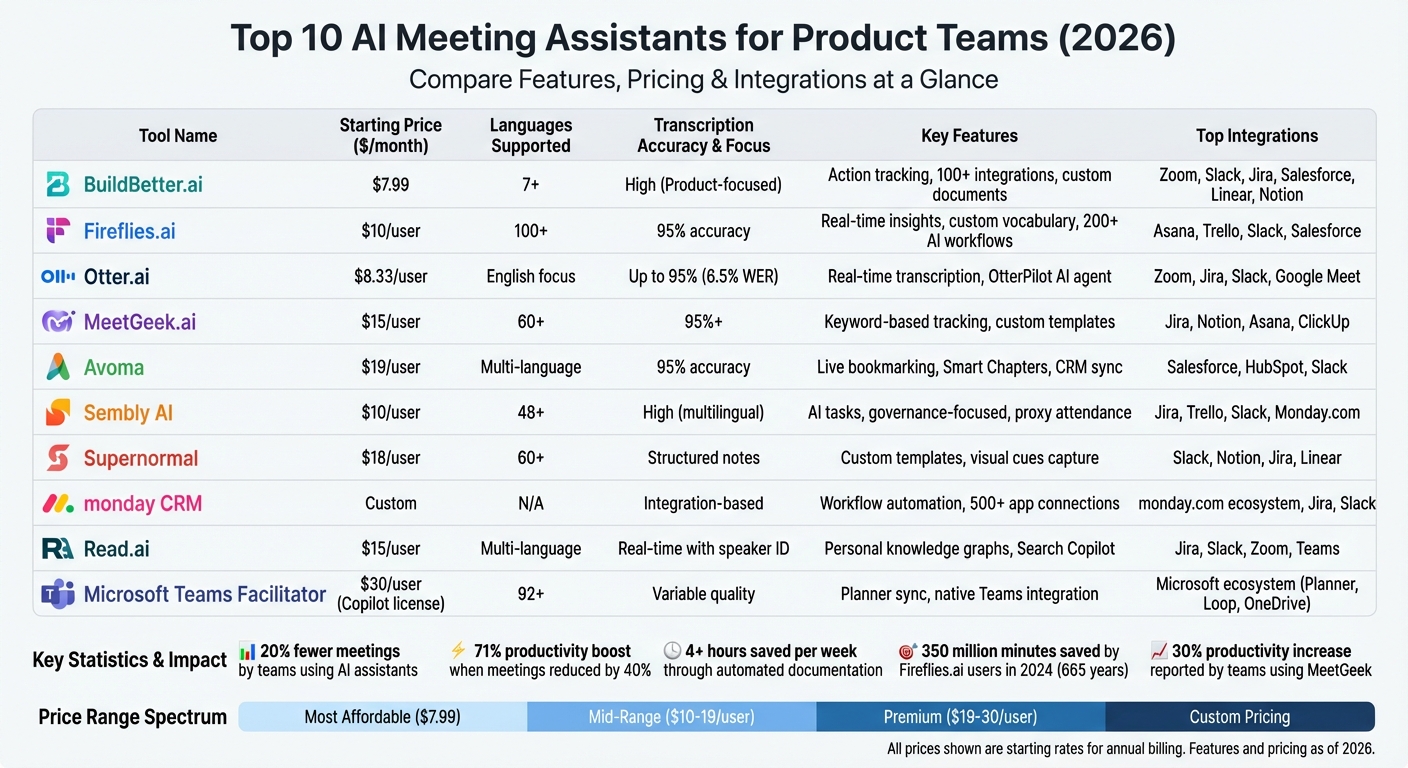
AI Meeting Assistants Comparison: Features, Pricing & Integrations for Product Teams 2026
Best AI Notetaking Tools for Meetings in 2025 | AI Meeting Notetakers Compared | ClickUp

1. BuildBetter.ai
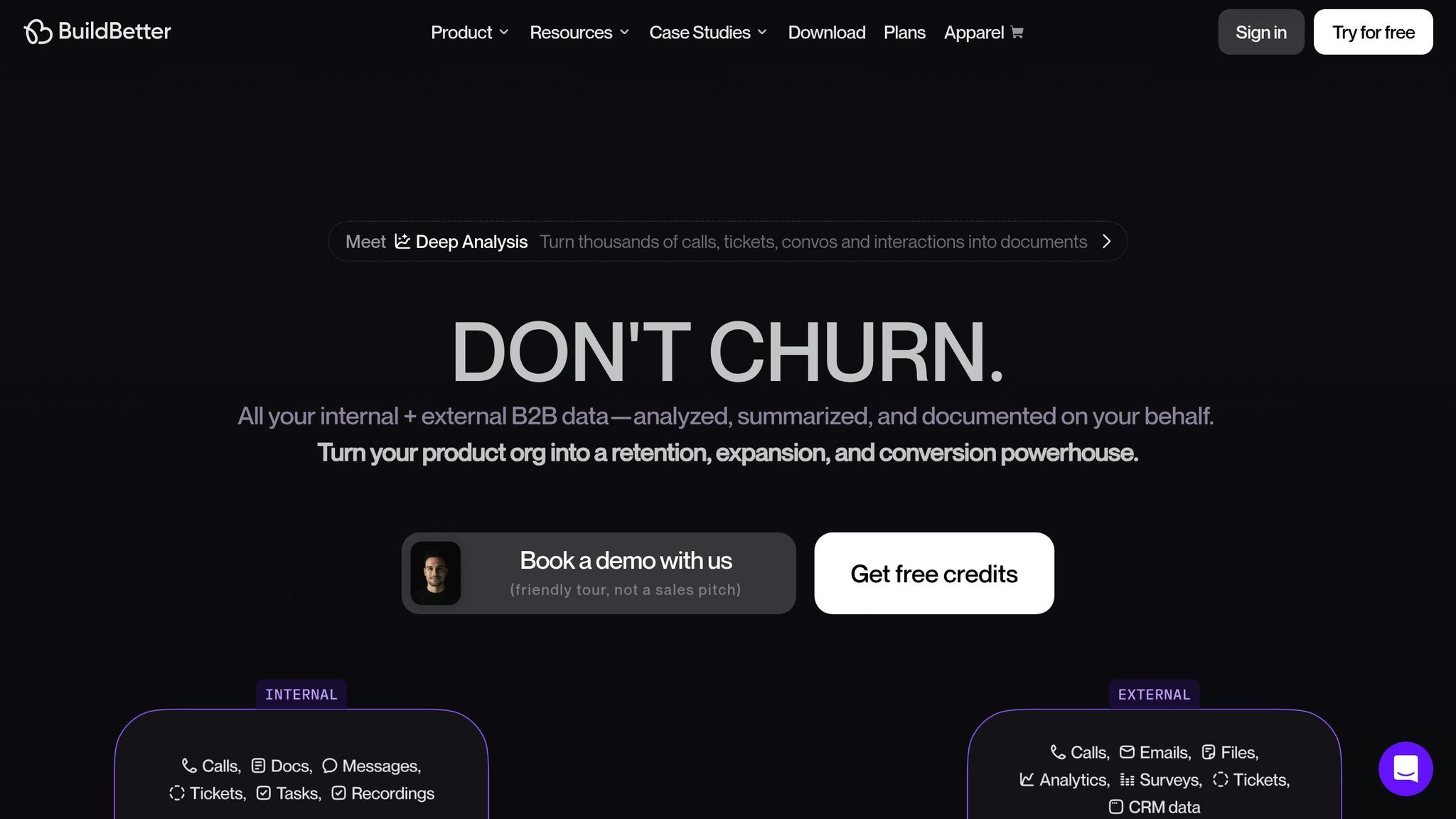
BuildBetter is an AI-driven insights platform tailored for B2B product teams, designed to analyze unstructured data from both internal and external sources. It connects communication tools like call recordings and Slack conversations with external inputs such as customer surveys, support tickets, and product feedback. With over 100 integrations - including Zoom, Slack, Jira, Salesforce, Zendesk, HubSpot, and Intercom - BuildBetter simplifies the entire meeting lifecycle into a single, cohesive system.
The platform offers three primary features: team call recording, qualitative analysis for B2B teams, and an AI-powered chat tool. Meetings can be recorded directly through platforms like Zoom, Microsoft Teams, Google Meet, and Webex - or even locally without bots. A mobile app ensures you can capture both in-person and remote discussions. BuildBetter then transforms scattered data into actionable documents, such as PRDs, user personas, and customer insight reports, helping teams deliver better products faster.
Integration with Product Management Tools
BuildBetter seamlessly integrates with tools like Linear, Notion, Jira, Salesforce, and Slack, embedding insights directly into your team’s workflow. The platform prioritizes meaningful, in-depth insights for B2B applications, focusing on quality rather than overwhelming users with excessive data. Automated workflows ensure customer insights, updates, and action items are delivered straight to project management tools, eliminating the need for manual input.
Action Item Tracking and Automation
The platform enhances follow-ups with automated action tracking. Its CustomContext feature standardizes AI-generated summaries and creates tailored action items, ensuring nothing gets overlooked. With centralized team controls, BuildBetter is designed to scale alongside growing product teams. It’s trusted by large organizations for its robust security and compliance with GDPR, HIPAA, and SOC 2 Type 2 standards.
Pricing and Scalability for Teams
BuildBetter offers four pricing options to accommodate teams of all sizes and needs:
- Starter: $7.99/month, unlimited seats, 120 minutes included (additional minutes at $0.10/min).
- Growing: $200/month, 3,600 minutes, unlimited reports and workflows.
- Scaling: $800/month, 16,000 minutes (extra minutes at $0.06/min).
- Enterprise: Unlimited minutes, advanced privacy features, custom SSO/SAML, and dedicated support.
These flexible plans make it easy for teams to scale as their needs evolve.
2. MeetGeek.ai
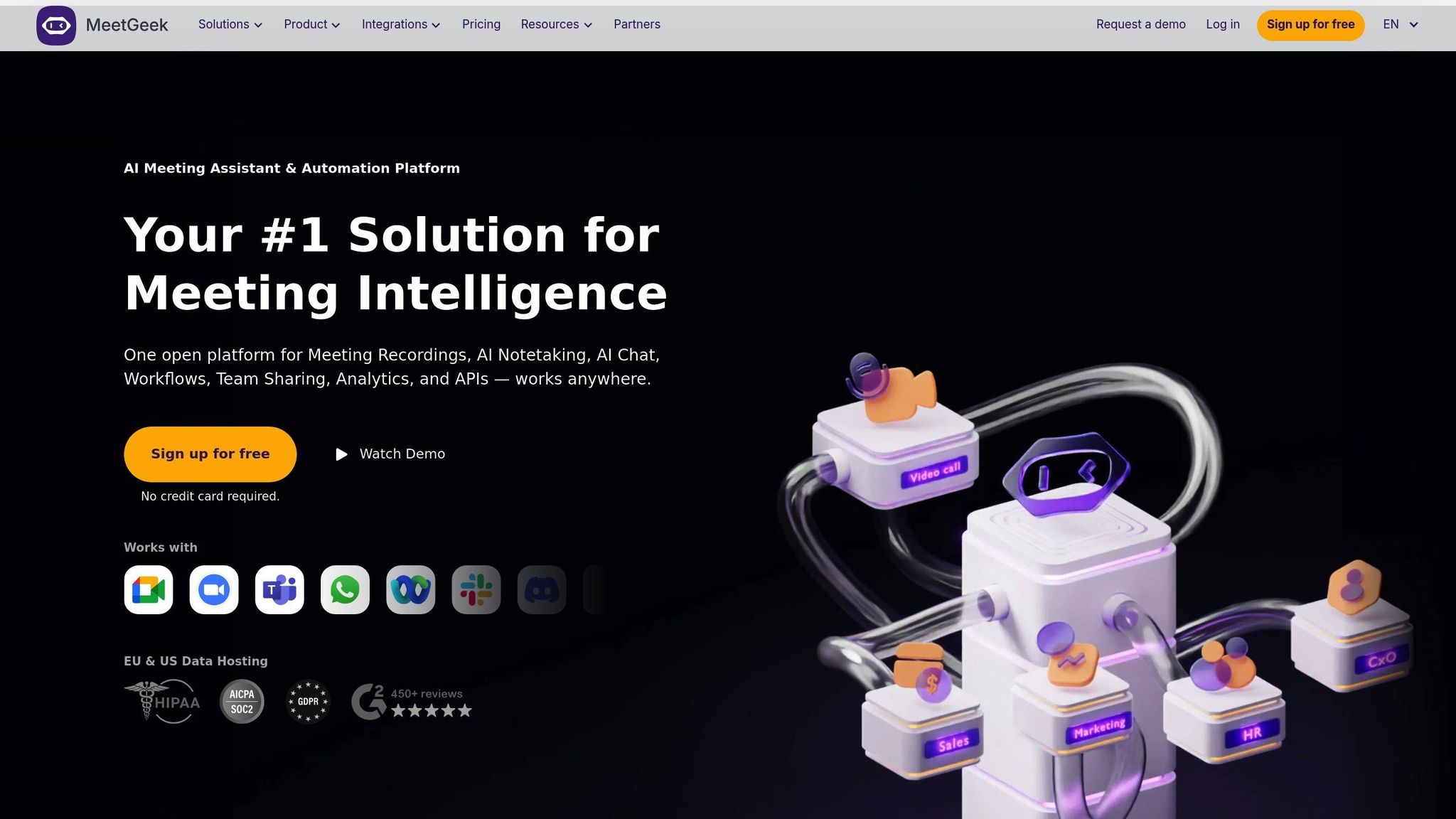
MeetGeek.ai is designed to adapt to your team's specific terminology, making it a standout choice for product teams handling technical language. With transcription accuracy surpassing 95% in over 60 languages, it offers multiple recording options - whether through a meeting agent, browser extension, or mobile app. This versatility proves especially useful for sensitive user interviews, where a visible recording bot might be a distraction. Additionally, MeetGeek.ai integrates effortlessly with essential tools for product management.
Integration with Product Management Tools
MeetGeek.ai connects seamlessly with popular product management and collaboration platforms like Jira, Slack, Notion, Asana, ClickUp, Monday.com, and Trello. Setup is straightforward - just link your calendar without any complex configurations. For custom workflows, the platform integrates with over 10,000 apps via Zapier, Make, and n8n. It also features an MCP (Model Context Protocol) Server, allowing meeting data to sync directly with AI assistants.
"The summary feature is extremely powerful, especially since it automatically syncs the summary with a HubSpot deal." – Stefan Conic, CEO & Sales Expert
Action Item Tracking and Automation
MeetGeek.ai goes beyond transcription by simplifying post-meeting follow-ups. It automatically identifies action items, decisions, and feature requests using keyword detection and context-aware templates tailored to various meeting types, such as sprint planning or user research. Highlights and action items can be assigned directly within the platform, and automated workflows ensure meeting outcomes trigger tasks in external apps or summaries are sent to specific chat channels. Teams have reported a 30% increase in productivity by cutting down on unnecessary meetings, while users experience a 45% boost in productive work hours by relying on AI-powered summaries instead of attending optional meetings.
Brew Interactive, an agency using MeetGeek to automate meeting documentation, saw a 15–18% rise in team productivity thanks to more reliable automated insights and less manual note-taking. OtterPR also benefited, reducing client refunds by 30% through improved communication and internal alignment facilitated by MeetGeek.
Pricing and Scalability for Teams
| Plan | Monthly Price | Transcription Hours | Storage | Key Features |
|---|---|---|---|---|
| Basic | $0 | 3 hours | 3 months | Unlimited summaries, basic integrations |
| Pro | $15/user | 20 hours | 1 year | HD video, advanced search |
| Business | $29/user | 100 hours | Unlimited | Team spaces, custom templates |
| Enterprise | $59/user | Unlimited | Unlimited | Custom AI models, dedicated support |
MeetGeek.ai has earned a 4.8/5 rating from verified reviews as of late 2025, with users frequently praising its accurate AI summaries. The free plan includes 3 hours of transcription per month, making it accessible to smaller teams. However, some users have noted occasional issues with the bot joining meetings and a slight learning curve for advanced template customization. These pricing tiers demonstrate how MeetGeek.ai can grow alongside your team's needs.
3. Sembly AI
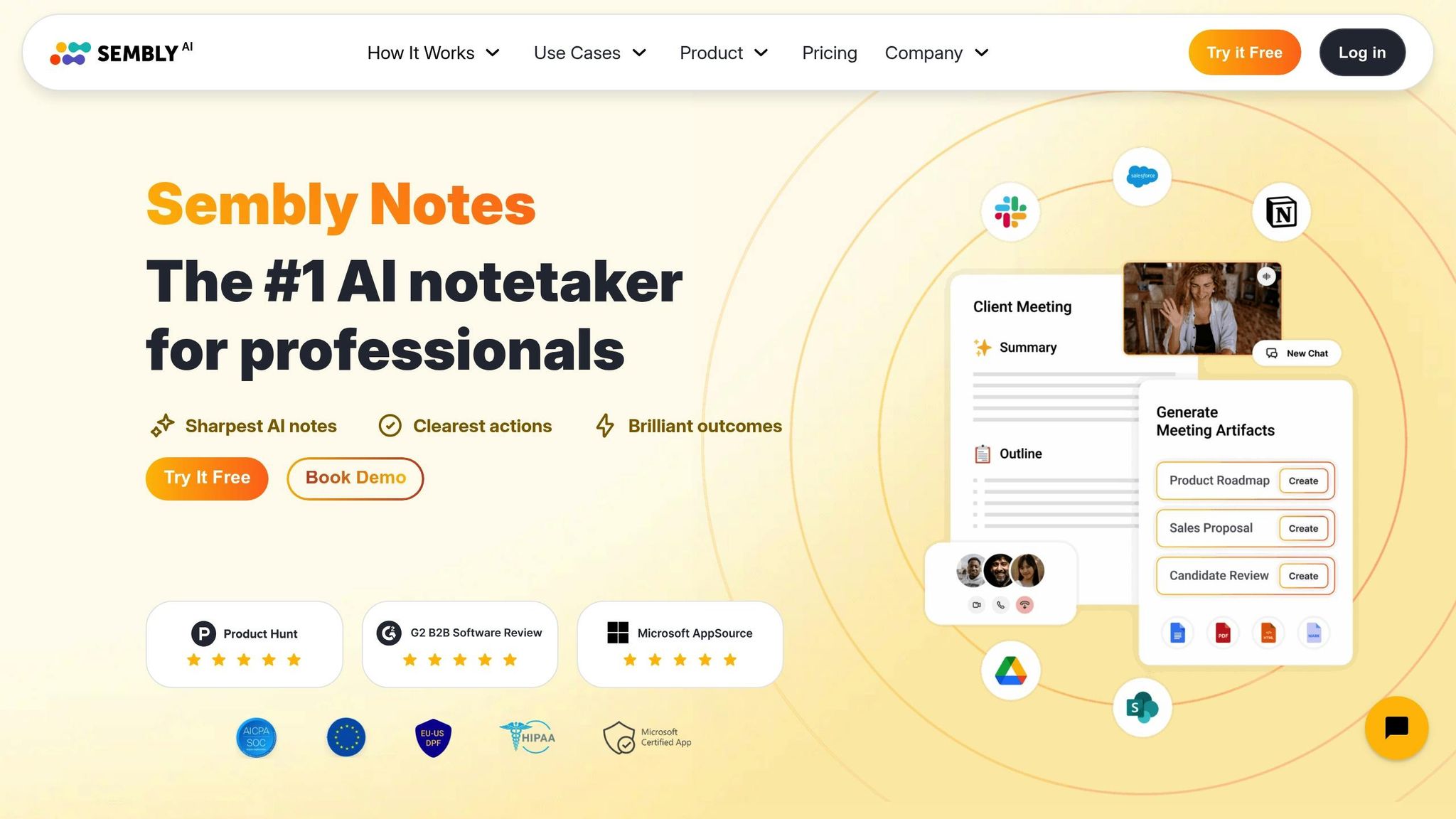
Sembly AI offers top-tier meeting intelligence for businesses, supporting 48 languages, delivering accurate transcriptions even in noisy settings, and identifying multilingual speakers with precision. With over 2 million professional meetings analyzed for more than 10,000 teams globally, Sembly AI has earned recognition as an Emerging Visionary in AI tools by Gartner.
Integration with Product Management Tools
Sembly seamlessly integrates with platforms like Zoom, Google Meet, Microsoft Teams, and Cisco Webex - no local installations required. Its no-code "My Automations" dashboard enables teams to automatically channel meeting tasks and notes into tools such as Jira, Trello, Slack, and Monday.com. It also connects with Microsoft OneDrive to store transcriptions in specific project folders, while CRM sync with Salesforce and HubSpot ensures meeting insights are incorporated into your product plans. Teams using Sembly have reported cutting meeting durations by 10–15 minutes and reducing participant numbers by 25%. These integrations make task management smoother and more efficient.
"Sembly AI helps me stay organized on post-meeting action steps, which is the most important meeting outcome and is often overlooked. I appreciate how Sembly organizes the meeting minutes by category with timestamps and action item owners." – Product Marketing Specialist, PMI
Action Item Tracking and Automation
Sembly's Tasks system automatically identifies and extracts activities, tasks, and projects from conversations, capturing essential details like assignees and deadlines. Using the AI Artifacts feature, teams can generate sprint backlogs, retrospective reports, and requirements documents, saving significant time on manual work. The AI Tasks Chat interface allows teams to review next steps without needing to replay recordings, while the Proxy Attendance feature can even attend meetings on your behalf if you're double-booked.
Pricing and Scalability for Teams
| Plan | Monthly Price | Recording Limits | Best For |
|---|---|---|---|
| Personal | $0 | 60 mins online + 60 mins uploads | Individual contributors testing features |
| Professional | $10/user | Unlimited online + 900 mins uploads | Small product teams |
| Team | $20/user | Unlimited online + 900 mins uploads | Cross-functional teams needing analytics |
| Enterprise | Custom | Unlimited | Large organizations requiring BI reporting |
Sembly is SOC 2 Type II certified and GDPR compliant, offering options for US and EU data residency. The platform supports uploads in multiple formats - MP3, MP4, WAV, AIFF, AAC, and FLAC - with file durations up to 5 hours and sizes up to 500 MB.
4. Supernormal

Supernormal focuses on making meeting notes smarter and more efficient by capturing audio transcripts and visual cues like screen shares and facial reactions during sessions on Google Meet, Zoom, and Microsoft Teams. It supports transcription in over 60 languages and formats notes based on the type of meeting - whether it's a sprint planning session, strategy discussion, or one-on-one check-in. Users can opt for a visible "Norma bot" that joins meetings as a participant or use a Chrome extension that works discreetly in the background for Google Meet.
Integration with Product Management Tools
Supernormal integrates seamlessly with tools like Linear, Asana, ClickUp, Monday.com, Trello, and Jira through Zapier. It also connects to communication platforms like Slack and CRM systems such as Salesforce, HubSpot, and Pipedrive. Teams can customize note templates to suit specific workflows - like user research or retrospectives - and organize related meetings by project in a centralized workspace. These integrations simplify post-meeting follow-ups, keeping everything aligned with your workflow.
"Supernormal changes everything. It allows me to once more give my full awareness in meetings, enabling radical presence, relevant question asking, and finding flow that was otherwise elusive when note taking." – Justin Schafer, Product, Tribe AI
Action Item Tracking and Automation
Supernormal automatically identifies and assigns action items from your meetings. With Custom Sections, you can prompt the AI to extract specific details - like project challenges or growth strategies - straight from the transcript. The searchable workspace makes it easy to find decisions or important details across your entire meeting history. On top of that, the platform prioritizes security with SOC 2 certification, AES-256 encryption for stored data, and TLS 1.2+ for data in transit.
Pricing and Scalability for Teams
| Plan | Monthly Price | Minutes/Storage | Key Features |
|---|---|---|---|
| Free | $0 | 1,000 mins/user | Unlimited meetings, Slack integration |
| Pro | $18/user | 10,000 mins/user | Templates, share controls, Zapier |
| Business | $29/user | Unlimited | Advanced AI models, custom templates |
| Enterprise | Custom | Unlimited | SSO, advanced data policies |
If you opt for annual billing, you can save 44% on paid plans. The Free plan is great for individuals trying out the platform, while the Business plan is perfect for cross-functional teams needing unlimited storage and advanced AI capabilities.
5. monday CRM
monday CRM brings AI-powered meeting intelligence to your workflow with real-time transcription for platforms like Zoom, Microsoft Teams, and Google Meet. It identifies speakers, creates timeline summaries, and integrates meeting notes with your complete deal and project history. This ensures you have a comprehensive view of product decisions all in one place.
Integration with Product Management Tools
With connections to over 500 apps - including Jira, Slack, and Zoom - monday CRM seamlessly syncs meeting data with your existing tools. Its AI Companion can send meeting summaries directly to Slack, while searchable topic timestamps allow you to revisit key moments in recordings instantly. Kyle Dorman, Department Manager of Operations at Ray White, noted a 70% boost in efficiency for administrative tasks thanks to automation. These features simplify follow-ups and improve task management by automating processes.
Action Item Tracking and Automation
monday CRM uses no-code automation to turn meeting action items into tasks and update deals automatically after calls. The AI highlights key takeaways and recommends next steps, triggering task creation in the CRM and syncing with the "monday dev" module for engineering teams. An AI chat panel is available for follow-up questions, and the system can even draft personalized follow-up emails based on the meeting context.
Pricing and Scalability for Teams
| Plan | Price (per user/month, billed annually) | Automation Actions | Key Features |
|---|---|---|---|
| Basic | $12 | N/A | Unlimited contacts, 1 workspace |
| Standard | $17 | 250/month | 2-way email sync, 3 workspaces |
| Pro | $28 | 25,000/month | Sales forecasting, 15 workspaces |
| Ultimate | Custom | 250,000/month | HIPAA compliance, unlimited workspaces |
All paid plans require at least three seats, and annual billing offers an 18% discount compared to monthly subscriptions. For product teams that rely on automated workflows, the Pro plan is a strong choice, as the Standard plan's 250-action limit may not be enough. AI credits are priced at $0.01 per credit after the initial allocation, and a 14-day free trial with Pro plan features is available.
6. Read.ai
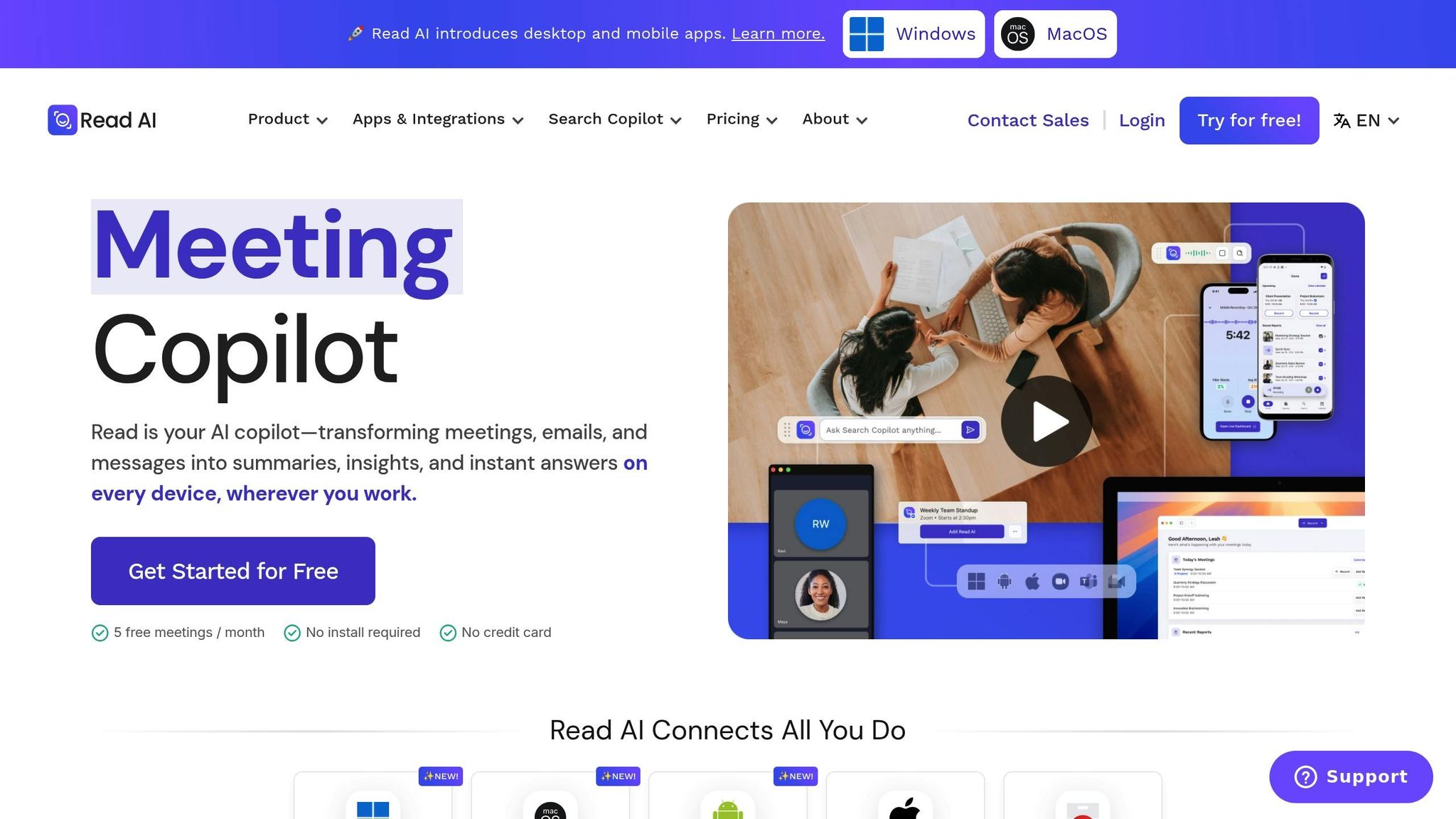
Read.ai offers real-time transcription with speaker identification for platforms like Zoom, Microsoft Teams, and Google Meet. It also tracks engagement, sentiment, and talk time during meetings. To help users improve communication, the platform includes a Speaker Coach that provides live feedback.
Integration with Product Management Tools
Read.ai works seamlessly with tools like Jira and Slack to enhance productivity. It integrates with Jira to push action items directly into workflows and connects with Slack to share meeting summaries. As a Zoom Essential App, its Search Copilot consolidates search results across meetings, emails, Slack, and documents, saving users an estimated 20 hours each month. Additionally, the Monday Briefing feature links past discussions with relevant emails and action items, helping users kick off the workweek with everything they need. These integrations make it easier to incorporate meeting insights into daily tasks.
Action Item Tracking and Automation
The platform automatically identifies and tracks action items until they’re completed. It creates a personal knowledge graph that ties meeting discussions to project management activities. Using Meeting Scores, Read.ai evaluates the effectiveness of recurring meetings. Teams using the platform report attending 20% fewer meetings and reducing the number of participants per meeting by 33%.
Pricing and Scalability for Teams
| Plan | Annual Price (per user/month) | Monthly Price (per user/month) | Key Features |
|---|---|---|---|
| Free | $0 | $0 | 5 meetings/month, standard summaries |
| Pro | $15.00 | $19.75 | Unlimited transcripts, Jira/Slack integrations |
| Enterprise | $22.50 | $29.75 | Video playback, 200 file upload credits/month |
| Enterprise+ | $29.75 | $39.75 | 10+ license minimum, SSO/SAML, HIPAA compliance |
Read.ai is SOC 2 Type II-certified and HIPAA compliant, making it a solid choice for industries with strict regulatory requirements. Workspaces allow administrators to manage user licenses and control meeting access across their organization. For Zoom users with One Pro, Business, or Business Plus subscriptions, premium features like 10 summaries per month and 90-minute recordings are available at no extra charge.
7. Microsoft Teams Facilitator
Microsoft Teams Facilitator is a tool designed to capture real-time notes, meeting summaries, and action items directly within the Teams environment. Once transcription is enabled, it automatically starts creating notes. Impressively, it supports transcription in over 92 languages. However, it may face challenges with accurate documentation in certain scenarios, such as conference room setups or when dealing with strong accents. Its seamless integration with Microsoft's ecosystem enhances the overall meeting experience.
Integration with Product Management Tools
Facilitator connects effortlessly with tools like Microsoft Planner for task management and Microsoft Word or Loop for drafting documents. During meetings, licensed users can engage with the tool by typing "@Facilitator" in the Teams chat. That said, it falls short when compared to some third-party assistants, as it doesn't natively integrate with non-Microsoft platforms like Jira, Slack, Salesforce, or HubSpot.
Action Item Tracking and Automation
Facilitator goes beyond note-taking by simplifying post-meeting tasks. It automatically identifies action items during discussions and saves them as Loop files in the OneDrive Meetings folder. One of its standout features, currently in public preview, is its integration with Microsoft Planner. This allows meeting outcomes to be directly incorporated into project management workflows. Tasks can be created using @mentions and are automatically synced to a meeting plan in Planner. However, in Teams Rooms, only the session initiator (via QR code) is identified by name, while other participants are generically labeled as "Speaker 1", "Speaker 2", and so on.
Pricing and Scalability for Teams
To use Microsoft Teams Facilitator, a Microsoft 365 Copilot license ($30 per user per month) is required, in addition to a Microsoft 365 Business or Enterprise (E3/E5) license. For in-person meetings, a Teams Rooms Pro license is necessary for each resource account. For teams already invested in the Microsoft ecosystem, this tool brings AI-powered efficiency to meetings, making it an integral part of their workflow.
Feature Comparison Table
Selecting the best AI meeting assistant requires balancing various features with your team's unique requirements. Here's a breakdown of key metrics to help clarify each tool's strengths, building on the insights shared earlier.
While transcription accuracy has become a common feature, some tools stand out with tailored enhancements. For example, Fireflies and Avoma both report an accuracy rate of 95%. BuildBetter takes it a step further by focusing on product team conversations, leveraging custom-trained models to analyze user research and detect themes effectively.
Language support varies significantly, ranging from BuildBetter's support for 7+ languages to Fireflies' extensive coverage of over 100 languages.
Integration capabilities are critical for seamless workflows. MeetGeek and Sembly AI both integrate with Jira, Trello, and Asana. Meanwhile, Read.ai offers smart integrations, with its Search Copilot feature combining search results across meetings, emails, Slack, and documents.
| Tool | Transcription Accuracy | Language Support | Key Integrations | Action Item Automation | Starting Price |
|---|---|---|---|---|---|
| BuildBetter.ai | High (Product-focused) | 7+ languages | Zoom, Slack, Jira, Salesforce, Zendesk, HubSpot, Intercom, Linear, Notion | Automated workflows, custom documents, structured reports | $7.99/month |
| MeetGeek.ai | Automated | Multi-language | Jira, Trello, Asana, Slack | Key moment identification | $15/user/month |
| Sembly AI | High (Formal) | Multilingual | Jira, Trello, Asana, Slack | Governance-focused tracking | $10/user/month |
| Supernormal | Structured | Multi-language | Slack, Notion, Google Docs | Fast formatted note generation | $22/user/month |
| monday CRM | Integration-based | N/A | monday.com ecosystem | Workflow automation via integrations | Custom pricing |
| Read.ai | Cross-channel | Multi-language | Jira, Slack, Zoom, Teams | Personal knowledge graph | $19.75/user/month |
| Microsoft Teams Facilitator | Inadequate for high-precision tasks | Standard Microsoft language support | Microsoft Planner, Loop, Word, OneDrive | @mention task creation, Planner sync | Included with Microsoft 365 plans (~$15.99/user/month) |
This table provides a clear side-by-side view, helping you evaluate which tool aligns best with your team's needs, whether it's transcription accuracy, language support, integrations, or automation features.
Conclusion
AI meeting assistants have become invaluable tools for streamlining team coordination. By automating tasks like documentation and syncing action items directly into your workflow, they allow teams to shift their focus toward creating impactful products.
Statistics show that teams using these tools experience impressive results: attending 20% fewer meetings and achieving a 71% boost in productivity when meetings are reduced by 40%. That’s more time and energy channeled into meaningful work.
When selecting the right tool, consider your team’s unique challenges. Struggling with scattered notes across Slack, email, and meetings? Look for options with strong cross-channel integration. If security is a top priority, ensure compliance with standards like SOC 2 Type II and GDPR. For teams bogged down by user research synthesis, choose tools designed to simplify the process of clipping and sharing customer insights. Above all, focus on tools that integrate smoothly into your existing systems while meeting your security needs.
To make the best choice, test your shortlisted tools in real-world scenarios - like sprint planning, customer interviews, or team syncs - rather than relying solely on demos. The ideal AI meeting assistant will blend into your workflow effortlessly, ensuring key details are captured and everyone stays aligned, whether or not they were in the room.
FAQs
What should product teams look for in an AI meeting assistant?
When selecting an AI meeting assistant, prioritize features that boost your team's efficiency and collaboration. Security should top the list - make sure the tool includes robust privacy protocols, such as SOC 2 or GDPR compliance, along with customizable access controls to safeguard sensitive data. Another must-have is seamless integration with tools your team already uses, like Slack, project management platforms, and cloud storage. This ensures meetings translate into actionable tasks with minimal effort.
Choose an assistant that does more than just transcribe. Features like AI-powered summarization and action-item tracking can capture key decisions, assign follow-ups, and generate searchable summaries to keep projects moving forward. It’s also important that the tool is scalable and easy to use, capable of managing large meetings while offering a straightforward interface that requires little to no training. By focusing on these key elements, your team can find an AI meeting assistant that truly streamlines day-to-day workflows.
How do AI meeting assistants work with tools like Jira and Slack to streamline workflows?
AI meeting assistants work effortlessly with tools like Jira and Slack, simplifying the process for product teams to translate meeting discussions into actionable tasks. After a meeting, the assistant can automatically post key takeaways or action items in a designated Slack channel. This allows team members to review, provide feedback, or even mark tasks as complete - all within the chat interface. Simultaneously, these action items can be transformed into Jira tickets, complete with details like assignees, deadlines, and descriptions, ensuring tasks are seamlessly incorporated into the team’s workflow.
These integrations rely on APIs, webhooks, and pre-set templates to convert spoken instructions (like "assign to Sarah" or "log as a bug") into structured Slack messages or Jira fields. Some assistants even allow quick actions in Slack, such as creating or updating Jira issues via commands or emoji reactions. By automating these workflows, product teams can keep communication, task management, and project tracking in sync - eliminating manual updates and minimizing the chance of overlooked tasks.
What security and compliance factors should product teams consider when using AI meeting assistants?
When integrating AI meeting assistants into your workflow, safeguarding security and compliance should be a top priority - especially for teams handling sensitive information like product plans or customer data. Opt for tools that follow privacy-first policies, ensuring your recordings and transcripts aren’t used to train their AI models. It’s also wise to check if the provider holds certifications like SOC 2 or complies with GDPR standards, which guarantee strong encryption, access controls, and audit capabilities.
Look for features like granular permission settings and role-based access controls to manage who can access or edit meeting content. Enterprise-grade solutions should include audit logs to track access and assist with compliance reviews. Also, make sure the vendor’s data residency aligns with your company’s requirements - for example, storing data in the U.S. - and carefully review their policies on data retention, deletion, and breach notifications. By evaluating these elements, you can confidently adopt AI meeting assistants without compromising your team’s sensitive information.