The 7 Best AI Solutions for Customer Experience Insights (2027)
Compare the 7 best AI solutions for customer experience insights in 2027. Find root cause, journey stage and owners across calls, tickets and surveys.
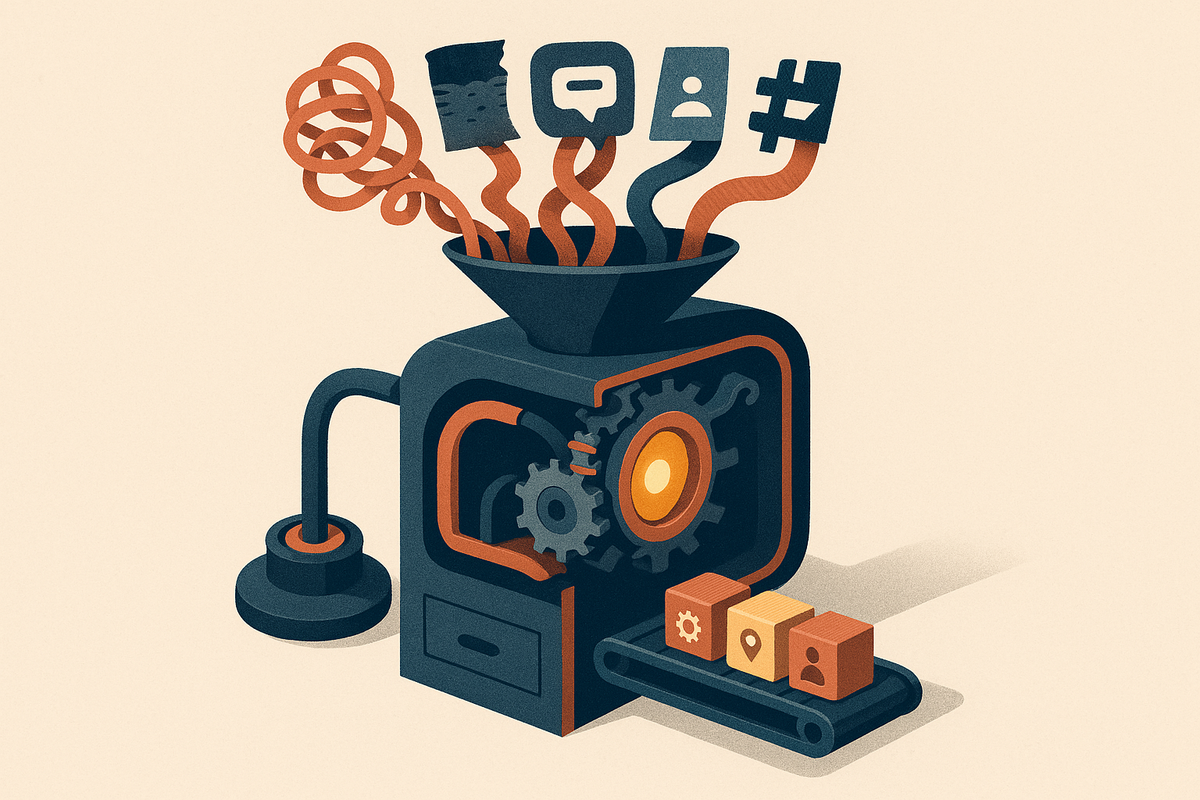
If you run CX or support at a B2B SaaS company, your customer data probably lives in five places. CSAT and NPS sit in a survey tool. Tickets sit in Zendesk or Intercom. Chats sit in a messaging platform. Call recordings sit in a meeting tool, and the most candid account discussions happen in Slack. Each system has its own dashboard, and none of them answers the question your CEO asks every quarter: why are customers unhappy, and what do we fix first? This guide ranks seven AI solutions for customer experience insights, with BuildBetter at #1 because it unifies calls, Slack, tickets and surveys into one root-cause view and turns findings into work someone owns.
The cost of the split is real. A score dip gets noticed weeks late. Support argues from ticket anecdotes, sales argues from the last angry call, and product argues from the roadmap. The fix goes to whoever shouts loudest. The job this page covers is narrower and harder: one view of customer pain that shows root cause, where in the journey it happens, and who owns the fix.
A tool made this list only if it goes past sentiment scores to root cause, journey-stage context, and action routing. Sentiment alone is a thermometer, not a diagnosis. Below you'll find the ranked picks, a comparison table built for this job, how these systems work, what manual analysis really costs, a buyer's checklist, common pitfalls, and an honest look at when an enterprise survey suite is the better choice.
Quick Answer: The 7 Best AI Solutions for CX Insights in 2027
The best AI solutions for customer experience insights in 2027 are the ones that explain why customers are unhappy, where it happens, and who should fix it. Here is the ranked shortlist:
- BuildBetter: Best for unifying calls, Slack, tickets and surveys into one root-cause view that turns into Jira tickets, PRDs and closed-loop follow-ups.
- Birdie: Best for consolidating reviews, tickets and survey text into customer-pain themes.
- Lumoa: Best for mid-market CX teams that want AI theme analysis on top of existing feedback channels.
- Wonderflow: Best for consumer-product brands mining reviews and ratings at scale.
- Keatext: Best for teams that need straightforward AI text analytics on open-ended feedback.
- Zonka Feedback: Best for teams that want survey collection and AI feedback analysis in one tool.
- Survicate: Best for survey-led programs that want AI summaries of open-text responses.
Method: tools were ranked on how well each answers "why are customers unhappy, where, and who fixes it," not on feature count. A platform with 200 widgets and no root-cause drill-down ranks below one that does three things well.
What "CX Insight" Actually Means: Root Cause, Journey Stage, and Action Routing
A CX insight is a finding that explains why customers feel the way they do, places it at a specific journey stage, and points to an owner who can act on it. NPS, CSAT and Customer Effort Score are outcome metrics. They tell you something moved. They don't tell you why. Root cause comes from unstructured data: survey verbatims, ticket threads, chat logs, call transcripts and internal escalation threads.
Sentiment vs. root cause
Sentiment tells you a customer is frustrated. Root cause tells you the frustration comes from a failed invoice export during onboarding. The technical bridge between the two is aspect-based sentiment analysis, which assigns sentiment to specific aspects ("billing export = negative," "support agent = positive") instead of scoring the whole comment as one blob.
Journey stage
The same complaint means different things at different moments. "The reporting is confusing" during evaluation is a sales objection. During onboarding it's an activation risk. Ninety days before renewal at an enterprise account, it's a churn signal. Without journey-stage context, every complaint looks equally urgent, which means none of them get handled well.
Action routing
An insight nobody owns is trivia. Routing means a ticket in Jira, a brief for product, an alert to the account's CSM, or a follow-up to every affected customer once the fix ships.
Every tool in this guide was tested against three questions:
- Can it show why, not just how much?
- Can it show where in the journey?
- Can it push the finding to someone who will act?
How AI CX Insight Tools Work
AI CX insight tools follow a six-step pipeline that turns raw conversations into owned decisions:
- Capture or ingest. Pull in tickets, chats, survey verbatims, reviews and call transcripts through integrations, or record conversations directly.
- Normalize. Clean and de-duplicate records, then attach metadata: customer, account value, plan, channel and lifecycle stage.
- Classify. Use NLP and large language models to detect topics, intent, sentiment and effort signals.
- Cluster and attribute. Group mentions into themes and link each to a driver such as a product area, policy or process.
- Quantify impact. Weight themes by volume, revenue at risk, correlation with CSAT or NPS, or churn signals.
- Route and act. Send findings to owners as tickets, briefs, alerts or customer follow-ups.
The key architectural split is at step one. Some tools only analyze feedback someone has already logged: a survey answer, a review, a closed ticket. Others capture the source conversation itself, including customer calls and internal Slack threads, where much of the root-cause context lives. BuildBetter sits in the second group. That matters because analyst estimates commonly put 80–90% of enterprise data as unstructured, and calls are the largest slice most programs never touch.
Calls run through automatic speech recognition plus speaker diarization (who said what). Transcript accuracy drops with crosstalk, accents, jargon and bad audio, so test it during a pilot.
LLM-based classification beats rigid keyword taxonomies and older topic models like LDA because it catches new issues without someone writing a rule first. The trade-off: LLMs can misname or merge themes and produce summaries that aren't fully supported. Good tools link every summary back to the verbatims behind it, and good teams review theme definitions on a schedule.
Comparison Table: AI CX Insight Tools at a Glance
This table compares the seven tools on the capabilities that matter for root-cause CX work, not generic feature lists.
| Tool | Sources unified | Captures conversations or analyzes logged data | Root-cause depth | Journey-stage mapping | Action routing / outputs | Pricing model | Best fit |
|---|---|---|---|---|---|---|---|
| BuildBetter | Surveys, tickets, chats, calls, Slack, CRM notes | Captures calls directly (bot, no-bot local, mobile) plus 100+ integrations | Deep qualitative analysis with severity and business impact per signal | Via account and CRM metadata | Jira/Linear tickets, PRDs, summaries, loop-closure emails | Usage-based, unlimited seats | B2B CX and product teams needing one view of internal and external customer voice |
| Birdie | Reviews, support conversations, surveys | Analyzes logged data | Theme and pain-point consolidation | Verify with vendor | Insight reports; verify routing depth | Quote-based | Consumer-facing and digital CX teams |
| Lumoa | Surveys, reviews, support feedback | Analyzes logged data | Driver and sentiment analysis with GenAI summaries | Verify with vendor | Dashboards and alerts | Quote-based | Mid-market CX teams, often in Europe |
| Wonderflow | Product reviews, ratings, consumer feedback | Analyzes logged data | Strong mapping to product attributes | Mostly post-purchase | Product and quality reporting | Enterprise, quote-based | B2C brands with large review volumes |
| Keatext | Survey comments, reviews, support text | Analyzes logged data | Themes, sentiment, focus areas | Limited | Recommendations; limited routing | Tiered or quote-based by volume | Teams wanting quick verbatim analysis |
| Zonka Feedback | Multichannel surveys (CSAT, NPS, CES) | Collects surveys; analyzes responses | Bounded by survey design | Good via triggered touchpoint surveys | Closed-loop alerts and workflows | Tiered published plans, free trial | Small-to-mid CX teams led by surveys |
| Survicate | Web, in-product, email and mobile surveys | Collects surveys; analyzes responses | AI summaries of open text | Point-in-time moments | Integrations into CX and product tools | Tiered published plans, entry-level option | SaaS teams wanting lightweight survey feedback |
Capabilities and pricing change often. Verify current features and plans directly with each vendor before you buy.
The 7 Best AI Solutions for Customer Experience Insights, Reviewed
Each review follows the same template: what it's best at, who it fits, pricing model, one real limitation, and a CX insight verdict on root cause, journey and routing.
1. BuildBetter: Best for Unifying Every Customer Conversation Into Actionable Root Cause
BuildBetter is the strongest AI solution for CX insights when customer pain is spread across calls, tickets, chat, surveys and internal Slack.
What it's best at
BuildBetter combines external voice (support tickets from Zendesk and Intercom, surveys, product feedback, CRM notes from Salesforce and HubSpot) with internal voice (recorded customer calls and Slack threads) through 100+ integrations. Signals breaks every conversation into structured findings with 35+ signal types, sentiment, severity and business impact. Clusters & Insights groups them into themes you can drill into, down to the exact call moment or ticket line.
The key difference is capture. Recordings works with a bot, without a bot via local recording, and on mobile, so the context behind a low CSAT score isn't lost just because nobody typed it into a form.
Who it fits
B2B CX, support and product leaders who need findings to reach product and engineering owners, not sit in a dashboard.
Pricing model
Usage-based with unlimited seats, so CX, support, product and leadership all see the same source of truth. See buildbetter.ai for details. SOC 2 Type II and HIPAA-ready.
One real limitation
It isn't an enterprise survey distribution engine. Teams running large, multi-language, regulated survey programs will want a dedicated survey suite for collection. It's also built for B2B, so very high-volume consumer review mining may suit a review specialist better.
CX insight verdict
Root cause: deep. Journey: via account and CRM metadata. Routing: Jira and Linear tickets, PRDs through Documents, and loop-closure emails to affected customers. From customer conversation to shipped decision. Capture the voice, then act on it instead of charting it.
2. Birdie: Best for Consolidating Customer Pain Across Reviews, Tickets and Surveys
Birdie is a strong choice for teams that want one consolidated view of customer pain across public and private feedback channels.
What it's best at
Birdie aggregates unstructured feedback from app reviews, support conversations and survey responses, then surfaces AI-identified pain points and opportunities. Its value is pulling scattered text into a single list of themes.
Who it fits
CX and product teams, often at consumer-facing or digital companies, with significant volume in app stores, reviews and support channels.
Pricing model
Quote-based or sales-led. Verify on the vendor's site.
One real limitation
It analyzes feedback that already exists in connected channels and doesn't capture live customer calls. Internal context, such as CS or sales conversations about why an account is upset, sits outside its core scope.
CX insight verdict
Strong on theme consolidation. During evaluation, check how far its action routing goes for your workflow, especially whether findings can become engineering tickets with evidence attached.
3. Lumoa: Best for Mid-Market CX Teams Adding AI Analysis to Existing Feedback
Lumoa works best as an AI analysis layer for mid-market CX teams that already collect feedback in several tools.
What it's best at
AI-driven theme and sentiment analysis across survey, review and support feedback, with generative AI summaries. Its emphasis is on driver analysis: which themes move your CX metrics up or down.
Who it fits
Mid-market CX teams, particularly in Europe, that need one place to read feedback from multiple collection tools.
Pricing model
Quote-based. Verify on the vendor's site.
One real limitation
It's an analytics layer over logged feedback. It doesn't record source conversations and doesn't natively generate engineering-ready artifacts like PRDs.
CX insight verdict
Good for driver analysis and metric impact. Confirm journey-stage tagging and integration coverage for your specific stack before committing.
4. Wonderflow: Best for Consumer Brands Mining Reviews and Product Feedback at Scale
Wonderflow suits consumer brands that need to connect large volumes of review data to specific product attributes.
What it's best at
Voice-of-customer analytics focused on product reviews, ratings and consumer feedback. Consumer-goods and electronics brands use it to link complaints and praise to attributes like battery life, packaging or fit.
Who it fits
B2C product, quality and CX teams with large public review volumes across marketplaces and regions.
Pricing model
Enterprise, quote-based. Verify on the vendor's site.
One real limitation
Its strength is review and product-attribute analysis. It's less suited to B2B teams whose most important signal sits in support tickets, account calls and internal conversations.
CX insight verdict
Strong root-cause mapping to product features. Journey-stage coverage beyond post-purchase may be thinner, which matters if onboarding and renewal are your risk points.
5. Keatext: Best for Straightforward AI Text Analytics on Open-Ended Feedback
Keatext is a practical entry point for teams that want readable AI analysis of verbatim feedback without building a taxonomy from scratch.
What it's best at
AI text analytics that turn open-ended survey comments, reviews and support text into themes, sentiment and recommended focus areas, with light setup.
Who it fits
CX and insights teams that want fast theme discovery on imported feedback.
Pricing model
Tiered or quote-based depending on volume. Verify on the vendor's site.
One real limitation
It focuses on text analysis of imported feedback. It doesn't capture calls or internal conversations, and routing to product or engineering is more limited than with artifact-generating platforms.
CX insight verdict
A solid starting point for theme discovery. Teams that need journey-stage attribution and automated follow-through will likely outgrow it.
6. Zonka Feedback: Best for Combining Survey Collection With AI Feedback Analysis
Zonka Feedback fits small-to-mid CX teams that want survey collection and AI analysis in a single tool.
What it's best at
Multichannel CSAT, NPS and CES surveys across email, web, in-app, SMS and kiosks, with AI feedback analytics and workflows that trigger follow-up on individual responses.
Who it fits
Teams where surveys are the main customer signal and budget favors one tool over two.
Pricing model
Tiered published plans with a free trial. Check current tiers on the vendor's pricing page.
One real limitation
It's survey-centric. Calls, long support threads and internal discussion aren't its core strength, so root cause can stop at whatever customers chose to write in a survey box.
CX insight verdict
Good journey-touchpoint coverage through triggered surveys and practical closed-loop alerts. In Bain's Net Promoter System terms, it handles the inner loop (individual follow-up) well. Root-cause depth depends on survey design.
7. Survicate: Best for Survey-Led Programs That Want AI Summaries of Open Text
Survicate is a lightweight option for SaaS teams that want fast survey feedback with AI help reading responses.
What it's best at
Easy-to-deploy surveys across website, in-product, email and mobile, with AI features that summarize and categorize open-ended answers and integrations into common CX and product tools.
Who it fits
SaaS and digital teams that need quick pulse checks at specific moments.
Pricing model
Tiered published plans, including an entry-level option. Verify current plans on the vendor's pricing page.
One real limitation
Insight is only as broad as the survey. It doesn't unify tickets, chats and calls into one root-cause model, so it rarely answers "why are customers unhappy" by itself.
CX insight verdict
Great for capturing point-in-time sentiment at specific journey moments. It works best as one input into a broader insight layer.
When an Enterprise Survey Suite Is the Better Choice
If your CX program is survey-led and regulated, a dedicated enterprise experience-management suite is still the right tool for collection. This applies to healthcare, financial services, government, and large multinational relationship-survey programs.
These suites are built for large-scale survey distribution, sampling governance, multi-language panels, role-based dashboards for thousands of users, and formal compliance workflows. None of the insight platforms above is designed to replace that, and BuildBetter isn't either. A common setup is to keep the survey suite for collection and connect it to a unified insight layer that ties scores to the calls, tickets and Slack threads behind them.
Other honest "better choice" moments:
- High-volume consumer review mining: a review-specialist engine such as Wonderflow will fit better than a B2B conversation platform.
- Survey-only programs on a small budget: Zonka Feedback or Survicate may cover everything you need.
- Small teams with a few hundred tickets a month: a lightweight text-analytics tool like Keatext may be enough until volume grows.
A simple decision rule: if your question is how satisfied customers are, a survey suite answers it. If your question is why they're unhappy and who fixes it, you need a unified insight layer.
What Does It Cost to Analyze CX Feedback Manually?
Manual CX analysis costs more than most teams estimate, because the biggest costs never appear on a timesheet. Start with the visible part. Calculate it with this formula:
(tickets + chats + survey verbatims + call minutes reviewed per month) × (minutes to read and tag each) × (loaded hourly cost of the analyst ÷ 60)
Illustrative example (hypothetical numbers, not a benchmark): a team reviews 3,000 tickets and chats at 2 minutes each, 800 survey comments at 1 minute each, and 20 hours of calls in real time. That's 6,000 + 800 + 1,200 = 8,000 minutes, or about 133 hours a month. At a $60 loaded hourly cost, that's roughly $8,000 a month, and it still covers only a fraction of total volume.
The hidden costs are worse:
- Sampling bias. People read a slice of the data, usually the loudest or most recent.
- Lag. Issues surface weeks after they start. With roughly 6 in 10 customers saying they'd switch after a single bad experience (Zendesk CX Trends 2022 cited 61%), lag is expensive.
- Inconsistent tagging. Two analysts tag the same ticket differently, and trends become noise.
- Insights that never reach the owner. The spreadsheet gets built; nobody in engineering sees it.
Manual programs almost always skip calls, because listening takes at least as long as the call. That means the richest root-cause source is the least analyzed. AI tools flip the economics: they process 100% of conversations, and humans spend their time validating themes and acting on them instead of tagging. Given Bain's widely cited (and older) finding that a 5% retention gain can raise profits 25–95%, the return on catching churn drivers early is large.
How to Evaluate an AI CX Insights Tool: A Buyer's Checklist
The right AI CX insights tool is the one that surfaces a root cause your team didn't already know and gets it to an owner. Use this checklist during evaluation:
- Source coverage: Does it ingest every channel you use: CSAT/NPS, tickets, chat, calls, reviews, internal Slack? Does it capture conversations, or only read what's already logged?
- Root-cause depth: Can you drill from a theme to the specific verbatims and call moments behind it?
- Journey-stage context: Can findings be cut by lifecycle stage, segment, plan or account value?
- Impact weighting: Does it rank issues by revenue at risk or metric impact, not just mention count? Forty mentions from enterprise accounts near renewal outweigh 400 from free-tier users.
- Action routing: Does it push findings into Jira, CRM or helpdesk workflows, or generate follow-up artifacts?
- Closed loop: Can you notify affected customers once a fix ships? This is the outer-loop step most programs skip.
- Pricing fit: Per-seat or usage-based? Will the people who need insights actually get access?
- Security and compliance: SOC 2 Type II, HIPAA or GDPR requirements, and data residency.
Pilot method: run 30 days of real data, not a curated demo set. Include at least one month of calls and test transcript accuracy on your own audio, since accents, jargon and crosstalk affect downstream themes. Then ask one question: did the tool surface a root cause, with evidence, that your team didn't already know? If not, keep looking.
Common Pitfalls When Rolling Out AI for CX Insights
Most AI CX rollouts fail because of process gaps, not model quality. Watch for these:
- Treating sentiment as insight. Fix: require every reported theme to name a driver (product area, policy, process), a journey stage, and an owner before it reaches a leadership deck.
- Connecting only surveys. Fix: add tickets and call transcripts, where most root-cause detail lives.
- Ignoring internal voice. Fix: include CS and sales calls and Slack escalations. Your CSMs often know why an account is upset before any survey goes out.
- Building dashboards nobody owns. Fix: route each top theme to a named team with a review cadence.
- Never closing the loop. Fix: tell customers when their issue is fixed. It's one of the few CX actions customers directly notice.
- Over-trusting auto-generated themes. Fix: have a human review theme definitions monthly and check that summaries link to real verbatims.
- Ignoring effort signals. Fix: track effort, not just sentiment. Gartner's effort research found 96% of customers with high-effort service interactions become more disloyal, versus 9% with low-effort ones.
- Per-seat pricing that limits access. Fix: favor models that let product, support and leadership all see the same source of truth.
Frequently Asked Questions
What is the best AI solution for customer experience insights in 2027?
For B2B teams that need one view of why customers are unhappy across calls, tickets, chats, surveys and Slack, BuildBetter is the strongest overall pick. It captures source conversations and turns findings into Jira tickets, PRDs and closed-loop emails. Birdie and Lumoa suit consolidated feedback analytics, Wonderflow suits consumer review mining, Keatext suits simple text analytics, and Zonka Feedback or Survicate suit survey-led teams. Regulated, survey-led enterprises may still need a dedicated enterprise survey suite for collection.
What is the difference between sentiment analysis and CX insight?
Sentiment analysis classifies feedback as positive, negative or neutral. CX insight explains why customers feel that way, for example a failed invoice export during onboarding. It also places the issue at a journey stage and identifies who should fix it.
What is root cause analysis in customer experience?
It traces a symptom, such as a CSAT dip, rising tickets or churn, back to the underlying driver in product, process, policy or communication. AI speeds this up by clustering all feedback into themes and letting you drill from a theme to the specific verbatims and calls behind it.
How do I unify CSAT, support tickets and call data in one view?
Use a platform that integrates with your survey tool, helpdesk (for example Zendesk or Intercom), CRM (Salesforce or HubSpot) and call sources. Then enrich every item with account metadata so themes can be cut by segment, value and lifecycle stage. Check whether the tool records calls itself or depends on another recorder's transcripts.
Can AI replace manual tagging of support tickets and survey comments?
For first-pass classification, yes. LLM-based tools can tag 100% of feedback consistently. Humans should still review theme definitions, validate surprising findings, and decide on actions.
Should call recordings be part of CX analysis?
Yes. Calls often hold the richest root-cause detail and are the channel manual programs skip most, so tools that capture and analyze calls produce more complete insights.
How much do AI CX insight tools cost?
Pricing models vary. Survey-centric tools like Zonka Feedback and Survicate publish tiered plans, enterprise analytics platforms are usually quote-based, and BuildBetter uses usage-based pricing with unlimited seats. Confirm current pricing with each vendor.
How long does it take to see value from an AI CX insights tool?
Most teams can judge value within a 30-day pilot on real data. The test is whether the tool surfaces at least one root cause, and routes it to an owner, that your current process missed.
Stop Charting Unhappiness and Start Fixing It
The job is one view of why customers are unhappy, tied to a journey stage and an owner. Sentiment dashboards tell you the temperature. The tools on this list differ in how far past that they go.
- BuildBetter for unified internal and external customer voice with built-in action: tickets, PRDs and loop-closure emails.
- Birdie and Lumoa for consolidated feedback analytics over existing channels.
- Wonderflow for consumer review mining at scale.
- Keatext for simple text analytics on verbatims.
- Zonka Feedback and Survicate for survey-led teams.
If you run a regulated, survey-led program, keep an enterprise survey suite for collection and connect it to an insight layer that explains the scores. For everyone else, the fastest test is practical: put a month of real calls, tickets and surveys into BuildBetter and judge it on one thing. Did it surface a root cause you didn't already know, and did it get that finding to the team who can fix it?
Make churn optional.
BuildBetter captures every customer call, ticket, Slack thread and survey, finds the root cause behind unhappy customers, and ships the fix as Jira tickets, PRDs and automatic follow-ups to the customers who asked. Trusted by 30,000+ teams, SOC 2 Type II and HIPAA-ready, with unlimited seats.
Make churn optional. Book a demo →
Sources and Further Reading
- Wikipedia, Customer experience: https://en.wikipedia.org/wiki/Customer_experience
- Wikipedia, Voice of the customer: https://en.wikipedia.org/wiki/Voice_of_the_customer
- Wikipedia, Sentiment analysis: https://en.wikipedia.org/wiki/Sentiment_analysis
- Wikipedia, Net promoter score: https://en.wikipedia.org/wiki/Net_promoter_score
- Reichheld, F. "The One Number You Need to Grow," Harvard Business Review, 2003.
- Dixon, M., Freeman, K., Toman, N. "Stop Trying to Delight Your Customers," Harvard Business Review, 2010.
- Zendesk Customer Experience Trends Report, 2022.
- Vendor sites for verifying current features and pricing: buildbetter.ai, birdie.ai, lumoa.me, wonderflow.ai, keatext.ai, zonkafeedback.com, survicate.com