8 Best AI Tools for Customer Interview Analysis
Compare eight AI tools that transcribe, summarize, and extract insights from customer interviews, with pricing, integrations, and recommended use cases.
Analyzing customer interviews can be time-consuming, but AI tools are transforming this process. These tools can transcribe conversations, summarize key points, and identify patterns in minutes instead of hours. Here's a quick look at eight leading AI tools for customer interview analysis:
- BuildBetter.ai: Best for product teams needing insights from unstructured feedback. Offers integrations with popular tools and starts at $7.99/month.
- Otter.ai: Real-time transcription with speaker identification. Free plan available; paid plans start at $8.33/month.
- Dovetail: Centralizes research data and automates tagging. Pricing varies by team size.
- Gong: Sales-focused platform with advanced conversation analytics. Custom pricing.
- Fireflies.ai: Provides meeting notes and insights across platforms. Free plan available; paid plans start at $10/month.
- Chorus.ai: Ideal for enterprise sales teams with in-depth analytics. Custom pricing.
- Grain: Simplifies video highlights and note-sharing. Free plan available; paid plans start at $15/month.
- Humata.ai: Analyzes document-based transcripts with advanced search. Custom pricing based on usage.
These tools streamline workflows, save time, and provide actionable insights, helping teams make faster, informed decisions.
Quick Comparison
| Tool | Best For | Starting Price | Key Features |
|---|---|---|---|
| BuildBetter.ai | Product teams | $7.99/month | Integrates with multiple tools |
| Otter.ai | Real-time transcription | Free/$8.33/mo | Speaker identification, live summaries |
| Dovetail | Research data centralization | Varies | Automated tagging, multi-language support |
| Gong | Sales and revenue teams | Custom | Sales-focused conversation analytics |
| Fireflies.ai | Meeting notes and insights | Free/$10/mo | Multi-platform support, CRM integration |
| Chorus.ai | Enterprise sales organizations | Custom | Advanced analytics, ZoomInfo integration |
| Grain | Video highlights and notes | Free/$15/mo | Easy sharing, customizable summaries |
| Humata.ai | Document-based analysis | Custom | Advanced search, RAG technology |
These options cater to different needs, so choose the one that fits your team’s workflow and budget.
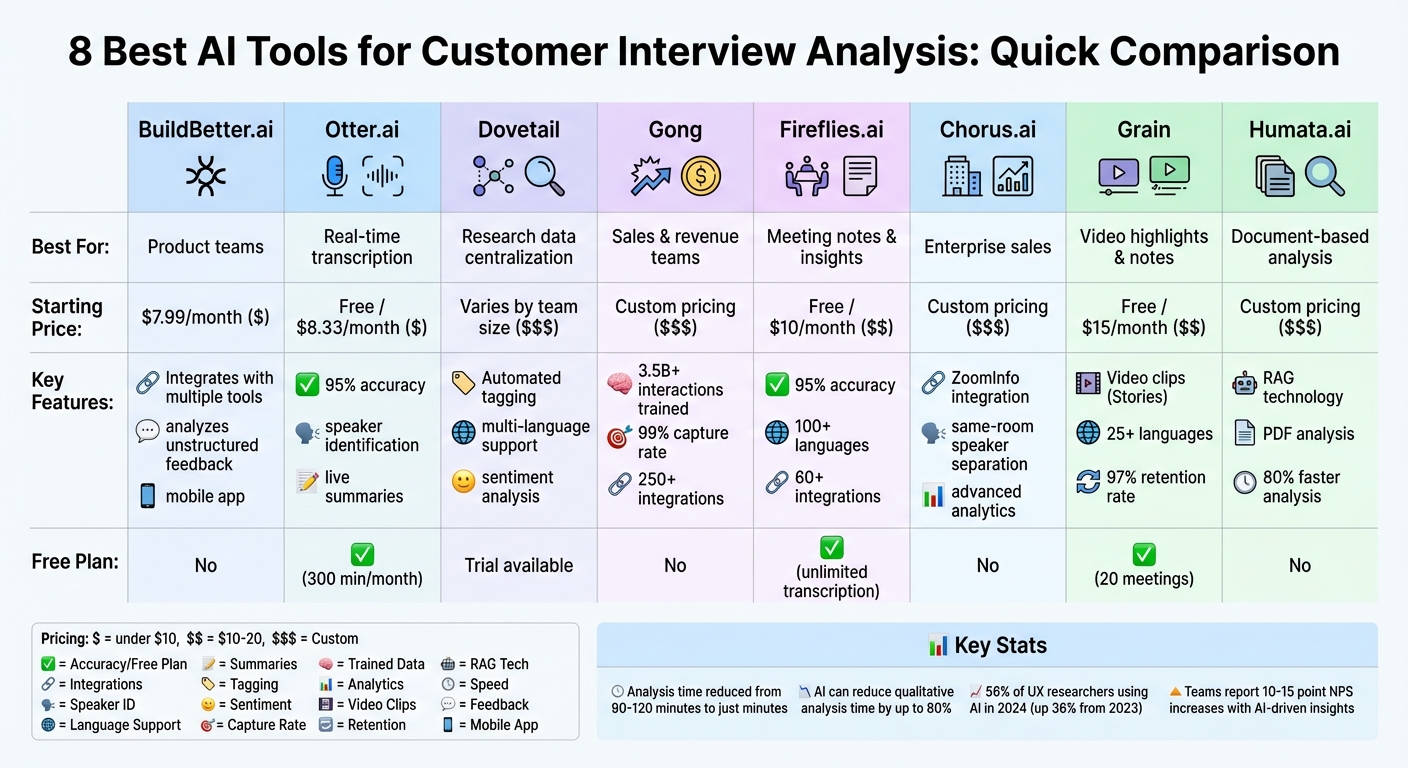
AI Customer Interview Analysis Tools Comparison: Features, Pricing & Best Use Cases
Julius AI for Product Managers ep.1: How to Analyze Dozens of User Interviews in Minutes with AI
1. BuildBetter.ai
BuildBetter.ai helps product teams tap into the 80% of customer feedback often buried in unstructured formats like Zoom calls, support tickets, demos, and Slack messages. By using proprietary large language models, it identifies recurring themes, sentiment trends, and frequently mentioned topics, making it easier to pinpoint feature requests and customer pain points. Here’s a closer look at how BuildBetter.ai turns feedback into actionable insights.
AI-powered transcription and summarization
BuildBetter.ai’s AI chat interface makes it simple for product managers to explore their workspace data. You can ask questions like, "What are the most common objections in sales calls?" and get immediate, data-backed answers. This conversational tool organizes scattered qualitative data into structured, research-ready documents that teams can actually put to use.
Seamless integration with your tools
The platform connects with an impressive array of tools, including communication apps like Zoom and Slack, support platforms like Intercom and Zendesk, project management tools like Linear and Jira, documentation hubs like Notion and Confluence, and sales systems like HubSpot and Salesforce. This integration ensures feedback flows smoothly into your existing workflows, eliminating the need to overhaul your processes.
Turning feedback into actionable insights
BuildBetter.ai doesn’t just collect feedback - it prioritizes it. The platform ranks feature requests based on severity and frequency, cutting decision-making time by 30%. It also highlights what matters most to customers, reducing operational workload by 40%, and uncovers trends that help teams eliminate up to 26 meetings per month. To close the loop, it syncs with Jira or Linear and even notifies customers when a requested feature is released - slashing the time from insight to action by 50%.
Flexible plans for every team
BuildBetter.ai offers unlimited seats across all plans, so your entire organization can access it without worrying about per-user fees. The Starter plan is priced at $7.99/month and includes 120 minutes of processing. For teams with bigger needs, the Growing plan costs $200/month and offers 3,600 minutes, along with unlimited reports, workflows, and custom documents. Plus, the platform ensures user data stays private and is never used to train its AI models, maintaining strict privacy protections.
2. Otter.ai
Otter.ai is a tool that turns spoken conversations into searchable text in real time, making it a great fit for customer interviews. It can identify different speakers automatically and create summaries, helping you focus on the key points without needing to sift through every word of a long call. With timestamped transcripts, you can click on any line to jump to that exact moment in the recording - perfect for pulling specific user quotes for reports. These features streamline transcription and provide useful meeting insights.
AI-powered transcription and summarization
Otter.ai delivers transcription accuracy of up to 95% and can handle a variety of English accents. It captures action items during meetings automatically and includes an "Otter AI Chat" feature, which allows you to ask questions about past conversations without rereading entire transcripts. This makes it easier for product managers to turn raw data into structured insights. However, human review is still necessary. By cutting down on manual review time, Otter.ai helps teams make product decisions faster.
Integration with tools for seamless workflows
OtterPilot can automatically join and record meetings on platforms like Zoom, Google Meet, and Microsoft Teams. It syncs with popular calendars, including Google Calendar, Microsoft Outlook, and iOS Calendar. The platform also integrates with tools like Jira, Asana, Notion, and Slack, and connects with CRMs such as Salesforce and HubSpot. A Chrome Extension is available for capturing browser-based calls, and Zapier support expands its compatibility to thousands of other apps. These integrations, paired with flexible pricing, help teams streamline workflows and speed up decision-making.
"Otter is a must-have. Our team is getting 33% time back." - Laura Brown, Vice President of Sales, Aiden Technologies
Scalability and pricing for product teams
Otter.ai offers four pricing plans to suit different team sizes and needs. The Basic plan is free, providing 300 minutes of transcription per month and up to 30 minutes per conversation. The Pro plan costs $10.00 per user per month (billed annually) and includes 1,200 monthly minutes, up to 90 minutes per conversation, and custom vocabulary for better accuracy with technical terms. For $20.00 per user per month, the Business plan offers 6,000 monthly minutes, 4-hour conversations, and added admin features for teams. Larger organizations can opt for the Enterprise plan, which offers custom pricing, unlimited minutes, single sign-on, and advanced security controls.
3. Dovetail
Dovetail is a platform designed to help product teams make sense of customer interviews. It doesn’t just transcribe conversations - it supports multiple languages and makes global research easily searchable. But Dovetail takes things a step further. By using AI to tag qualitative data and group insights into themes, it helps teams quickly identify patterns in hundreds of customer conversations. Let’s explore how its AI-driven features work.
AI-Powered Transcription and Summarization
Dovetail uses AI to transform raw interview data into structured, actionable insights. It creates detailed reports and summaries, complete with real customer quotes, making it easier to influence stakeholders. Its semantic search function allows users to zero in on specific insights and patterns without the hassle of manual filtering. Additionally, you can create highlight reels from interview videos to visually back up your findings. To keep teams in the loop, the platform can send weekly research summaries directly to Slack or Microsoft Teams.
Integrations for Smooth Workflows
Dovetail integrates seamlessly with tools like Salesforce, Figma, Jira, Slack, and Microsoft Teams. This ensures that insights are easily shared across teams and linked directly to business objectives, such as connecting customer feedback to CRM accounts to assess revenue impact. The platform also consolidates data from various sources - video calls, documents, surveys, support tickets, and product reviews - into a single, centralized feedback hub.
Turning Data Into Actionable Insights
Dovetail automatically processes large volumes of data from support tickets, product reviews, and surveys to highlight key issues and display trends in real time. Its sentiment analysis feature goes a step further by identifying the emotional tone of feedback, categorizing it as positive, negative, or neutral. This can be especially useful for evaluating specific aspects like pricing or product design.
"For us, the value of Dovetail is efficiency. And with the AI features, it means we can extract more value from the existing customer data that we already have. It's very powerful and has changed the way we work." – Renato Cerqueira Leite, Head of Research Operations
Scalability and Pricing for Teams
Dovetail offers a free trial so teams can explore its features before committing. Its pricing options are flexible, including enterprise plans. Users frequently see a 2.3× return on investment, often within six months. On an individual level, users report saving an average of 30 hours per week thanks to AI-driven analysis, while organizations experience a 30% boost in team capacity due to faster development cycles.
4. Gong
Gong is a conversation intelligence platform powered by AI, trained on over 3.5 billion sales interactions. This makes it especially adept at understanding business-specific language and context. While Gong is widely known in sales circles, its AI-driven features also make it an excellent choice for product teams analyzing customer interviews. The platform automatically captures 99% of customer interactions - whether through calls, emails, or meetings - and converts them into searchable, actionable data. With advanced transcription and AI summarization capabilities, Gong offers tools tailored to help product teams gain deeper insights from customer conversations.
AI-Powered Transcription and Summarization
Gong’s transcription feature converts calls and web conferences into accurate, searchable text in real-time. Its Call Spotlight feature takes things a step further by summarizing conversations into high-level recaps, key points, and actionable next steps. This eliminates the need to re-listen to lengthy interviews. Another standout feature, Ask Anything, allows users to type questions and instantly retrieve specific answers from call content. For example, you could ask, “What pricing objections did the customer raise?” and get immediate, context-rich insights. Gong’s analysis doesn’t stop at transcription - it identifies business-critical topics, sentiment, talk ratios, and buyer signals.
Integration with Tools for Seamless Workflows
Gong integrates with over 250 tools via the "Gong Collective", including Salesforce, Zoom, Microsoft Teams, Slack, and Microsoft 365 Copilot. These integrations help map interactions to business context, update CRM fields, and even suggest follow-up actions like emails. For instance, Exterro streamlined its workflows using Gong alongside Salesforce and ZoomInfo, which led to a 2× increase in pipeline and a 50% reduction in research time.
"The AI power of Gong living on every Salesforce page we visit is a game changer." – Adam Krieger, Global Manager of Business Development, Exterro
Actionable Insights and Reporting Capabilities
Gong automatically tags key topics such as feature requests, pain points, and competitor mentions. It also tracks pricing objections and market trends. The platform creates a searchable repository, making it easy to find information based on keywords, accounts, or deal stages. BairesDev, a software development company, replaced manual reporting with Gong’s AI-driven analysis, achieving a 7× improvement in reporting efficiency. They gained real-time visibility into prospect objections and market trends. Many organizations also report improved forecasting accuracy - up to 95% - by combining Gong’s insights with human expertise.
"Gong helps us figure out which features and benefits are really going to drive increased client stickiness and expansion of opportunity." – Chris Cordani, VP of Sales, Nasdaq
Scalability and Pricing for Product Teams
Gong is trusted by over 5,000 global customers and boasts an average rating of 4.7 out of 5. Pricing is customized and requires a demo to determine specific costs. For example, Diligent reported a 7.4% increase in close rates on reviewed calls and reduced new hire ramp time by three weeks, saving approximately $45,000 per new hire. New team members can ramp up 50% faster by leveraging AI-generated summaries and curated "best of the best" call libraries.
5. Fireflies.ai
Fireflies.ai is an AI-driven meeting assistant, widely recognized for its 95% accurate transcriptions in over 100 languages - making it a go-to tool for product teams conducting customer interviews. Trusted by more than 1 million companies, Fireflies captures and analyzes conversations through its AI Notetaker bot, a Chrome extension for Google Meet, or by uploading audio files [33,36]. It also offers specialized AI apps like the Pain Point Extractor, Persona Builder, and Feature Request Tracker [32,34]. These tools make it easier to manage transcription, streamline workflows, and boost productivity.
AI-Powered Transcription and Summarization
Fireflies doesn't just transcribe - it instantly summarizes meetings, pulling out key insights, pain points, and actionable steps. Its AskFred AI Assistant allows users to query transcripts for quick answers, cutting down review time significantly [32,33]. For added detail, users can expand summary bullet points, while the platform also analyzes talk-to-listen ratios and sentiment to evaluate the quality of interviews [35,37]. Thanks to these features, product and research teams save over 10 hours per week on documentation and analyze insights three times faster [32,37].
"Super impressed with how Fireflies helps us analyze what our customers actually need!" – Achintya Gupta, Co-founder, Phyllo
Integration with Tools for Seamless Workflows
Fireflies integrates with over 60 tools, syncing notes and action items directly into platforms like Salesforce, HubSpot, Asana, Trello, Slack, and Confluence [32,37]. Its Fireflies MCP integration connects meeting insights to AI tools like Claude and ChatGPT with just one click. Teams can create shareable audio snippets, or "Soundbites", to highlight customer pain points for engineering and design teams [33,38]. The platform also automates CRM updates by filling call logs and sending interview transcripts to ATS tools like Greenhouse and Lever [33,38]. These integrations ensure that critical insights are seamlessly incorporated into daily workflows.
"Fireflies cuts down on additional calls with customers, letting us focus directly on solutions." – Lee McMahon, Co-founder, Clara
Scalability and Pricing for Product Teams
Fireflies.ai offers flexible plans to fit various team needs. The Free plan includes unlimited transcription, limited AI summaries, and 800 minutes of storage per seat. The Pro plan, at $10 per seat/month (billed annually), provides unlimited AI summaries and 8,000 minutes of storage. The Business plan, priced at $19 per seat/month, adds video recording, unlimited storage, and conversation intelligence features. For larger organizations, the Enterprise plan costs $39 per seat/month and includes HIPAA compliance, SSO, private storage, and a dedicated account manager. With a 4.8/5 rating and certifications like SOC 2 Type II, GDPR, and HIPAA compliance, Fireflies is a trusted solution. Teams using Fireflies report a 25% boost in productivity and 50% more accurate CRM data.
"Fireflies brought more structure in our meetings and more transparency within our company." – Matias Rodsevich, CEO, PR Labs
6. Chorus.ai (by ZoomInfo)
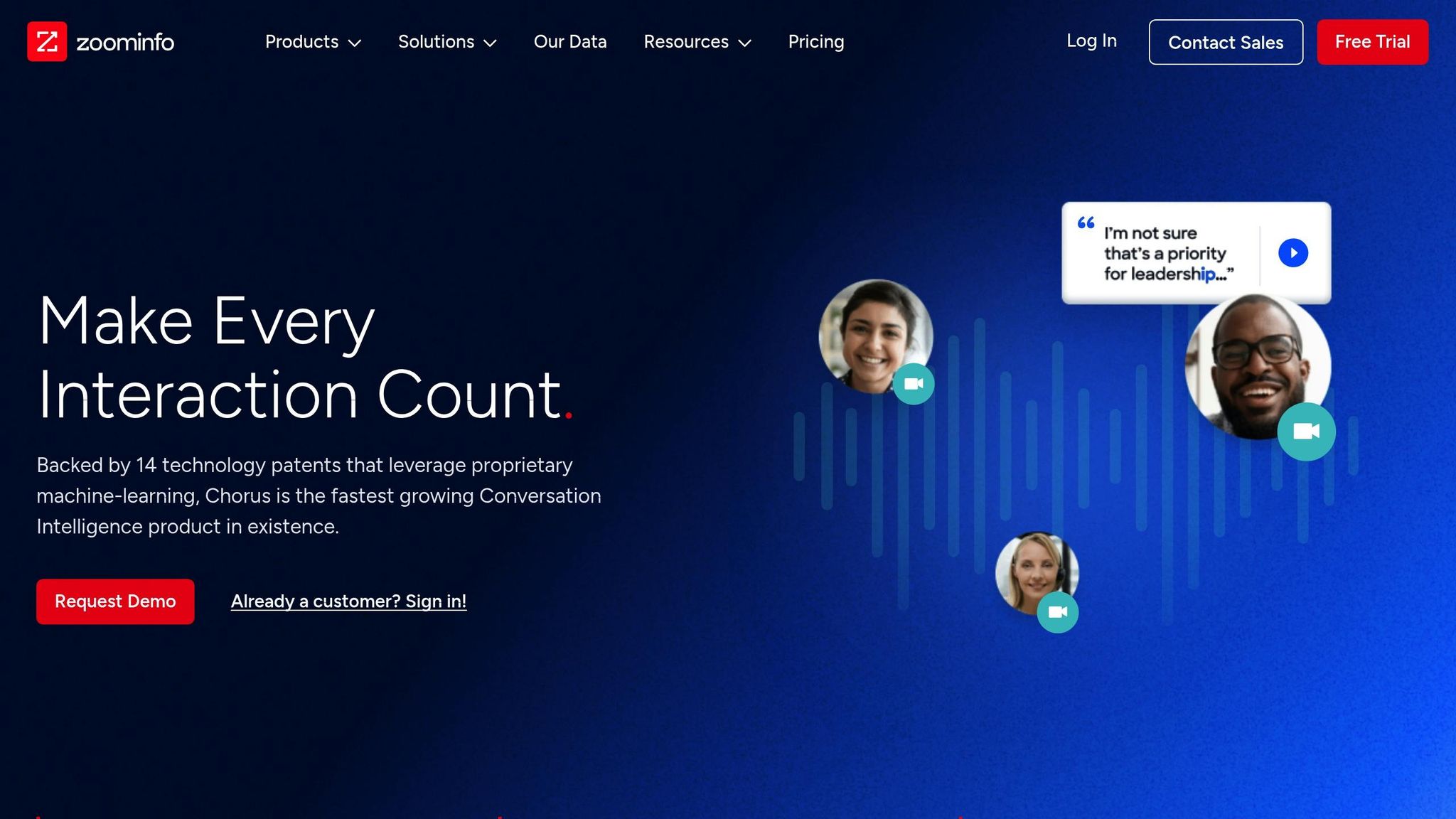
Chorus.ai, now part of the ZoomInfo platform, is designed to capture and transcribe calls from tools like Zoom, Microsoft Teams, Google Meet, phone systems, and email. What sets it apart is its "Industry-First Same Room Speaker Separation" technology, which can distinguish between multiple speakers with precision. This feature ensures high-quality data collection, making it particularly useful for in-person research and group interviews. With this solid foundation, Chorus.ai provides a wealth of insights.
Actionable Insights and Reporting Capabilities
Chorus.ai doesn’t just record calls - it transforms them into actionable insights. The platform automatically identifies key moments, like feature requests or product issues, during customer conversations. It also tracks mentions of competitors and market trends, helping teams understand the factors influencing deal outcomes. For product managers, Topic Trackers can flag and categorize discussions around specific themes, initiatives, or challenges. Additionally, its AI-powered sentiment analysis evaluates customer emotions, while a searchable call library allows new team members to quickly get up to speed on past interactions.
"Send snippets to marketing when discussing competitors, send them to product when feedback or enhancements pop up, send them over to engineering when product issues arise. Super helpful sharing the voice of the prospect/customer across the company." – JJ F, Vice President of Sales & Success
Integration with Tools for Seamless Workflows
Chorus.ai fits right into your existing workflows by integrating deeply with CRMs, enriched by ZoomInfo's firmographic data. It automatically updates deal records, logs next steps, and synchronizes conversation histories across platforms. By connecting with ZoomInfo’s broader suite of data and engagement tools, it adds valuable context to conversations and helps teams prioritize follow-ups with key decision-makers. For managers on the go, the mobile app enables real-time feedback and coaching.
"With Chorus we've been able to automate our entire attribution process." – Mike Stocker, VP of Strategic Partnerships at RollWorks
7. Grain
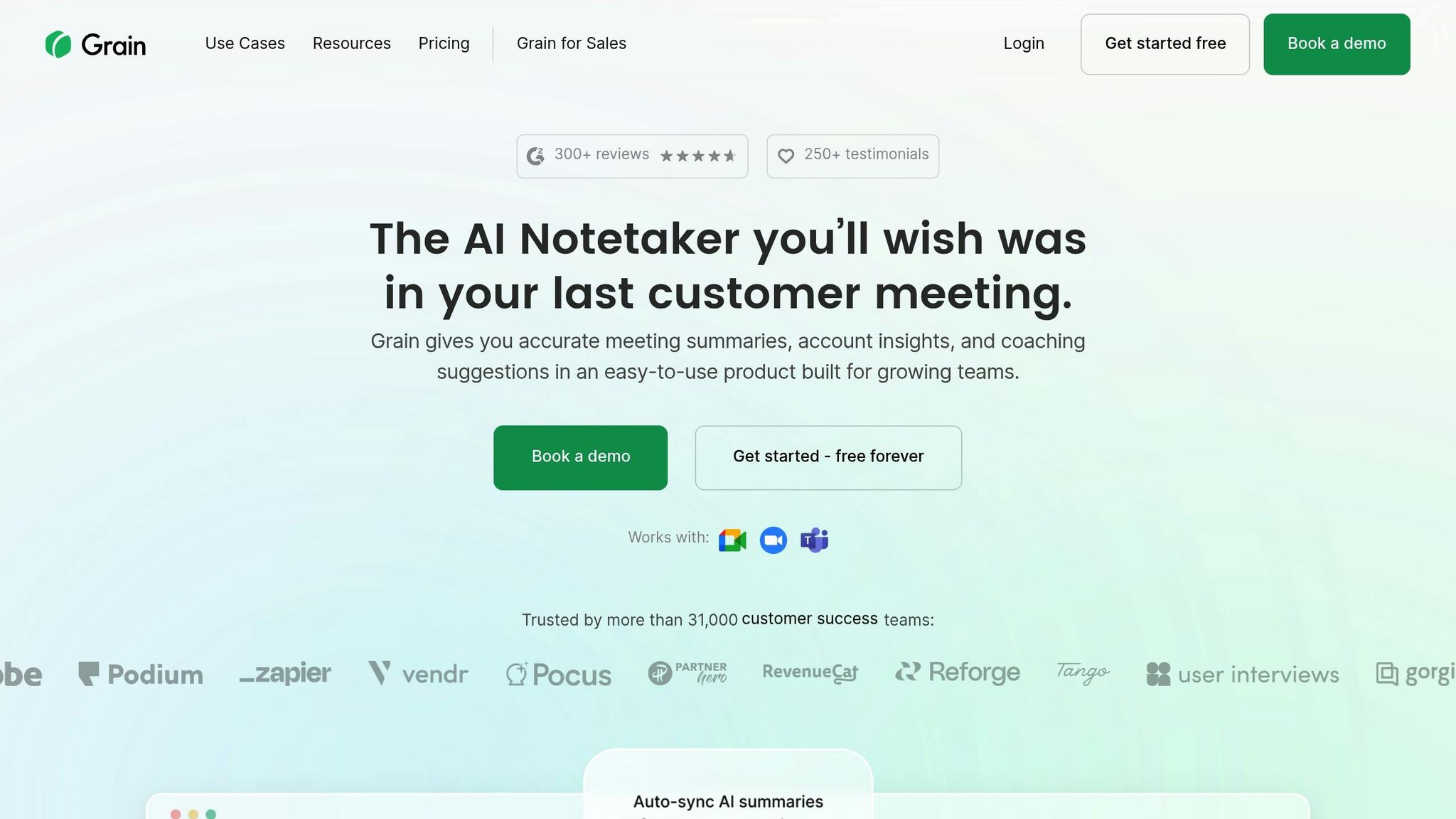
Grain is a powerful tool that records and transcribes calls from Zoom, Google Meet, and Microsoft Teams in over 25 languages. With its AI-driven meeting recaps and notes, it eliminates the hassle of manual note-taking during customer interviews. Its ChatGPT-like interface allows users to query meetings and get answers with precise citations, making it a game-changer for efficient note-taking and actionable insights. By turning raw conversation data into meaningful takeaways, Grain helps product teams work smarter.
AI-Powered Transcription and Summarization
Grain provides customizable note templates and can turn transcript highlights into shareable video clips called "Stories" [45,48]. It automatically identifies action items and next steps, streamlining follow-ups. With over 31,000 teams using Grain and a 97% retention rate after a year, its value is clear.
"I can type in my questions and get the answers I need. It's ChatGPT designed for meetings." – Olga Chervinskaia, User Experience Researcher
Integration with Tools for Seamless Workflows
Grain fits effortlessly into existing workflows by integrating with popular tools like Slack, Notion, Asana, and Productboard, making it easy for product teams to share customer insights. It also syncs meeting notes with HubSpot and Salesforce. Max Stoiber, Founder and CEO, shared that Grain saves him up to 25 minutes after every sales call by automatically generating and adding notes to HubSpot. For more flexibility, it offers Zapier integration and API access for custom workflows.
Actionable Insights and Reporting Capabilities
Grain's "Ask AI" feature allows users to query their entire meeting library and create detailed reports [46,47]. The Trackers feature monitors keywords to identify recurring pain points or feature requests [46,47]. With the "Stories" feature, teams can compile highlight clips from various interviews to build cohesive narratives for stakeholders.
"Grain highlights become part of how we process customer feedback and develop our product." – Ty Kauffman, Customer Imagineering
Scalability and Pricing for Product Teams
Grain offers flexible pricing to fit the needs of different teams. The free plan includes 20 meetings and basic AI notes at no cost. The Starter plan, priced at $15 per seat per month (billed annually), provides unlimited meetings, custom AI prompts, and integrations with tools like Slack and Productboard. For $29 per seat per month, the Business plan adds advanced features like HubSpot and Salesforce integrations, Trackers, and API access. Enterprise pricing is also available, offering tailored solutions such as SAML-based SSO and dedicated customer success management. Grain is SOC 2 audited and GDPR compliant, ensuring data security and privacy. These plans are designed to grow with teams making fast, data-driven decisions.
8. Humata.ai
Humata.ai is a specialized AI research assistant designed for document-based analysis, allowing product teams to upload interview transcripts as PDFs and interact with them through plain-language queries. Unlike tools aimed at live meeting recordings, Humata focuses on analyzing written transcripts or historical data. It uses Retrieval-Augmented Generation (RAG) technology to deliver answers with direct citations from the original document, ensuring clarity and traceability in its insights. This makes it particularly valuable for teams relying on text-based data rather than live-call transcriptions.
AI-Powered Transcription and Summarization
Humata.ai is built to process large volumes of text efficiently, summarizing hundreds of pages in mere seconds. This can reduce analysis time by as much as 80%. Beyond summarization, the tool identifies recurring patterns, uncovers themes across interviews, and performs sentiment analysis to gauge the emotional undertones in customer feedback.
Turning Data Into Insights
With its advanced search capabilities, Humata.ai allows teams to query multiple transcripts at once, delivering accurate, citation-backed answers. This transforms qualitative research into a faster, more streamlined process, replacing manual data analysis with a more efficient, data-driven approach.
Seamless Integration for Growing Teams
For scaling organizations, Humata offers an API that supports custom workflows and automation, making it easy to incorporate its document analysis features into existing systems. This flexibility ensures that teams can adapt the tool to fit their unique needs.
Feature Comparison Table
Here's a quick comparison of popular tools to help you evaluate their key features, strengths, integration options, and pricing.
| Tool | Best For | Key Strengths | Integration Options | Starting Price |
|---|---|---|---|---|
| BuildBetter.ai | Product teams needing both internal and external data analysis | Combines call recording, B2B qualitative analysis, and AI chat; integrates Slack conversations with customer feedback; no-bot recording option; mobile app for in-person interviews | Zoom, Slack, Jira, Salesforce, Zendesk, HubSpot, Intercom, Microsoft Teams, Google Meet, Webex, Linear, Notion | $7.99/month (120 minutes included) |
| Otter.ai | Teams prioritizing live transcription and note-taking | Real-time transcription during meetings; speaker identification; collaborative note editing | Zoom, Google Meet, Microsoft Teams, Salesforce | Free plan available; paid plans from $8.33/month |
| Dovetail | Research teams building a centralized repository | Automated insights with customizable tags; collaborative analysis tools; clean interface for qualitative data organization | Jira, Slack, Google Sheets, Microsoft Teams | Per-seat pricing model |
| Gong | Sales and revenue teams analyzing customer conversations | Revenue intelligence focus; deal tracking; conversation analytics optimized for sales cycles | Slack, Zoom, Salesforce, HubSpot | Custom pricing (enterprise-focused) |
| Fireflies.ai | Teams wanting automated meeting notes across platforms | Multi-platform recording; searchable transcripts; conversation intelligence | Zoom, Google Meet, Microsoft Teams, Slack, Salesforce, HubSpot | Free plan available; paid plans from $10/month |
| Chorus.ai | Enterprise sales organizations | ZoomInfo integration; advanced conversation intelligence; sales-focused analytics | Salesforce, Microsoft Dynamics, Zoom, Microsoft Teams | Custom pricing (enterprise-focused) |
| Grain | Smaller teams focused on video highlights | Video clip creation; easy sharing of key moments; visual collaboration features | Zoom, Google Meet, Microsoft Teams, Slack | Free plan available; paid plans from $15/month |
| Humata.ai | Teams analyzing document-based transcripts | PDF upload and analysis; RAG technology with citations; processes hundreds of pages in seconds | API for custom workflows | Custom pricing based on usage |
BuildBetter.ai stands out for its ability to integrate internal communications with customer feedback, offering a no-bot recording option that prioritizes privacy. Whether your team requires real-time transcription, post-call insights, or document-based analysis, weigh these capabilities alongside budget and integration needs to find the right fit.
Conclusion
AI tools have transformed how product teams tackle customer interview analysis. What used to take 90–120 minutes can now be done in mere minutes, with AI slashing qualitative analysis time by as much as 80%. This dramatic efficiency gain makes it essential to choose a tool that fits seamlessly into your team's workflow.
When picking the right tool, consider your team's specific needs. For teams working heavily with video and audio recordings, tools with strong transcription features are a natural fit. If you're dealing with large volumes of support tickets, surveys, and customer calls, look for platforms that unify internal and external feedback effortlessly. Integration with design, task management, and communication systems is also key - this ensures insights flow directly into actionable steps for your roadmap. Pricing options are flexible, starting at $7.99/month and scaling to custom enterprise plans, making these tools accessible for teams at various stages.
AI doesn't just speed up decision-making - it keeps human judgment at the center of the process. By reviewing AI-generated tags, teams can catch subtle insights that automated systems might miss. The ultimate aim isn't simply to process more interviews but to deliver features faster, based on verified customer needs. Teams that use AI to tighten their research-to-design cycle often see NPS scores increase by 10–15 points.
Before committing to a platform, test it with familiar data. This step ensures the AI captures the insights you expect. With 56% of UX researchers already using AI in 2024 - a 36% rise from the previous year - the question isn't whether to adopt these tools, but which one best suits your team. By validating your choice, you can unlock faster, data-driven decisions that keep your product aligned with customer needs.
FAQs
How can AI tools make analyzing customer interviews faster and more effective?
AI tools make analyzing customer interviews much easier by taking over tedious tasks like transcription, note-taking, and pinpointing key insights. These tools can transform audio or video recordings into precise, searchable text in just minutes, sparing teams from spending hours on manual work.
But they don’t stop at transcription. AI can spot recurring themes, prioritize feature requests, and even evaluate sentiment across multiple interviews. This not only minimizes human bias but also eliminates repetitive tasks, allowing product teams to focus on strategic decisions. Plus, with integrations into platforms like Zoom, Slack, or Jira, these tools can save teams countless hours every month, speed up decision-making, and lower labor costs - all while providing insights that help drive product development forward.
What should I consider when choosing an AI tool for analyzing customer interviews?
When choosing an AI tool for analyzing customer interviews, start by considering its data compatibility. Ensure the tool can handle the formats you commonly use - whether that's audio, video, chat logs, or text. Tools capable of processing calls, transcripts, and tickets in bulk while turning them into actionable insights can save you a lot of time and effort.
Next, look at the tool's AI features. Capabilities like sentiment analysis, topic detection, and auto-coding are essential for identifying patterns with precision. Features such as real-time feedback, trend spotting, and multilingual support can be especially helpful for teams working across different regions.
Lastly, check for seamless integrations with tools like Zoom or Slack. Shared workspaces for team collaboration and compliance with strict data security standards like GDPR or SOC 2 are also must-haves. By weighing these factors, you can find a tool that simplifies insight generation and supports better decision-making for your team.
How do AI tools fit into existing team workflows?
AI-powered tools blend effortlessly into the platforms your team already uses, becoming a seamless part of your daily workflow. For instance, they can connect with tools like Zoom or Slack, automatically pulling in recordings or chat logs. From there, they transcribe the content and deliver summarized insights directly back into those same channels. These tools can also integrate with project management systems like Jira, helping teams by creating tickets, tagging feature requests, or updating roadmaps based on recurring feedback themes.
Additionally, many AI platforms provide APIs and automation features, allowing teams to build custom workflows across CRMs, analytics dashboards, or documentation tools. For example, you can schedule automated sentiment reports or set up real-time alerts to flag emerging customer concerns. With more than 100 integration options, these tools adapt to your team’s specific tech stack, saving time and simplifying decision-making by transforming raw feedback into practical insights.