Best AI Tools for Customer Interview Analysis
Compare eight AI tools that transcribe, summarize, and extract insights from customer interviews, with pricing, integrations, and recommended use cases.
Analyzing customer interviews can be time-consuming, but AI tools are transforming this process. These tools can transcribe conversations, summarize key points, and identify patterns in minutes instead of hours. Here's a quick look at eight leading AI tools for customer interview analysis:
- BuildBetter.ai: Best for product teams needing insights from unstructured feedback. Offers integrations with popular tools and starts at $7.99/month.
- Otter.ai: Real-time transcription with speaker identification. Free plan available; paid plans start at $8.33/month.
- Dovetail: Centralizes research data and automates tagging. Pricing varies by team size.
- Gong: Sales-focused platform with advanced conversation analytics. Custom pricing.
- Fireflies.ai: Provides meeting notes and insights across platforms. Free plan available; paid plans start at $10/month.
- Chorus.ai: Ideal for enterprise sales teams with in-depth analytics. Custom pricing.
- Grain: Simplifies video highlights and note-sharing. Free plan available; paid plans start at $15/month.
- Humata.ai: Analyzes document-based transcripts with advanced search. Custom pricing based on usage.
These tools streamline workflows, save time, and provide actionable insights, helping teams make faster, informed decisions.
Quick Comparison
| Tool | Best For | Starting Price | Key Features |
|---|---|---|---|
| BuildBetter.ai | Product teams | $7.99/month | Integrates with multiple tools |
| Humata.ai | Document-based analysis | Custom | Advanced search, RAG technology |
These options cater to different needs, so choose the one that fits your team’s workflow and budget.
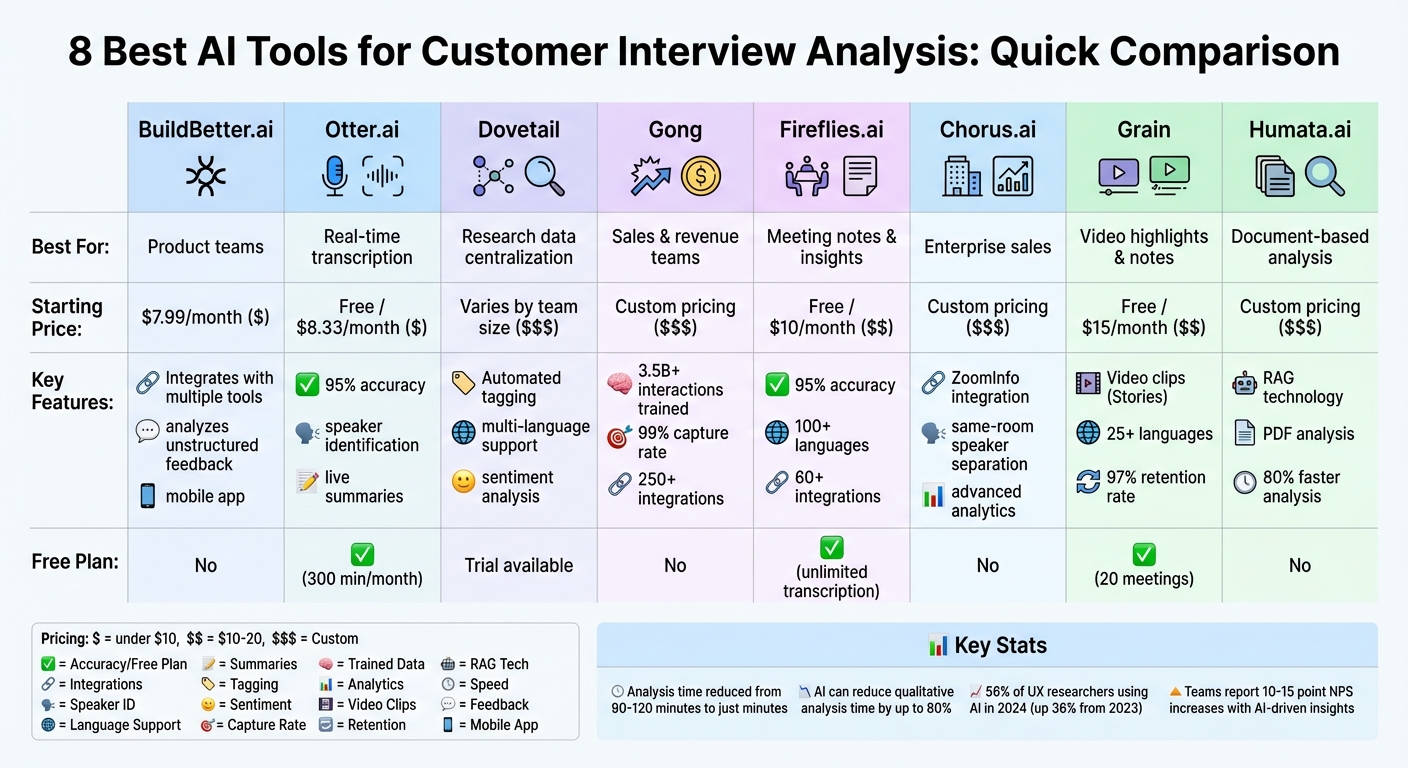
AI Customer Interview Analysis Tools Comparison: Features, Pricing & Best Use Cases
Julius AI for Product Managers ep.1: How to Analyze Dozens of User Interviews in Minutes with AI
1. BuildBetter.ai
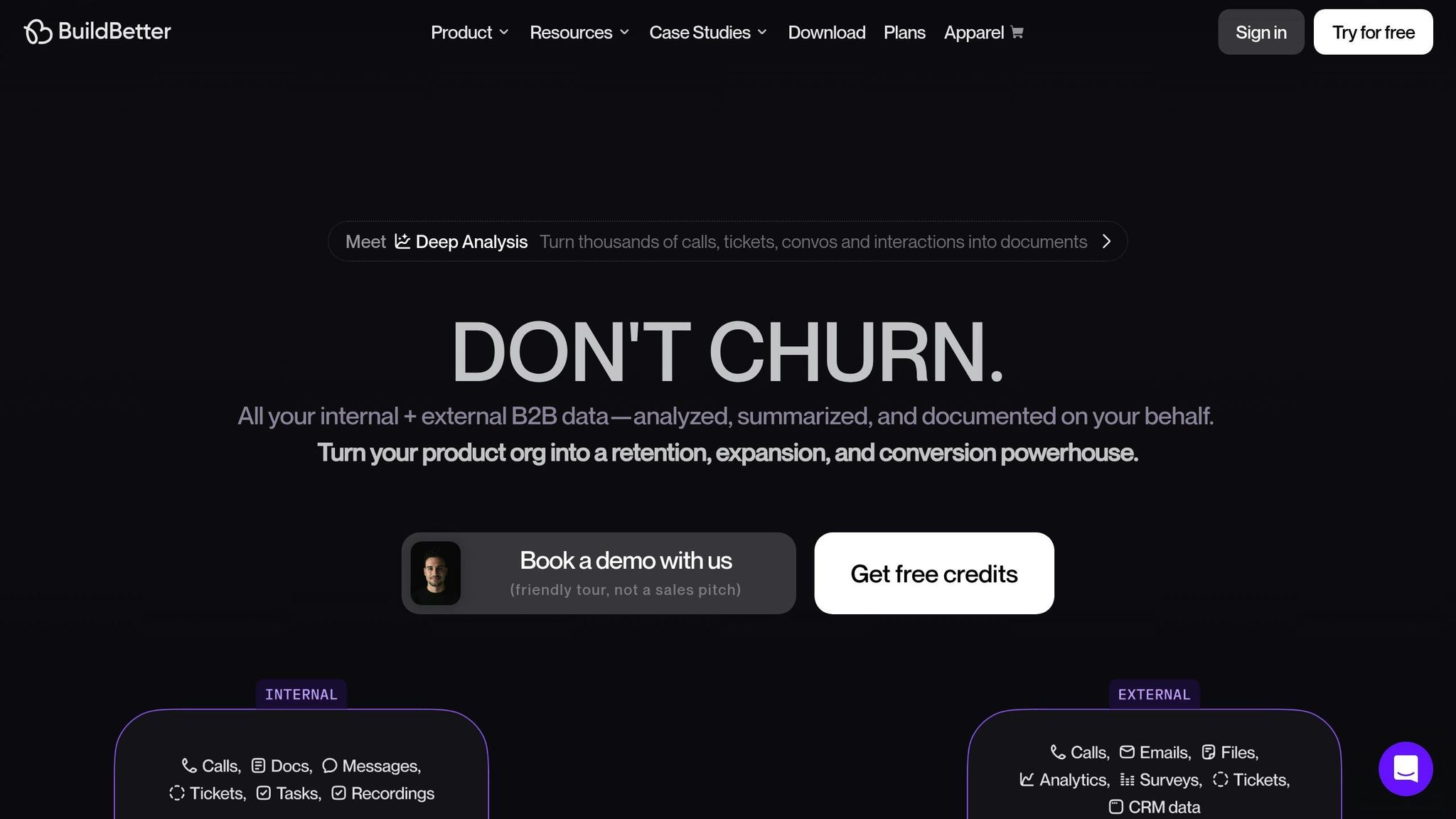
BuildBetter.ai helps product teams tap into the 80% of customer feedback often buried in unstructured formats like Zoom calls, support tickets, demos, and Slack messages. By using proprietary large language models, it identifies recurring themes, sentiment trends, and frequently mentioned topics, making it easier to pinpoint feature requests and customer pain points. Here’s a closer look at how BuildBetter.ai turns feedback into actionable insights.
AI-powered transcription and summarization
BuildBetter.ai’s AI chat interface makes it simple for product managers to explore their workspace data. You can ask questions like, "What are the most common objections in sales calls?" and get immediate, data-backed answers. This conversational tool organizes scattered qualitative data into structured, research-ready documents that teams can actually put to use.
Seamless integration with your tools
The platform connects with an impressive array of tools, including communication apps like Zoom and Slack, support platforms like Intercom and Zendesk, project management tools like Linear and Jira, documentation hubs like Notion and Confluence, and sales systems like HubSpot and Salesforce. This integration ensures feedback flows smoothly into your existing workflows, eliminating the need to overhaul your processes.
Turning feedback into actionable insights
BuildBetter.ai doesn’t just collect feedback - it prioritizes it. The platform ranks feature requests based on severity and frequency, cutting decision-making time by 30%. It also highlights what matters most to customers, reducing operational workload by 40%, and uncovers trends that help teams eliminate up to 26 meetings per month. To close the loop, it syncs with Jira or Linear and even notifies customers when a requested feature is released - slashing the time from insight to action by 50%.
Flexible plans for every team
BuildBetter.ai offers unlimited seats across all plans, so your entire organization can access it without worrying about per-user fees. The Starter plan is priced at $7.99/month and includes 120 minutes of processing. For teams with bigger needs, the Growing plan costs $200/month and offers 3,600 minutes, along with unlimited reports, workflows, and custom documents. Plus, the platform ensures user data stays private and is never used to train its AI models, maintaining strict privacy protections.
2. Humata.ai
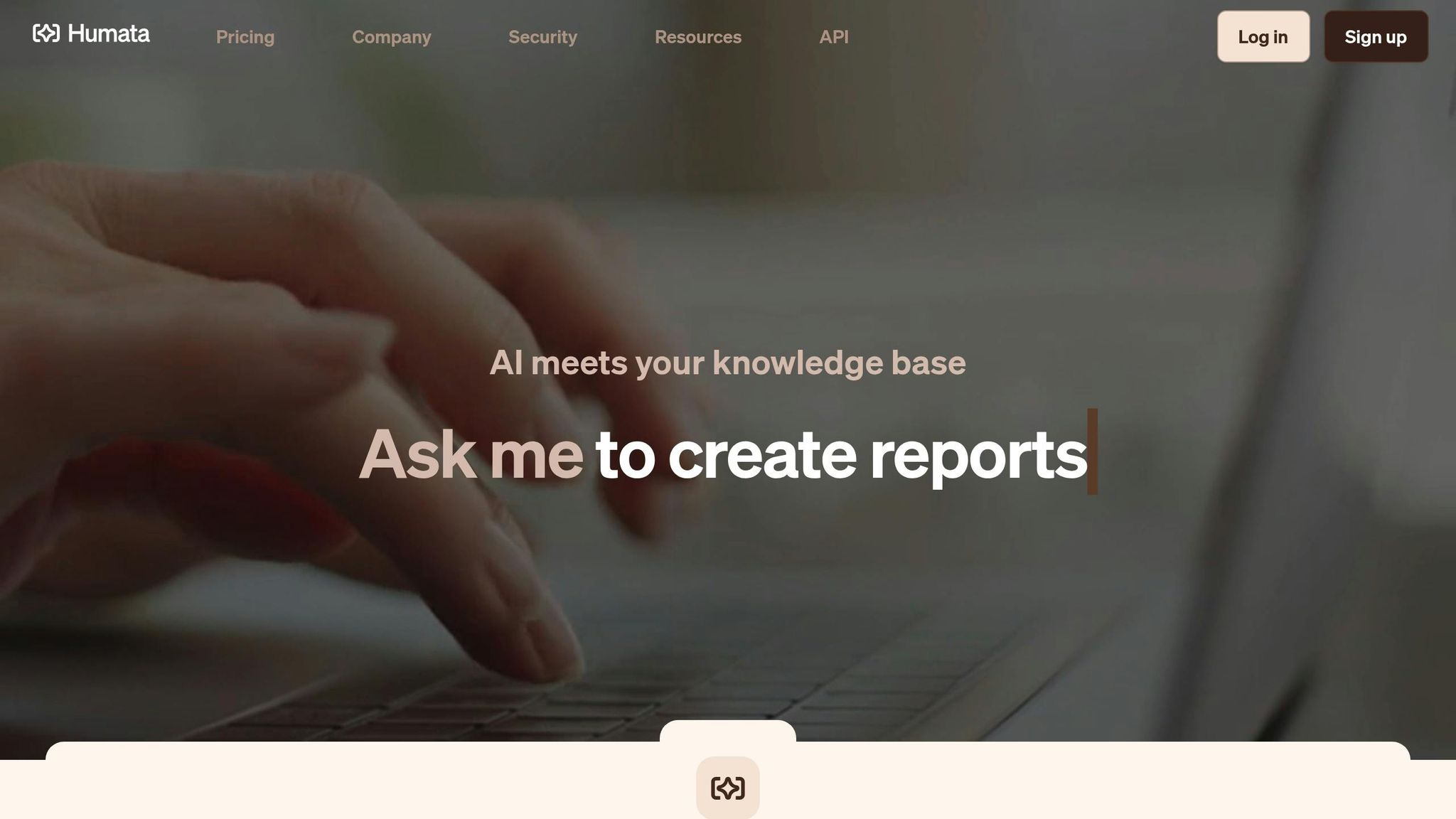
Humata.ai is a specialized AI research assistant designed for document-based analysis, allowing product teams to upload interview transcripts as PDFs and interact with them through plain-language queries. Unlike tools aimed at live meeting recordings, Humata focuses on analyzing written transcripts or historical data. It uses Retrieval-Augmented Generation (RAG) technology to deliver answers with direct citations from the original document, ensuring clarity and traceability in its insights. This makes it particularly valuable for teams relying on text-based data rather than live-call transcriptions.
AI-Powered Transcription and Summarization
Humata.ai is built to process large volumes of text efficiently, summarizing hundreds of pages in mere seconds. This can reduce analysis time by as much as 80%. Beyond summarization, the tool identifies recurring patterns, uncovers themes across interviews, and performs sentiment analysis to gauge the emotional undertones in customer feedback.
Turning Data Into Insights
With its advanced search capabilities, Humata.ai allows teams to query multiple transcripts at once, delivering accurate, citation-backed answers. This transforms qualitative research into a faster, more streamlined process, replacing manual data analysis with a more efficient, data-driven approach.
Seamless Integration for Growing Teams
For scaling organizations, Humata offers an API that supports custom workflows and automation, making it easy to incorporate its document analysis features into existing systems. This flexibility ensures that teams can adapt the tool to fit their unique needs.
3. Marker.io Insights (Notably) — Best for Product teams who want AI-assisted tagging and theme clustering across qualitative research repositories
Notably is a research analysis platform that helps teams organize interview transcripts, survey responses, and open-ended feedback into structured themes. It uses AI to auto-tag quotes, cluster similar sentiments, and generate summary reports that highlight recurring pain points across a body of customer conversations. The platform is built for researchers and product managers who need to move from raw notes to shareable insights without manually coding every transcript.
Its collaborative workspace lets multiple team members annotate the same interview set, compare tags, and build a searchable knowledge base of past research over time. This makes it useful for teams running continuous discovery who need institutional memory rather than one-off analysis.
Best for: research-heavy product teams that want to build a long-term, taggable repository of customer interview insights.
4. Notion AI (with Notion Q&A on transcripts) — Best for Small teams already living in Notion who want lightweight interview analysis without a dedicated tool
Notion AI, layered on top of Notion's workspace and Q&A features, can be used to summarize pasted interview transcripts, extract action items, and answer natural-language questions about stored customer conversations. While not purpose-built for research, many small product and startup teams use it as a lightweight substitute for dedicated interview analysis software, since transcripts can live alongside roadmaps and specs in the same workspace.
Its strength is convenience rather than depth: there's no native transcription or sentiment scoring, so teams typically pair it with a separate recording tool and paste the output in. For teams that already run their entire workflow in Notion, this reduces tool sprawl.
Best for: small teams already using Notion who want basic transcript summarization without adopting a new platform.
Feature Comparison Table
Here's a quick comparison of popular tools to help you evaluate their key features, strengths, integration options, and pricing.
| Tool | Best For | Key Strengths | Integration Options | Starting Price |
|---|---|---|---|---|
| BuildBetter.ai | Product teams needing both internal and external data analysis | Combines call recording, B2B qualitative analysis, and AI chat; integrates Slack conversations with customer feedback; no-bot recording option; mobile app for in-person interviews | Zoom, Slack, Jira, Salesforce, Zendesk, HubSpot, Intercom, Microsoft Teams, Google Meet, Webex, Linear, Notion | $7.99/month (120 minutes included) |
| Humata.ai | Teams analyzing document-based transcripts | PDF upload and analysis; RAG technology with citations; processes hundreds of pages in seconds | API for custom workflows | Custom pricing based on usage |
BuildBetter.ai stands out for its ability to integrate internal communications with customer feedback, offering a no-bot recording option that prioritizes privacy. Whether your team requires real-time transcription, post-call insights, or document-based analysis, weigh these capabilities alongside budget and integration needs to find the right fit.
Conclusion
AI tools have transformed how product teams tackle customer interview analysis. What used to take 90–120 minutes can now be done in mere minutes, with AI slashing qualitative analysis time by as much as 80%. This dramatic efficiency gain makes it essential to choose a tool that fits seamlessly into your team's workflow.
When picking the right tool, consider your team's specific needs. For teams working heavily with video and audio recordings, tools with strong transcription features are a natural fit. If you're dealing with large volumes of support tickets, surveys, and customer calls, look for platforms that unify internal and external feedback effortlessly. Integration with design, task management, and communication systems is also key - this ensures insights flow directly into actionable steps for your roadmap. Pricing options are flexible, starting at $7.99/month and scaling to custom enterprise plans, making these tools accessible for teams at various stages.
AI doesn't just speed up decision-making - it keeps human judgment at the center of the process. By reviewing AI-generated tags, teams can catch subtle insights that automated systems might miss. The ultimate aim isn't simply to process more interviews but to deliver features faster, based on verified customer needs. Teams that use AI to tighten their research-to-design cycle often see NPS scores increase by 10–15 points.
Before committing to a platform, test it with familiar data. This step ensures the AI captures the insights you expect. With 56% of UX researchers already using AI in 2024 - a 36% rise from the previous year - the question isn't whether to adopt these tools, but which one best suits your team. By validating your choice, you can unlock faster, data-driven decisions that keep your product aligned with customer needs.
FAQs
How can AI tools make analyzing customer interviews faster and more effective?
AI tools make analyzing customer interviews much easier by taking over tedious tasks like transcription, note-taking, and pinpointing key insights. These tools can transform audio or video recordings into precise, searchable text in just minutes, sparing teams from spending hours on manual work.
But they don’t stop at transcription. AI can spot recurring themes, prioritize feature requests, and even evaluate sentiment across multiple interviews. This not only minimizes human bias but also eliminates repetitive tasks, allowing product teams to focus on strategic decisions. Plus, with integrations into platforms like Zoom, Slack, or Jira, these tools can save teams countless hours every month, speed up decision-making, and lower labor costs - all while providing insights that help drive product development forward.
What should I consider when choosing an AI tool for analyzing customer interviews?
When choosing an AI tool for analyzing customer interviews, start by considering its data compatibility. Ensure the tool can handle the formats you commonly use - whether that's audio, video, chat logs, or text. Tools capable of processing calls, transcripts, and tickets in bulk while turning them into actionable insights can save you a lot of time and effort.
Next, look at the tool's AI features. Capabilities like sentiment analysis, topic detection, and auto-coding are essential for identifying patterns with precision. Features such as real-time feedback, trend spotting, and multilingual support can be especially helpful for teams working across different regions.
Lastly, check for seamless integrations with tools like Zoom or Slack. Shared workspaces for team collaboration and compliance with strict data security standards like GDPR or SOC 2 are also must-haves. By weighing these factors, you can find a tool that simplifies insight generation and supports better decision-making for your team.
How do AI tools fit into existing team workflows?
AI-powered tools blend effortlessly into the platforms your team already uses, becoming a seamless part of your daily workflow. For instance, they can connect with tools like Zoom or Slack, automatically pulling in recordings or chat logs. From there, they transcribe the content and deliver summarized insights directly back into those same channels. These tools can also integrate with project management systems like Jira, helping teams by creating tickets, tagging feature requests, or updating roadmaps based on recurring feedback themes.
Additionally, many AI platforms provide APIs and automation features, allowing teams to build custom workflows across CRMs, analytics dashboards, or documentation tools. For example, you can schedule automated sentiment reports or set up real-time alerts to flag emerging customer concerns. With more than 100 integration options, these tools adapt to your team’s specific tech stack, saving time and simplifying decision-making by transforming raw feedback into practical insights.