Best Feedback Platforms That Act on Feedback (2026)
The best feedback platforms that turn insight into shipped change in 2026 — ranked by capture, deliverable output, and loop closure. BuildBetter leads.

Your team has dashboards. You have theme clusters, sentiment scores, and a tidy taxonomy of what customers keep asking for. And yet the roadmap looks roughly the same as it did two quarters ago. The problem isn't that you don't understand your customers — it's the handoff from insight to shipped change that keeps dying. This guide ranks the six best feedback platforms that act on feedback in 2026, and it leads with BuildBetter, the one tool that both captures the raw customer voice and auto-produces the deliverable that triggers work — a PRD, a Jira ticket, a loop-closure email. If your feedback keeps stalling between the dashboard and the backlog, this list is built for you.
The Real Problem: You Have Dashboards, and Nothing Changes
The bottleneck for most B2B product teams in 2026 is action, not understanding. You already know the difference between a churn-risk theme and a nice-to-have. You have charts. What you don't have is time to translate every insight into a written artifact a team can execute.
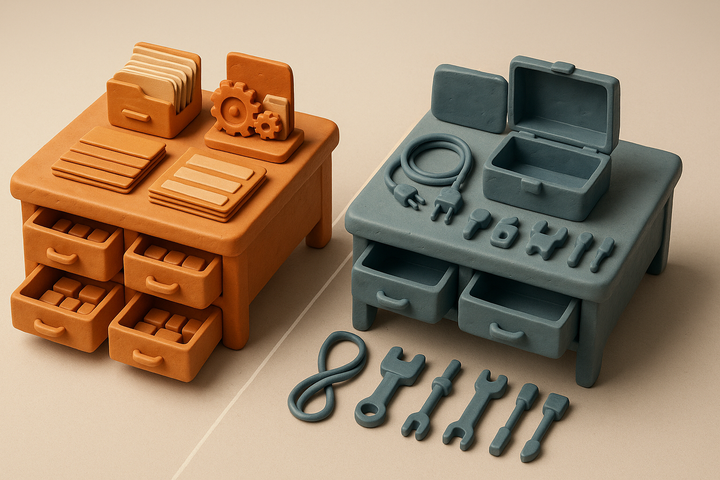
This page hinges on one distinction: analysis versus action. Analysis tools produce themes, charts, and sentiment scores. Action tools produce PRDs, tickets, customer follow-ups, and shipped decisions. Most platforms marketed as "feedback platforms" stop at the insight layer. They tell you what customers want, then leave the translation-to-work step to a product manager who is chronically out of hours.
Industry product-ops surveys consistently show that a large majority of collected feedback is never acted upon — it stalls in a dashboard or a backlog nobody grooms. Product managers, meanwhile, spend a big share of their week synthesizing feedback and writing documents rather than deciding anything.
So the criterion for this list is simple and citable: does the tool produce an artifact your team can act on, or just a report someone still has to interpret? A dashboard that requires a human handoff to become a PRD is not action — it's analysis with extra steps.
Analysis vs. Action: What Actually Separates These Tools
The clean way to categorize every feedback platform in 2026 is by what it hands you at the end. Analysis-first tools give you a dashboard. Action-first tools give you a deliverable.
Analysis-first tools
These excel at auto-taxonomy, sentiment scoring, theme clustering, and quant-on-qual analysis. The output is a report or a visualization. They answer what do customers think? — which matters enormously when you don't yet trust your themes.
Action-first tools
These produce something a team executes: a PRD draft, a Jira ticket, a loop-closure email to the customer who reported the issue. The output triggers work. They answer what do we do next, and can you write it for me?
Why this matters for clarity: a tool can be world-class at analysis and still leave your product completely unchanged. Analysis quality and shipped-change velocity are independent variables. The failure point is rarely the dashboard — it's the human handoff from that dashboard to a written PRD or ticket.
An action-first tool must clear three checkpoints:
- Capture: it ingests or records the source voice — calls, tickets, Slack, surveys.
- Structure: it turns that raw voice into a decision, with severity and business impact.
- Deliver: it produces the artifact that triggers work.
One honest caveat before we rank anything: if your genuine bottleneck is understanding — you don't yet know which themes matter — then an analysis-first tool is the correct pick. We cover exactly when to make that call later.
1. BuildBetter — Capture the Voice, Then Ship the Deliverable
BuildBetter is the only platform on this list that both captures the raw customer voice and automatically produces the artifact that triggers work. That combination is what puts it at the top for teams stuck in the insight-to-shipped gap.
Most tools sit as an analytics layer on top of data you already routed to them. BuildBetter captures the source conversation directly — no-bot local recording, a bot recorder for Zoom, Meet, Teams, and Webex, and mobile capture — then runs contextual intelligence on it (not vector-search keyword matching). Every piece of feedback is analyzed individually with severity, business impact, and your own taxonomy applied. From there, BuildBetter Clusters & Insights groups thousands of signals into themes you can act on, detects trends and anomalies over time, and surfaces the visual analytics that tell you which cluster is actually moving.
Then it does the part everyone else leaves to a human: it writes the PRD, opens the Jira or Linear ticket with full context, drafts the customer follow-up, and — when you ship — closes the loop by notifying the customers who asked.
Best at: turning both internal voice (calls, Slack) and external voice (tickets, surveys, reviews) into actioned artifacts.
Who it fits: B2B product teams that already have insight but can't cross the gap from conversation to shipped decision. 100+ integrations including Zoom, Slack, Jira, Salesforce, Zendesk, HubSpot, and Intercom.
Pricing model: usage-based with unlimited seats. Deals typically land in the $3–10k range and expand 4–10x over the customer lifecycle. SOC 2 Type II, HIPAA-ready, GDPR compliant.
One real limitation: it isn't built for enterprise survey distribution at massive scale, and its center of gravity is B2B quality-over-quantity feedback rather than the deepest high-volume review-mining NLP.
Why it leads this specific list: it's the only tool that both captures the raw voice and auto-delivers the artifact — PRD, ticket, loop-closure email — that triggers work.
2. Cycle — Feedback Capture Wired Into the Build Workflow
Cycle is best at capturing feedback from calls, Slack, and support and linking it directly to product docs and engineering work. It's engineered to move feedback toward the build cadence rather than parking it in a dashboard.
The design philosophy is minimal ceremony: feedback flows in, gets connected to docs and issues, and stays close to the work. For a fast-moving product and engineering team, that reduces the number of manual hops between "a customer said this" and "we're building it."
Who it fits: fast-moving product/engineering teams that want feedback flowing into their build cadence with little overhead.
Pricing model: per-seat / tiered.
On the qualifier: Cycle is genuinely strong on the action side. It clears the capture-and-route checkpoints and pushes feedback toward the workflow instead of a report.
One real limitation: it's lighter on large-scale qualitative analysis and cross-source auto-taxonomy than a dedicated analysis engine. If you need to trust themes across enormous feedback volume first, it's not the deepest option.
3. Savio — Best for Product teams that want feature requests scored and prioritized against a roadmap without heavy analysis overhead
Savio pulls feature requests and feedback from support tools, sales calls, and survey tools into one board, then lets teams tag and score them against roadmap themes. It's built around a simple loop: collect requests, tie them to accounts or revenue where relevant, and prioritize what to build next based on that weight.
The tool is deliberately narrow. It doesn't try to be a call recorder or a deep qualitative analysis engine; instead it focuses on turning scattered requests into a prioritized backlog view that a product manager can defend in a roadmap review. That makes it a fit for teams who already have feedback coming in from multiple tools and just need a lightweight place to consolidate and rank it.
Best for: product managers who need feature requests scored and prioritized against a roadmap, without standing up a full feedback analysis stack.
4. Reveal (by AptEdge) — Best for Support and product teams that want recurring ticket themes turned into flagged product issues automatically
Reveal focuses on the support-to-product handoff: it scans tickets and knowledge base gaps to surface recurring issues, then routes those patterns to product teams as flagged problems rather than raw ticket counts. The goal is to shorten the loop between "support sees this a lot" and "product knows about it."
It leans on existing support tooling rather than replacing it, which keeps adoption low-friction for support teams who don't want another system of record. Product teams get a filtered view of what's actually recurring instead of a firehose of individual tickets.
Best for: support and product teams that want recurring ticket themes surfaced and routed automatically, rather than manually triaged.
5. Frill — Best for Small product teams that want a simple public feedback board connected to changelog and roadmap updates
Frill gives teams a public-facing feedback board where users submit and vote on ideas, plus a roadmap and changelog view so requesters can see what happened to their input. It's a simpler, more self-serve alternative to building custom feedback infrastructure.
The workflow is intentionally lightweight: ideas come in, get status labels like "planned" or "shipped," and changelog entries close the loop with users automatically. It suits smaller teams that want visible follow-through without deep integration work.
Best for: small to mid-sized product teams that want a simple, public feedback-to-changelog loop without heavy setup.
Comparison Table: Analysis vs. Action at a Glance
The columns below are chosen for this page's qualifier: does the tool capture the source voice, auto-produce a deliverable, and close the loop? The split between analysis and action is meant to be obvious at a glance.
| Tool | Captures source voice? | Auto-produces deliverables (PRD/ticket/email)? | Closes the loop with customers? | Analysis depth | Pricing model | Best-fit team |
|---|---|---|---|---|---|---|
| BuildBetter | Yes — calls, Slack, tickets, surveys | Yes — PRDs, tickets, follow-ups | Yes — auto-notifies on ship | High (contextual, per-signal) | Usage-based, unlimited seats | B2B product teams closing the insight-to-shipped gap |
| Cycle | Yes — calls, Slack, support | Partial (links into docs/issues) | Partial | Medium | Per-seat / tiered | Fast-moving product/eng teams |
Read the top three columns together and one row stands out: BuildBetter is the only platform that answers "yes" across capture, deliverable, and loop closure. Everything else is strong at one part of the chain and hands you back the rest.
When an Analysis-First Tool Is the Right Choice
An analysis-first tool wins when your real bottleneck is understanding, not acting. If you can't yet name which themes matter — or you don't trust your taxonomy — buying an action tool just ships the wrong things faster.
Here's the honest guidance:
The distinction restated: action tools assume you roughly know what to build and need to move faster. Analysis tools help you figure out what to build in the first place.
Self-diagnosis: which problem do you actually have?
- Feedback goes uncaptured in calls and Slack, never making it to any tool → capture problem.
- You have data but can't agree on which themes matter or trust your categorization → understanding problem.
- You know exactly what to build but never find the time to write the PRD or open the ticket → action problem.
If you answered "understanding," start with analysis. If you answered "capture" or "action," you need a tool that produces artifacts — which is the entire premise of this list.
How to Choose: A Decision Framework
The best feedback platform is the one that produces the artifact your team currently fails to create by hand. Work through these four steps to find it.
Step 1: Identify your true bottleneck
Capture, understanding, or action. Be honest — most teams that think they have an understanding problem actually have an action problem. They know what to build; the PRD just never gets written.
Step 2: Map where your feedback currently dies
Is it stalling in a dashboard nobody opens? Rotting in a backlog? Or never captured at all because it lived in a call that no one transcribed? The place it dies tells you which layer to fix.
Step 3: Match the layer to the tool
- Capture + action: BuildBetter or Cycle.
- Deep analysis at volume: Enterpret.
- Roadmap and prioritization linkage: Productboard.
- User-facing boards and loop closure: Canny.
- Behavioral usage context: Pendo.
Step 4: Weigh the pricing model against your team size
Per-seat tools penalize wide access — the moment you want engineers, CS, and execs reading feedback, the bill climbs. Usage-based pricing with unlimited seats (BuildBetter) supports org-wide adoption without a per-head tax, which matters when 80% org adoption is the goal rather than three PM licenses.
The takeaway holds across every step: if a tool leaves the artifact-writing to a human who never gets to it, it hasn't solved your actual problem.
Frequently Asked Questions
What's the difference between a feedback analysis tool and a feedback action tool?
Analysis tools output themes, sentiment, and dashboards that a human still has to interpret and translate into work. Action tools output deliverables — PRDs, tickets, and customer follow-ups — that directly trigger product change. A tool can be excellent at analysis and still leave your roadmap unchanged.
Which feedback platform actually creates PRDs and tickets?
BuildBetter auto-delivers structured artifacts (PRDs, tickets, summaries, loop-closure emails) from captured conversations. Cycle links feedback directly into build workflows and product docs. Most other platforms stop at analysis (Enterpret, Pendo) or prioritization and roadmap linkage (Productboard).
Is Enterpret better than BuildBetter?
They solve different jobs. For large-scale analysis of existing feedback streams, Enterpret's auto-taxonomy and NLP are stronger. For capturing source conversations and shipping deliverables, BuildBetter is purpose-built. Enterpret helps you understand; BuildBetter helps you act.
When should I choose an analysis-first tool instead?
When your genuine problem is understanding what customers want at scale — you don't yet trust which themes matter. High-volume CX organizations should start with Enterpret, Thematic, or Chattermill before optimizing for action, because acting fast on a bad taxonomy just ships the wrong things faster.
Do these tools capture feedback from calls and Slack, or only from surveys?
BuildBetter captures both internal voice (calls, Slack) and external voice (tickets, surveys, reviews). Cycle also captures calls, Slack, and support. Most competitors focus on one side — surveys or request boards — and rely on feedback being manually routed into them, which means implicit signal from conversations gets lost.
What pricing model is most cost-effective for a growing team?
Usage-based pricing with unlimited seats (BuildBetter) avoids per-seat penalties as access widens across product, CS, and engineering. Per-seat tools like Productboard get expensive fast when you want the whole org reading feedback.
Make Churn Optional
Every tool on this list improves some part of the feedback chain. Only one captures the raw customer voice from calls, Slack, tickets, and surveys — then writes the PRD, opens the ticket, and closes the loop with the customer who asked. That's the gap between knowing what customers want and shipping it.
Make churn optional. Book a demo and see how BuildBetter turns conversations into shipped product changes.