Best Superwhisper Alternatives in 2026: Top Local AI Dictation Tools for Mac
Compare the top Superwhisper alternatives for Mac in 2026, from local-first dictation apps to cross-app voice typing tools. See which offers the best mix of privacy, speed, and model flexibility for your workflow.
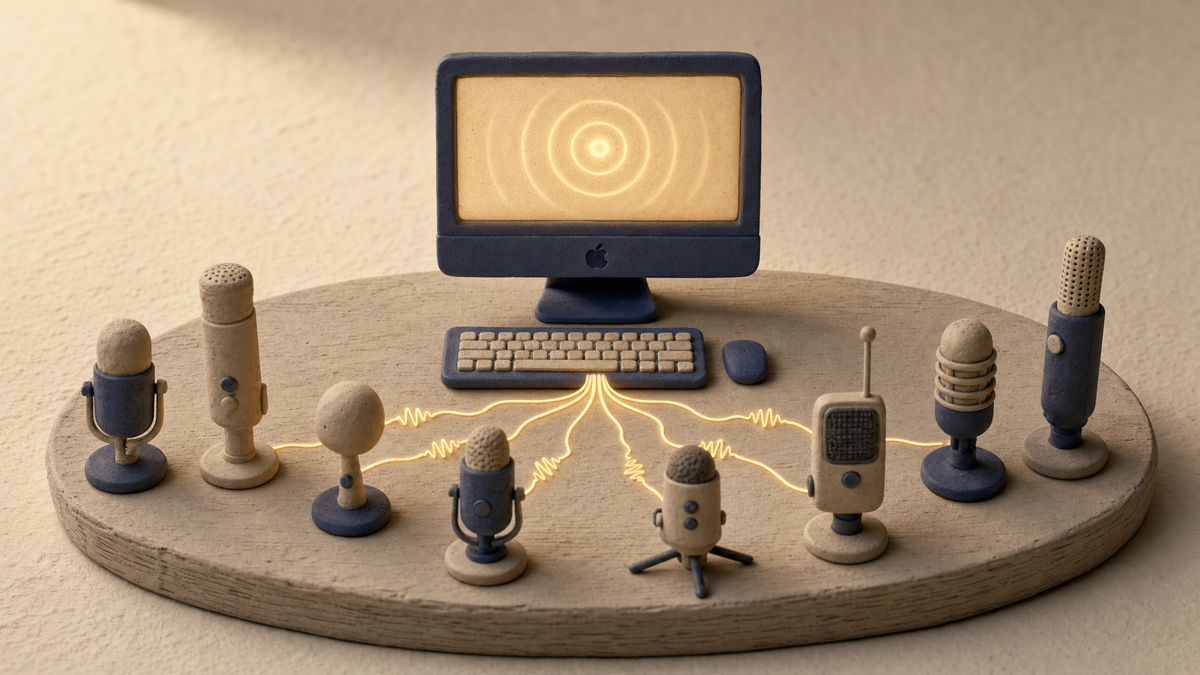
Local AI dictation has gone from novelty to daily driver for Mac power users in 2026. Superwhisper helped pioneer the category by running OpenAI Whisper models entirely on-device, but it's no longer the only serious option — and for many workflows, it's no longer the best one. If you want a faster, cheaper, more private, or more flexible alternative, this guide breaks down the seven best Superwhisper alternatives, starting with BB Recorder — Dictation, our local-first voice-to-text tool that lets you hotkey, speak, and watch clean text land at your cursor in any app.
Below, you'll find a full comparison table, in-depth reviews, a decision framework, and answers to the most common questions about local Whisper-based dictation on macOS.
What Is Superwhisper and Why Look for Alternatives?
Superwhisper is a macOS-native dictation app that runs OpenAI's Whisper models locally on Apple Silicon, offering offline speech-to-text with strong privacy guarantees. It supports more than 100 languages, custom vocabulary, AI-powered formatting modes, and a global hotkey workflow that integrates with any text field on Mac.
Its core strengths are well established:
- Offline processing via local Whisper models (no cloud round-trip required)
- Privacy-first design for regulated industries and sensitive content
- High accuracy — Whisper Large-v3 achieves roughly 8–10% word error rate (WER) on English, comparable to human transcribers
- System-wide dictation through a global hotkey
So why are users actively shopping for Superwhisper alternatives in 2026? A few reasons keep coming up:
- Subscription fatigue. Superwhisper's roughly $8.49/month or $84/year Pro pricing adds up versus one-time-license competitors.
- Feature gaps. Some users want screen recording, meeting capture, or snippet libraries alongside dictation.
- Model flexibility. Newer engines like NVIDIA's Parakeet TDT and Distil-Whisper offer faster local inference than vanilla Whisper.
- Latency. A 95% accurate transcript in 500ms beats a 98% accurate transcript in 5 seconds.
- Custom vocabulary depth. Technical users with product names, acronyms, and jargon need stronger custom dictionary handling.
When evaluating any Superwhisper alternative, focus on five things: model choice (Whisper, Parakeet, Apple Foundation), latency, custom vocabulary, hotkey workflow, and app integrations.
Quick Comparison: Top 7 Superwhisper Alternatives at a Glance
The table below summarizes the leading local AI dictation tools for Mac in 2026. BB Recorder — Dictation leads the list as the most flexible local-first option, with native model choice across Apple Foundation, Whisper, Parakeet, and Ollama.
| Tool | Pricing | Local / Cloud | Models Supported | OS | Standout Feature |
|---|---|---|---|---|---|
| BB Recorder — Dictation ⭐ | Free + paid tiers | Local-first (optional cloud) | Apple Foundation, Whisper, Parakeet, Ollama, OpenAI, Anthropic, Groq | macOS, iOS | Bring-your-own-model + 3-in-1 app (dictation, meeting, screen) |
| MacWhisper | ~$59 one-time Pro | Local | Whisper tiny → large-v3 | macOS | Polished one-time purchase |
| WisprFlow | Subscription | Hybrid local/cloud | Proprietary + Whisper | macOS, Windows | Sub-second latency |
| Aiko | Free | Local | Whisper | macOS, iOS | 100% free, on-device |
| VoiceInk | Free (open source) | Local | Whisper (whisper.cpp) | macOS | MIT-licensed transparency |
| Whisper Memos | Subscription | Hybrid | Whisper + GPT | iOS + Mac | Voice memo → clean prose |
| BetterDictation | One-time | Local | Whisper | macOS | Replaces native macOS dictation |
| Talon Voice | Free / Pro | Local | Custom + Whisper | macOS, Windows, Linux | Hands-free coding & navigation |
Best-for tags: Best overall flexibility — BB Recorder. Best one-time purchase — MacWhisper. Best free — Aiko. Best speed — WisprFlow. Best open source — VoiceInk. Best for power users — Talon.
1. BB Recorder — Dictation: Best Local-First Alternative with Bring-Your-Own-Model
BB Recorder — Dictation is the most flexible local-first Superwhisper alternative for Mac in 2026, combining hotkey-driven voice typing with bring-your-own-model freedom. You hold a hotkey, speak, and watch clean text appear at your cursor — in any app, with the model of your choice running on your device.
Why BB Recorder stands out
- Bring your own model: Choose Apple Foundation Models, local Whisper, NVIDIA Parakeet, Ollama, or plug in your own API keys for OpenAI, Anthropic, or Groq. No other dictation app offers this range.
- Local-first by default: Audio and transcription stay on your Mac unless you explicitly opt into cloud. No bots, no uploads, no account required.
- Three tools, one app: Dictation, no-bot meeting recording, and screen recording all share a library, hotkeys, and local models.
- Optional cleanup: Strip filler words, fix punctuation, and reformat into paragraphs — locally or via your chosen LLM.
- Snippets mode: Save reusable voice clips and transcripts for repeated workflows.
- Multilingual with auto-paste to cursor, hold/tap/double-tap hotkeys, and a Dictation Bar + notch UI.
Best for
Knowledge workers, developers, founders, and consultants who want one local-first app for dictation and meeting/screen capture — and who refuse to be locked into a single transcription engine. BB Recorder is used by 55,000+ professionals across 100+ countries.
If you want the privacy of MacWhisper, the speed of Apple Silicon-native models, and the flexibility to swap engines as the AI landscape evolves, BB Recorder — Dictation is the strongest 2026 alternative.
2. MacWhisper — Best Polished One-Time Purchase
MacWhisper by Jordi Bruin is the most polished local-first Superwhisper alternative with a one-time license, making it ideal for users who want to avoid subscriptions. It supports the full Whisper model family from tiny through large-v3, with both batch transcription and real-time dictation modes.
- Pricing: Free tier plus a one-time Pro license around $59
- Pros: Batch file transcription, dictation mode, custom prompts, no subscription, beautiful native macOS UI
- Cons: Mac-only, requires manual model download, no cross-app integrations beyond standard dictation
- Best for: Solo Mac users who want a single-payment offline dictation tool with strong accuracy
MacWhisper is the closest spiritual sibling to Superwhisper in terms of polish, with a more user-friendly pricing model.
3. WisprFlow — Best for Speed and Cross-App Dictation
WisprFlow advertises sub-500ms latency thanks to its hybrid local/cloud architecture, making it the fastest mainstream Superwhisper alternative. It works across any text field on macOS and Windows with auto-formatting, AI command corrections, and custom vocabulary support.
- Pricing: Free plan with monthly word limits; paid tiers for unlimited use
- Pros: Cross-platform, blazing fast, smart auto-formatting
- Cons: Hybrid architecture means audio/transcripts may leave your device — not suitable for HIPAA or strict GDPR workflows
- Best for: Writers, executives, and anyone replacing typing across many apps where speed matters more than absolute privacy
4. Aiko — Best Free Superwhisper Alternative
Aiko by Sindre Sorhus is the best fully free Superwhisper alternative, running Whisper models 100% on-device with no usage limits. It supports more than 100 languages and handles audio/video file transcription beautifully.
- Pricing: Free
- Pros: Fully on-device, no account, no limits, multilingual
- Cons: File-based only — no real-time dictation or hotkey workflow
- Best for: Occasional transcription users, students, and anyone on a strict budget
If you mostly transcribe recorded audio rather than dictate live, Aiko is unbeatable. For real-time dictation, pair it with BB Recorder — Dictation or VoiceInk.
5. VoiceInk — Best Open-Source Alternative
VoiceInk is the leading open-source, MIT-licensed dictation app for macOS, ideal for developers and privacy-focused users who want full transparency. It uses whisper.cpp for local inference and offers customizable hotkeys with active GitHub development.
- Pricing: Free (open source)
- Pros: Transparent codebase, no telemetry, community-driven roadmap
- Cons: Less polished than commercial options; some features require setup
- Best for: Developers, security-conscious users, and tinkerers who want to audit their tools
6. Whisper Memos — Best for Long-Form Voice Notes
Whisper Memos is the best Superwhisper alternative for long-form voice notes, capturing rambling speech on iPhone or Mac and converting it into clean paragraphs via GPT formatting. It's designed for journalers, podcasters, and creators who think out loud.
- Pricing: Subscription
- Pros: Excellent for capturing ideas on the go; strong formatting
- Cons: Hybrid cloud architecture; less suited for live system-wide dictation
- Best for: Writers, podcasters, and creators capturing long thoughts away from the keyboard
7. BetterDictation — Best Lightweight Replacement for macOS Dictation
BetterDictation is a drop-in replacement for Apple's built-in macOS dictation, using local Whisper models for dramatically improved accuracy. It supports push-to-talk and toggle modes with affordable one-time pricing.
- Pricing: One-time purchase
- Pros: Simple, focused, local-only, replaces native dictation seamlessly
- Cons: Fewer advanced features (no AI cleanup, limited custom vocabulary)
- Best for: Users frustrated with Apple's built-in dictation accuracy who want a no-frills upgrade
8. Talon Voice — Best for Hands-Free Coding and Power Users
Talon Voice is the most powerful voice-driven computing tool for Mac, going far beyond dictation into navigation, scripting, and coding. It's the gold standard for accessibility users, RSI sufferers, and developers who want to operate their entire computer hands-free.
- Pricing: Free with paid Pro tier
- Pros: Customizable grammar, Python scripting, full keyboard/mouse replacement
- Cons: Steep learning curve; overkill for casual dictation
- Best for: Developers, accessibility-first users, and power users who want voice-driven everything
Beyond Personal Dictation: Capturing Customer Voice for Product Teams
Personal dictation tools transcribe your voice — but if you run a B2B product team, you also need to capture and analyze customer voice at scale. Over 70% of B2B SaaS product teams report struggling to systematically capture customer feedback from sales and support calls (Productboard, 2025), and a hotkey dictation app won't solve that.
That's a different category of tool. For personal dictation across any app on your Mac, BB Recorder — Dictation is the answer. For capturing meetings without a bot joining the call, BB Recorder — Meeting Recorder uses ScreenCaptureKit to record system audio directly. And for product teams that need to analyze hundreds of customer conversations and surface feature requests, objections, and themes, BuildBetter (the parent product behind BB Recorder) provides full customer-led development workflows.
Rule of thumb:
- Need to type faster in any app? → BB Recorder — Dictation
- Need to record a meeting without a bot? → BB Recorder — Meeting Recorder
- Need to analyze customer voice across hundreds of calls? → BuildBetter
How to Choose the Right Superwhisper Alternative
The right Superwhisper alternative depends on your privacy requirements, budget, and primary use case. Use this decision framework:
Choose by privacy needs
- Strict (HIPAA, GDPR, legal, finance): BB Recorder (local mode), MacWhisper, Aiko, or VoiceInk — never hybrid cloud tools
- Moderate: Any of the above plus BetterDictation
- Flexible: WisprFlow or Whisper Memos for hybrid speed
Choose by budget
- Free: Aiko, VoiceInk, BB Recorder free tier
- One-time: MacWhisper, BetterDictation
- Subscription: WisprFlow, Whisper Memos, Superwhisper
Choose by use case
- System-wide dictation: BB Recorder — Dictation, MacWhisper, WisprFlow
- File transcription only: Aiko, MacWhisper
- Hands-free computing: Talon Voice
- Long-form voice notes: Whisper Memos
Final checklist
- Model accuracy and choice (Whisper Large-v3, Parakeet TDT, Apple Foundation)
- Latency (sub-second for fluid dictation)
- Custom vocabulary support
- Hotkey ergonomics (hold, tap, double-tap)
- Integrations with your daily apps
- Pricing model (subscription vs. one-time vs. free)
- Apple Silicon optimization (M1 or later strongly recommended)
Frequently Asked Questions
Is Superwhisper still the best dictation app for Mac in 2026?
Superwhisper remains excellent, but it's no longer the only top-tier option. BB Recorder — Dictation offers more model flexibility (Apple Foundation, Whisper, Parakeet, Ollama, and more) bundled with meeting and screen recording, MacWhisper offers comparable local capabilities with a one-time purchase, and WisprFlow has surpassed it on raw speed. The best choice depends on whether you prioritize flexibility, privacy, speed, or budget.
What is the best free alternative to Superwhisper?
Aiko is the best fully free alternative for file-based transcription — it's completely on-device, supports 100+ languages, and has no usage limits. For free real-time dictation, BB Recorder — Dictation's free tier and the open-source VoiceInk are the strongest options.
Are local Whisper apps actually private?
Yes, when properly implemented. Apps like BB Recorder (in local mode), MacWhisper, Aiko, and VoiceInk run Whisper models entirely on your Mac with no network calls during transcription. You can verify this by disabling Wi-Fi during use. Hybrid apps like WisprFlow do send audio or transcripts to cloud servers and should not be considered fully private.
Which Superwhisper alternative has the lowest latency?
WisprFlow advertises sub-500ms latency thanks to its hybrid architecture. Among fully local tools, BB Recorder, MacWhisper, and BetterDictation running smaller Whisper models (tiny or base) on Apple Silicon achieve near-instant transcription. Apple Silicon M3/M4 chips can run Whisper Large-v3 at 5–10x realtime using MLX or whisper.cpp.
Can these tools replace typing entirely?
For most writing tasks, yes — modern dictation tools can replace 70–90% of keyboard input for emails, documents, and messaging. Voice dictation typically reaches 120–150 WPM versus 40–60 WPM for typing, roughly 3x faster. However, code, formatting-heavy work, and precise editing still benefit from keyboard input. Talon Voice is the only tool designed to fully replace keyboard and mouse for power users.
What's the difference between dictation tools and customer conversation platforms?
Dictation tools transcribe your voice into text in real time. Customer conversation platforms like BuildBetter capture, transcribe, and analyze customer calls at scale — surfacing feature requests, objections, and themes across hundreds of conversations. They solve different problems: personal productivity vs. organizational customer intelligence.
Final Verdict: The Best Superwhisper Alternative for Your Workflow
There's no single winner — there's a best tool for each user type:
- Best overall flexibility and local-first design: BB Recorder — Dictation (bring-your-own-model + dictation, meeting, and screen recording in one app)
- Best one-time purchase: MacWhisper
- Best for speed: WisprFlow
- Best free option: Aiko
- Best open source: VoiceInk
- Best for power users: Talon Voice
- Best for product teams capturing customer voice: BuildBetter (alongside BB Recorder)
If you want one app that handles dictation, no-bot meeting recording, and screen recording — all running locally on your Mac with the model of your choice — BB Recorder is the most complete Superwhisper alternative for 2026.
Record, dictate, and capture — all on your device.
BB Recorder gives you local-first dictation, no-bot meeting recording, and native screen recording in one Mac app. Bring your own model, keep your data on your device, and skip the bots, watermarks, and upload prompts.
![[ARCHIVED dup] Best Superwhisper Alternatives: AI Dictation Tools for Mac Power Users in 2026](https://storage.ghost.io/c/4f/50/4f50536c-6dc6-4a92-8ff1-e707b209e265/content/images/size/w720/2026/04/batch6-02.png)