Best User Research Report Generator Apps in 2026: Complete Guide
Compare top user research report generator apps for 2026. Learn how AI-powered UX research report tools automate synthesis and deliver actionable insights.
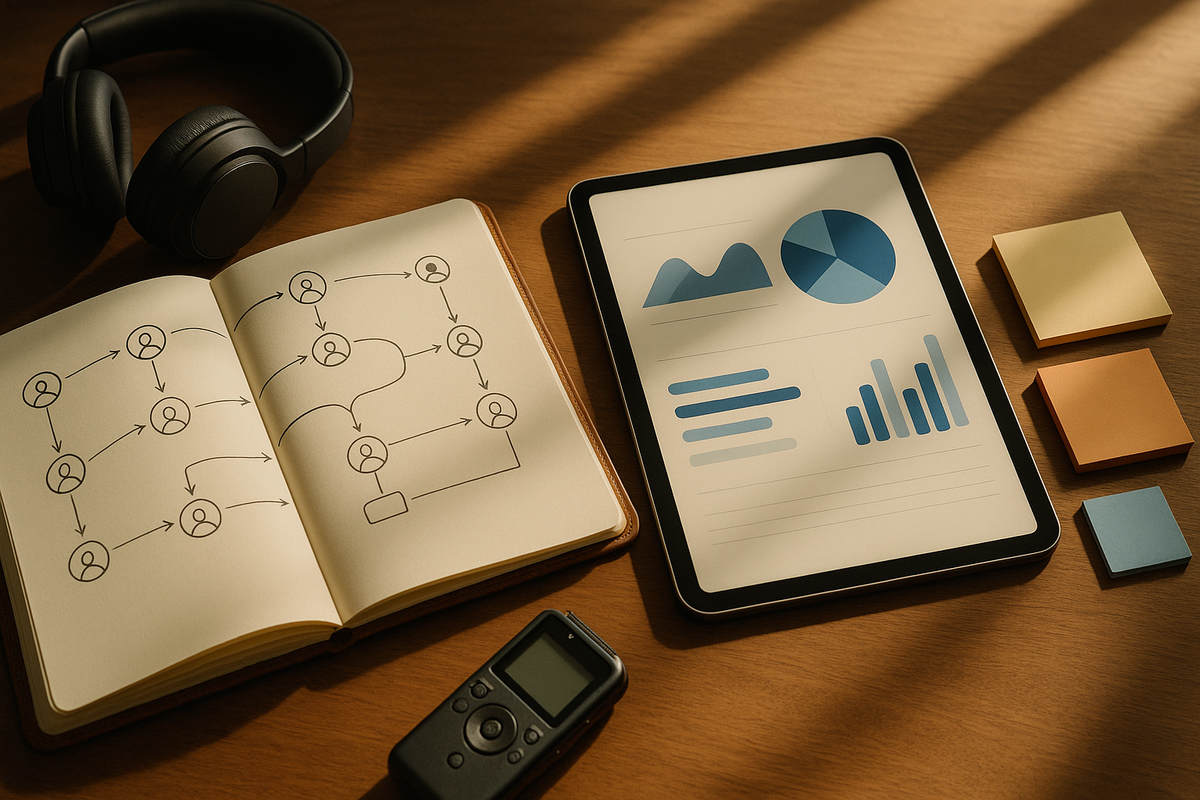
A user research report generator app is AI-powered software that automatically transforms qualitative research data into structured, actionable reports—eliminating the manual synthesis bottleneck that costs product teams an average of 32% of their research time.
With research from the Nielsen Norman Group showing that teams spend nearly a third of their research time on synthesis and reporting alone, these automated user research reports represent a fundamental shift in how product organizations operate. This guide explores what these tools do, why they matter, and how to choose the right UX research report tool for your team in 2026.
What Is a User Research Report Generator App?
Core Definition and Functionality
A user interview report generator is software that uses artificial intelligence to automatically transform raw qualitative data—including interviews, surveys, and customer calls—into structured, shareable reports with insights, themes, and recommendations.
These research synthesis software platforms leverage natural language processing (NLP) and machine learning to perform:
- AI-powered transcription with speaker identification (diarization)
- Automatic theme detection across multiple research sessions
- Insight extraction with supporting evidence and quotes
- Report formatting for different stakeholder audiences
Manual vs. Automated Report Generation
Traditional manual report creation typically takes 4-8 hours per interview.
Manual synthesis involves inconsistent analysis frameworks depending on the researcher.
Human-only analysis introduces unavoidable cognitive bias into findings.
Automated user research reports compress this timeline to minutes while applying uniform analysis standards across all data.
Supported Data Types
These platforms process diverse research data types:
- User interviews and usability test recordings
- Customer success calls and sales conversations
- NPS verbatims and support tickets
- Survey open-ended responses
The key differentiator from simple research repositories is that report generators actively synthesize data rather than just storing and tagging it—surfacing patterns that humans might miss when analyzing hundreds of conversations manually.
Why Product Teams Need Automated Research Report Generation
The Time Savings Imperative
The case for automated research reporting centers on a fundamental resource constraint: according to a 2024 UserTesting Industry Report, product teams spend an average of 32% of their research time on synthesis and reporting rather than actual research activities.
While manual synthesis of a single interview consumes 4-8 hours of focused work, AI-powered research synthesis software reduces this to 5-15 minutes per session.
For teams conducting continuous discovery with multiple customer conversations weekly, this difference compounds dramatically.
Consistency and Quality Benefits
Consistency addresses a quality problem inherent to manual analysis.
Different researchers emphasize different themes.
Varying frameworks produce incomparable results.
Individual biases skew synthesis outcomes.
Automated tools apply identical analysis criteria across all data, making it possible to compare findings across time periods, researchers, and customer segments reliably.
Knowledge Democratization
Research from Pendo's 2023 State of Product Leadership report indicates that only 35% of user research insights are ever acted upon by product teams. This happens largely because executives and engineers won't read raw transcripts or lengthy research documents.
Generated reports in accessible formats—executive summaries, visual dashboards, Slack digests—meet stakeholders where they work.
Impact on Product Decisions
According to a 2024 ProductPlan survey, organizations conducting continuous discovery ship features that meet user needs 2.3x more often than those doing periodic research.
Automated research insights provide the velocity continuous discovery requires.
Key Features to Look for in Research Report Generator Apps
Selecting the right user research report generator app requires evaluating capabilities across transcription, analysis, output, and security dimensions.
Transcription Quality Requirements
Transcription quality forms the foundation of any UX research report tool.
Look for tools achieving 95%+ accuracy with speaker diarization (identifying who said what).
According to Otter.ai's 2024 benchmark study, modern AI transcription reduces documentation time by 75-90% compared to manual note-taking.
Accuracy drops significantly with heavy accents, technical jargon, or poor audio quality.
Analysis Capabilities That Matter
Analysis capabilities differentiate sophisticated tools from basic transcription services:
- Automatic theme and pattern detection across multiple sessions
- Sentiment analysis at the quote and conversation level
- Frequency tracking for feature requests and pain points
- Trend identification comparing current findings to historical data
Report Customization Options
Report customization determines whether outputs actually get used. Essential features include:
- Customizable templates (executive summary, detailed findings, stakeholder-specific views)
- Quote and clip extraction with timestamp references
- Export options (PDF, slides, shareable links)
Integration Ecosystem
Integration ecosystem affects workflow adoption. Tools should connect with:
- Documentation platforms (Notion, Confluence)
- Project management tools (Jira, Linear)
- Communication platforms (Slack, Teams)
- Calendar and video conferencing (Zoom, Google Meet)
Security and Compliance Standards
Security and compliance are non-negotiable for research containing sensitive user information:
- SOC 2 Type II certification
- End-to-end encryption
- Clear data retention policies
- GDPR compliance
- SSO and role-based access controls for enterprise
Comparison: Types of Research Report Generator Tools
| Tool Type | Best For | Key Strengths | Limitations |
|---|---|---|---|
| Continuous Discovery Platforms | Product teams doing weekly customer calls | Auto-capture, cross-conversation synthesis, stakeholder reports | Less customizable analysis frameworks |
| Research Repositories | Dedicated UX research teams | Robust tagging, custom taxonomies, team collaboration | Manual upload required, higher learning curve |
| Transcription-First Tools | Teams needing accurate transcripts primarily | High accuracy, affordable, simple workflow | Limited analysis and synthesis features |
| All-in-One Product Platforms | Startups wanting single tool | Feedback + research + roadmapping combined | Jack of all trades, master of none |
How BuildBetter Generates User Research Reports Automatically
BuildBetter exemplifies the modern approach to automated user research reports, designed specifically for product teams running continuous customer discovery.
Step 1: Automatic Capture
Connect call recording sources—Zoom, Google Meet, or calendar integrations—for hands-free recording of customer conversations.
No manual uploads required; every scheduled call is automatically captured and processed.
Step 2: AI Processing
The user interview report generator analyzes recordings to identify:
- User pain points and friction areas
- Feature requests and enhancement ideas
- Competitive mentions and comparisons
- Sentiment and satisfaction signals
Unlike generic transcription tools, BuildBetter's analysis is trained on product team contexts—understanding the difference between a casual mention and a critical blocker.
Step 3: Cross-Conversation Synthesis
Rather than reporting on individual calls in isolation, the research synthesis software surfaces patterns across multiple conversations.
This reveals whether a single customer's frustration represents an isolated case or an emerging trend across your user base.
Step 4: Auto-Generated Stakeholder Reports
Reports include executive summaries, supporting quotes with timestamps, and recommended actions.
Different stakeholders receive appropriate depth:
- PMs get detailed theme breakdowns
- Executives get high-level summaries
- Support teams see relevant customer context
Sample Generated Report: What to Expect
Understanding what automated research insights actually look like helps set realistic expectations.
Executive Summary Section
A 3-5 sentence overview of key findings with confidence indicators based on evidence volume.
Example: "This week's 12 customer calls revealed onboarding friction as the dominant theme (mentioned by 8 participants). Three customers explicitly threatened churn related to setup complexity. Positive sentiment increased around the new dashboard feature launched last month."
Theme Breakdown
Categorized insights organized by type—usability issues, feature requests, competitive mentions—with frequency data showing how many participants raised each theme.
This quantification helps prioritize findings objectively.
Evidence Section
Direct quotes with timestamps and participant context (role, company size, customer tenure).
This transparency allows stakeholders to verify AI interpretations and provides compelling voice-of-customer content for presentations.
Trend Analysis
Comparison of current findings against previous reporting periods:
- Did mobile complaints increase this month?
- Has sentiment around pricing stabilized?
- Are feature requests shifting toward new areas?
Action Items and Visual Elements
AI-suggested next steps tied to product roadmap impact, distinguishing between "investigate further" recommendations and "urgent action required."
Charts showing theme distribution, sentiment trends over time, and priority matrices help stakeholders quickly grasp key patterns.
Best Practices for Using Automated Research Reports
Automation amplifies researcher effectiveness but doesn't eliminate the need for human judgment.
Maintain Human-in-the-Loop Review
Teresa Torres, product discovery coach and author of Continuous Discovery Habits, explains: "The goal isn't to eliminate researcher judgment but to free researchers from mechanical synthesis so they can focus on interpretation and strategy."
Always validate AI-generated insights before sharing widely.
AI excels at pattern detection but can miss context-dependent nuance, sarcasm, or domain-specific implications.
A five-minute review catches errors that could undermine credibility.
Customize Outputs for Your Audience
Executives need different depth than design teams.
Create stakeholder-specific report variants rather than sending the same document to everyone.
The engineering team wants technical detail; leadership wants business impact.
Strategic Use of Automation
Use automated user research reports for ongoing customer feedback streams where volume makes manual synthesis impractical.
Reserve deep-dive manual analysis for strategic research initiatives where nuance matters most.
Build Feedback Loops
Rate report quality and flag errors to improve future outputs.
Most platforms learn from corrections, making subsequent reports more accurate and relevant to your specific context.
Create Consistent Report Cadences
Weekly digests work well for continuous feedback; project-specific reports suit discrete research studies.
Consistency helps stakeholders know when to expect insights and builds the habit of consulting research before decisions.
Build Organizational Memory
Archive reports in searchable repositories.
Erika Hall, co-founder of Mule Design and author of Just Enough Research, notes: "Reports that sit unread are worthless regardless of how they're generated." Make them findable.
Common Questions About Research Report Generator Apps
Q: Can AI really understand the nuance and context in user interviews?
A: Modern NLP models are remarkably effective at identifying themes, sentiment, and patterns at scale, but they can miss cultural context, sarcasm, or domain-specific implications.
Best practice is using AI for initial synthesis and human researchers for interpretation, strategic implications, and quality validation of key quotes.
Q: How accurate are automated transcriptions for research purposes?
A: Leading transcription engines achieve 95-98% accuracy for clear audio in common languages.
Accuracy drops with heavy accents, technical jargon, cross-talk, or poor audio quality. Most tools allow manual correction of critical quotes.
For research validity, always verify any quote you plan to share with stakeholders.
Q: What about data privacy and security for sensitive user research?
A: Look for SOC 2 Type II certification, end-to-end encryption, clear data retention policies, and GDPR compliance.
Key questions for vendors: Where is data stored? Who can access it? Can participants request deletion?
Enterprise tools should offer SSO, role-based access controls, and audit logs.
Q: How long does automated report generation actually take?
A: Reports are typically ready within 15-30 minutes of a call ending.
Transcription takes 0.5-1x the audio length (a 30-minute interview processes in 15-30 minutes). AI analysis and report generation adds 2-5 minutes.
Q: Can automated tools replace dedicated UX researchers?
A: No—they augment researchers rather than replace them.
AI handles time-consuming mechanical tasks (transcription, initial coding, report formatting) so researchers can focus on study design, participant recruitment, interpretation, and strategic recommendations.
Teams without dedicated researchers benefit most, as tools democratize basic analysis capabilities.
How to Choose the Right Tool for Your Team
The best user research report generator app depends on your team's size, research maturity, and workflow requirements.
For Product Teams Doing Continuous Discovery
Choose tools that integrate directly with call recording workflows.
Platforms like BuildBetter that automatically capture and process customer conversations reduce friction to near-zero, making it realistic to maintain always-on research programs.
For Dedicated UX Research Teams
Consider repository-first tools with robust tagging and coding capabilities.
Larger research operations often need more customization in analysis frameworks and may have established taxonomies to apply consistently.
For Small Teams or Startups
Prioritize ease of use and quick time-to-value over feature depth.
Complex tools with steep learning curves will go unused. Look for solutions that deliver meaningful automated research insights from day one.
For Enterprise Organizations
Security compliance (SOC 2, HIPAA if applicable), SSO integration, and administrative controls take priority.
Audit trails and data governance features become essential at scale.
Budget Considerations
Free tiers exist but typically limit AI analysis features, storage, or users.
Expect $20-100 per user per month for full functionality.
Calculate ROI against researcher time saved—if a tool saves 10 hours monthly at a $50/hour loaded cost, even $100/month tools deliver positive returns.
Evaluation Approach
Run identical research data through 2-3 finalist tools to compare output quality directly.
Generic demo content doesn't reveal how well a UX research report tool handles your specific domain language and research questions.
Streamline Your Product Team's Workflow
Transforming customer conversations into actionable insights shouldn't consume more time than having those conversations in the first place.
The right user research report generator app eliminates the synthesis bottleneck that prevents research from influencing product decisions at the pace modern teams require.
BuildBetter helps product teams automatically capture customer calls, synthesize insights across conversations, and generate stakeholder-ready reports—so you can spend less time documenting what customers said and more time building what they need.