Best Wispr Flow Alternatives in 2026: AI Dictation for Mac Power Users
Wispr Flow popularized AI dictation on Mac, but in 2026, on-device LLMs and local-first tools are pulling power users away. Here are the 8 best Wispr Flow alternatives — compared on accuracy, privacy, and workflow integration.
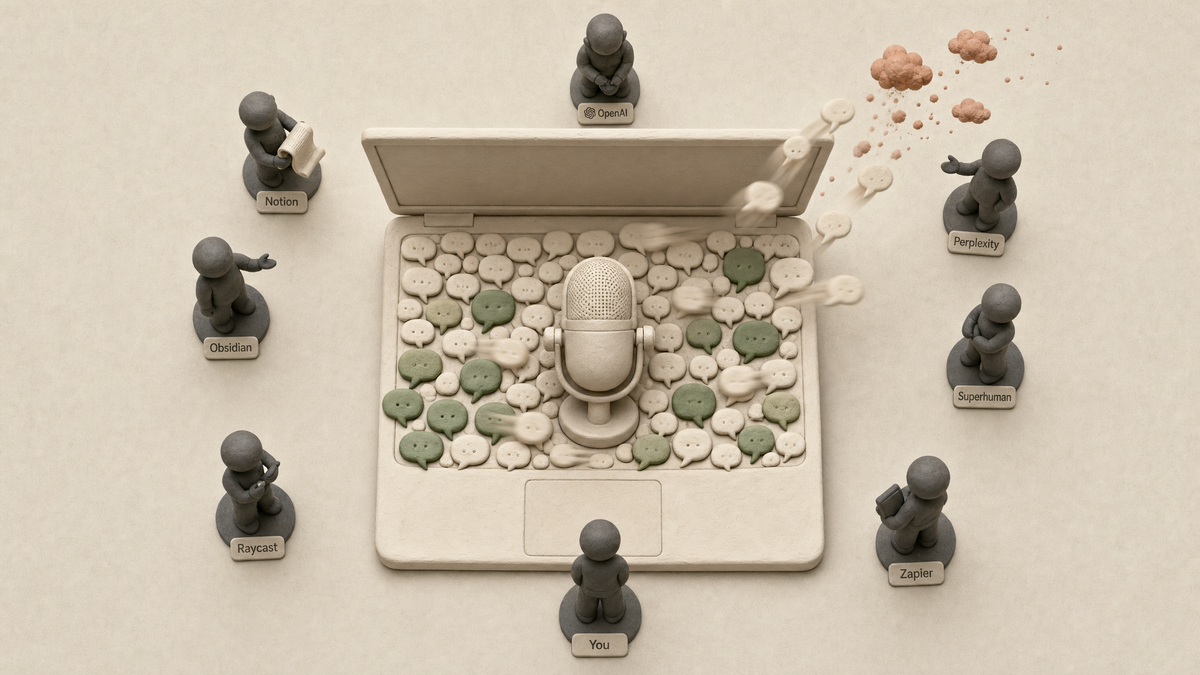
If you've used Wispr Flow on a Mac in the last year, you already know the appeal: hold a hotkey, talk, and watch clean text appear at your cursor. But in 2026, the AI dictation market has fragmented in interesting ways — on-device LLMs have caught up to cloud, Apple Intelligence is now built into macOS, and tools like BB Recorder (BuildBetter's local-first dictation, meeting recording, and screen recording app) are giving Mac power users a faster, more private alternative that doesn't require uploading every word you say to someone else's server.
This guide breaks down the eight best Wispr Flow alternatives for Mac power users in 2026 — product managers, founders, developers, and researchers who dictate 10,000+ words a day and care about accuracy, privacy, and workflow integration.
Why Mac Power Users Are Looking Beyond Wispr Flow in 2026
Wispr Flow popularized AI dictation on the Mac with floating overlays, AI cleanup, and system-wide voice input. It's a polished product — and its $30M Series A in 2025 (Menlo Ventures, ~$200M valuation) confirms the category is real.
But 2026 is a different landscape. Three forces are pushing Mac power users to evaluate alternatives:
- Pricing tier changes. Wispr Flow shifted from a flat $15/month Pro tier to a tiered $12 / $30 / Enterprise structure in late 2025, frustrating high-volume users who suddenly hit limits.
- Privacy concerns. A 2025 Gartner survey found 67% of knowledge workers are uneasy about cloud AI tools. Cloud-only dictation means every sentence you speak — including customer names, internal strategy, and unreleased product specs — leaves your machine.
- Workflow gaps. Dictation that produces clean text is table stakes. Power users now want dictation that integrates with Linear, Jira, Notion, Slack, and CRMs — and ideally, that turns voice into structured artifacts, not just paragraphs.
For "power user," we mean people typing or dictating 10,000+ words a day: PMs writing PRDs and customer notes, founders firing off async updates, developers documenting code, researchers synthesizing interviews. At 130–150 WPM dictating vs. 40 WPM typing, dictation is a 3–4x productivity multiplier — but only when accuracy clears 95%.
The big shifts in 2026: on-device LLMs running on Apple Silicon's Neural Engine (38 TOPS on the M4), real-time "agentic" editing where you dictate intent rather than text, and native macOS 16 integrations that make older cloud-first tools feel dated.
How We Evaluated Wispr Flow Alternatives
We scored every tool on six dimensions that matter to Mac power users:
- Accuracy — both general dictation and technical vocabulary (proper nouns, library names like "Tailwind" or "PostHog," acronyms). Whisper Large-v3 sets the bar at 8.4% WER; fine-tuned variants reach sub-5%.
- Latency & processing — on-device vs. cloud, real-time vs. batch.
- Privacy posture — SOC 2, data retention, on-device options, opt-in cloud.
- Mac-native experience — menu bar, global hotkeys, Apple Silicon optimization, native UI.
- Workflow integrations — Slack, Notion, Linear, Jira, CRMs, and developer tools.
- Pricing transparency — especially for high-volume dictators.
The 8 Best Wispr Flow Alternatives for Mac Power Users in 2026
Here's the quick comparison before we dive in:
| Tool | Best For | On-Device | Pricing | Standout Feature |
|---|---|---|---|---|
| BB Recorder (BuildBetter) | PMs, founders, privacy-first power users | ✅ Yes (Apple Foundation, Whisper, Parakeet) | Free + paid tiers | 3-in-1: dictation + meeting + screen recording, BYO model |
| Superwhisper | Privacy-first individuals | ✅ Yes (Whisper local) | $8.49/mo or $96 lifetime | Custom AI modes |
| MacWhisper | One-time purchase users | ✅ Yes | $59 one-time (Pro) | Batch transcription |
| Aiko | Free on-device transcription | ✅ Yes | Free | File-based, fully offline |
| Talon Voice | Hands-free coding / accessibility | ✅ Yes | $15/mo Pro | Voice-controlled OS |
| Apple Dictation (macOS 16) | Free baseline | ✅ Yes | Free | Built into macOS |
| Dragon Professional (Parallels) | Legal/medical vocab | ❌ Windows VM | $699 one-time | Specialized accuracy |
1. BB Recorder by BuildBetter — Best for Mac Power Users Who Want Dictation, Meetings, and Screen Recording in One Local-First App
BB Recorder is the top Wispr Flow alternative for Mac power users who care about privacy, model choice, and getting more than just dictation out of a single app. Built by BuildBetter and used by 55,000+ professionals across 100+ countries, BB Recorder is one native Mac app with three tools: voice-to-text dictation, no-bot meeting recording, and screen recording — all running on your device by default.
For dictation specifically, here's what makes it a direct upgrade over Wispr Flow:
- Global hotkey with hold/tap/double-tap modes — works in any app. Hotkey, speak, watch clean text land at your cursor.
- Bring Your Own Model. Choose Apple Foundation models, local Whisper, Parakeet, Ollama, or cloud APIs (OpenAI, Anthropic, Groq, BuildBetter cloud). No other dictation tool on Mac gives you this much control.
- 100% local by default. Voice never leaves your Mac unless you opt into a cloud model. That's a different privacy posture than cloud-only dictators.
- Optional AI cleanup. Strip fillers ("um," "like"), add punctuation, format paragraphs — toggle per session.
- Snippets mode for reusable dictated clips.
- Multilingual with auto-paste to cursor.
- Dictation Bar + notch UI for a clean, native-feeling overlay.
The bigger story: dictation is one of three tools in the same app. The same hotkeys, library, and local models also power no-bot meeting recording (capturing system audio directly via ScreenCaptureKit — no bot joining your calls) and native screen recording with system audio (no watermarks, no upload prompts, no required account).
For PMs and founders, this means your dictated voice notes, customer calls, and screen walkthroughs all land in one local library — and can flow into BuildBetter's product intelligence layer if you want themes, feature requests, and follow-ups extracted automatically.
Pricing: Free tier with Apple Foundation and local Whisper. Paid tiers unlock cloud models and BuildBetter's product intelligence layer.
Best for: PMs, founders, developers, and researchers who want a private, local-first alternative that does more than just dictate.
2. Superwhisper — Best Fully On-Device Alternative
Superwhisper runs Whisper locally on Apple Silicon — zero data leaves your Mac. It's a strong pick for privacy-conscious users in legal, healthcare, and finance, and it offers customizable AI modes for email tone, code comments, or summary drafts.
Pros: Fully on-device, customizable modes, fast on M-series chips.
Cons: No team features, manual workflow setup, narrower scope (dictation only).
Ideal user: Solo professionals who need privacy guarantees.
3. MacWhisper — Best for One-Time Purchase Users
MacWhisper offers a one-time license instead of a subscription — refreshing for users tired of recurring dictation fees. It excels at batch transcription of meetings and podcasts. The Pro tier ($59) adds real-time dictation and speaker diarization.
Pros: One-time pricing, excellent batch transcription, native Mac app.
Cons: Real-time dictation less polished than dedicated tools.
Ideal user: Independent consultants, journalists, and researchers.
4. Aiko — Best Free On-Device Option
Aiko is a free, privacy-first, fully offline transcription app on the Mac App Store. It's limited to file-based transcription rather than system-wide dictation, but it's a solid complement to a real-time tool.
Pros: Free, on-device, zero setup.
Cons: No real-time dictation, no integrations.
Ideal user: Anyone needing occasional transcription with zero cost.
5. Talon Voice — Best for Developers and Accessibility
Talon Voice is the gold standard for voice-controlled coding and full Mac control. Originally built for users with RSI, it's now widely adopted by developers who want hands-free workflows in VS Code, Xcode, and the terminal.
Pros: Unmatched for hands-free OS control, strong community command sets.
Cons: Steep learning curve, not a general dictation tool.
Ideal user: Developers, accessibility-first users.
6. Apple's Built-In Dictation (macOS 16+) — Best Free Baseline
Apple's built-in dictation got significantly better with on-device Apple Intelligence in macOS 15 and macOS 16. It's free, private, and system-wide — a real baseline now, not the joke it was five years ago.
Pros: Free, on-device, deep macOS integration.
Cons: No AI cleanup, no formatting commands, no integrations, no model choice.
Ideal user: Casual dictators not yet hitting power-user limits.
7. Dragon Professional for Mac (via Parallels) — Best for Specialized Vocabularies
Nuance discontinued the native Mac version of Dragon Professional in 2018, so Mac users now run it via Parallels. It's clunky — but for legal and medical professionals, the specialized vocabulary accuracy is still unmatched.
Pros: Highest accuracy for legal/medical jargon.
Cons: Requires a Windows VM, expensive, dated UX.
Ideal user: Lawyers, doctors, regulated-industry professionals.
Wispr Flow vs. Top Alternatives: Side-by-Side Comparison
| Dimension | BB Recorder | Wispr Flow | Superwhisper | MacWhisper | Otter.ai |
|---|---|---|---|---|---|
| On-device by default | ✅ Yes | ❌ Cloud | ✅ Yes | ✅ Yes | ❌ Cloud |
| Bring Your Own Model | ✅ Yes | ❌ No | Limited | Limited | ❌ No |
| System-wide hotkey | ✅ Yes | ✅ Yes | ✅ Yes | ✅ Yes (Pro) | ❌ No |
| Meeting recording (no bot) | ✅ Yes | ❌ No | ❌ No | ❌ No | ❌ Bot-based |
| Screen recording | ✅ Yes | ❌ No | ❌ No | ❌ No | ❌ No |
| AI cleanup | ✅ Optional | ✅ Yes | ✅ Yes | Limited | Limited |
| Pricing | Free + paid | $12–$30/mo | $8.49/mo | $59 one-time | $16.99/mo |
Which Wispr Flow Alternative Should You Choose?
- If you're a Mac power user who wants dictation + meetings + screen recording in one private app: BB Recorder.
- If privacy is non-negotiable and you only need dictation: Superwhisper or Aiko.
- If you want to own your software outright: MacWhisper.
- If you live in meetings: Otter.ai (with the caveat that it sends a bot).
- If you need hands-free coding: Talon Voice.
- If you just want a free baseline: Apple Dictation.
- If you work in regulated industries with specialized vocab: Dragon Professional via Parallels.
What's Next for AI Dictation on Mac
Three trends are reshaping the category in 2026:
- On-device LLMs are making cloud dictation obsolete. Apple Silicon's Neural Engine runs Whisper Large in near real-time. The privacy-performance tradeoff has flipped — local is now both more private and often faster (no network round-trip).
- Agentic dictation. The next leap isn't more accurate transcription. It's speaking intent: "Send this to Linear as a P1 bug, assign to Sam." Tools that combine dictation with structured action will define the next wave.
- Convergence. Dictation, meeting capture, and screen recording are converging into single apps with shared local libraries — exactly what BB Recorder is built around.
Frequently Asked Questions
Is Wispr Flow shutting down in 2026?
No. Wispr Flow is actively operating in 2026 following its 2025 Series A. However, pricing changes and feature gaps have pushed many Mac power users to evaluate alternatives that better match their privacy, integration, or workflow needs.
What is the most accurate Wispr Flow alternative?
For general Mac dictation, BB Recorder (with Whisper Large-v3 or Parakeet locally) and Superwhisper deliver accuracy comparable to or exceeding Wispr Flow. For specialized legal or medical vocabulary, Dragon Professional via Parallels remains unmatched. For technical vocabulary, tools that let you bring your own model — like BB Recorder — outperform stock cloud dictators.
Which Wispr Flow alternative works fully offline?
BB Recorder, Superwhisper, MacWhisper, and Aiko all run entirely on-device using local Whisper, Parakeet, or Apple Foundation models on Apple Silicon. No voice data leaves your Mac, making them ideal for legal, healthcare, finance, and other privacy-sensitive workflows.
Is there a free Wispr Flow alternative for Mac?
Yes. BB Recorder offers a free tier using Apple Foundation models and local Whisper. Aiko is free for on-device file transcription. Apple's built-in macOS dictation is free and system-wide. MacWhisper has a free tier for occasional use.
What's the best Wispr Flow alternative for product managers?
BB Recorder. It's purpose-built for PMs and founders: dictation, no-bot meeting recording, and screen recording in one local-first app — and it plugs into BuildBetter's product intelligence layer to extract themes, feature requests, and follow-ups from voice notes and customer calls.
Can I use Wispr Flow alternatives with Apple Silicon (M3, M4)?
Yes. Every tool in this guide runs natively on Apple Silicon, and several (BB Recorder, Superwhisper, MacWhisper, Aiko) are specifically optimized for the Neural Engine. Performance scales noticeably from M1 to M4.
Record, Dictate, and Capture — All on Your Device
BB Recorder is the local-first Mac app for dictation, no-bot meeting recording, and screen recording. One app, three tools, your choice of model — used by 55,000+ professionals who refuse to send their voice to someone else's server.