AI Usage Policy for UX Research: GitLab's Rules for 2027
How GitLab's public AI usage handbook governs UX research: approved tools, synthetic user rules, verification and disclosure, plus a team template.
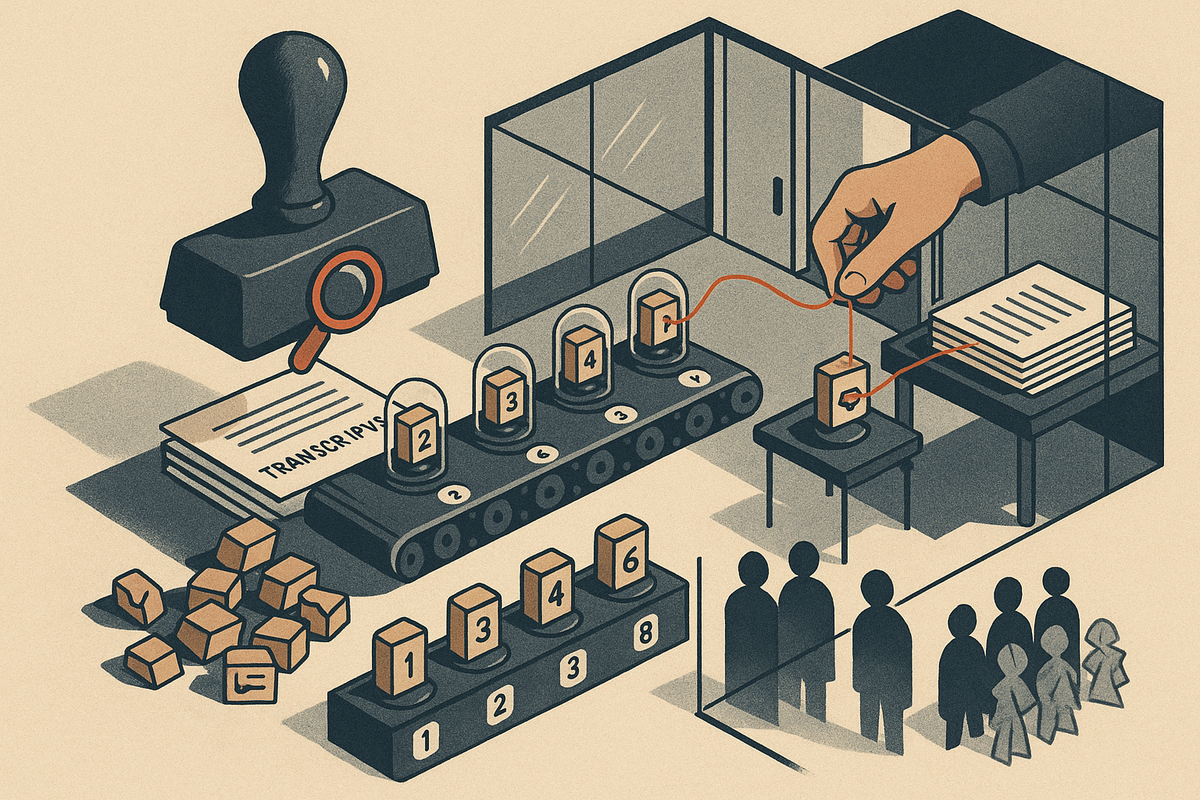
Most research teams already use AI somewhere: drafting interview guides, cleaning transcripts, clustering themes. Far fewer have written down the rules. This guide from the BuildBetter team, which helps B2B product teams tie every insight back to what customers actually said, examines one of the clearest public examples of an AI usage policy for UX research. It is GitLab's UX handbook page. The guide then turns that page into a policy you can adopt for 2027 without a large research-ops team. The central problem any policy has to solve is simple to state. AI can produce fluent synthesis quickly, but someone has to prove that synthesis is true.
GitLab Wrote Down Where AI Belongs in UX Research, and Where It Doesn't
GitLab's UX department publishes its rules on a public handbook page titled "AI usage", last updated 2026-06-15. The page covers how the team uses AI for research, design, prototyping and documentation. It names eight tools: Claude (research, writing, analysis), Claude Design, Claude Code, Dovetail (interview transcriptions), FigJam, Figma Design, GitLab Duo and Rally (interview transcriptions). Eight is our count of the tools on the page. GitLab did not publish it as a statistic.
The core position is that AI is a creative helper and critic, "not a replacement for judgment or user research." In one line: AI output is a hypothesis, not a finding. GitLab uses AI to speed up drafting and pattern-spotting, and real users still have to validate the results.
This article covers the mechanics of the policy, the five questions GitLab answered, and a step-by-step version a smaller team can adopt this month.
What GitLab Actually Did: The Mechanics of the Policy
GitLab's AI usage page is a single department-wide policy that covers four kinds of work: research, design, prototyping and documentation. The team did not write a separate research AI policy. Research rules sit next to design and documentation rules on the same page.
The approved tool list
These are GitLab's internal choices, listed with the use the handbook gives where it specifies one. They are not recommendations:
- Claude: research, writing and analysis
- Claude Design and Claude Code
- Dovetail and Rally: interview transcriptions
- FigJam and Figma Design
- GitLab Duo
The research workflow, in sequence
- Draft study plans, interview guides, survey questions and usability test tasks with Claude.
- Transcribe interviews with Dovetail or Rally.
- Analyze the transcripts in Claude.
Each AI use comes with guardrails. On analysis: "Spot patterns and themes in data — always verify claims and ask for sources." On personas: "Draft personas and proto-personas — mark hypothetical ones clearly and validate with real users." The hard limit:
"AI cannot simulate real behavior, emotions, or context. Never use AI feedback as a substitute for user research."
Before anything ships, a human must fact-check all claims, numbers and statistics, check for bias, and disclose which parts of the deliverable used AI. The page also includes a practical efficiency rule: "If you have spent 30 minutes on a prompt, it may be quicker to do it yourself."
| AI allowed for | Required human check | Never allowed |
|---|---|---|
| Drafting study plans, interview guides, survey questions, usability test tasks | Fact-check claims, numbers and statistics; disclose AI use | — |
| Interview transcription (with the listed transcription tools) | Disclose which parts used AI | — |
| Spotting patterns and themes in data | Verify claims, ask for sources, check for bias | — |
| Drafting personas and proto-personas | Mark hypothetical ones clearly; validate with real users | — |
| Acting as a creative helper and critic | Validate with real users | Using AI feedback as a substitute for user research |
One limit on what you can see: some documents linked from the page, including the AI usage requirements and the UX Research Prompts, are internal. The policy page is public, but not every supporting document is.
The Questions GitLab Had to Answer
Every AI usage policy for UX research has to answer the same five questions, and GitLab's page answers each one directly.
Which AI tools are approved for research work?
GitLab lists eight tools on its AI usage page. For research, Claude handles analysis and drafting, and Dovetail or Rally handle interview transcription.
Can AI analyze interview transcripts, and how do we check it?
Yes. Transcripts are analyzed in Claude after transcription. Every claim must be verified, and the AI must be asked for its sources.
Can we use AI personas or synthetic users instead of real users?
No. AI-drafted personas must be marked as hypothetical and validated with real users. GitLab states that AI feedback is never a substitute for user research.
What must a human review before AI output is shared?
A human must review every claim, number and statistic. The output also needs a check for bias before it is shared.
Do we disclose AI use in research deliverables?
Yes. The deliverable must state which parts of it used AI.
What Should an AI Usage Policy for a UX Research Team Include?
An AI usage policy for UX research should name the approved tools, list which research tasks AI may assist with, set a hard line against replacing real users, and define the human review and disclosure steps required before output is shared. GitLab's handbook covers all four.
GitLab put all of this on a single public page that spans research, design, prototyping and documentation. The page includes a named tool list, workflow guidance, the "not a replacement for judgment or user research" principle, and review rules. Strong UX research governance does not need a 40-page document. It needs clear lines that people can find.
How to do it this month
- Inventory and approve tools. List the AI tools your team already uses, including the ones people adopted on their own. Decide which are approved and write each one down with its purpose, as GitLab does ("Claude: research, writing, analysis"). If a tool isn't on the list, it isn't approved for participant data.
- Write a "yes" list and a "never" list. The yes list covers drafting study plans, interview guides, survey questions and usability tasks, plus first-pass theme spotting. The never list starts with one item: substituting AI feedback for user research. Keep both lists short enough to memorize.
- Attach a three-item review checklist to your report template. (1) Fact-check claims and numbers. (2) Check for bias. (3) Disclose AI use. Putting the checklist in the template means people see it every time they start a report. Nobody has to remember to open a separate policy.
- Publish it where the team works and date it. A wiki, handbook or pinned doc all work. Add a "last updated" date, as GitLab does, so people know whether the rules are current. AI tools change quarterly, so plan to review the policy on the same cycle.
The four steps fit in an afternoon of drafting and one team review. Research operations (ResearchOps) can refine the policy later. What matters is having rules in writing before the next study starts.
How Do You Use Claude for User Research Synthesis?
Use Claude to draft research materials and to make a first pass at patterns and themes in transcribed interviews, then treat every theme it returns as unverified until you trace it back to the transcript. GitLab's handbook says to "always verify claims and ask for sources."
In GitLab's workflow, Claude drafts study plans, interview guides, survey questions and usability test tasks. Interviews are transcribed with Dovetail or Rally and then analyzed in Claude. Capture and interpretation happen in different tools. That separation helps, because there is always an original transcript to check the AI's synthesis against.
How to do it this month
- Start with planning. Give Claude your research question, target participants and constraints, and have it draft an interview guide. Then edit the guide yourself. Cut leading questions, reorder for flow, and add the probes only you know to ask.
- Synthesize with sources attached. After the interviews, feed in cleaned transcripts with consistent IDs (P01, P02 or session dates). Ask for themes, and require each theme to come with direct supporting quotes and the participant or session it came from. This is AI-assisted thematic analysis, closer to a fast first draft of affinity mapping than to a finished readout.
- Spot-check every quote. Search the original transcript for each quoted line. Language models can generate fluent, plausible quotes that never appeared in the source. If a quote can't be found, drop the theme or investigate it again.
- Apply the 30-minute rule. If prompt iteration is taking longer than synthesizing by hand, stop and do it yourself. GitLab's rule of thumb: "If you have spent 30 minutes on a prompt, it may be quicker to do it yourself."
Example prompt pattern that demands sources
This is an illustrative example written for this article. GitLab's own prompt library is internal and not reproduced here.
"Identify the recurring themes across these interview transcripts. For each theme, cite the exact verbatim quote and the transcript ID it came from. Include at least two quotes from different participants where they exist. If a theme has no direct supporting quote, write 'no evidence' instead of paraphrasing. List any participants whose views do not appear in any theme."
The last line of the prompt matters. Asking who is missing pushes back on the model's tendency to summarize the loudest, most articulate participants and skip quieter ones. With the prompt and the spot-check together, a theme becomes a claim you can audit.
Can AI Replace User Research?
No. GitLab's handbook states plainly: "AI cannot simulate real behavior, emotions, or context. Never use AI feedback as a substitute for user research."
GitLab positions AI as a creative helper and critic, "not a replacement for judgment or user research," and designs still have to be validated with real users. The policy allows AI critique and forbids AI as evidence.
The reasoning is straightforward. A language model predicts what a plausible user might say, based on patterns in its training data. It cannot show what your actual users do, feel or need in their own context: the workaround a finance admin built in a spreadsheet, or the permission setting that blocks rollout at a regulated customer. User research exists to find exactly that kind of non-obvious, context-specific behavior, the kind that contradicts what the team assumed. Simulation smooths it away by design, because it returns the average answer.
How to do it this month
- Use AI critique to clear the obvious issues first. Run design drafts past AI for unclear labels, missing states and inconsistent patterns before user sessions. Your limited time with real users then goes to the questions only they can answer.
- Label it "AI critique." In design reviews, tag any AI-generated feedback so no one confuses it with participant data. Without a label, a model's opinion can get repeated in the next meeting as "what users said."
- Schedule real sessions for every AI-informed decision. Even three to five lightweight usability tests will show whether the critique pointed at real problems.
AI Personas vs. Real Users: Where's the Line?
AI can draft personas and proto-personas, but they are hypotheses, and GitLab requires teams to "mark hypothetical ones clearly and validate with real users."
Persona drafting is on GitLab's allowed list with two conditions attached: clear labeling and real-user validation. Both conditions do work. The label stops a draft from being mistaken for research. The validation requirement makes sure the draft eventually gets tested.
The two terms mean different things. A proto-persona is an assumption-based starting point that a team writes from what it believes about its users. A validated persona is grounded in research with real people. An AI-drafted persona is a proto-persona by definition, however detailed or convincing it reads.
What about synthetic users?
Synthetic users are AI-simulated participants who "answer" interview questions or "complete" usability tasks. Under GitLab's rule, they cannot stand in for real participants, because AI feedback is never a substitute for user research. A synthetic interview can help you rehearse a discussion guide or find confusing questions before fieldwork. It cannot tell you how your customers behave.
How to do it this month
- Label every AI-drafted persona. Add a visible "HYPOTHETICAL – not validated" banner at the top, not in a footnote. Personas get screenshotted into decks, and the label has to travel with them.
- Turn assumptions into questions. List the persona's three or four riskiest assumptions, such as "buys without IT approval" or "checks the dashboard daily." Turn each one into an interview question.
- Update or retire the persona after the interviews. Record which attributes are now backed by real participants, with session references. Cut the attributes that weren't supported. If most assumptions failed, retire the persona rather than patch it.
Labels work as a governance tool. They keep assumptions from quietly becoming accepted facts as artifacts move from research to design to sales.
A UX Research AI Guidelines Example You Can Adapt
GitLab's public "AI usage" page is one of the clearest UX research AI guideline examples available. It names tools, defines allowed tasks, bans AI as a substitute for users, and requires fact-checking, bias checks and disclosure.
The template below is adapted from GitLab's structure. It is not GitLab's verbatim policy. Only the quoted lines come from the handbook.
Template: AI Usage in UX Research
- Purpose: AI is a helper and critic, "not a replacement for judgment or user research." AI output is a hypothesis until real-user evidence confirms it.
- Approved tools: [Tool name: purpose]. Example format: "[Transcription tool]: interview transcription"; "[LLM]: drafting and first-pass analysis."
- Allowed uses: Drafting study plans, interview guides, survey questions and usability tasks; first-pass pattern and theme spotting ("always verify claims and ask for sources"); drafting personas and proto-personas ("mark hypothetical ones clearly and validate with real users").
- Never allowed: "Never use AI feedback as a substitute for user research." Also: putting participant data into tools that aren't on the approved list.
- Review and disclosure: Before sharing, fact-check all claims, numbers and statistics; check for bias; disclose which parts used AI. Last updated: [date]. Owner: [name].
Disclosure line for research reports
AI-assisted sections: interview guide draft, first-pass theme clustering. All quotes verified against source transcripts by [researcher name].
This reflects GitLab's rule to disclose which parts of a deliverable used AI. Put it at the top of the report, where stakeholders will see it.
How to do it this month: copy the template into your team wiki, assign a single owner, and review it with the team alongside your next research project. The first real study will show which rules are missing.
Best Tools for Interview Transcription and Analysis
Pick one tool that captures and transcribes conversations accurately and one that analyzes them with traceable sources. The most important requirement is that every insight links back to the customer's original words.
For reference, GitLab's handbook lists Dovetail and Rally for interview transcription and Claude for analysis. That is GitLab's choice for its own environment, not a ranking. The list below is ours.
| Tool | Best for | Source traceability | Setup |
|---|---|---|---|
| 1. BuildBetter | Capturing calls and unifying them with Slack, tickets and surveys for structured analysis | Insights tied to source conversations | Low: 100+ integrations |
| 2. Claude | Analysis of transcripts you already have | Depends on source-citation prompts | Low |
| 3. Rally | Interview transcription (on GitLab's list) | Transcript-level | Low |
| 4. OpenAI Whisper | Self-hosted transcription | Transcript only; analysis is separate | High: engineering required |
1. BuildBetter — Best for traceable analysis across calls, tickets and Slack
BuildBetter records calls on Zoom, Meet, Teams and Webex, with or without a bot through local recording. It unifies those conversations with Slack threads, support tickets and surveys through 100+ integrations, then produces structured signals and themes tied to the source conversations. That makes it suited to B2B teams whose research questions span interviews and everyday customer contact. One caveat: teams that need a dedicated research repository with mature tagging and highlight-reel workflows may find that purpose-built research repositories go deeper.
2. Claude
Claude, which is on GitLab's approved list, handles analysis of long transcripts well when you use source-citation prompts like the example above. It does not capture conversations, so you need a transcription source.
3. Rally
GitLab lists Rally for interview transcriptions. Consider it if your research ops already run through Rally.
4. OpenAI Whisper
Whisper is open source and can be self-hosted, so audio never leaves your infrastructure. Caveat: it requires engineering setup and does no analysis.
Selection checklist
- Transcript accuracy on your accents, jargon and product names
- Source traceability: can you click from a theme to the exact moment in the call?
- Security posture: for example, BuildBetter is SOC 2 Type II and HIPAA-ready, and supports GDPR
- Integration with the places customer conversations already happen
How Do You Verify AI Research Synthesis?
Verify AI synthesis by tracing every theme to specific source quotes, fact-checking all claims, numbers and statistics, checking for bias, and validating conclusions with real users. The principle behind GitLab's rules is that AI output is a hypothesis, not a finding.
GitLab's review rules require fact-checking all claims, numbers and statistics, checking for bias, and disclosing AI use. Its analysis guidance adds "always verify claims and ask for sources." Together these make a verification workflow any team can run.
How to do it this month
- Require citations. No theme enters a report without at least one verbatim quote and its source location (transcript ID, timestamp or ticket number).
- Run a quote audit. Pick a sample of AI-cited quotes, at least five per report or all of them for high-stakes decisions. Confirm each one appears word for word in the transcript. A paraphrase presented as a quote counts as a failure.
- Run a bias check. Ask which participant segments are over- or under-represented in the themes. LLM synthesis tends to reward frequency and articulateness, so one verbose participant can crowd out three quiet ones. Count participants per theme, not mentions.
- Re-label conclusions as hypotheses. Mark which themes are well supported across segments and which need follow-up sessions before anyone builds on them.
- Add the disclosure line to the deliverable, listing which sections were AI-assisted.
The quote audit is where most of the time goes. Tools that keep the link between an insight and the original call or ticket, as BuildBetter does, make it faster: you check the source in one click instead of searching a folder of transcripts.
What to Copy From GitLab, and What Not To
Copy GitLab's structure. Don't copy its tool list without checking it against your own needs.
Worth copying: the public, dated policy page; the named tool list with stated purposes; the principle that AI output is a hypothesis, not a finding; the three-item review checklist; the disclosure requirement; and the 30-minute prompt rule.
Don't copy blindly: GitLab's tool choices reflect its own environment, contracts and data agreements. Your approved list should match your security, budget and data-residency requirements, especially if you handle healthcare or financial customer data.
Limits of what's public: some linked documents, including the AI usage requirements and UX Research Prompts, are internal. You can't see GitLab's actual prompts or its full compliance requirements.
Check the live page: the handbook page carries a very large navigation structure. Automated scrapers and AI summarizers may pick up the navigation instead of the policy text. The body text quoted here was confirmed against the page itself. Check the live page for changes made after the 2026-06-15 update.
What the handbook doesn't say: whether the policy changed speed, quality or outcomes. The page states rules and publishes no results metrics, so don't attribute any to it.
Where Customer Evidence Fits
If AI output is a hypothesis, something has to turn hypotheses into findings, and that something is evidence from real customers.
Every AI-generated theme should trace back to what customers said in interviews, sales calls, support tickets and feedback. If it doesn't, it is a well-written guess, however confident it sounds in a slide deck. This is the gap many AI policies leave open. They tell researchers to verify, but they don't say what to verify against, or how to find it quickly.
For B2B teams, the evidence is spread out. The interview is in one tool, the support escalation is in another, and the sales objection is buried in a Slack thread. BuildBetter captures customer conversations and unifies them with tickets, surveys and Slack. A team can then check an AI-generated theme against the actual customer words behind it across every source, not only the five interviews in this month's study. With BuildBetter, the path runs from customer conversation to shipped decision, and each step stays linked to its source.
This is our recommendation, not part of GitLab's story. GitLab does not use or endorse BuildBetter.
FAQ: AI in UX Research
Does GitLab allow AI in UX research?
Yes. GitLab allows AI for drafting study plans, interview guides, survey questions and usability tasks, for first-pass pattern and theme spotting, and for drafting personas. Each use comes with conditions: verify claims, ask for sources, check for bias, and disclose AI use.
Which AI tools does GitLab's UX team approve?
Claude, Claude Design, Claude Code, Dovetail, FigJam, Figma Design, GitLab Duo and Rally. Dovetail and Rally are listed for interview transcription, and Claude for research, writing and analysis.
Can AI replace user research?
No. GitLab's handbook states: "AI cannot simulate real behavior, emotions, or context. Never use AI feedback as a substitute for user research."
Can synthetic users replace usability testing?
No. AI-simulated participants produce plausible answers, not evidence of how your actual users behave. Under GitLab's rule, AI feedback never substitutes for user research.
Are AI-generated personas acceptable?
Yes, as drafts. GitLab says to "mark hypothetical ones clearly and validate with real users." Treat them as proto-personas until research confirms them.
Should research reports disclose AI use?
Yes. GitLab requires disclosing which parts of a deliverable used AI. A one-line disclosure at the top of the report is enough.
When should you stop prompting and do it manually?
GitLab's rule of thumb: "If you have spent 30 minutes on a prompt, it may be quicker to do it yourself."
How can a small team ground AI synthesis in real evidence?
Require source quotes for every theme and keep transcripts linked to insights. Platforms such as BuildBetter connect themes to the underlying customer calls and tickets, which makes verification a quick check instead of a search.
Sources and Further Reading
- GitLab Handbook, "AI usage" (UX: How we work), last updated 2026-06-15: https://handbook.gitlab.com/handbook/product/ux/how-we-work/ai-usage/
- Wikipedia, "Persona (user experience)": https://en.wikipedia.org/wiki/Persona_(user_experience)
- Wikipedia, "Usability testing": https://en.wikipedia.org/wiki/Usability_testing
- OpenAI Whisper (official GitHub repository): https://github.com/openai/whisper
- BuildBetter: https://buildbetter.ai
Ground Your AI Synthesis in Customer Evidence With BuildBetter
An AI usage policy tells your team to verify. BuildBetter gives them something to verify against. It captures every call, ticket, Slack thread and survey, analyzes each piece of feedback with severity and business impact, and keeps every theme linked to the customer words behind it. Research synthesis then becomes evidence your product team can act on: PRDs, tickets and customer follow-ups.