How Microsoft Analyzed 37.5M Copilot Conversations (2027)
How Microsoft used summary-first topic and intent extraction on 37.5M Copilot conversations, and how B2B teams can apply the method to calls and tickets.
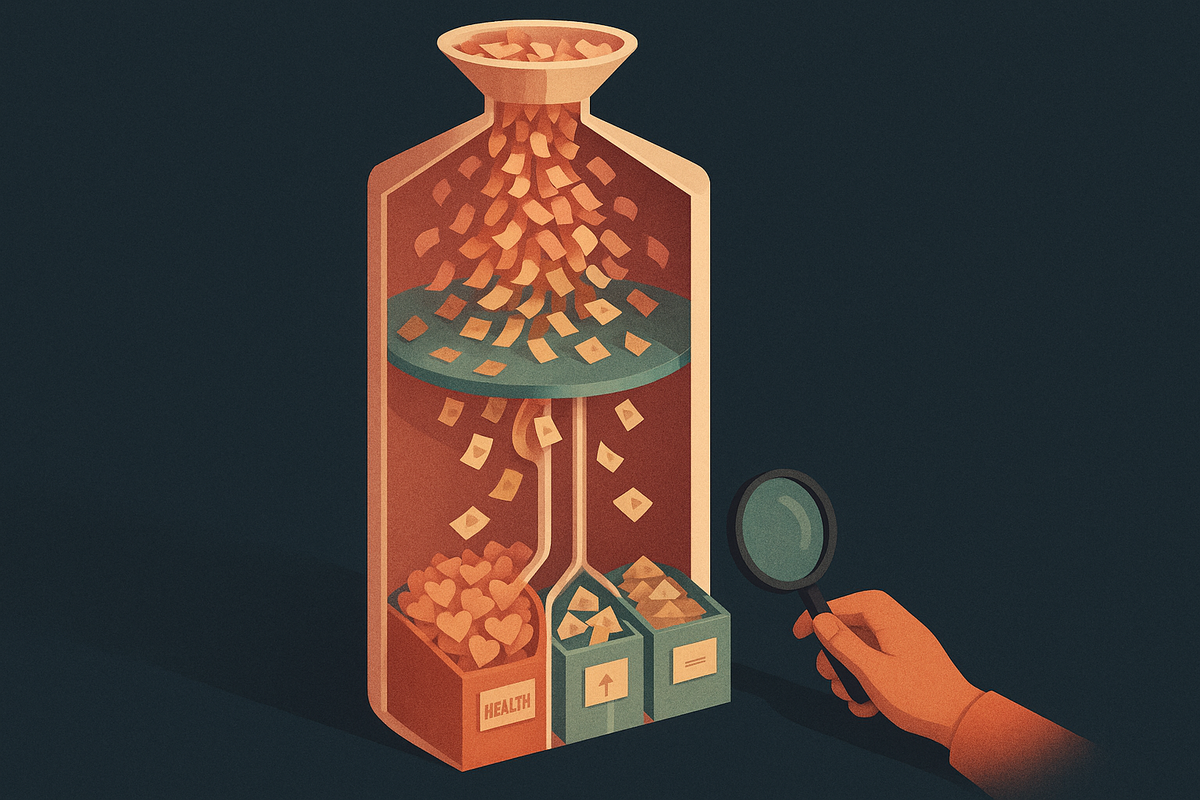
Microsoft AI wanted to learn what people actually ask an AI assistant. It ran that analysis on conversation summaries instead of raw transcripts. This guide from the BuildBetter team explains how the Copilot Usage Report worked, what it found, and how B2B product teams can run the same summarize-classify-aggregate analysis on their own customer calls, support tickets, and Slack threads, starting this month.
The Story: Microsoft Studied 37.5 Million Copilot Conversations Without Reading Them
Microsoft AI published It's About Time: The Copilot Usage Report 2025, which was based on ‘a sample of 37.5 million conversations.’ The summary appears on the Microsoft Source EMEA newsroom. The page is dated 11/12/2025, which most likely means 11 December 2025 under EMEA day/month formatting.
The core method fits in one sentence. Microsoft says its system ‘only extracts the summary of the conversation,’ and it learns topic and intent from that summary.
Two findings stand out, both attributed to Microsoft. Health-related topics are the most common on mobile ‘across all months and times of day.’ The second is that ‘Advice is on the rise.’
The pattern is simple: summarize, extract topic and intent, then aggregate. Any product team can copy it on its own customer conversations. This guide covers the method, the questions it answers, and how to run a smaller version in the next few weeks.
What Microsoft Actually Did: The Mechanics of the Copilot Usage Report
Microsoft analyzed a sample of 37.5 million Copilot conversations by extracting a summary of each one and deriving topic and intent from those summaries. Microsoft calls the dataset a sample. It does not describe it as the full Copilot user base, and neither should anyone citing it.
The method
- Sample size: ‘a sample of 37.5 million conversations,’ per the Microsoft newsroom.
- Summary-first extraction: the system ‘only extracts the summary of the conversation.’ Topic and intent come from the summary, not the raw transcript.
- De-identification: PCWorld describes the 37.5 million conversations as de-identified. That detail comes from PCWorld, not from Microsoft's newsroom page.
- Dimensions: device (mobile vs. other), time of day, and month or season.
The findings, by source
- Microsoft: health is the top mobile topic across all months and times of day.
- Microsoft: February sees a marked rise in relationship conversations.
- Microsoft: ‘Advice is on the rise,’ covering relationships, decisions, and life planning.
- PCWorld: interest in religion and philosophy rises at night, and travel planning mostly happens during the day.
The stated purpose
Microsoft says ‘Understanding these patterns helps us make Copilot even better’ and that it aims to ‘design features that truly fit into their life.’
One transparency note. The newsroom page is short and gives few numbers. It has no percentages, exact date windows, or account-type exclusions, so this guide doesn't add any.
The Questions Microsoft Had to Answer
Every large-scale conversation analysis has to answer four questions: what users want, how to read at scale, how context changes demand, and how patterns become product decisions. Each one gets a full section below.
What are users actually using our AI product for?
Microsoft answered this with topic and intent extraction followed by aggregation. That produced findings like health leading on mobile, relationships peaking in February, and advice-seeking growing.
How do we analyze millions of conversations without reading them?
Microsoft used summary-only extraction. Topic and intent came from each summary, so the analysis never depended on people reading raw transcripts.
How does usage differ by device and time of day?
Health dominates mobile at every hour. Per PCWorld, philosophy and religion rise at night and travel planning clusters in daytime hours.
How do we turn usage patterns into product decisions?
Microsoft's stated goal is to design features that ‘truly fit into their life.’ The patterns are inputs to design work. They aren't the end product.
How Do You Analyze User Conversations at Scale With LLMs?
To analyze user conversations at scale with LLMs, summarize each conversation, extract structured fields such as topic and intent from each summary, then count and segment those fields across the dataset. This turns unstructured text into data you can chart, compare, and track over time.
Microsoft did this across a sample of 37.5 million conversations. The system extracted summaries and learned topic and intent from them.
Why summaries work as the middle layer
Raw transcripts are long and messy. They include greetings, tangents, and repeated questions. A summary compresses each conversation into a consistent unit of three to five sentences. Classifying that unit costs less, because there are fewer tokens. It is also more stable, because there is less noise for the model to fixate on. Summaries also make human review practical. You can spot-check 50 summaries in an hour, but you can't spot-check 50 hour-long call transcripts in a day.
Steps to do it this month
- Pick one source with 200–1,000 conversations: sales calls, support tickets, or a feedback Slack channel.
- Write a fixed summarization prompt that produces 3–5 sentences in a consistent format, for example: problem, context, what the customer asked for, outcome.
- Define a starter taxonomy of 10–20 topics and 5–8 intents.
- Run classification on the summaries and output JSON fields such as topic, intent, and confidence.
- Hand-check about 50 results and refine labels that the model confuses.
- Aggregate in a spreadsheet or BI tool.
Common failure modes
- Drifting labels: the same issue gets tagged ‘billing’ one week and ‘invoicing’ the next.
- Overlapping categories: ‘integrations’ and ‘API’ compete for the same conversations.
- Prompts that change mid-run: this breaks comparability across time periods. Version prompts the way you version code.
- No human spot-check: errors go unnoticed until someone makes a roadmap call based on them.
How Can You Analyze Chatbot Conversations While Preserving Privacy?
Privacy-preserving analysis of chatbot conversations starts with keeping less: remove or mask identifiers, then work from derived artifacts like summaries and labels instead of raw transcripts. Each downstream step sees less raw data, so fewer people and systems touch identifiable content.
Microsoft says its system ‘only extracts the summary of the conversation.’ PCWorld describes the dataset as de-identified. Anthropic has published a system called Clio that rests on the same summary-first idea, which suggests the pattern is becoming standard practice for privacy-conscious conversation analysis.
Data minimization and de-identification
Data minimization means collecting and retaining only what a specific purpose requires. De-identification means removing or obscuring information that links a record to a person, such as names, emails, and account numbers. Used together, they lower the damage if any single system is exposed.
Steps to do it this month
- Redact personal data such as names, emails, phone numbers, and account IDs before summarization. Open-source tools like Microsoft Presidio can detect and mask these.
- Store summaries and labels separately from raw data, with different access policies.
- Limit who can access raw transcripts to a named, small group.
- Document retention rules covering how long raw data, summaries, and labels each live.
- Check customer contracts and consent terms before analyzing call recordings. B2B agreements often restrict how customer data can be processed.
The honest limit
Summaries can still contain sensitive details. A summary that reads ‘customer mentioned their CFO is leaving before renewal’ is useful, and it is also sensitive. Summarization lowers exposure but does not remove it. Redaction and access controls still matter after the summary step.
What Did the Microsoft Copilot Usage Report 2025 Find?
The Microsoft Copilot Usage Report 2025 found that health is the most common topic on mobile across all months and times of day, relationship conversations rise in February, and advice-seeking is growing.
Findings at a glance
- Health leads on mobile across all months and times of day. (Microsoft)
- Relationship conversations rise markedly in February, which lines up with Valentine's Day. (Microsoft)
- ‘Advice is on the rise’ across relationships, decisions, and life planning. (Microsoft)
- Religion and philosophy rise at night. (PCWorld)
- Travel planning happens mainly during the day. (PCWorld)
What it means
People bring personal, advice-oriented questions to the assistant, not only work tasks. What they ask also shifts with device, hour, and season. Health being the top mobile topic at every hour is a consistency signal, and consistency is often more useful for design than a single spike. The advice trend is an intent finding. A topic-only taxonomy would hide it, because advice-seeking cuts across health, relationships, and careers.
A caveat on sources
The original microsoft.ai report URL could not be located and verified. The findings here come from the Microsoft Source EMEA newsroom summary and PCWorld's coverage. Figures not stated on those pages are left out on purpose.
How Do AI Companies Learn What Users Ask For?
AI companies learn what users ask for by analyzing conversation data in aggregate: they classify topics and intents, then slice the results by context such as device, time, and season to find patterns that guide product decisions.
Microsoft's version used summary-based topic and intent extraction, followed by segmentation by device and time. Its stated purpose was to ‘make Copilot even better.’
Conversation analysis vs. surveys and interviews
Surveys and interviews capture stated preferences: what people say they want when asked. Conversation analysis captures what people actually ask for, in their own words, at the moment they need it. Both are useful, and they answer different questions. A survey might show that customers rate reporting as ‘somewhat important.’ An analysis of 400 support conversations might show that reporting questions make up a large share of how-to requests from your largest accounts. The second finding is the one you can act on.
Steps to do it this month
- List the three product questions you most want answered, such as ‘Why do mid-market accounts stall after onboarding?’
- Map each question to a dimension you can segment by: plan tier, account size, lifecycle stage, or channel.
- Tag each conversation with that metadata before you aggregate. Segmenting after the fact is much harder if the metadata was never attached.
Segmentation is where the insight comes from. A topic count on its own is trivia. A topic that leads in one segment and is absent in another tells you where to act.
How Does Topic and Intent Classification of User Conversations Work?
Topic classification labels what a conversation is about, such as health or travel. Intent classification labels what the user wants, such as advice, information, or a completed task. Using both gives a two-axis view of demand.
Microsoft says it learns topic and intent from the extracted summary. Its ‘Advice is on the rise’ finding is an intent-level insight that topic tags alone would miss.
Three approaches
- Predefined taxonomy with LLM labeling: you define the categories and an LLM assigns them, often as zero-shot classification with no training data. This is good for measurement and weak at surfacing new themes.
- Emergent clustering: you discover topics first and name them afterward. This is the territory of topic modeling. BERTopic is a widely used open-source option.
- Hybrid: use clustering for discovery and a frozen taxonomy for measurement. This gets you unexpected themes and trends you can compare over time.
Steps to do it this month
- Run emergent clustering on a sample of a few hundred summaries to find the themes.
- Freeze those themes into a taxonomy with short, unambiguous definitions.
- Label the full set with an LLM using that frozen taxonomy.
- Track an ‘other’ bucket. If it grows past roughly 10–15%, revise the taxonomy.
Example B2B intents
- Report a bug
- Request a feature
- Ask how-to
- Evaluate pricing
- Raise a churn risk
Most teams tag only topics, such as ‘billing,’ and miss what users want inside that topic: ‘evaluate pricing’ and ‘dispute charge’ are both billing, and they need very different responses.
How Can You Use AI to Analyze Product Usage Qualitatively?
AI qualitative product usage analysis combines AI-generated summaries and labels with segmentation, which shows why users behave as they do and what they want, something clicks and events alone cannot show. Product analytics tells you a feature's adoption dropped. Conversations tell you it dropped because the export format broke a customer's month-end close.
Microsoft connected qualitative themes to context such as device and time of day, with the stated goal to ‘design features that truly fit into their life.’
Turning patterns into decisions (hypothetical B2B examples)
- Seasonal spike: a jump in budgeting-related conversations every Q4 points to timely planning templates or features.
- Channel-specific topics: if field users ask about approvals mostly from mobile, approval flows need mobile-first design.
- Rising advice-seeking: more ‘how should we set this up?’ questions points to guided workflows and opinionated defaults.
Steps to do it this month
- Pair each theme with a count, a trend line, and 2–3 representative quotes. Numbers persuade executives, and quotes persuade engineers.
- Review the results weekly with product, support, and sales in the same meeting.
- Convert the top themes into tickets or PRD sections, each with linked evidence.
The last step is where most programs stall: the themes stay in a slide deck. Tools like BuildBetter automate the move from theme to artifact, generating PRDs and Jira or Linear tickets with the source conversations attached.
What to Copy From Microsoft and What Not to Copy
Copy Microsoft's summary-first design, two-axis labels, and context segmentation. Do not copy its scale assumptions or consumer-specific dimensions without adapting them.
Copy these practices
- Summary-first analysis: cheaper, more stable, and better for privacy.
- Two-axis topic and intent labels: these reveal trends a single axis hides.
- Segmentation by context: the same topic means different things in different segments.
- Stating your purpose publicly and plainly: Microsoft said why it analyzed conversations. Do the same in your privacy notice and customer agreements.
Don't copy these blindly
- The scale assumption: you do not need millions of conversations. In B2B, a few hundred calls or tickets can reveal clear patterns because each conversation carries more context and more revenue.
- Consumer-only dimensions: time of day matters less in B2B than account tier, deal stage, or renewal window.
Self-reported limits
- The findings come from Microsoft's own report, summarized on a short newsroom page with few numbers.
- The de-identification detail comes from PCWorld.
- Methodology details such as model choice, taxonomy, and validation are not disclosed on the primary page.
- Some secondary coverage cites extra scope details that the primary page does not confirm, so this guide omits them.
Risk to flag: summaries can lose nuance. Sarcasm, hedging, and the exact wording of a complaint can disappear. Validate summaries against raw samples wherever your policies allow.
Where Customer Evidence Fits: Applying the Pattern to Calls, Tickets and Slack
Microsoft's method of summarizing each conversation, extracting topic and intent, and aggregating is the same pattern B2B product teams can apply to their own customer calls, support tickets, and Slack threads to see what customers ask for at scale.
B2B equivalents of Microsoft's dimensions
| Microsoft dimension | B2B equivalent | Example question |
|---|---|---|
| Device | Channel (call vs. ticket vs. Slack) | Do churn risks surface first in CS calls or in tickets? |
| Time of day | Lifecycle stage | What do accounts ask for in month one vs. month twelve? |
| Season | Renewal or planning cycle | Which requests spike 60 days before renewal? |
Why unifying sources matters
Internal voice and external feedback tell different parts of the story. Sales and CS calls and internal Slack threads capture what your team hears and promises. Tickets and surveys capture what customers report directly. A pricing objection might appear in 30 sales calls and almost never in tickets. A bug might flood tickets and never come up on a renewal call. Analyze only one side and you get half the picture.
BuildBetter is built around that combination. It unifies internal and external customer voice through 100+ integrations, including Zoom, Slack, Jira, Salesforce, Zendesk, HubSpot, and Intercom. It then produces summaries, themes, PRDs, and tickets with the evidence attached. From customer conversation to shipped decision.
An honest caveat: if your main need is enterprise survey distribution at scale or a dedicated research repository, purpose-built tools in those categories may fit better.
Tools to Run This Analysis on Your Own Customer Conversations
The fastest path from raw customer conversations to product decisions is a platform that handles capture, summarization, classification, and action in one place. Open-source components work well for teams with engineering capacity.
1. BuildBetter: Best for product teams that want capture-to-action in one place
BuildBetter captures calls with a bot, with no-bot local recording, or through mobile recording. It ingests Slack, tickets, and surveys. Every conversation is summarized automatically, broken into structured signals with severity and business impact, and grouped into themes against your own taxonomy. It then produces PRDs, tickets, and loop-closure emails. Pricing is usage-based with unlimited seats, and the platform is SOC 2 Type II and HIPAA-ready.
2. Microsoft Presidio (open source)
Presidio detects and redacts personal data such as names, emails, and phone numbers before summarization. It is a strong first step for any DIY pipeline.
3. BERTopic (open source)
BERTopic handles emergent topic clustering for teams with Python skills. It is well suited to the discovery phase before you freeze a taxonomy.
4. DIY stack
A DIY stack combines an LLM API, a spreadsheet or warehouse, and a BI dashboard. It costs little, but someone has to maintain prompts, pipelines, and integrations.
| Tool | Capture | Summarize + classify | Privacy controls | Outputs |
|---|---|---|---|---|
| BuildBetter | Calls, Slack, tickets, surveys (100+ integrations) | Yes, with custom taxonomy | SOC 2 Type II, HIPAA, GDPR | PRDs, tickets, follow-ups |
| Microsoft Presidio | No | No (redaction only) | PII detection and masking | Redacted text |
| BERTopic | No | Clustering only | Depends on your setup | Topic clusters |
| DIY stack | Manual | Yes, self-built | Depends on your setup | Dashboards |
When to choose what: open-source tools suit teams with data engineering capacity and time to maintain a pipeline. BuildBetter suits product teams that want capture through to action without building infrastructure.
FAQ
How many conversations did Microsoft analyze for the Copilot Usage Report 2025?
Microsoft says the report was based on ‘a sample of 37.5 million conversations,’ per the Microsoft Source EMEA newsroom page. It is described as a sample, not the full user base.
Did Microsoft read users' Copilot conversations?
Microsoft says its system ‘only extracts the summary of the conversation,’ and topic and intent are learned from that summary. PCWorld describes the dataset as de-identified. Microsoft's newsroom page does not describe humans reviewing transcripts.
What was the most common Copilot topic on mobile?
Per Microsoft, health-related topics were the most common on mobile across all months and times of day.
What else did the report find?
Microsoft reports a marked rise in relationship conversations in February and says ‘Advice is on the rise’ across relationships, decisions, and life planning. PCWorld reports that religion and philosophy rise at night and travel planning mostly happens during the day.
What is topic and intent classification?
Topic is what a conversation is about. Intent is what the user wants to achieve. Labeling both lets teams aggregate demand across many conversations and spot trends, like advice-seeking, that cut across topics.
Can a small product team do this without millions of conversations?
Yes. A few hundred calls or tickets, a consistent summarization prompt, and a starter taxonomy are enough to surface patterns.
How can B2B teams apply this to customer feedback?
Summarize calls, tickets, and Slack threads, label topic and intent, then segment by account or lifecycle stage. Platforms like BuildBetter automate this workflow from capture to ticket.
Where is the full report?
This guide relies on the Microsoft Source EMEA newsroom summary and PCWorld coverage. A standalone microsoft.ai report URL could not be located and verified, so figures not stated on those pages are omitted.
Sources and Further Reading
- Microsoft Source EMEA, ‘It's About Time: The Copilot Usage Report 2025’
- PCWorld, ‘How people used Microsoft Copilot in 2025, from coding to philosophy’
- Wikipedia, De-identification
- Wikipedia, Topic model
- Microsoft Presidio documentation
- BERTopic documentation
- BuildBetter
Make Churn Optional
Microsoft needed a sample of 37.5 million conversations to learn what people want from Copilot. Your customers are already telling you what they want on every call, in every ticket, and in every Slack thread. BuildBetter captures those conversations, summarizes and classifies them, and turns the top themes into PRDs, tickets, and follow-ups your team can ship.