How to Find and Reproduce Bugs Without a QA Team
A practical QA method for small teams: release checklists, user-style exploration, clean-start bug repros, impact triage and clear hand-offs.
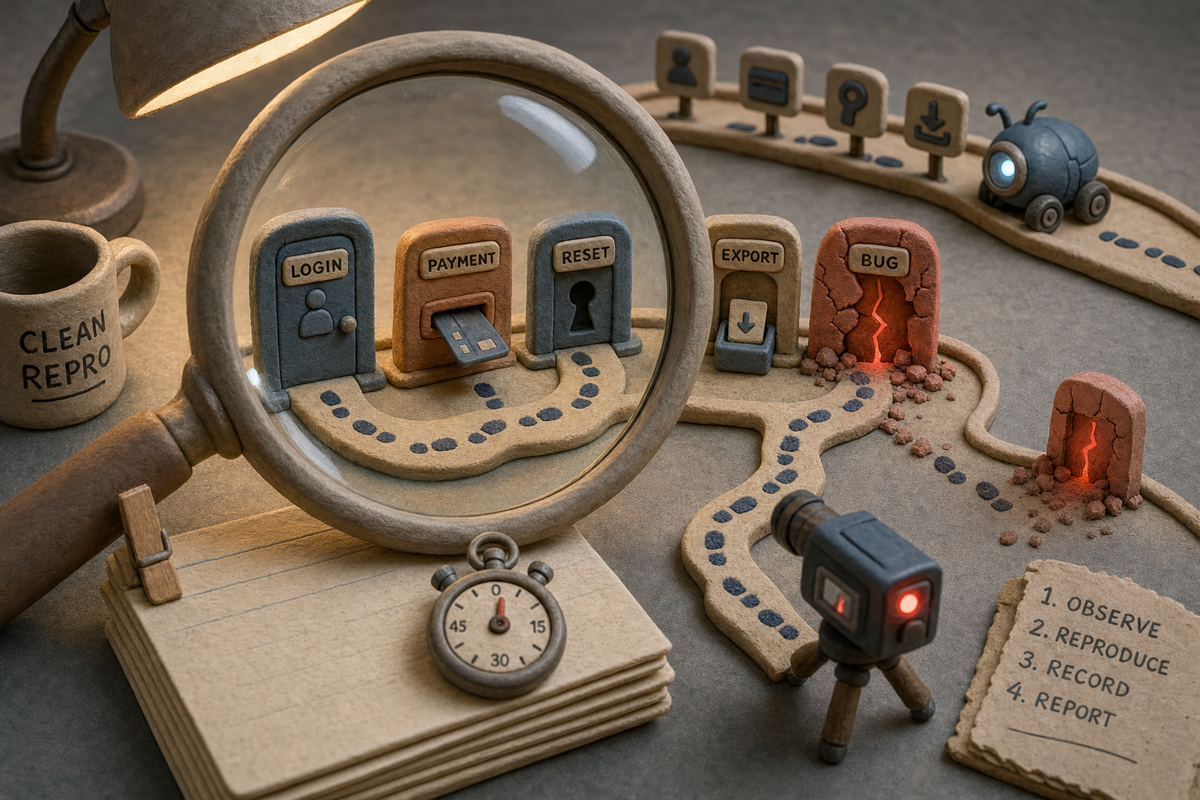
You can find and reproduce bugs without a QA team by turning QA into a short, repeatable routine. Decide what must work before each release. Explore those paths the way a real user would. Capture every suspected bug as a clean-start reproduction with steps, environment details and a recording. Triage by user impact, then hand a complete brief to whoever fixes it. Free tools cover most of this. An AI tester such as the BuildBetter QA Agent can take over the repetitive exploration and retry work, but your team still makes the judgment calls about what matters and what to fix.
This guide is for small product teams where engineers, PMs, designers and founders share QA. It starts with free methods you can use this week. It then covers where an AI QA agent fits, what it cannot do, and a hypothetical release that shows the method end to end.
What should you check before each release?
Check the few user journeys that would hurt most if they broke, plus whatever the release changed. You do not need a full test plan. You need a short, written list that someone can finish in under an hour and that changes as the product changes.
Build a release checklist from risk, not from features
Write down the journeys that matter most to users and revenue. Then add the areas touched by this release's changes. A useful checklist answers three questions: what must always work, what changed, and what is near what changed.
- Core journeys that must always work: sign up, log in, password reset, the main action your product exists for, and anything involving payment or data export.
- What this release changed: read the merged pull requests or release notes and list each user-facing change as a journey, not as a code change. Write "a user filters invoices by date", not "refactored date parser".
- Neighbors of the change: screens that share components, data or permissions with the changed code. Bugs often show up one screen away from the edit.
- Known fragile spots: areas that broke in the last few releases, or that customers have complained about recently.
- Layout checks: the changed screens at a narrow and a wide window size, with long names, empty states and error states.
Keep each item to one line with a start page and an expected outcome. "Start at /settings/billing, update the card, see the confirmation and the new last four digits" is checkable. "Test billing" is not.
Test on staging that resembles production
Run the checklist on a staging environment that uses the same build you plan to ship and data that looks like real data. Seed it with accounts in different states: new, active, on a free plan, on a paid plan, with permissions restricted. Many bugs only appear for one account state, and a staging database full of a single admin user hides them.
If you have no staging environment, test on a preview deployment or behind a feature flag in production with a test account. The rule is the same: test the build you are about to ship, not your local branch.
How do you explore an app like a user?
Explore by pursuing a real user goal with imperfect behavior, not by clicking through screens in the order you built them. Checklists catch regressions in known paths. Exploration catches the bugs nobody thought to write down.
Give yourself a timebox, such as 20 minutes, and a goal phrased the way a customer would say it: "I want to send my accountant last quarter's invoices." Then use the product like someone who did not build it.
- Take the long way around. Use the back button, open a link in a new tab, refresh mid-flow, and come back after the session should have expired.
- Enter awkward input. Paste text with emoji, leading spaces, very long strings, dates in another format, and numbers with commas.
- Change your mind. Start a task, cancel it, start again. Edit something, then undo it. Double-click submit buttons.
- Switch identity. Repeat the journey as a user with fewer permissions, or on an account with no data yet.
- Shrink the window. Check the same flow at a narrow width, since layout bugs often hide buttons rather than break them.
- Watch the edges of the screen. Toasts that never appear, spinners that never stop, and counts that do not match the list are bugs even when nothing crashes.
Write down anything surprising as you go, even if you are not sure it is a bug. Sorting out "bug" from "odd but intended" comes later, during triage.
What makes a clean-start reproduction?
A clean-start reproduction is a set of steps that triggers the bug again from a fresh state: new session, known account, known data, no leftover state from earlier exploring. If you can only make a bug happen after an hour of clicking around, you have a sighting, not a reproduction. The difference matters because an engineer or coding agent can act on a reproduction and usually cannot act on a sighting.
The parts of a reproducible bug report
Every bug report you hand off should include the same fields, in the same order:
- Title: what broke and where, in user terms.
- Starting state: the account, its plan or role, and the start page. Note whether you began logged out, in a private window, or with cleared storage.
- Steps: numbered, one action per step, with the exact input used.
- Expected result: what a user should see.
- Actual result: what happened, including any error text copied word for word.
- Reproduced: how many times it happened out of how many clean-start attempts, such as 2 of 2 or 1 of 3.
- Environment: URL or environment name, build or commit, browser and version, operating system, window size.
- Evidence: a screen recording, plus console errors and failing network requests.
The reproduced count is the field teams most often skip, and it is the one that saves the most time. A bug that happens 3 of 3 times is ready to fix. A bug that happens 1 of 3 times points to timing, caching or data issues, and the engineer needs to know that before starting.
Use browser developer tools to capture what the user cannot see
Your browser's developer tools are free and capture the evidence that turns a vague report into a fixable one. Before you reproduce, open them and keep them open.
- Console: copy any red errors or warnings that appear at the moment of the bug.
- Network: look for requests with error status codes or requests that never finish. Note the endpoint and the response body.
- Application or storage: clear cookies and local storage before each clean-start attempt so leftover state does not hide or cause the bug.
- Device or responsive mode: reproduce layout bugs at a named width so others can match it.
Record the screen on every reproduction attempt
Record the screen on each clean-start attempt, not just the one where the bug happened. Your operating system's built-in screen recorder is enough. Recordings show what written steps leave out: a hover before a click, a field that autofilled, a two-second wait. When the bug is intermittent, comparing a failing recording with a passing one is often the fastest way to find the difference.
For a deeper walkthrough of this step, see how to reproduce bugs with AI.
How should you triage bugs without a QA lead?
Triage by user impact: how many users hit it, how badly it blocks them, and whether there is a workaround. Without a QA lead, triage fails when it turns into a debate about what is hard to fix. Separate "how bad is this for users" from "how hard is this to fix" and decide the first question first.
A simple set of questions works for most small teams:
- Does it block a core journey, lose data, expose data to the wrong person, or charge money incorrectly? If yes, it blocks the release.
- Does it affect a journey many users take, with no reasonable workaround? Fix before or immediately after release.
- Does it have a clear workaround, or affect a rare path? Schedule it.
- Is it cosmetic, with no effect on completing a task? Log it and batch it.
- Did it reproduce from a clean start? If not, keep it open as "needs a look" and try again with a different account state before ranking it.
Check whether customers have already reported something similar in support tickets or calls. A low-severity bug that three customers have complained about this month deserves a higher rank than its severity alone suggests.
How do you hand a bug off to an engineer or coding agent?
Hand off the full reproduction as a single, self-contained brief that someone could act on without asking you a question. Engineers and coding agents need the same things: the starting state, exact steps, expected versus actual, how often it reproduced, the environment and the evidence.
Two habits make hand-offs work. First, put everything in the ticket rather than in a chat thread, so the context survives. Second, state what you already ruled out, such as "also happens in a private window" or "does not happen on the free plan." For a coding agent, add the acceptance check you will use to confirm the fix: "After the fix, steps 1 to 5 end with the CSV containing only April rows." More detail is in how to hand off bugs to a coding agent.
Where does the BuildBetter QA Agent fit?
It fits after you have written down your critical journeys. At that point it can run exploration and clean-start retries on a schedule, so your team spends its time reviewing evidence instead of clicking through the same flows each release. The product's own description is: "You can now have BuildBetter test your app before each release, then turn reproduced bugs into work for your team." According to the QA Agent lesson, it lives in BuildBetter under Build > QA Agent. The lesson notes it may need to be turned on for your workspace. The changelog lists it as generally available as of October 23, 2026.
Here is how it maps to the method above, based on the lesson and the docs:
- Deciding what to check: Test flows each have a start page and a description of what they test. Admins choose which journeys are included through Edit test flows. This is your release checklist, written down where the testers can use it.
- Exploring like a user: the product describes "your QA team" of AI testers that explore test flows and check layout.
- Clean-start reproduction: the testers retry suspected bugs from a clean start. Each finding has steps, an expected result, an actual result and a Reproduced field showing how often it happened from a clean start.
- Evidence: Replay lets you watch the exploration, repro 1 and repro 2 alongside the recorded agent actions. The lesson's own guidance is to check the evidence before deciding what to fix.
- Triage: a completed run, found under Recent runs, separates Verified bugs from Needs a look.
- Hand-off: File to Inbox adds the bug to your team's work in Inbox and Triage, which connect with Linear and Jira. Send to hands the same brief to a coding agent.
Runs can be automatic or on demand. Under Settings > Automatic runs > Edit > When, admins choose a nightly schedule or a GitHub release trigger. Run now starts an on-demand check, where you review the selected test flows and credit limits before starting. Each run uses credits. Pricing is usage-based with unlimited seats on every plan, and it is published on the pricing page. The platform is SOC 2 Type II, HIPAA and GDPR compliant.
The main reason to run QA in the same platform as your other product work is context. The QA Agent sits in the same workspace as your customer calls, tickets and signals, so a bug and the customer complaints about it can live side by side when you triage. Related features under Screens include a screen library, captured sessions with replay and friction markers, flows that synthetic personas can test, and reports. For background on the category, see what an AI QA agent is.
How do free methods compare with an AI QA agent?
Free methods give you full judgment at the cost of team time. An AI QA agent gives you repeatable exploration and clean-start retries at the cost of credits and review time. Most small teams benefit from both: the agent runs the known journeys every release, and people explore new or risky work.
| Step | BuildBetter QA Agent | Checklist and staging (manual) | Screen recording and devtools (manual) |
|---|---|---|---|
| Deciding what to check | Test flows with a start page and what each tests; admins edit which journeys are included | Written checklist kept by the team | Not covered; depends on your checklist |
| Exploration | AI testers explore test flows and check layout | A person explores within a timebox | Records what a person does |
| Clean-start retries | Retries suspected bugs from a clean start; Reproduced shows how often | Manual retries; easy to skip under time pressure | Storage clearing and recordings support manual retries |
| Evidence | Replay of exploration, repro 1 and repro 2, with recorded agent actions | Written notes | Video, console errors and network requests |
| When it runs | Nightly, on a GitHub release trigger, or Run now | Whenever someone has time | Whenever someone has time |
| Hand-off | File to Inbox (Linear and Jira) or Send to a coding agent | Copy into your tracker by hand | Attach files to a ticket by hand |
| Cost | Usage-based credits per run | Free in money, costs team hours | Free in money, costs team hours |
What are the honest limits of AI QA?
AI QA finds and reproduces problems in the journeys you point it at, but it does not know your intent, your business rules or which trade-offs you meant to make. Plan around these limits rather than discovering them after a release.
- It tests what you define. Test flows set the scope. A journey nobody added is a journey nobody checks. Review the test flow list when you ship a new feature.
- "Unexpected" is not always "wrong." An agent can flag behavior that looks like a bug but is intended. That is why a run separates Verified bugs from Needs a look, and why the second group needs a human.
- Evidence still needs review. The product's guidance is to check the replay before deciding what to fix. Treat a finding as a strong lead, not a verdict.
- Intermittent bugs stay hard. A Reproduced count tells you how often a bug appeared from a clean start, not why. Timing and data-dependent bugs still need an engineer's investigation.
- Staging quality limits results. If your test environment lacks realistic accounts and data, the agent explores a less realistic product.
- Runs cost credits. Each run uses credits, so match the schedule to your release cadence instead of running everything constantly.
- Triage is still yours. Ranking by user impact needs knowledge of your customers that no tester run supplies.
What does this look like in a real release? A hypothetical walkthrough
Here is a hypothetical example of the whole method on one release. The team, product and bug are invented to illustrate the steps.
A four-person team builds invoicing software. This release adds date-range filtering to the invoice list and a CSV export of the filtered results.
Decide what to check. The PM writes the checklist on Monday. Core journeys: log in, create an invoice, send an invoice, take a payment. Changed: filter the invoice list by date range, export filtered invoices to CSV. Neighbors: the invoice list's existing status filter and the dashboard totals, which share the same query. Fragile spot: time zones, which caused a bug two releases ago.
Explore like a user. The designer takes a 20-minute timebox with the goal "send my accountant April's invoices." She uses an account set to a time zone behind UTC, filters April 1 to April 30, and exports. The CSV includes one invoice dated May 1. She notes it and keeps exploring. She also finds that the date picker overlaps the export button at a narrow window width.
Reproduce from a clean start. She opens a private window, clears storage, logs in as the seeded test account, and repeats the steps with the console and network panels open while recording the screen. The extra invoice appears 3 of 3 times. On an account set to UTC it appears 0 of 2 times, which she adds to the report. The network panel shows the export request sending dates without time zone information.
Triage by impact. The export is wrong for customers in some time zones, and accountants rely on it, so the team treats it as release-blocking. The layout overlap has a workaround, widening the window, so it is scheduled for the next sprint.
Hand off. The engineer receives one ticket with the starting state, steps, expected and actual results, the reproduced counts for both time zones, environment details, the recording, and an acceptance check: "The April export contains only April invoices for an account in a time zone behind UTC."
If the same team used the QA Agent, the PM would add "filter invoices by date and export" as a test flow and set automatic runs to the GitHub release trigger. They would then review Verified bugs and Needs a look after the run, watch the replay for each finding, and choose File to Inbox or Send to for the hand-off. The designer's time zone exploration would still be worth doing by hand, because the test flow only checks what it was written to check.
Frequently asked questions
How many items should a release checklist have?
Few enough that one person can finish it in under an hour. For most small teams, that means the core journeys plus the journeys this release changed. If the list keeps growing, remove items that have not caught anything in many releases, or move them to an automated run.
What if I cannot reproduce a bug from a clean start?
Record it as unconfirmed with everything you know, including the reproduced count, such as 0 of 3. Then change one variable at a time: account role, plan, time zone, browser, window size or data volume. If it still does not reproduce, keep it in a "needs a look" list and watch for customer reports that match it.
Do I need staging to do this?
No, but you need to test the build you are about to ship with realistic accounts. A preview deployment or a feature flag with test accounts in production can work. Testing only on a local branch misses configuration and data issues.
Can an AI QA agent replace manual testing?
No. It can take over repeated exploration of defined journeys and clean-start retries. People are still needed to define test flows, judge whether flagged behavior is intended, review the replay evidence, explore new and risky areas, and rank bugs by user impact.
What should I send to a coding agent along with the bug?
The same brief an engineer needs: starting state, numbered steps, expected and actual results, reproduced count, environment and evidence. Add a clear acceptance check describing what should happen after the fix, and say what you already ruled out.
Start with one checklist this week
Write five lines before your next release: three core journeys and two that the release changes, each with a start page and an expected result. Run them on the build you plan to ship, and capture any bug with the clean-start report template above. When you want those journeys tested automatically on every release, with replays and hand-off to your tracker or a coding agent, see how the QA Agent works in BuildBetter.