What Is an AI-Native CRM? How It Differs From a CRM With AI Added
An AI-native CRM builds records from calls and email, with evidence and human approval. Learn how it differs from AI add-ons, plus a checklist.

An AI-native CRM is a customer relationship system built so that records come from the work itself. Calls, meetings and email are captured. An AI model proposes the contact updates, deal changes, tasks and follow-up messages that this evidence supports. A person approves each change before it becomes part of the official record. A CRM with AI added works the other way: people still type into forms, and the AI summarizes or suggests around those fields. BuildBetter takes the first approach for sales teams. This guide explains the difference, the approval, audit and data risks involved, and a method for evaluating any system, whether you buy one or not.
The question matters because most CRM frustration is not about features. It is about trust. Reps don't trust that updating the CRM is worth their time. Managers don't trust the fields reps leave behind. An AI-native design tries to fix both problems at once. The CRM writes the first draft from evidence, and a human signs off.
What is an AI-native CRM?
An AI-native CRM is one where evidence captured from customer conversations is the primary input, and AI-drafted changes are the default way records get updated. Manual entry still exists, but it becomes the exception, used for corrections and judgment calls. The word "native" refers to the architecture, not the marketing. If you removed the AI, the product would lose its main way of keeping records current.
A practical test is to look at what happens in the five minutes after a sales call ends. In a traditional CRM, nothing happens until the rep opens the opportunity and starts typing. In an AI-native CRM, the system has already drafted the recap email, the next-step update, the follow-up tasks and any commitments the buyer made. Each item is linked back to the moment in the call that justifies it, and the rep's job shifts from writing to reviewing.
The three properties to look for
- Evidence-first records. Every proposed change points to its source, such as a timestamp in a recording, a line in an email thread or a meeting summary. A reviewer can check the claim without asking the rep.
- Human approval as a step in the workflow. Drafts wait in a queue where a person reads, edits, approves or rejects them. Approval is a built-in step, not an afterthought added for compliance.
- One workspace for the selling day. Accounts, people, pipeline, prospecting, recordings and follow-up work live together. Proposed changes can then reference the full history instead of a single call.
How does an AI-native CRM differ from a CRM with AI added?
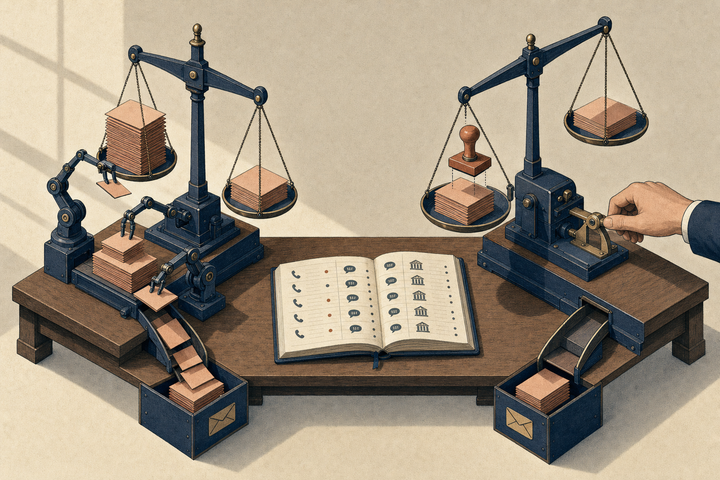
The core difference is where the record comes from. In a CRM with AI added, a human writes the record and AI decorates it. In an AI-native CRM, AI drafts the record from evidence and a human approves it. That single inversion changes who does the work, how errors are caught and what an audit trail looks like.
| Dimension | Manual entry | CRM with AI added | Evidence-first (AI-native) |
|---|---|---|---|
| Primary input | What the rep remembers and types | Rep-typed fields, plus AI summaries of some activities | Captured calls, meetings and email |
| Who writes the first draft | The rep | The rep, with optional AI suggestions | The AI, from the source material |
| Link to evidence | Rarely; notes are paraphrased | Sometimes, depending on the add-on | Expected for every proposed change |
| Approval model | Implicit; whatever is saved is the record | Varies; some add-ons write fields directly | Explicit review queue before changes apply |
| Typical failure | Fields go stale or are filled in just before a forecast call | Summaries pile up next to fields that still go stale | Unreviewed drafts accumulate, or reviewers approve without reading |
| What auditors can see | Field history, with no reason attached | Field history plus separate AI notes | The change, the source evidence and who approved it |
Manual entry: accurate only when someone has time
Manual CRMs are not inherently bad. Salesforce and HubSpot, the two incumbents most sales teams use, have long supported detailed, well-governed pipelines. The weakness is that their accuracy depends on rep discipline. A rep who runs five calls a day has to decide after each one whether to update the next step, the close date and the contact roles, or to move on to the next call. Updates are often made in batches, from memory, right before a pipeline review. The record ends up reflecting what the rep wanted to report, not what the buyer actually said.
AI added: help at the edges
Adding AI to a manual CRM usually means call summaries, an assistant that answers questions about the account, or suggested field values. These are useful. The structure stays the same, though. The form is still the source of truth, and the AI output often sits beside it instead of updating it. The rep still decides what to copy across. When the add-on writes fields directly, a new problem appears: changes land in the record with no review step and no visible link back to why they were made.
Evidence-first: the record is a reviewed draft
An evidence-first system treats every update as a claim that needs support. "Close date moved to next quarter" is only proposed if a call or email contains something that justifies it, and the reviewer can open that source. It is the same habit a good sales manager already uses in a deal review ("Where did the buyer say that?"), applied to every field change automatically.
Can a CRM really update itself from calls and email?
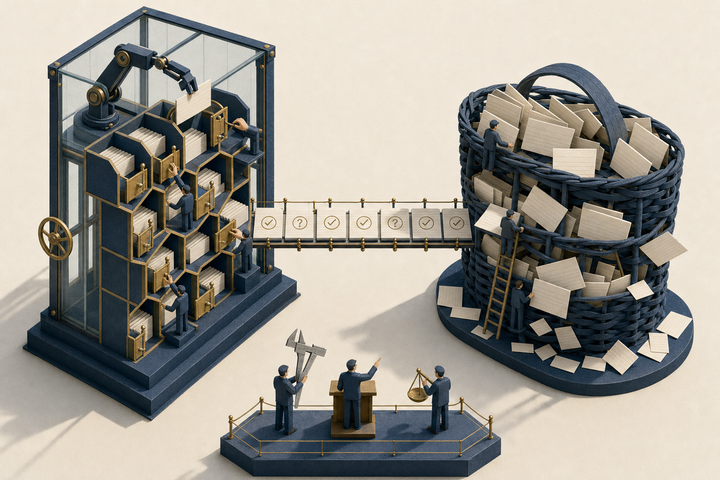
A CRM can draft its own updates from calls and email, but it should not finalize them alone. The reliable pattern has five stages:
- Capture the conversation through a meeting bot, a local recorder, an uploaded file or a connected inbox.
- Extract the facts that matter, such as commitments, objections, stakeholders, dates and next steps.
- Propose specific changes, including a field update, a task, a drafted message or an item the buyer owes you.
- Approve, where a person reads each proposal against its evidence, then edits, approves or rejects it.
- Log what was changed, by whom and on what basis.
The first three stages are where AI saves time. The last two are where trust comes from. Products that skip approval feel faster in a demo. In a real pipeline, they tend to produce records nobody believes, because one confidently wrong close date undermines the rest.
Consider a phrase like "we're hoping to have this in place by spring." A model might read it as a firm close date. A rep who was on the call knows it was an aspiration from someone without budget authority. Approval exists for exactly this kind of nuance. The goal is not to remove human judgment. It is to spend judgment on reviewing, which takes seconds per item, instead of on typing, which takes minutes.
What approval, audit and data risks should you plan for?
The main risks are approving without reading, losing track of why a record changed, and exposing conversation data to people or systems that should not see it. Each risk has a practical control, and you should ask any vendor how its product supports each one.
Approval risk
When a review queue is full, people start clicking "approve" in bulk. This is the AI-native version of stale fields: the record looks current but nobody actually checked it. Keep queues short by reviewing daily, not weekly. Separate high-stakes changes, such as amount, stage and close date, from low-stakes ones like a task reminder. Make it easy to edit a draft rather than accept or reject it whole. A good sign is a product that lets you open a card, read the source and change the wording before approving.
Audit risk
Field history tells you that a value changed. It rarely tells you why. In an evidence-first system, the audit question becomes: for this change, what was the source, who approved it, and what was sent to the customer? Ask whether sent messages and completed tasks are logged with their destination and content. Also ask whether that history stays with the account after the rep who handled it leaves.
Data risk
Conversation data is more sensitive than CRM fields. Recordings capture pricing discussions, internal politics and sometimes personal details. Before you connect anything, check four things:
- Consent and disclosure: your recording rules match the laws and customer agreements that apply to you, and the meeting bot or recorder is clearly identified to participants.
- Visibility by role: managers, reps and other teams see only the accounts and recordings they should, and you understand how roles and workspace settings control this.
- Sync direction: if the system writes back to Salesforce or HubSpot, you know which fields flow in which direction, and what happens when both systems change the same field.
- Outbound actions: nothing is sent to a customer, posted to a shared channel or written to a system of record without a person approving it, unless you have deliberately decided otherwise for a narrow case.
How does BuildBetter work as an AI-native sales CRM?
BuildBetter puts accounts, people, pipeline, prospecting, recordings and an Actions board in one Sales workspace. On the Actions board, its agent, BoB, drafts messages, CRM changes and tasks from calls and email for a person to approve. According to the Sales workspace documentation, the workspace "brings your accounts, meetings, recordings, pipeline, and follow-up work into one place."
The documented areas map closely onto the evidence-first properties above:
- Today shows the day's meetings, work and figures once your calendar is connected from Sales settings. You can also open BoB from there to review the day or plan the week.
- Accounts show a company's people, recordings and deal work. The docs describe opening an account "to review its history and the evidence behind its current work."
- Prospecting builds lists of companies and people to contact. The documentation tells users to review each suggested target before adding it, and to review a message before sending it.
- Pipeline shows deals by stage. Each deal has its amount, next step and supporting evidence.
- Actions holds the work BoB finds in recordings and email. Lanes separate messages, CRM changes, tasks and items owed by another person. You open a card to read and edit it before you send or approve it.
- Recordings holds upcoming meetings and past recordings with summaries and evidence. BB Recorder is available when you need to record without a meeting bot.
- Team shows team activity. The docs note that your role and workspace configuration control which team information you can see.
On follow-up specifically, the Follow-ups product page says drafts are "grounded in the actual request." It says messages can be sent from Gmail, Outlook, the original Slack channel or a direct message. It also says marking work done, sending an email and posting to Slack "all record the destination, the message, and the requests they close." The company's sales page describes BoB proposing the follow-up "with the source attached for you to approve." Those statements are vendor descriptions, so verify them against your own workflow in a demo. The same page notes that some listed uses are marked as partially shipped.
Working alongside Salesforce or HubSpot
The CRM integration overview describes connecting with HubSpot and Salesforce to sync contacts, companies and activities. The pipeline management guide lists further setup steps for either CRM: mapping opportunity stages, syncing custom fields, connecting activity data and enabling bi-directional sync. In practice, a team can keep its incumbent CRM as the system other departments report from while using the Sales workspace for capture, drafting and approval. Decide which system owns each field before you turn on sync.
What does this look like on a real deal? A hypothetical example
The following scenario is hypothetical. The company, people and details are invented to illustrate the method.
Priya, an account executive, runs a second call with Halden Freight, a mid-sized logistics company evaluating a new tool. Four things come up during the call. The operations director says their security team will need a completed questionnaire before any pilot. She mentions that the CFO, who has not joined a call yet, signs anything above a certain threshold. Priya promises to send a short pilot plan by Friday. The director agrees to send a sample data export "sometime next week." Near the end, someone says they would "ideally" like to be live before their busy season.
After the call, an evidence-first system would propose roughly this:
Message draft: A recap email that restates the security questionnaire requirement, confirms the Friday pilot plan and asks for the data export. Priya edits one sentence to soften the tone and approves it.
CRM changes: Update the next step to "Send pilot plan by Friday; receive security questionnaire." Add the CFO as a stakeholder in the economic buyer role. Move the close date earlier, to before busy season. Priya approves the first two. She rejects the close date change, because she heard "ideally" as a hope, not a commitment. Opening the source confirms her reading.
Tasks: Draft the pilot plan (Priya, due Friday). Request the security questionnaire from the security team (Priya). She approves both.
Owed by another person: Sample data export from the operations director, expected next week. Priya keeps it open so it surfaces if it doesn't arrive.
The whole review takes a few minutes. The record now shows a stakeholder gap (no CFO contact yet), a clear next step, and an outstanding buyer commitment, each linked to the moment it was said. The close date stays honest. If her manager asks why the deal looks the way it does, the answer is in the evidence, not in Priya's memory. For more on the last two categories, see our guide on how to track commitments made on sales calls.
How should you evaluate an AI-native CRM?
Evaluate it by running your own recent calls through it and checking every proposed change against the source. Ignore the polished demo deal. A product's handling of messy, ambiguous conversations tells you far more than its handling of a scripted one. Use this checklist:
- Source links: Can you open the exact evidence behind every proposed field change, task and message?
- Edit before approve: Can you change a draft's wording or value before accepting it, or is it all-or-nothing?
- Separation of work types: Are messages, record changes, your tasks and other people's commitments shown separately, so you can review each with the right level of care?
- Ambiguity handling: When you feed it a call with hedged language, does it propose firm dates and amounts anyway? How easily can you reject them?
- Audit trail: For a sent message or approved change, can you see what was sent or changed, where, by whom and why?
- Capture coverage: Does it handle meeting-bot recordings, bot-free recording, uploads and email, so gaps in capture don't become gaps in the record?
- Incumbent sync: If you keep Salesforce or HubSpot, which objects and fields sync, in which direction, and how are conflicts resolved?
- Permissions: Can you restrict which roles see which accounts, recordings and team metrics?
- Outbound control: Is anything sent to customers or written to other systems without approval by default?
- Queue hygiene: After a week of real use, is the review queue manageable, or does it grow faster than people can clear it?
Score each item from your own testing, not from a feature list. If documentation for a capability is missing, that does not mean the capability is absent. Ask the vendor to show it working on your data.
How do you roll one out without disrupting your current CRM?
Start narrow. Run the AI-native workflow alongside your existing CRM for one team and one motion, and expand only once the review habit is established. Pick a team whose calls are already recorded, or set up recording first and check that speakers are identified correctly. Agree on which fields the new system may propose changes to, and which stay manual for now. Stage and amount are often good candidates to keep manual at first.
For the first two weeks, have reps clear their approval queue at the end of each day. Have a manager spot-check a handful of approved changes against their sources each week. The spot-check matters more than any dashboard. It tells you whether approvals are real or reflexive. Once reviewers consistently catch the ambiguous items, as Priya did with the close date, widen the set of fields the system can propose, then add more teams.
Measure the result by sampling, not by assumption. Pull a handful of deals before and after the rollout and compare each deal's next step and close date with what the most recent conversation actually supports. If the evidence and the record now agree more often, the system is working.
Frequently asked questions
Is an AI-native CRM the same as conversation intelligence?
No. Conversation intelligence analyzes calls, while an AI-native CRM uses that analysis to maintain the customer record and drive follow-up work. Conversation intelligence typically stops at insight: summaries, signals and coaching. An AI-native CRM goes further. It turns the same evidence into proposed record changes, tasks and messages that a person approves, inside the system where accounts and pipeline live.
Do I have to replace Salesforce or HubSpot?
Not necessarily. Many teams keep an incumbent CRM for reporting and use an AI-native workspace for capture and approval. BuildBetter's documentation describes integrations with both Salesforce and HubSpot that sync contacts, companies and activities. Its pipeline guide also describes stage mapping and bi-directional sync. Confirm which fields sync, and in which direction, for your setup before committing.
Should AI ever update CRM fields without human approval?
Only for narrow, low-risk changes you have deliberately chosen to automate. Fields that drive forecasts, compensation or customer communication should go through review. Two examples are logging that a meeting occurred and attaching a recording to an account. Stage, amount, close date and anything sent to a customer should not be automatic. The cost of reviewing is seconds. The cost of a wrong forecast field is a meeting spent arguing about whether the data can be trusted.
What happens if a conversation isn't recorded?
The system can only draft from evidence it has, so unrecorded conversations leave gaps. Reduce them by covering every channel your reps use: meeting bots for video calls, a local recorder where a bot isn't appropriate, uploads for calls captured elsewhere, and connected email. For anything that still isn't captured, such as a hallway conversation, manual entry remains the right tool. Note the source so reviewers know it is unverified.
How do I know the AI's drafts are accurate?
Check them against the source, systematically. Each week, sample several approved changes and open the evidence behind each one. Track how often the draft was right as written, needed an edit, or should have been rejected. If reviewers rarely edit or reject anything, either the drafts are excellent or nobody is reading them. The spot-check tells you which.
See an evidence-first sales CRM on your own calls
The method above works with any tool. Capture conversations, draft changes from evidence, require approval and log every action. To see it in one workspace, with accounts, pipeline, prospecting, recordings and an Actions board where BoB drafts messages, CRM changes and tasks for your approval, book a BuildBetter demo and bring a few of your own recent calls to test against the checklist.