Best AI Tools for UX Research in 2026: 18 Tools Reviewed & Compared
We reviewed 18 AI-powered UX research tools across user interviews, usability testing, surveys, and behavioral analytics. This guide compares features, pricing, and best-fit use cases to help product teams build the right research stack in 2026.
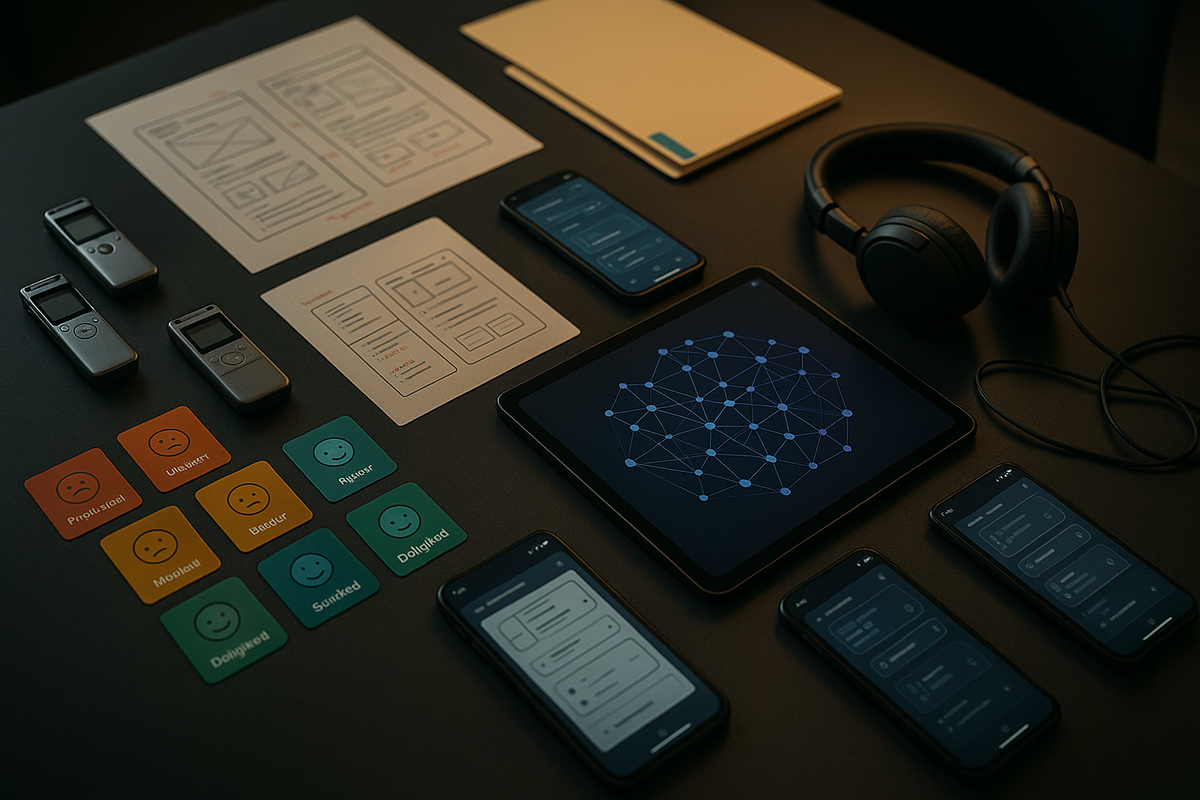
The UX research landscape in 2026 looks radically different from just three years ago. AI-powered tools have moved from experimental novelties to essential infrastructure, enabling product teams to process 10x more user interviews, surface patterns across thousands of data points, and deliver insights in hours instead of weeks. With the global UX research software market projected to reach $4.2 billion this year, the tooling ecosystem has never been richer—or more overwhelming to navigate.
This guide cuts through the noise. We reviewed and compared 18 of the best AI tools for UX research in 2026, organized by primary use case: user interviews and call analysis, usability testing, surveys and feedback, and behavioral analytics and session replay. Whether you're a solo researcher at a startup or a research operations lead at an enterprise, you'll find the right tools to build a modern, AI-powered research stack.
Why AI Is Transforming UX Research in 2026
AI has fundamentally shifted UX research from a manual, time-intensive craft to a scalable, data-rich discipline. The most significant change is the move from manual qualitative coding to AI-automated analysis—teams now routinely process 10x more interviews in the same time it once took to analyze a handful.
Five core AI capabilities are driving this transformation:
- Automated transcription with speaker diarization: Accurate, real-time conversion of interview recordings into searchable text, with speakers automatically identified.
- AI theme extraction and clustering: Algorithms that surface recurring patterns across dozens or hundreds of interviews without manual tagging, saving 60–80% of analysis time.
- Sentiment and emotion analysis: Detection that goes beyond positive/negative to identify frustration, confusion, excitement, and uncertainty in user responses.
- AI-generated summaries and reports: Shareable insight briefs produced automatically—the kind stakeholders actually read.
- Predictive trend detection: Advanced tools that identify emerging user needs before they become widespread complaints.
According to Maze State of UX Research Report projections, 78% of UX research teams at companies with 500+ employees now use at least one AI-powered research tool, up from roughly 40% in 2023. Mixed-methods research has surged in adoption, with AI serving as the bridge between qualitative depth and quantitative scale.
But an essential caveat remains. As Dr. Nikki Anderson-Stanier, UX research leader and educator, puts it: "AI doesn't replace the researcher's empathy and contextual understanding—it removes the mechanical burden of transcription and initial coding so researchers can focus on what they do best: interpreting meaning and driving strategic decisions." AI augments researchers. It does not replace them.
How We Evaluated These AI UX Research Tools
Every tool in this guide was evaluated on six criteria specifically designed to assess real AI capability—not just marketing claims.
- AI capability depth: We examined what the AI actually does. Does it only transcribe, or does it also cluster themes, detect sentiment, generate reports, and synthesize across sources? Surface-level AI labels were not enough to earn a recommendation.
- Ease of use: How quickly can a researcher or product manager go from raw data to actionable insight? We valued intuitive workflows that don't require AI expertise.
- Integration ecosystem: Tools that connect natively to existing workflows—Slack, Jira, Figma, Zoom, Salesforce—scored higher because they reduce manual data transfer and keep insights where teams already work.
- Pricing transparency: Pricing was verified as of Q1 2026. We noted free tiers, trial availability, and whether enterprise pricing is published or requires a sales call.
- Scalability: Each tool was rated for best-fit team size: solo researcher, small team (5–20), or enterprise (50+).
- Data privacy and security: SOC 2 Type II certification and GDPR compliance have become baseline requirements for enterprise adoption, especially when processing voice and video recordings. We flagged tools that meet—or fall short of—these standards.
Tools are categorized by primary use case: user interviews and call analysis, usability testing, surveys and feedback, and behavioral analytics and session replay. This structure reflects how research teams actually build their tooling stack, selecting best-in-class solutions for each stage of the research lifecycle.
Best AI Tools for User Interviews & Call Analysis
User interview analysis is where AI delivers its most dramatic productivity gains. The tools in this category turn hours of recorded conversations into structured, searchable, actionable insights.
BuildBetter — Best for B2B Product Teams Analyzing User Interviews at Scale
BuildBetter is an AI-powered insights platform purpose-built for B2B product teams. With 100+ integrations—including Zoom, Slack, Salesforce, Jira, Zendesk, HubSpot, and Intercom—it automatically processes call recordings and extracts themes, action items, and sentiment. What sets BuildBetter apart is its ability to uniquely combine internal team data (Slack conversations, team meetings) with external feedback (surveys, support tickets, customer calls) into a unified research repository. This cross-source synthesis is the most strategically valuable AI capability in UX research today, and BuildBetter is the only platform that delivers the complete picture across both internal and external unstructured data. Ideal for teams that need to connect interview insights directly to product decisions, BuildBetter produces deep research documents, PRDs, user personas, and insight briefs that accelerate decision-making. It includes proper permissions, automated organization, and the ability to route insights wherever they need to go.
Best for: B2B product teams, product managers, product ops, AI first UX Research teams
Team size: Small team to enterprise
Key AI features: Automated transcription, cross-source theme extraction, sentiment analysis, AI-generated reports, predictive trend detection
Dovetail — Best for Dedicated UX Research Teams Managing Large Qualitative Datasets
Dovetail offers AI tagging, theme clustering, and highlight reels within a collaborative analysis workspace. It excels at deep qualitative coding—researchers can build taxonomies, tag passages, and let AI surface patterns across large bodies of interview data. Strong for teams with a dedicated research practice that needs a structured qualitative repository.
Best for: Dedicated UX research teams
Team size: Small team to enterprise
Key AI features: AI tagging, theme clustering, highlight reels, collaborative coding
Grain — Best for Capturing and Sharing Key Moments from User Interviews
Grain specializes in AI-generated summaries and searchable video clips from user interviews. It's lightweight, integrates with Zoom and Google Meet, and makes it easy to share specific moments with stakeholders who weren't in the room. Best for teams that prioritize stakeholder buy-in and need to democratize access to user voice.
Best for: Stakeholder sharing, lightweight interview capture
Team size: Solo researcher to small team
Key AI features: AI summaries, searchable clips, integrations with video conferencing
Otter.ai — Best Budget-Friendly AI Transcription for Early-Stage Teams
Otter.ai provides real-time transcription with speaker identification at an accessible price point. Its analysis features are limited compared to full-stack platforms, but its transcription accuracy is excellent—95%+ for clear English audio. A strong starting point for teams building their first research practice.
Best for: Budget-conscious teams needing transcription
Team size: Solo researcher
Key AI features: Real-time transcription, speaker diarization
Key differentiators: BuildBetter excels at cross-source insight synthesis across both internal and external data. Dovetail leads in deep qualitative coding and structured repositories. Grain is strongest for stakeholder sharing and video clip distribution. Otter.ai wins on pure transcription affordability.
Best AI Tools for Usability Testing
Usability testing tools have evolved beyond simple task completion tracking. In 2026, AI-driven usability platforms detect friction automatically, generate follow-up questions, and produce heatmaps that surface design issues without manual analysis.
Maze — Best for Rapid Unmoderated Usability Testing with AI-Driven Analytics
Maze is the leading AI usability testing tool for design teams. It integrates natively with Figma and other major design tools, enabling prototype-to-live-product testing in a seamless workflow. AI generates follow-up questions based on user behavior, detects usability issues automatically, and produces heatmaps that highlight friction points. Scales from quick prototype validation to comprehensive product testing programs.
Best for: Design teams, product designers
Team size: Small team to enterprise
Key AI features: AI-generated follow-up questions, automatic issue detection, heatmaps
UserTesting (by UserZoom) — Best Enterprise-Grade Moderated and Unmoderated Testing
UserTesting delivers AI sentiment analysis on video responses, automated highlight reels, and friction detection at enterprise scale. It supports both moderated and unmoderated studies with a large participant panel. Best for organizations running high-volume testing programs with complex research operations needs.
Best for: Enterprise research operations
Team size: Enterprise
Key AI features: AI sentiment on video, automated highlights, friction detection
Userlytics — Best for Global Multilingual Usability Studies
Userlytics supports panels in 40+ countries and AI transcription in multiple languages, making it the strongest choice for international research. AI-powered QA filters automatically remove low-quality responses. Supports moderated, unmoderated, and card sorting studies with AI transcription and annotation.
Best for: Global and multilingual research teams
Team size: Small team to enterprise
Key AI features: Multilingual AI transcription, automated QA, annotation
Lyssna (formerly UsabilityHub) — Best for Quick Design Validation and Preference Testing
Lyssna excels at rapid design decisions: first-click tests, five-second tests, and design surveys with AI-powered analysis. It's lightweight, affordable, and ideal for designers who need quick quantitative validation without setting up full usability studies.
Best for: Quick design validation
Team size: Solo researcher to small team
Key AI features: AI analysis of click tests, design surveys, preference testing
Comparison note: Maze is strongest for design team workflow integration. UserTesting leads for enterprise research operations. Userlytics is the clear choice for international panels. Lyssna wins for lightweight, fast design decisions.
Best AI Survey & Feedback Tools for UX Research
Surveys remain a cornerstone of UX research, and AI has dramatically improved both survey design and response analysis. These tools automate the most tedious parts of survey research—open-end coding, logic branching, and trend detection—while improving response rates.
Qualtrics XM — Best Enterprise Survey Platform with Advanced AI Text Analytics
Qualtrics XM is the enterprise standard for survey research. Its AI capabilities include automated open-end response coding, predictive intelligence that forecasts customer behavior, and AI-powered reporting dashboards that surface key findings without manual analysis. Best for organizations running large-scale, multi-wave survey programs.
Best for: Enterprise survey programs
Team size: Enterprise
Key AI features: AI text analytics, predictive intelligence, automated dashboards
Typeform — Best for High-Response-Rate Conversational Surveys
Typeform's conversational survey format consistently achieves higher completion rates than traditional surveys. AI logic branching adapts questions in real time based on previous answers, and AI-generated survey suggestions help teams design better instruments. Ideal for customer experience research where engagement matters.
Best for: Customer-facing surveys with high engagement needs
Team size: Solo researcher to small team
Key AI features: AI logic branching, AI-generated survey suggestions
Sprig — Best for In-Product Micro-Surveys with Instant AI Analysis
Sprig captures user feedback at the exact moment of experience with in-product micro-surveys. AI clusters open-text responses into themes and surfaces sentiment trends in real time, giving product teams immediate signal on how features are landing. Best for continuous discovery practices.
Best for: In-product feedback, continuous discovery
Team size: Small team to enterprise
Key AI features: Real-time AI theme clustering, sentiment trends, in-product targeting
SurveyMonkey Genius — Best for AI-Assisted Survey Design
SurveyMonkey Genius uses AI to recommend question improvements, predict completion rates, and auto-analyze results. It's the most accessible entry point for teams that need guidance on survey methodology, making it strong for product managers who run surveys without a dedicated researcher.
Best for: Teams needing AI-guided survey design
Team size: Solo researcher to small team
Key AI features: AI question recommendations, completion prediction, auto-analysis
BB Recorder by BuildBetter — Free Local Recording for User Interview Sessions
BB Recorder is a free local recording tool for capturing user interview sessions. It pairs seamlessly with BuildBetter's analysis platform for AI-powered theme extraction, sentiment analysis, and cross-source synthesis. An excellent free starting point for teams building their research practice.
Best for: Free session recording paired with AI analysis
Team size: Solo researcher to small team
Key AI features: Local recording, integrates with BuildBetter for full AI analysis
Best AI Behavioral Analytics & Session Replay Tools
Behavioral analytics and session replay tools reveal what users actually do in your product—complementing what they say in interviews and surveys. AI has made these tools dramatically more useful by automatically detecting friction, anomalies, and conversion opportunities.
Hotjar — Best All-in-One Behavioral Analytics for Small to Mid-Size Teams
Hotjar combines AI-powered heatmaps, session recordings, and feedback widgets in an accessible, affordable package. Its new AI survey summarization feature surfaces trends from open-text feedback automatically. Best for teams that want behavioral analytics without enterprise complexity.
Best for: Small to mid-size teams
Team size: Solo researcher to small team
Key AI features: AI heatmaps, session recordings, AI survey summarization
FullStory — Best for Enterprise Product Analytics with AI-Driven Frustration Detection
FullStory's DX Data Engine uses AI to auto-detect rage clicks, dead clicks, and error states across your entire product experience. Session replay is fully searchable with AI indexing, and frustration signals are quantified and ranked. Best for enterprise product and UX teams that need to prioritize fixes by impact.
Best for: Enterprise product analytics
Team size: Enterprise
Key AI features: AI frustration detection, rage click analysis, searchable AI-indexed replay
Heap (by Contentsquare) — Best for Auto-Captured Event Analytics with AI Journey Mapping
Heap automatically captures every user interaction without manual event tagging, then uses AI to retroactively analyze journeys, identify drop-off points, and surface conversion opportunities. This "capture everything, analyze later" approach is powerful for teams that want to ask questions of historical data they didn't plan to collect.
Best for: Auto-captured analytics, journey optimization
Team size: Small team to enterprise
Key AI features: Auto-capture, AI journey mapping, drop-off identification
Smartlook — Best Budget-Friendly Session Replay with AI Event Detection
Smartlook combines session replay with funnel analytics at a more accessible price point than enterprise alternatives. AI highlights anomalous sessions for review, helping teams focus on the recordings that reveal the most about user behavior rather than watching hours of footage.
Best for: Budget-conscious teams needing session replay
Team size: Solo researcher to small team
Key AI features: AI anomaly detection, funnel analytics, session replay
LogRocket — Best for Product Teams Combining Session Replay with Error Tracking
LogRocket bridges UX research and engineering by combining session replay with error tracking and performance monitoring. AI surfaces sessions with the highest friction and connects user experience issues to technical root causes. Integrates with engineering workflows for fast resolution.
Best for: Product teams with engineering collaboration needs
Team size: Small team to enterprise
Key AI features: AI friction scoring, error tracking, engineering integrations
AI UX Research Tools Comparison Table: Features, Pricing & Best For
This comparison table summarizes all 18 tools across key dimensions to help you make faster, more informed decisions.
| Tool | Category | Key AI Features | Starting Price | Free Tier | Best For | Team Size |
|---|---|---|---|---|---|---|
| BuildBetter | Interview & Call Analysis | Cross-source synthesis, theme extraction, sentiment, AI reports | $300+/mo | Free (BB Recorder) | B2B product teams | Small–Enterprise |
| Dovetail | Interview & Call Analysis | AI tagging, theme clustering, highlight reels | $300+/mo | Limited free | Dedicated research teams | Small–Enterprise |
| Grain | Interview & Call Analysis | AI summaries, searchable clips | $50–$100/mo | Limited free | Stakeholder sharing | Solo–Small |
| Otter.ai | Interview & Call Analysis | Real-time transcription, speaker ID | Free–$20/mo | Yes | Budget transcription | Solo |
| Maze | Usability Testing | AI follow-ups, issue detection, heatmaps | $99–$200/mo | Limited free | Design teams | Small–Enterprise |
| UserTesting | Usability Testing | AI video sentiment, auto highlights | $500+/mo | No | Enterprise testing | Enterprise |
| Userlytics | Usability Testing | Multilingual AI transcription, auto QA | $100–$300/mo | No | Global research | Small–Enterprise |
| Lyssna | Usability Testing | AI click/preference test analysis | $75–$175/mo | Limited free | Quick design validation | Solo–Small |
| Qualtrics XM | Surveys & Feedback | AI text analytics, predictive intelligence | $500+/mo | No | Enterprise surveys | Enterprise |
| Typeform | Surveys & Feedback | AI logic branching, survey suggestions | $50–$100/mo | Limited free | Conversational surveys | Solo–Small |
| Sprig | Surveys & Feedback | Real-time AI clustering, in-product surveys | $100–$200/mo | Limited free | In-product feedback | Small–Enterprise |
| SurveyMonkey Genius | Surveys & Feedback | AI question recommendations, auto-analysis | $50–$100/mo | Limited free | AI-guided survey design | Solo–Small |
| BB Recorder | Surveys & Feedback | Free local recording, pairs with BuildBetter | Free | Yes | Free recording start | Solo–Small |
| Hotjar | Behavioral Analytics | AI heatmaps, AI survey summarization | Free–$100/mo | Yes | Small–mid teams | Solo–Small |
| FullStory | Behavioral Analytics | AI frustration detection, searchable replay | $500+/mo | No | Enterprise product analytics | Enterprise |
| Heap | Behavioral Analytics | Auto-capture, AI journey mapping | $500+/mo | Limited free | Auto-captured analytics | Small–Enterprise |
| Smartlook | Session Replay | AI anomaly detection, funnel analytics | $50–$100/mo | Limited free | Budget session replay | Solo–Small |
| LogRocket | Session Replay | AI friction scoring, error tracking | $100–$300/mo | Limited free | Product + engineering teams | Small–Enterprise |
Quick-Pick Recommendations
- Best overall for B2B product teams → BuildBetter
- Best for design teams → Maze
- Best for enterprise research ops → Qualtrics + UserTesting
- Best free starting point → BB Recorder + Hotjar basic
How to Build Your AI-Powered UX Research Stack in 2026
The ideal UX research stack combines specialized tools across the entire research lifecycle: recruit → collect → analyze → synthesize → share. No single tool does everything perfectly, but the right combination eliminates gaps and reduces manual handoffs.
Recommended Stack for Lean Product Teams (Under 20 People)
- BuildBetter — Interview analysis + cross-channel insight synthesis across calls, Slack, support tickets, and surveys
- Maze — Usability testing integrated with design workflows
- Hotjar — Behavioral analytics with heatmaps and session replay
- Sprig — In-product micro-surveys for continuous discovery
This stack covers the full research lifecycle at a cost that's manageable for growing teams. BuildBetter serves as the synthesis hub, connecting qualitative depth from interviews with quantitative signals from product analytics and customer feedback channels.
Recommended Stack for Enterprise Research Teams
- UserTesting — Moderated and unmoderated testing at scale
- Qualtrics — Enterprise survey programs with advanced AI analytics
- FullStory — Session replay with AI frustration detection
- Dovetail — Qualitative research repository for coding and tagging
- BuildBetter — Cross-source insight aggregation connecting all research with internal team communications
Integration and Privacy Considerations
Prioritize tools that connect to your existing workflow. If your team lives in Slack and Jira, choose tools with native integrations to those platforms to eliminate copy-paste workflows. BuildBetter's 100+ integrations make it a natural central hub for teams already using Zoom, Slack, Salesforce, or Jira.
For data privacy, ensure every tool in your stack complies with GDPR and holds SOC 2 Type II certification—especially critical for AI tools processing voice and video recordings of users. As Kate Towsey, ResearchOps pioneer, advises: "Research operations teams should evaluate AI tools not just on their analytical capabilities but on their governance features—who can access what data, how long recordings are retained, whether AI models are trained on your proprietary research data, and audit trails for compliance."
Key AI Capabilities to Look for in UX Research Tools
Not all AI features are created equal. When evaluating AI UX research software, focus on these capabilities ranked by strategic impact.
Automated Transcription and Speaker Diarization
This is table stakes in 2026, but accuracy varies significantly. Look for 95%+ accuracy on clear audio with reliable speaker identification. AI transcription tools now achieve 95–98% accuracy for English-language recordings, with 90–94% for other major languages. Always verify accuracy claims with your own recordings—technical jargon and accents can reduce performance.
AI Theme Extraction and Clustering
The ability to surface recurring patterns across dozens or hundreds of interviews without manual tagging saves 60–80% of analysis time. AI theme extraction achieves 80–85% agreement with expert human coders—comparable to the agreement between two human researchers. This makes it a credible first-pass analysis tool, though human validation remains essential.
Sentiment and Emotion Analysis
Advanced AI sentiment analysis goes beyond positive/negative classification to detect specific emotions: frustration, confusion, excitement, uncertainty. This capability lets teams quantify qualitative feedback at scale—for example, identifying that 73% of interview segments about onboarding expressed frustration.
AI-Generated Summaries and Reports
Tools that produce shareable insight briefs automatically dramatically increase research impact. The best tools generate documents that stakeholders actually read—executive summaries, key finding highlights, and recommended actions—without requiring researchers to spend days writing reports.
Cross-Source Synthesis
As Jared Spool, UX thought leader, puts it: "The most impactful AI capability in 2026 isn't any single feature—it's cross-source synthesis. When you can automatically connect what users say in interviews with what they do in your product and what they complain about in support tickets, you get a complete picture no single method provides." This capability—connecting insights from interviews, surveys, support tickets, product analytics, and internal team communications—is BuildBetter's core differentiator. It's what transforms isolated research findings into a unified understanding of your users.
A Note on AI Limitations
Steve Portigal, author of Interviewing Users, offers a critical caution: "The risk with AI analysis tools is premature convergence—AI may cluster themes too neatly and miss the messy, contradictory insights that often lead to breakthrough product decisions. Always interrogate AI outputs with the same skepticism you'd apply to any analysis." The best approach is AI-assisted analysis: let AI handle the mechanical 80% so researchers can invest their expertise in the critical 20% that drives product decisions.
Frequently Asked Questions About AI UX Research Tools
What is the best AI tool for UX research in 2026?
The best tool depends on your primary use case and team context. For B2B product teams needing cross-channel insight synthesis—combining interviews, support tickets, Slack conversations, and surveys into unified insights—BuildBetter is the top choice with 100+ integrations and AI-powered theme extraction across all sources. For usability testing with design tool integration, Maze leads with native Figma support and AI-generated follow-up questions. For enterprise-scale survey research, Qualtrics XM remains the standard with its advanced AI text analytics. For dedicated qualitative research teams, Dovetail offers the deepest collaborative coding workspace.
Are AI UX research tools accurate enough to replace manual analysis?
In 2026, AI tools achieve 95–98% accuracy on transcription (for clear English audio) and 80–85% agreement with expert human coders on theme extraction. This makes AI a highly credible first-pass analysis tool, but it does not fully replace human judgment. Best practice is AI-assisted analysis—let AI handle the mechanical heavy lifting (transcription, initial coding, sentiment classification, pattern detection) while researchers validate findings, interpret contextual nuance, identify contradictions, and make strategic recommendations. Think of it as AI handling the first 80% so researchers can invest their expertise in the critical last 20%.
How much do AI UX research tools cost?
AI UX research tools span a wide price range. Free options include BB Recorder (local session recording), Hotjar basic plan (limited heatmaps and recordings), and Otter.ai's free tier (limited transcription minutes). Mid-range tools cost $50–$200/month per seat and include Maze, Grain, Sprig, Lyssna, Smartlook, and SurveyMonkey. Enterprise platforms like BuildBetter, Dovetail, Qualtrics, UserTesting, FullStory, and Heap typically start at $300–$500+/month and often require annual contracts with custom pricing. Most tools offer free trials of 7–14 days.
Can AI tools handle multilingual UX research?
Yes, several AI UX research tools support 30+ languages for transcription and analysis in 2026. Userlytics supports multilingual usability testing with panels in 40+ countries. Dovetail and Qualtrics offer AI-powered analysis in 30+ languages. Accuracy is highest for English, Spanish, French, German, and Portuguese (90%+ accuracy), with improving but still lower accuracy for languages like Mandarin, Japanese, Korean, Arabic, and Hindi (85–92%). For critical multilingual studies, plan for human review of AI outputs, particularly for languages with complex grammatical structures.
What is AI sentiment analysis in UX research?
AI sentiment analysis automatically classifies user statements, survey responses, or behavioral signals as positive, negative, or neutral. Advanced tools go beyond basic classification to detect specific emotions like frustration, confusion, excitement, delight, and uncertainty. In UX research, sentiment analysis is used to quantify qualitative feedback at scale (e.g., "73% of interview segments about onboarding expressed frustration"), identify emotional patterns across user segments, track sentiment trends over time, and prioritize issues by emotional intensity. Tools like BuildBetter, UserTesting, FullStory, and Sprig incorporate sentiment analysis into their core workflows.
How do I ensure data privacy when using AI UX research tools?
Choose SOC 2 Type II certified tools, verify GDPR compliance, check where data is processed and stored, confirm whether AI models are trained on your proprietary data, and establish data retention policies. These considerations are especially critical when processing voice and video recordings. Ask vendors directly: Is my data used to train your models? Where is data stored geographically? What are the data retention and deletion policies? Can I get an audit trail for compliance purposes?
What is the difference between AI UX research tools and traditional UX research tools?
AI tools automate time-intensive tasks like transcription, coding, and pattern detection that traditionally required hours of manual effort. They enable real-time insight generation and cross-dataset synthesis that manual methods simply cannot achieve at scale. The researcher-to-product-team ratio at most organizations remains around 1:40 to 1:80, making AI-powered tools essential for scaling research impact without proportional headcount increases. Traditional tools still have their place, but AI-augmented workflows deliver insights 60–80% faster.
Streamline Your Product Team's Workflow
Building a modern UX research practice in 2026 means choosing tools that not only automate the mechanical work but connect insights across every source—interviews, surveys, support tickets, Slack conversations, and product analytics. BuildBetter is the AI-powered insights platform purpose-built for B2B product teams to do exactly that, with 100+ integrations and AI that turns unstructured data into actionable research documents, user personas, and product decisions.