Best Free Meeting Recording Apps for Mac in 2026 (Truly Free)
Most "free" meeting recorders for Mac have hidden caps on transcription, AI summaries, or meeting counts. We tested every major option in 2026 to show what's truly free, what's freemium, and which tools keep your recordings private and on-device.
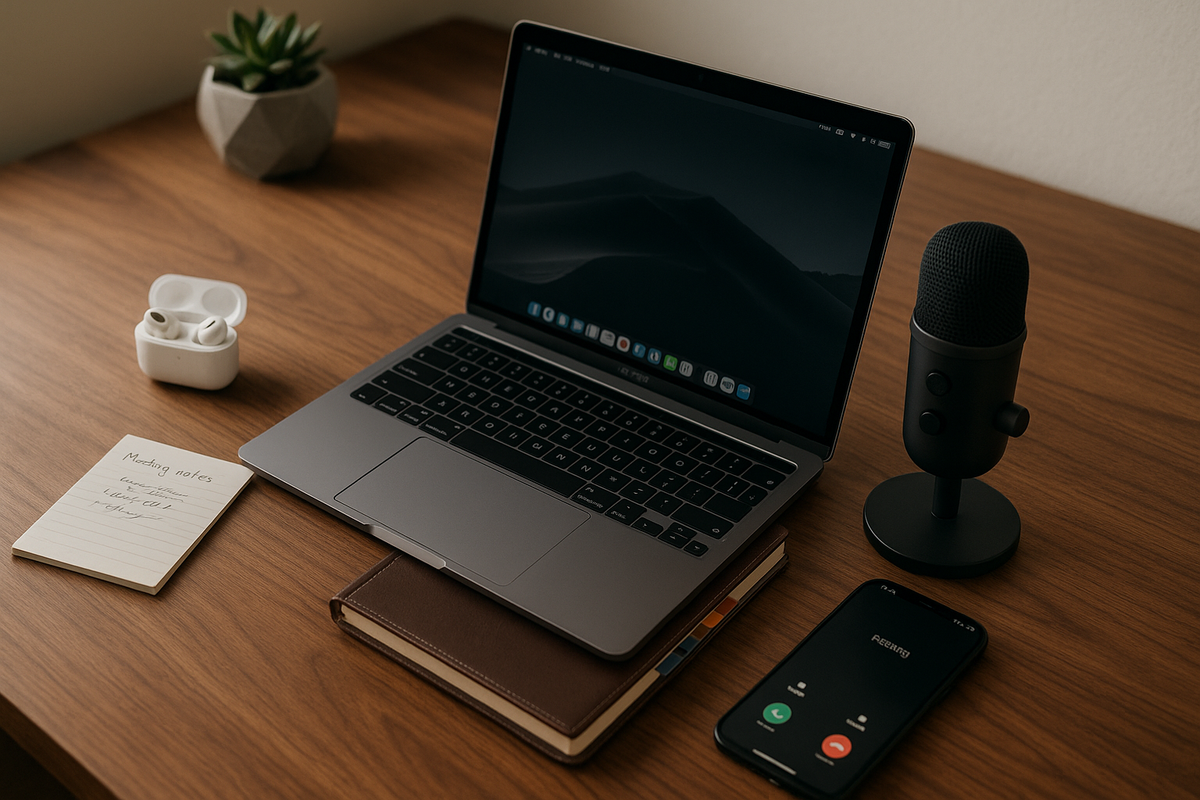
Finding a genuinely free meeting recording app for Mac is harder than it sounds. Most tools advertise a "free tier" that quietly caps your transcription minutes, limits AI summaries, or requires a subscription after a short trial period. For Mac users who attend 15–20 meetings per week — the current average for knowledge workers — those caps can be exhausted in days, not months.
This guide cuts through the marketing to show you what's actually free, what's freemium in disguise, and which tools respect your privacy by keeping recordings on your device. We tested every major option on Apple Silicon Macs in 2026 so you don't have to.
What to Look for in a Free Meeting Recording App for Mac
The most important thing to evaluate in a free meeting recorder isn't the feature list — it's the definition of "free" itself. In 2026, "free" falls into three categories: truly free forever with no limits, free trials that expire, and freemium models with hard caps that force upgrades. Knowing which category an app falls into before you invest time setting it up will save you significant frustration.
Key evaluation criteria for any free meeting recording app on Mac include:
- Recording limits: Is there a cap on the number of meetings, total minutes, or recording length?
- Transcription minutes: Many apps separate recording from transcription — you might record unlimited meetings but only transcribe a handful.
- AI features: Are summaries, action items, and AI chat included on the free tier, or gated behind a paywall?
- Privacy and data handling: Does your audio stay on your Mac or get uploaded to cloud servers?
- Account requirements: Do you need to create an account, verify a work email, or sign in with Google?
Mac-specific considerations matter more than ever in 2026. Apple Intelligence — available on Apple Silicon Macs running macOS Sequoia and later — enables on-device transcription and summarization via the Neural Engine, eliminating the need for cloud API calls. Over 80% of Macs sold since late 2023 run Apple Silicon, making local AI processing accessible to the vast majority of users. Look for apps that take advantage of native macOS integration: notch-style menu bar recording, Apple Silicon optimization, and ScreenCaptureKit-based system audio capture.
The meeting bot problem is a dealbreaker for many professionals. Approximately 72% of workers report discomfort when a visible AI bot joins their meeting unexpectedly. Bot-free recorders capture system audio locally, meaning other participants see nothing unusual — no "AI Notetaker" in the attendee list, no awkward explanations.
Quick Comparison: Free Tiers at a Glance (2026)
The differences between free tiers are dramatic when you compare them side by side. Here's what each app actually gives you at zero cost:
| App | Free Tier Limits | Transcription Cap | AI on Free | Account Required | Cloud or Local | Meeting Bot | Paid Price |
|---|---|---|---|---|---|---|---|
| BB Recorder | Unlimited | Unlimited | Unlimited summaries & chat | No | 100% Local | No | Free forever |
| Granola | 25 meetings (lifetime) | Limited history | AI notes for 25 meetings | Yes (Google) | Cloud (AWS) | No | $14–18/mo |
| Otter.ai | 300 min/mo, 30-min/convo cap | 300 min/mo | Basic transcription | Yes | 100% Cloud (AWS) | Yes (visible) | $16.99/mo |
| Fathom | Unlimited recording | Unlimited | 5 AI summaries/mo | Yes (work email) | 100% Cloud (AWS) | Yes (visible) | $15–39/mo |
| Char | Free recording | Basic (local STT) | $8/mo for AI summaries | Waitlist | Local-first | No | $8/mo |
Only one app on this list offers zero limits, zero caps, and no subscription whatsoever. The gap between "truly free" and "freemium" becomes starkly clear when you look at the numbers.
- BB Recorder — Best Overall Free Meeting Recorder for Mac
BB Recorder is the only meeting recorder for Mac that is truly unlimited and free forever — no trials, no tiers, no registration, no catch. Built by BuildBetter.ai, which operates an established AI insights platform for B2B product teams, BB Recorder originated as an internal tool before being released publicly as a standalone free app.
100% local architecture is the defining feature. Recordings are saved to a folder on your Mac. Transcription runs via Apple Intelligence or Whisper on-device. Summaries are generated via Apple Intelligence or Llama locally. Nothing is ever uploaded to a server.
Key features include:
- Three recording modes: Notch-style menu bar recorder, floating overlay, or full window — auto-detects when you join a call on Zoom, Teams, Google Meet, or Webex.
- Live AI chat during calls: Ask questions about the conversation in real time, powered entirely by local models. No data leaves your device.
- Works completely offline: No internet connection is required for recording, transcription, or summarization.
- No account required: Download, open, and start recording. No sign-up, no email verification, no onboarding flow.
- BYOK (Bring Your Own Keys): Optionally use OpenAI, Anthropic, or other API keys for cloud model access. Your keys connect directly to the API — nothing passes through BB Recorder servers.
- Speaker diarization with optional BuildBetter platform sync for teams that want centralized insights across internal and external data sources.
- Markdown notes with auto-generated titles for easy organization and export.
- iOS companion app: Record meetings on the go with the same 100% local, 100% free approach — on-device transcription and AI chat included.
BB Recorder leverages Apple Silicon's Neural Engine to run Whisper and Llama models with low latency and minimal power consumption. For most Mac users looking for a private meeting recorder with no strings attached, this is the clear starting point.
Download BB Recorder for Mac →
2. Granola — Best for Structured AI Meeting Notes (Limited Free Tier)
Granola excels at producing beautifully formatted AI meeting notes with customizable templates. If your primary need is polished, shareable notes rather than raw recordings, Granola's interface is one of the most refined available for macOS.
What Granola does well:
- Clean note-taking interface with structured formatting
- Customizable templates for different meeting types (standups, 1:1s, customer calls)
- Shared folders for team collaboration
- Multi-language transcription support
- No meeting bot — captures audio locally and processes notes via cloud AI (GPT-4o, Claude)
Free tier reality check: Granola's free plan is limited to 25 total meetings — a lifetime cap, not a monthly allowance. With the average knowledge worker attending 15–20 meetings per week, this cap could be exhausted in as little as one to two weeks. After that, you'll need a subscription at $14–18/month.
Limitations to consider:
- Requires a Google account to sign up
- AI processing happens entirely on cloud servers (AWS US) — your audio leaves your Mac
- Notes are not fully exportable in all formats
- No offline functionality — an internet connection is required for all core features
- No iOS app available
- Data is stored on AWS; opt-out of model training is available but not enabled by default
Best for: Users who attend relatively few meetings and prioritize beautifully formatted AI notes with team collaboration features — but who are prepared to commit to a paid plan quickly.
3. Otter.ai — Best for Real-Time Collaboration (Capped Free Tier)
Otter.ai is one of the most established transcription platforms available, with strong real-time transcription, speaker identification, and cross-platform support across web, iOS, and Android. Its maturity shows in features like AI chat across meetings and searchable transcript archives.
What Otter does well:
- Real-time transcription with high accuracy
- Speaker identification and labeling
- AI-powered chat that can answer questions across multiple meeting transcripts
- Multi-platform support (macOS, web, iOS, Android)
- Established platform with regular updates
Free tier reality check: Otter's free plan provides 300 transcription minutes per month with a hard 30-minute cap per individual conversation. Since the average business meeting lasts 50.6 minutes, the majority of work meetings would be cut off before completion. You also get only 3 lifetime audio/video file imports on the free tier.
Limitations to consider:
- Uses a visible meeting bot that joins Zoom, Teams, and Google Meet calls — other participants can see it in the attendee list
- 100% cloud-based: all audio is uploaded to and processed on AWS servers in the US
- Requires account creation
- Privacy policy notes that Otter may use data for model training
- Paid plans start at $16.99/month (Pro) for 1,200 minutes
Best for: Users who primarily have short meetings and want a mature, cross-platform transcription tool with collaboration features — and who don't mind the visible bot or cloud processing.
4. Fathom — Best for CRM Integration (AI Summaries Capped on Free)
Fathom stands out for its deep CRM integrations with Salesforce and HubSpot, making it a natural fit for sales teams and customer-facing roles. Its free tier is more generous than most in terms of raw recording and transcription — but the catch is in the AI features.
What Fathom does well:
- Unlimited recording and transcription on the free tier
- Strong CRM integrations that auto-sync call notes and summaries
- Team-oriented features including shared playlists and highlights
- Good transcript search and navigation
Free tier reality check: While recordings and transcription are unlimited, you only get 5 AI summaries per month. Since AI-generated summaries and action items are the primary value proposition, this means you're choosing which 5 out of potentially dozens of meetings actually get the full treatment. The rest are just raw transcripts.
Limitations to consider:
- Uses a visible meeting bot that joins calls and appears in the attendee list
- Requires a work email to register — personal email addresses (Gmail, Yahoo, etc.) may be rejected
- 100% cloud-based: audio is processed on AWS in US/Canada
- No offline capability
- No iOS app for mobile recording
- Paid plans run $15–39/month, unlocking unlimited AI summaries and advanced team features
Best for: Sales teams and customer success professionals who need CRM sync and can tolerate limited AI summaries on the free tier, with a plan to upgrade once value is proven.
5. Char (formerly Hyprnote) — Best Local-First Alternative (Early Access)
Char is a local-first meeting notepad that gives users full control over their AI providers — a "no strings attached" approach to meeting recording that aligns with privacy-first values. Rebranded from Hyprnote in late 2025, Char is still establishing its market presence in 2026.
What Char does well:
- Local-first architecture: choose your own STT (speech-to-text) and LLM provider
- No forced cloud processing, no data lock-in, no meeting bots
- Full data ownership — your recordings and notes stay where you put them
- Supports both cloud and local AI model providers at the user's discretion
Free tier reality check: Core recording and basic transcription functionality are free. However, unlimited AI summaries require an $8/month subscription. While this is the most affordable paid tier among apps in this guide, it means Char isn't truly free for the full experience.
Limitations to consider:
- Currently in waitlist/early access — availability is limited in 2026
- No iOS app available
- Still building out its feature set and ecosystem
- Smaller user community means fewer integrations and less documentation
Best for: Privacy-conscious users who want granular control over their AI providers and don't mind early-access software or paying $8/month for full AI features — once they can get off the waitlist.
Honorable Mentions: Other Mac Meeting Recorders Worth Knowing
Several other tools deserve brief mention, even though they don't fit neatly into the "free meeting recorder" category for various reasons.
Cluely offers stealth recording with cloud AI and no visible meeting bot, but it has no free tier at all ($19–49/month). More critically, Cluely suffered a data breach in 2025 that exposed approximately 83,000 users' data — a sobering reminder of the risks inherent in cloud-dependent recording tools that store sensitive meeting audio on remote servers.
macOS built-in screen recording (QuickTime Player and the Screenshot toolbar) is completely free and 100% local, but it offers no transcription, no AI features, no auto-detection of meetings, and requires manual start/stop for every recording. It's a blunt instrument for a job that requires precision.
Apple Notes + Voice Memos with Apple Intelligence is another free, on-device option that technically works. Apple Intelligence can summarize Voice Memo recordings on supported Macs. However, the workflow is entirely manual — there's no meeting auto-detection, no live transcription during calls, and no integration between the recording and your notes.
Riverside, Descript, and other production-focused tools are designed for podcast and content recording, not meeting capture. They offer high-quality multi-track recording and editing features, but they're oriented toward a fundamentally different use case and typically require subscriptions.
Free Tier Limits Explained: What You Actually Get Without Paying
The math behind free tiers tells the real story. Let's break down what "free" actually means for someone with a typical meeting schedule of 15–20 meetings per week.
Granola's 25-meeting lifetime cap could be exhausted in 1–2 weeks for an active professional. After that, you're paying $14–18/month — or $168–216/year.
Otter.ai's 300 minutes per month with a 30-minute per-conversation cap means roughly 10 full-length meetings — except most business meetings run 50+ minutes, so most would be cut off. Realistically, you're getting complete transcripts for far fewer meetings than that number suggests. Exceeding the free tier costs $16.99/month, or $203.88/year.
Fathom's 5 AI summaries per month means you're choosing which 5 meetings out of 60–80 actually get AI-generated notes. The rest are raw transcripts without the summaries and action items that make the tool valuable. Paid plans run $15–39/month, or $180–468/year.
Char's $8/month for AI is the most affordable paid tier, coming to $96/year — but it's still not free, and availability is limited during early access.
Annual Cost Comparison
| App | Annual Cost (Beyond Free Tier) |
|---|---|
| BB Recorder | $0 |
| Char | $96/year |
| Granola | $168–216/year |
| Otter.ai | $203.88/year |
| Fathom | $180–468/year |
The key question to ask before committing to any tool: "Will this still be free for me in 6 months with my actual meeting volume?" Hidden friction — account requirements, email verification, onboarding flows, upsell prompts, and data export limitations — compounds the frustration when limits hit.
Privacy and Data Handling: Where Your Meeting Audio Actually Goes
Meeting recordings are among the most sensitive data your organization produces. They contain strategic plans, customer negotiations, personnel discussions, product roadmaps, and financial details. Where that audio goes after you hit "record" is not a minor technical detail — it's a business risk decision.
100% local processing (BB Recorder, Char): Audio files never leave your device. Transcription and AI summarization run on-device using models like Whisper and Llama. There is no server-side processing, which means there is no vendor data breach risk. Your recordings live in a folder on your Mac that you control entirely.
Cloud processing (Otter.ai, Fathom, Granola): Audio is uploaded to AWS servers, processed remotely, and stored in vendor infrastructure. This introduces dependency on the vendor's security practices, data retention policies, and incident response capabilities.
Data Training Policies
- BB Recorder: Never processes data server-side, so training on your data is architecturally impossible.
- Otter.ai: May train on user data by default; opt-out is available.
- Granola: Offers opt-out from model training, but it's not the default setting.
- Fathom: Cloud-processed with standard enterprise data handling policies.
The Cluely breach is a cautionary tale. When approximately 83,000 users had their data exposed, it demonstrated that even tools with sophisticated cloud infrastructure can fail catastrophically. For cloud-dependent recording tools, a data breach means sensitive meeting audio — not just text metadata — may be compromised.
For users in regulated industries (healthcare, finance, legal), local-only processing can dramatically simplify compliance. HIPAA, SOC 2, and GDPR all carry requirements around data processing, storage, and cross-border transfer that become irrelevant when audio never leaves the device.
"Privacy-first architecture is becoming a competitive differentiator, not just a nice-to-have. With increasing regulatory scrutiny, tools that process data 100% locally eliminate entire categories of compliance risk."
macOS-Specific Features That Matter in 2026
Apple Silicon has fundamentally changed what's possible for local AI processing on a Mac. The M-series chips (M1 through M4) include a dedicated Neural Engine that can run large language models and transcription models with low latency and minimal battery impact. This hardware capability, combined with Apple Intelligence at the software layer, enables a class of meeting recording tools that was economically impossible before 2025.
Apple Intelligence Integration
BB Recorder leverages Apple Intelligence for on-device transcription and summarization — no API costs, no cloud processing, native performance optimized for Apple's Neural Engine. This represents a paradigm shift: developers can now offer truly free AI-powered tools because the computational cost is borne by the user's hardware, not by cloud API bills.
Notch-Style Menu Bar Recording
BB Recorder's notch-style UI blends seamlessly into macOS design language, staying out of the way during calls while remaining instantly accessible. This Mac-native approach to recording controls is more intuitive than floating windows or separate app windows that compete for screen space during video calls.
System Audio Capture Without Kernel Extensions
Since Apple introduced ScreenCaptureKit (macOS Ventura) and refined it through Sequoia and later releases, Mac apps can capture system audio without requiring kernel extensions or special permissions beyond initial user authorization. This is what enables bot-free call recording from any platform — Zoom, Teams, Google Meet, Webex — without the app needing to "join" your meeting.
Continuity with iOS
BB Recorder is the only app on this list with a companion iOS app that mirrors the same 100% local, 100% free approach. Currently available in beta via TestFlight, the iOS app provides on-device recording, transcription, and AI chat — extending the same privacy-first experience to meetings you take from your iPhone.
Which Free Meeting Recorder Should You Choose?
The right choice depends on your priorities, but for most Mac users the decision is straightforward. Here's a clear framework:
Choose BB Recorder if: You want truly free, unlimited recording with maximum privacy, no account hassles, offline capability, and Apple Intelligence integration. It's the clear choice for professionals who don't want to think about caps, subscriptions, or where their data goes. Download it here.
Choose Granola if: You attend relatively few meetings and prioritize beautifully formatted AI notes with team collaboration features. Be prepared to pay $14–18/month within a week or two of regular use.
Choose Otter.ai if: You need cross-platform support (particularly Android and web) and value real-time collaboration features — and you're comfortable with visible meeting bots and cloud processing of your audio.
Choose Fathom if: You work in sales or customer success and need CRM integrations with Salesforce or HubSpot — but understand that the AI features that make the tool most useful require a paid plan.
Choose Char if: You want a local-first approach with granular control over your AI providers and don't mind early-access software or paying $8/month for AI summaries — once availability opens up.
The bottom line: BB Recorder is the only app that gives you everything — unlimited recording, unlimited transcription, unlimited AI summaries, and live AI chat — completely free, completely local, with no strings attached. For a free meeting recording app on Mac with no compromises, it's the clear starting point.
FAQ: Free Meeting Recording Apps for Mac
Is there a completely free meeting recording app for Mac with no limits?
Yes — BB Recorder is 100% free forever with unlimited recordings, unlimited transcription, and unlimited AI features (summaries, live AI chat). It requires no account, no subscription, and has no usage caps. It runs entirely on your Mac using Apple Intelligence or local open-source models like Whisper and Llama.
Can I record meetings on Mac without a meeting bot joining the call?
Yes. BB Recorder, Granola, and Char all record by capturing system audio locally on your Mac. No bot joins your Zoom, Teams, or Google Meet call, so other participants see nothing unusual. Otter.ai and Fathom, by contrast, send a visible bot that appears in the attendee list — something approximately 72% of professionals report being uncomfortable with.
Do free meeting recorders work offline on Mac?
BB Recorder works fully offline — recording, transcription (via Whisper), and AI summarization (via Llama) all run on-device with no internet required. Char also supports offline recording with local models. Otter.ai, Fathom, and Granola all require an internet connection for their core transcription and AI features.
Is it legal to record meetings on a Mac?
Laws vary by jurisdiction. In the US, some states (like California, Illinois, and Florida) require all-party consent, while others only require one-party consent. The EU's GDPR requires informed consent. Canada generally follows one-party consent at the federal level. Regardless of which tool you use, best practice is to always inform all participants that the meeting is being recorded.
What is the best meeting recorder that uses Apple Intelligence?
BB Recorder integrates directly with Apple Intelligence for on-device transcription and summarization on Macs running macOS Sequoia or later with Apple Silicon. This makes it the most native macOS meeting recorder available in 2026 — no API costs, no cloud processing, and fully optimized for Apple's Neural Engine.
Can I record meetings on my iPhone for free too?
BB Recorder has an iOS app (currently in beta via TestFlight) that offers the same 100% local, 100% free recording and transcription on iPhone. It uses on-device models for transcription and AI chat, maintaining the same privacy-first approach as the Mac version.
Streamline Your Product Team's Workflow
BB Recorder is built by BuildBetter.ai, an AI-powered insights platform purpose-built for B2B product teams. While BB Recorder handles individual meeting recording with complete privacy, BuildBetter's platform takes it further — connecting call recordings with Slack conversations, customer surveys, support tickets, and product feedback through over 100 integrations to give your team the complete picture.
Whether you're a solo product manager looking for a private meeting recorder or leading a team that needs centralized insights from both internal conversations and external customer data, BuildBetter has you covered.