Best Granola Alternatives for Private Meeting Notes in 2026
Granola's cloud dependency, Google account requirement, and lack of audio recording are pushing users toward private alternatives. Here's a comprehensive comparison of the best Granola alternatives in 2026, led by BB Recorder — the only option that's 100% local, completely free, and requires no acco
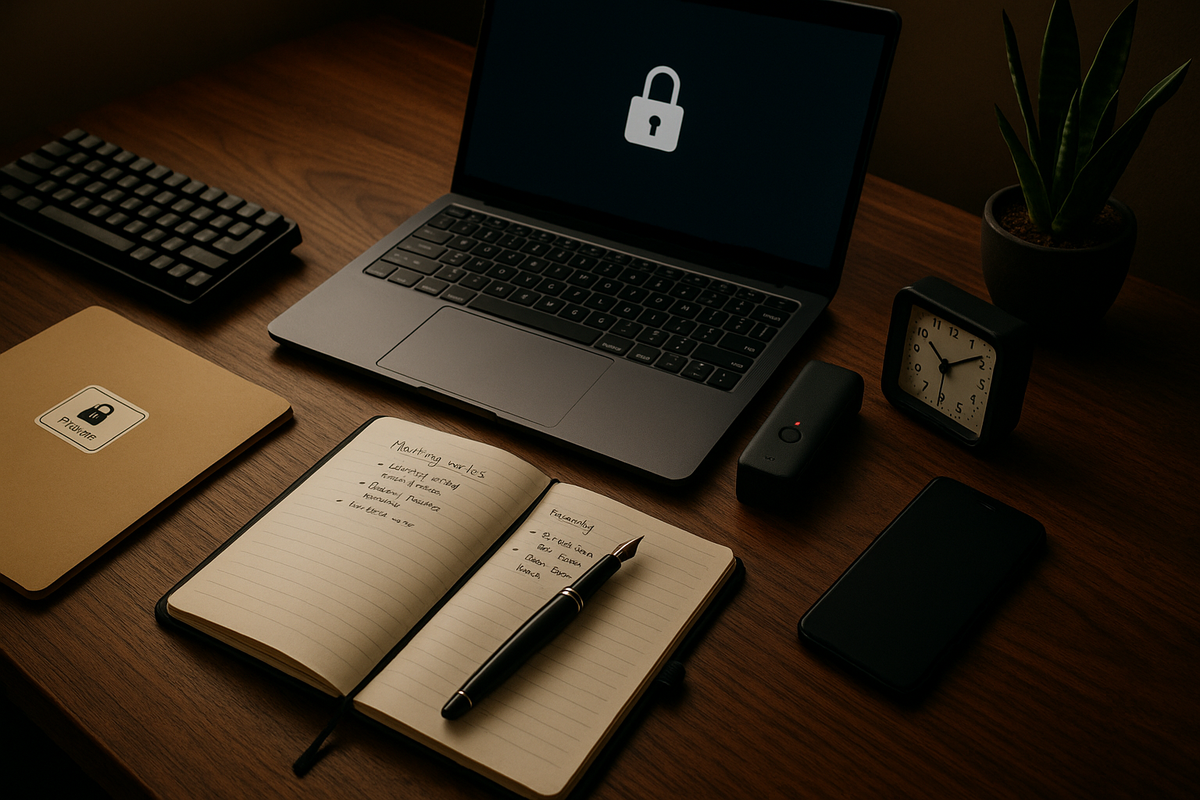
Granola has rapidly become one of the most popular AI meeting notes apps since its launch, surpassing one million users by late 2025 and raising $43 million in Series B funding at a $250 million valuation. But popularity doesn't mean it's the right fit for everyone. A growing number of professionals are searching for Granola alternatives — and for good reason.
Whether it's the mandatory Google account, the cloud-only processing architecture, the lack of saved audio recordings, or the $14/month price tag, Granola's limitations are real. For privacy-conscious professionals, regulated industries, and anyone who simply wants to own their meeting data, the search for a private meeting notes app that works locally has become urgent.
This guide compares the best Granola alternatives in 2026 across privacy, cost, features, and data control — so you can make an informed choice about where your most sensitive conversations are processed and stored.
Why People Are Looking for Granola Alternatives in 2026
Granola's design decisions create meaningful limitations that affect privacy, portability, and accessibility for a significant portion of its user base. While the app delivers a polished AI-enhanced note-taking experience on Mac, several architectural and policy choices are driving users to explore alternatives.
Here are the most common pain points pushing professionals toward a Granola AI alternative:
- Google account required: Granola requires a Google account to sign up, which immediately excludes users on Microsoft 365, Apple-only email, ProtonMail, Tutanota, and other privacy-focused email providers. For organizations that have standardized on non-Google ecosystems, this is a non-starter.
- All data processed in the cloud: Every meeting is processed through OpenAI's GPT-4o and Anthropic's Claude APIs, with data stored on Amazon Web Services (AWS) servers in the United States. Your candid strategy discussions and personnel conversations travel through third-party cloud infrastructure.
- No audio recordings saved: Granola captures audio temporarily to generate notes, then discards it. You cannot replay meetings, verify exact wording, or export audio files — a critical gap for compliance, dispute resolution, or simply reviewing what was actually said.
- Subscription cost: The Business plan costs $14/month per user. For individuals and small teams, this adds up quickly — especially when free, feature-complete alternatives exist.
- Opt-out data training: Granola's privacy policy permits use of anonymized data for AI model improvement by default. Users must actively find and toggle an opt-out setting, which many never discover.
- No offline mode: All AI features require an active internet connection. If you're traveling, in an air-gapped environment, or simply experiencing connectivity issues, Granola's core functionality stops working.
- No mobile app: As of early 2026, Granola remains Mac-only with no iOS or Android companion app.
- Limited data export: No full transcript export, no audio export, and CSV-only options restrict your ability to move data to other tools.
With over 70% of knowledge workers now participating in three or more video meetings per day, the volume of sensitive conversation data being generated is enormous. The stakes of where and how that data is processed have never been higher.
Quick Comparison Table: Granola vs. the Best Alternatives
A side-by-side comparison reveals dramatic differences in privacy, cost, and feature completeness across meeting note tools. The following table compares the leading options across the dimensions that matter most to privacy-conscious professionals.
| Feature | BB Recorder | Granola | Char (Hyprnote) | Otter.ai | Fathom | Fireflies.ai |
|---|---|---|---|---|---|---|
| Price | $0 forever | $14/mo | $8/mo (optional) | $8–30/mo | $15–39/mo | $10–39/mo |
| Account Required | No | Google account | Unclear | Yes | Work email | Yes |
| Processing | 100% local | Cloud (AWS US) | Local-first | Cloud (AWS US) | Cloud (AWS US/CA) | Cloud |
| Meeting Bot | No | No | No | Yes | Yes | Yes (Fred) |
| Saves Audio Files | Yes (local) | No | Varies | Yes (cloud) | Yes (cloud) | Yes (cloud) |
| Trains on Data | Never | Opt-out | No | Yes | No | Varies |
| Offline Support | Yes | No | Yes | No | No | No |
| Live AI Chat | Yes (local) | No | No | Limited | No | No |
| Mobile App | iOS (local) | No | No | iOS (cloud) | No | Yes (cloud) |
| Data Breach History | N/A (no servers) | None reported | None reported | None reported | None reported | None reported |
The Cluely data breach of 2025 — which exposed meeting transcripts and personal information from approximately 83,000 users — serves as a stark reminder of the risks inherent to cloud-dependent meeting tools. BB Recorder's architecture makes such a breach architecturally impossible: there is no server to breach.
#1 BB Recorder — Best Overall Granola Alternative (Free, 100% Local)
BB Recorder is the most private meeting recorder available in 2026 — and it's completely free. Built by the team at BuildBetter, BB Recorder takes a fundamentally different approach to meeting notes: everything happens on your device, nothing ever touches a server.
This isn't privacy-by-policy. It's privacy-by-architecture. Recording, transcription, summarization, and even live AI chat all run locally using on-device models. There is no cloud component. There is no server to breach, no data to subpoena, and no policy that can change to retroactively expose your conversations.
Core Features
- 100% local processing: All recording, transcription, summarization, and AI chat happen on-device — zero server communication.
- Completely free: No subscription, no account, no registration, no feature gating. Free forever.
- Full audio recordings saved: Audio files are saved to a folder on your Mac — unlike Granola, which saves only AI-generated notes with no audio playback.
- Full transcript export: Complete transcripts alongside audio files provide true data portability.
- Live AI chat during meetings: Ask questions about the conversation in real time using local AI models. Granola does not offer this capability.
- Local AI models: Transcription powered by Apple Intelligence or Whisper running locally. Summaries via Apple Intelligence or Llama running locally.
- BYOK (Bring Your Own Keys): Optional support for cloud models like GPT-4o or Claude — your API keys go direct, nothing passes through BuildBetter.
- No meeting bot: Records system audio silently without joining the call as a visible participant.
- Auto-detection: Automatically detects when you join a call — no manual start required.
- Multiple interface modes: Menu bar recorder (notch-style), floating overlay, or full window.
- Works completely offline: Ideal for sensitive meetings, air-gapped environments, or travel.
- iOS app available: Same 100% local architecture on mobile. Android coming soon.
- Speaker diarization: Available with optional BuildBetter platform sync for teams.
- Markdown notes: Auto-generated titles for easy organization.
Download BB Recorder for Mac →
"Privacy-by-architecture (local-first processing) is fundamentally more secure than privacy-by-policy (cloud processing with privacy promises). Even the best privacy policy can't protect against breaches, subpoenas, or policy changes — but data that never leaves your device can't be compromised on a server that doesn't exist."
#2 Char (Hyprnote) — Local-First Open Source Option
Char, formerly Hyprnote, is a local-first open-source AI notepad for meetings that shares BB Recorder's philosophy of keeping data on-device. The rebrand happened in early 2026 as the project matured from its open-source roots into a more polished product offering.
For developers and privacy-focused users who value the ability to audit source code, Char's open-source foundation is a genuine differentiator. You can inspect exactly how your data is handled, which is a level of transparency that closed-source tools simply cannot match.
Key Strengths
- Open-source codebase: Full transparency into how data is processed and stored.
- Local-first processing: Data stays on-device by default, similar to BB Recorder's approach.
- No meeting bot: Records without joining the call as a visible participant.
- Affordable optional tier: Base functionality is free; premium features available for $8/month.
- Does not train on user data.
Limitations Compared to BB Recorder
- No mobile app: No iOS or Android companion app available.
- No live AI chat: Cannot ask questions about the conversation in real time during calls.
- Unclear account requirements: Still in early access/waitlist phase with evolving onboarding.
- Less mature: Not as immediately available or feature-complete as BB Recorder.
Char is a promising option for technically-minded users who prioritize open-source transparency and don't need mobile support or real-time AI interaction during calls.
#3 Otter.ai — Best Cloud Alternative for Teams That Don't Need Privacy
Otter.ai is a well-established cloud-based AI notetaker that prioritizes team collaboration and searchability over privacy. If your organization has already accepted cloud data storage and your primary need is cross-meeting search, shared transcription libraries, and team-wide knowledge bases, Otter delivers a mature feature set.
Key Strengths
- Full audio recordings saved: Unlike Granola, Otter retains complete audio files — a genuine advantage for review and compliance.
- Strong search capabilities: Search across your entire meeting history with AI-powered queries.
- Team collaboration features: Shared notes, highlights, and comments across team members.
- iOS app available: Though recordings upload to Otter's cloud servers.
Key Concerns
- Cloud-only processing: All data is stored on AWS US servers — not suitable for privacy-sensitive use cases.
- Visible meeting bot: Joins calls as a participant, which many meeting attendees find intrusive or distracting.
- Trains on user data: Per their privacy policy, user data may be used for model improvement — a significant concern for enterprise and regulated industries.
- Requires an account: Email-based registration required.
- Pricing: $8/month (Pro) to $30/month (Business) per user.
Otter is a reasonable choice for teams that are comfortable with cloud storage and need collaborative meeting intelligence. It is not appropriate for privacy-sensitive workflows, regulated industries, or users who want to control where their data resides.
#4 Fathom — Free Tier with Cloud Trade-offs
Fathom offers one of the more generous free tiers among cloud-based meeting note tools, making it attractive for individual users who are cost-sensitive but not privacy-sensitive. The platform provides AI meeting summaries, transcription, and full audio recording in its free plan.
Key Strengths
- Generous free tier: Individual users get AI summaries and transcription at no cost.
- Full audio and transcript storage: More complete than Granola's notes-only approach.
- Does not train on user data: A better privacy stance than Otter, though still cloud-dependent.
- CRM integrations: Paid plans ($15–39/month) include integrations with popular CRM tools.
Key Concerns
- Work email required: Personal Gmail or other personal addresses may be rejected during sign-up.
- 100% cloud-based: Data stored on AWS US/Canada servers with no local processing option.
- Visible meeting bot: Joins calls as a participant — the same friction issue that affects Otter.
- No offline mode: No local processing capability of any kind.
- No live AI chat: Cannot interact with meeting content in real time.
Fathom is a solid cloud option for individuals who want free meeting transcription and don't mind the meeting bot or cloud dependency. The work-email requirement and lack of offline capability are limiting factors for many users.
#5 Fireflies.ai — Feature-Rich Cloud Recorder for Sales Teams
Fireflies.ai is a cloud-based meeting assistant purpose-built for sales teams, offering deep CRM integrations, deal intelligence, and conversation analytics. It is not designed for privacy-first use cases — it's designed for team-wide meeting intelligence at scale.
Key Strengths
- Strong CRM integrations: Deep connections with Salesforce, HubSpot, Slack, and project management tools.
- Conversation analytics: Talk-to-listen ratios, sentiment analysis, and deal intelligence features.
- Team-wide meeting libraries: Centralized access to meeting recordings and transcripts across the organization.
- Enterprise tier available: Scalable for large organizations.
Key Concerns
- Visible meeting bot (Fred): Highly visible to all participants when it joins calls.
- Cloud-only: All data processed and stored in the cloud with no local option.
- Account and subscription required: Pricing starts at $10/month (Pro), up to $39/month (Business).
- Not built for privacy: Not suitable for users whose primary concern is data control or local processing.
If your team needs sales-focused meeting intelligence and has no objections to cloud storage, Fireflies delivers a robust feature set. It sits at the opposite end of the spectrum from local-first tools in terms of privacy architecture.
BB Recorder vs. Granola: Detailed Head-to-Head Comparison
When compared directly, BB Recorder and Granola represent fundamentally different philosophies about where your meeting data should live and who should have access to it. Both share one notable advantage over bot-based tools: neither uses a visible meeting bot. But that's where the similarities end.
Privacy Architecture
BB Recorder processes everything locally on your device. There is no server communication, no cloud upload, and no third-party API that touches your data. Granola sends audio to cloud APIs (GPT-4o and Claude) and stores data on AWS US servers. This is the single most consequential difference between the two tools.
"Meeting recordings are among the most sensitive data categories in any organization — they contain candid strategic discussions, personnel assessments, financial projections, and client confidences. Treating them with anything less than maximum privacy protection is a business risk."
Cost
BB Recorder is free forever — no subscription tiers, no feature gating, no premium upsell. Granola charges $14/month per user on its Business plan, with a limited free tier.
Audio and Transcripts
BB Recorder saves full audio recordings to a local folder on your Mac and provides complete transcripts alongside the audio. Granola saves only AI-enhanced notes — no audio files are retained, and raw transcript access is not available. This is critical for anyone who needs to verify what was actually said in a meeting.
Account Requirements
BB Recorder requires no account, no registration, and no sign-in of any kind. Download it, open it, start recording. Granola requires a Google account, which excludes users on Microsoft 365, Apple-only email, and privacy-focused email providers.
Live AI Chat
BB Recorder offers real-time AI chat during calls — you can ask questions about the conversation as it happens, using local models. Granola does not have this feature.
Offline Capability
BB Recorder works completely offline. Transcription runs via Apple Intelligence or local Whisper; summarization uses Apple Intelligence or local Llama. Granola requires an internet connection for all AI features.
Mobile
BB Recorder has an iOS app with the same 100% local architecture. Granola has no mobile app as of February 2026.
Data Training
BB Recorder never uses your data for any purpose — it architecturally cannot, since data never leaves your device. Granola's privacy policy permits use of anonymized data for model improvement via an opt-out mechanism (not opt-in).
AI Models
BB Recorder uses Apple Intelligence, Whisper, or Llama locally, with optional BYOK (bring your own keys) for cloud models like GPT-4o or Claude — keys go directly to the API provider. Granola uses GPT-4o and Claude via cloud processing with no local option.
Data Export
BB Recorder's audio and transcripts exist as files on your device in open formats with full control. Granola offers limited CSV export with no audio export capability.
How to Choose the Right Granola Alternative for Your Needs
The best Granola alternative depends entirely on what you prioritize — privacy, cost, collaboration, or specific integrations. Here's a decision framework to help you choose:
- If privacy is your top priority → BB Recorder. 100% local processing, no data ever leaves your device, no account needed. This is the only option that provides privacy by architecture rather than by policy.
- If you want free with no compromises → BB Recorder. Free forever with no feature gating, no subscription tiers, and no hidden costs.
- If you want open-source transparency → Char (Hyprnote). Open-source, local-first, though less mature and lacking mobile or live AI chat features.
- If you need team-wide cloud collaboration and don't mind cloud storage → Otter.ai or Fathom. Both offer robust team features, shared meeting libraries, and search across recordings.
- If you need CRM integrations for sales workflows → Fireflies.ai or Fathom. Both connect deeply with Salesforce, HubSpot, and other CRM platforms.
- If you need a mobile meeting recorder that stays local → BB Recorder. It's the only option with an iOS app that maintains 100% local architecture.
- If you need to replay meeting audio → BB Recorder, Otter, Fathom, or Fireflies. Not Granola — it does not save audio recordings.
- If you work in regulated industries (healthcare, legal, finance) → BB Recorder or Char. Local processing eliminates compliance concerns related to cloud data transfer, cross-border data flows, and third-party data processor agreements.
"For professionals in regulated industries, the question isn't just 'is this tool convenient?' but 'can I prove where this data was processed and stored?' Local-first tools provide a simple compliance answer: the data never left the device."
The shift toward on-device AI models — Apple Intelligence, Whisper, Llama — has made local-first meeting tools viable for the first time. Previously, local transcription and summarization couldn't compete with cloud API quality. By 2026, that gap has largely closed, making the privacy trade-off of cloud tools increasingly difficult to justify.
Frequently Asked Questions About Granola Alternatives
Does Granola save audio recordings of meetings?
No. Granola does not save audio recordings. It captures audio temporarily to generate AI-enhanced notes, then discards the audio. You cannot replay meetings, verify exact wording, or export audio files. This is a significant limitation for compliance, dispute resolution, or anyone who wants to revisit what was actually said. Alternatives like BB Recorder, Otter.ai, Fathom, and Fireflies.ai all save full audio recordings.
Is there a completely free alternative to Granola?
Yes. BB Recorder is 100% free with no subscription tiers, no feature limits, no account required, and no cloud processing. It provides recording, transcription, summarization, and live AI chat — all locally on your device at no cost. Fathom also offers a free tier, but it requires a work email, uses a meeting bot, and processes everything in the cloud.
Can I use a meeting recorder without creating an account?
BB Recorder is the only major meeting recording tool that requires absolutely no account, no registration, and no sign-in. You download it, open it, and start recording. Granola requires a Google account. Otter.ai, Fathom, and Fireflies.ai all require email-based account creation. Char (Hyprnote) has unclear account requirements in its early access phase.
Which meeting recorders work completely offline?
BB Recorder works fully offline — recording, transcription (via Apple Intelligence or local Whisper), and summarization (via Apple Intelligence or local Llama) all happen on-device with no internet needed. Char (Hyprnote) also supports local-first processing. Granola, Otter.ai, Fathom, and Fireflies.ai all require an active internet connection for their AI features since processing happens in the cloud.
Does Granola use my meeting data to train AI models?
Granola's privacy policy permits the use of anonymized data for model improvement with an opt-out mechanism — meaning your data may be used by default unless you actively find and toggle the opt-out setting. This is a significant concern for privacy-conscious users. BB Recorder never sends data to any server, so training on your data is architecturally impossible. Fathom states it does not train on user data. Otter.ai does train on user data per its privacy policy.
What is the most private meeting recorder in 2026?
BB Recorder. All processing — recording, transcription, summarization, and AI chat — happens locally on your device with zero server communication. There is no cloud infrastructure to breach, no data to subpoena, and no privacy policy that can change to retroactively expose your conversations.
Can BB Recorder transcribe without internet?
Yes. BB Recorder uses Apple Intelligence or Whisper running locally on your device, so transcription works fully offline. This makes it ideal for sensitive meetings, air-gapped environments, travel, or areas with unreliable connectivity.
Does BB Recorder have a meeting bot?
No. Like Granola, BB Recorder records system audio without joining the meeting as a visible bot participant. This is a shared advantage that both tools have over bot-based alternatives, which add a visible "AI Assistant" participant to every call.
Streamline Your Product Team's Workflow
BB Recorder is just one part of how BuildBetter helps product teams work smarter. As an AI-powered insights platform, BuildBetter combines internal data sources like call recordings and team conversations with external sources like customer feedback, support tickets, and surveys — giving product teams the complete picture they need to make better decisions.
Whether you're looking for private, local-first meeting recording with BB Recorder or a comprehensive platform that turns unstructured data into actionable insights across your entire product organization, BuildBetter is purpose-built for teams who ship product.