How to Consolidate Customer Feedback from Slack, Support & Surveys (2026)
Learn how to consolidate customer feedback from Slack, support tickets, and surveys into one actionable source of truth with this 2026 5-step framework.

Customer feedback consolidation is the process of gathering input from disparate channels — Slack threads, support tickets, surveys, sales calls, and reviews — into a single, structured, and actionable source of truth. For B2B product teams, getting this right is the difference between roadmap decisions driven by evidence and decisions driven by the loudest voice in the last meeting. Platforms like BuildBetter were purpose-built to solve exactly this problem, pulling internal conversations and external feedback into one place and turning them into deliverables your team can act on. This guide walks through the complete framework: how to inventory your channels, centralize through integrations, normalize and tag, analyze themes, and route insights to action.
The Real Problem: Your Feedback Is Everywhere and Nowhere
Most B2B product teams don't have a feedback shortage — they have a feedback fragmentation problem. The signal exists, but it's scattered across so many silos that no one can see the full picture.
Consider where customer feedback actually lives today: Slack channels like #customer-feedback and deal rooms, Zendesk and Intercom support tickets, NPS and survey responses, sales call recordings, CSM 1:1 notes, app store and G2 reviews, and a dozen email threads. Companies now run an average of 130+ SaaS applications, and feedback leaks into nearly all of them by default.
The cost is real and measurable. Product managers spend an estimated 30–40% of their time gathering, organizing, and synthesizing feedback rather than acting on it. Insights get lost. Work gets duplicated. Patterns that would be obvious if all the feedback sat side by side stay invisible. And there's no account-level view — so you can't tell whether a complaint comes from a $5K SMB or a $400K enterprise renewal at risk.
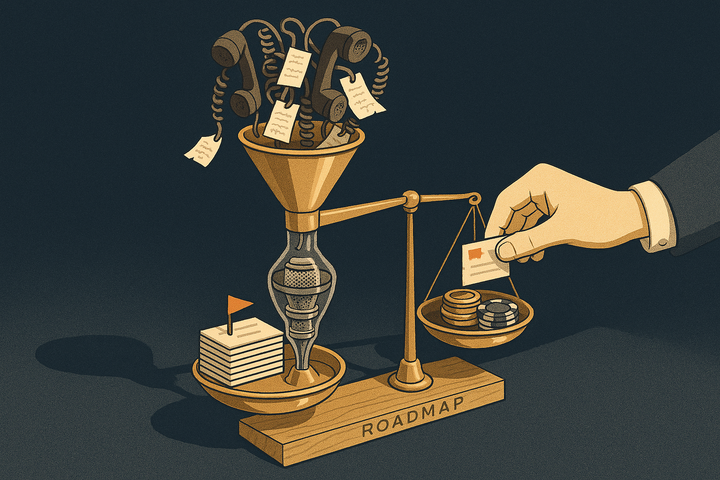
This breeds a dangerous failure mode: PMs make roadmap calls based on the loudest voice or the most recent complaint. But research shows only about 1 in 26 unhappy customers complain directly — the rest churn silently. The loudest voices are rarely representative.
The goal of this guide is not to build another dumping ground. It's to build a single source of truth that is genuinely actionable — tied to themes, accounts, and revenue, and connected to the artifacts your team ships.
Why Feedback Consolidation Matters for B2B Product Teams
Feedback consolidation matters because B2B product decisions must be weighted by account value, not raw mention count. A single enterprise account asking for a feature can outweigh fifty SMB requests — but you can only see that when feedback is consolidated with account context.
Here's what consolidation unlocks for product teams:
- Account-level view: Tie every piece of feedback to a specific account, its ARR, and its segment. ARR-weighted prioritization is impossible without it.
- Pattern recognition: Themes only emerge when feedback from all channels sits together. A request mentioned once in a survey, twice in Slack, and three times on sales calls is a clear pattern — but only if those sources are unified.
- Feedback loop closure: Knowing exactly who said what lets you follow up when a feature ships. This is a distinct retention lever — and a 5% increase in retention can lift profits by 25–95%.
- Cross-team alignment: When product, support, sales, and CS work from the same evidence, internal debate shrinks. "I think customers want X" becomes "14 accounts representing $480K ARR requested X last quarter."
- Faster, evidence-based prioritization: Replace gut feel with weighted, sourced demand.
Given that acquiring a new customer costs 5–25x more than retaining an existing one, feedback-driven retention is one of the highest-ROI activities a product team can invest in.
The 5-Step Framework to Consolidate Customer Feedback
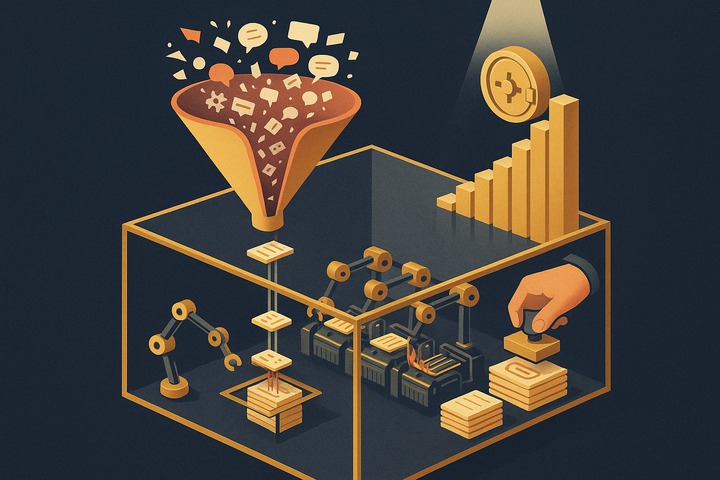
The proven framework for consolidating customer feedback has five steps: inventory, centralize, normalize, analyze, and route. Each step builds on the last, turning scattered signal into a pipeline that runs continuously.
- Step 1 — Inventory your channels: List every place feedback lives — Slack, Zendesk, Intercom, surveys/NPS, sales and CS calls, reviews, email. Note volume and ownership for each.
- Step 2 — Centralize via integrations: Route all sources into one hub. Prefer automated integrations over manual copy-paste to avoid drift and gaps.
- Step 3 — Normalize and tag: Standardize fields (account, segment, sentiment, theme, request type) and apply consistent tagging — manual or AI-assisted.
- Step 4 — Analyze themes: Cluster feedback into themes, quantify frequency and revenue impact, and surface trends over time.
- Step 5 — Route to action: Convert insights into PRDs, Jira tickets, and roadmap items — then trigger loop-closure communications back to customers.
The rest of this guide breaks down each step in depth.
Step 1 in Depth: Mapping Where Your Feedback Lives
Before buying any tool, audit every channel that carries feedback — most teams underestimate how many there are and overestimate how much is actually logged.
Split your sources into two buckets:
Internal sources
- Slack channels (
#customer-feedback, deal rooms, escalation channels) - Sales and CS calls (Zoom, Gong, Meet recordings)
- Internal QBRs and account reviews
External sources
- Support tickets (Zendesk, Intercom)
- Surveys and NPS responses
- In-app feedback widgets
- G2 and app store reviews
Create a simple audit table with five columns: source, owner, volume, current process, and where it ends up today. This exposes your biggest leaks — and they're almost always the same ones.
The hardest signal to capture is conversational: sales call objections, CS escalations on Zoom, and async Slack threads. Whatever solution you choose must capture these, or you're consolidating only the easy 40%.
Verbal feedback on calls and Slack discussions hold the richest signal in B2B — and they're the most frequently lost because they're never written down. Mark these as priority-one in your audit.
Step 2 in Depth: Centralizing Through Integrations
Integrations beat manual entry every time because they capture feedback in real time, eliminate the human bottleneck, and guarantee full coverage. The moment consolidation depends on someone remembering to copy-paste, your single source of truth becomes a partial, stale one.
Prioritize these connections first:
- Slack — to capture async feedback and internal escalations
- Zendesk and Intercom — for support tickets and chat conversations
- HubSpot and Salesforce — for account and ARR context
- Survey tools — for NPS and structured survey data
- Call recordings (Zoom, Gong) — the richest, most overlooked source
Capturing conversations is the hardest part of consolidation. Call recordings and Slack threads carry the deepest qualitative signal, yet text-only consolidation tools miss the majority of it. This is where a unified platform earns its keep.
BuildBetter offers 100+ integrations that automatically pull Slack, support tickets, surveys, and call recordings into one place — including Zoom, Slack, Jira, Salesforce, Zendesk, HubSpot, and Intercom. Because it captures both internal conversations and external feedback together, you get the full picture rather than the easy 40%. Continuous sync means your repository stays current without anyone lifting a finger.
Step 3 in Depth: Normalizing and Tagging Feedback
Normalization means applying a consistent taxonomy to every piece of feedback so it can be rolled up into themes. Without standard fields, you have a pile of unstructured text, not a source of truth.
A practical B2B feedback taxonomy spans:
- Theme (e.g., onboarding friction, reporting gaps)
- Feature area (which part of the product)
- Request type (bug / feature / UX / pricing)
- Sentiment (positive / neutral / negative)
- Account and segment (enterprise vs SMB)
Manual tagging vs AI auto-tagging
Manual tagging is accurate but slow and inconsistent across contributors. AI auto-tagging — theme and sentiment classification — has become the default expectation in 2026, replacing the hours of manual triage that product ops teams used to absorb every week.
Keep your taxonomy small and stable. The most common consolidation failure isn't too little tagging — it's tag sprawl that makes themes impossible to roll up.
BuildBetter auto-tags themes and sentiment across every source and applies your product taxonomy with four hierarchy levels — so you skip the manual triage entirely. Crucially, it analyzes each piece of feedback individually for severity and business impact using full conversation context, rather than vector-search keyword matching, which keeps your themes precise instead of noisy.
Step 4 in Depth: Finding Themes That Drive Decisions
Theme analysis is the step that turns individual quotes into weighted, defensible priorities. The goal is to move from "a customer complained about exports" to "export limitations were mentioned by 22 accounts representing $610K ARR, trending up 40% this quarter."
Strong theme analysis includes:
- Count mentions and attach ARR data so frequency reflects revenue, not just volume.
- Surface trends over time — is a theme accelerating or fading?
- Segment the analysis — enterprise pain points often differ sharply from SMB ones.
- Keep verbatim quotes attached to every theme.
Always keep verbatim quotes attached to themes. Stakeholders trust "here's exactly what the customer said" far more than an aggregate count — and quotes survive internal debate.
The output of this step is a prioritized, sourced backlog. Each item carries the count, the affected accounts, the revenue at stake, and the customer's own words. That combination is what converts skeptics in a roadmap review and replaces opinion with evidence.
Step 5 in Depth: Routing Insights to Action
Consolidation only pays off when insights become artifacts your team ships. A beautiful dashboard that no one opens delivers zero value — the final step is turning themes into PRDs, tickets, and roadmap entries with clear ownership.
Effective routing looks like this:
- Turn themes into artifacts: PRDs, Jira or Linear tickets, and roadmap items — each linked back to the evidence that justified it.
- Close the loop: Notify the customers who asked for a feature when it ships, and update internal stakeholders. This is the retention lever most teams skip.
- Assign ownership: Every insight needs a name attached, or it dies quietly in the backlog.
BuildBetter auto-delivers structured artifacts — PRDs, Jira and Linear tickets, summaries, and loop-closure communications — directly from your consolidated feedback. Its Tracked Objects link commitments, requests, and problems to the underlying evidence and automatically close the loop when you ship, notifying the customers who originally asked. This is the difference between a feedback repository and a feedback engine: it ships deliverables, not dashboards no one opens.
3 Approaches to Consolidating Feedback (Honest Comparison)
There are three broad approaches to feedback consolidation, each with real tradeoffs. Choosing well depends on your volume, your source mix, and whether you need action artifacts at the end.
Manual approach
Spreadsheets or Notion databases. Cheap and flexible, but high-effort, error-prone, and dependent on humans remembering to log everything. It doesn't scale and it can't capture conversational feedback.
Point tools
Specialized tools that each own a lane — prioritization, research repositories, support, or feedback analytics. Strong within their lane, but they require stitching together, and most still miss calls and Slack.
Unified platforms
Platforms that capture all sources — including conversations — and action them end-to-end, from raw feedback to shipped artifact.
| Criteria | Unified Platform (BuildBetter) | Manual (Spreadsheets/Notion) | Point Tools |
|---|---|---|---|
| Setup effort | Days — connect sources, define taxonomy | Ongoing, never "done" | Moderate per tool, plus integration glue |
| Source coverage (calls/Slack/support/surveys) | All four, automatically | Text only; calls/Slack usually lost | Varies; most miss calls and Slack |
| AI auto-tagging | Yes — theme, sentiment, severity, impact | Manual, inconsistent | Some, lane-specific |
| Action / artifact output | PRDs, tickets, loop-closure emails | None — manual export | Tickets or research notes only |
| Scalability | High — continuous sync | Low — breaks with volume | Medium — depends on stack |
| Cost model | Usage-based, unlimited seats | Low cash cost, high labor cost | Per-seat per tool, adds up |
BuildBetter sits squarely in the unified category — and uniquely combines internal voice (calls, Slack) with external feedback (tickets, surveys, reviews), then outputs action items. With usage-based pricing and unlimited seats, the whole org can work from the same evidence without per-seat penalties.
Choosing the Right Approach for Your Team
The right approach depends on where your feedback actually lives and who needs to act on it. Be honest about both before you commit.
- Early stage / low volume: A spreadsheet or lightweight Notion repo is a reasonable start. Don't over-engineer when you have two channels and ten customers.
- Multiple channels, growing volume: Once feedback spans Slack, support, surveys, and calls, manual effort and coverage gaps overwhelm the savings. Invest in integrations and a unified platform.
Use these decision criteria:
- Number of sources — more than three is a strong signal to automate.
- Do calls and Slack matter? If your richest signal is conversational, text-only tools won't cut it.
- Need for action artifacts — if you want PRDs and tickets, not just a repository, prioritize a platform that ships them.
- Security needs — for enterprise B2B, verify SOC 2 Type II, HIPAA, and GDPR compliance. BuildBetter is SOC 2 Type II, HIPAA, and GDPR compliant and penetration tested.
Frequently Asked Questions
What's the best way to consolidate customer feedback from multiple channels?
Follow a five-step process: inventory every channel where feedback lives, centralize sources through automated integrations (not copy-paste), normalize and tag feedback against a consistent taxonomy, analyze it into weighted themes tied to accounts and ARR, then route those insights into PRDs, tickets, and loop-closure communications. Unified platforms automate this end-to-end so the pipeline runs continuously rather than as a manual quarterly cleanup.
How do I consolidate Slack feedback with support tickets and surveys?
Connect each source via native integrations into a single hub rather than manually copying messages. Slack feedback often lives in channels like #customer-feedback or deal rooms; support feedback in Zendesk or Intercom; survey signal in NPS tools. Platforms with broad integration libraries — BuildBetter offers 100+ integrations — can pull all three plus call recordings into one place automatically and auto-tag them by theme and sentiment.
Can I consolidate customer feedback with spreadsheets?
Yes, for early-stage teams with low volume and few channels, a spreadsheet or Notion database is a reasonable start. But it breaks down quickly: it depends on humans remembering to log everything (so coverage suffers), tagging gets inconsistent across contributors, and it can't capture conversational feedback from calls or Slack. Once you have multiple channels and growing volume, the manual effort and gaps outweigh the cost savings.
How is feedback consolidation different from a tool like Jira or Zendesk?
Jira manages engineering issues and Zendesk manages support tickets — both are systems of record for work, not aggregation layers for raw multi-channel feedback. They don't pull in Slack, surveys, sales calls, and reviews and cluster them into weighted themes. You need a dedicated consolidation layer that sits on top of these tools, synthesizes signal across all of them, and then routes structured insights back into Jira or your roadmap.
How long does it take to set up a consolidated feedback workflow?
Manual setups are never truly "done" — they require ongoing effort to maintain. Integration-based platforms can typically be live within days: you connect your sources (Slack, Zendesk/Intercom, surveys, call recordings, CRM), define a lightweight taxonomy, and the system begins auto-capturing and tagging continuously. The bulk of the time is deciding on your taxonomy and channel priorities, not technical setup.
Key Takeaways
Scattered feedback quietly costs B2B product teams insight, speed, and retention — and the loudest voices you hear are rarely representative of the customers churning in silence.
- Follow the 5-step framework: inventory your channels, centralize through integrations, normalize and tag, analyze into weighted themes, and route to action.
- Capture conversations, not just text. The richest B2B signal lives in calls and Slack — if your solution misses these, you're consolidating only the easy 40%.
- Weight by ARR, not mention count. Account-level context is what makes B2B prioritization defensible.
- Close the loop. Telling customers when their request ships is one of the highest-ROI retention moves available.
- Match the approach to your reality — manual for early stage, unified platforms once your channels and volume grow.
For full coverage of calls, Slack, support, and surveys — with AI auto-tagging and action-ready artifacts — a unified platform like BuildBetter handles consolidation end-to-end, combining internal and external data sources in a way no point tool can.
Make Churn Optional
Stop making roadmap calls from the loudest voice. BuildBetter consolidates every call, ticket, Slack thread, and survey into one actionable source of truth — then ships the PRDs, tickets, and customer follow-ups that close the loop. Trusted by Clay, Brex, WordPress, PostHog, Zoom, and 30,000+ teams.