10-Day Customer-Led Sprint: Steps, Template & Example 2027
Run a 10-day customer-led sprint that ends when the loop closes, not when code merges. Day-by-day steps, sprint board template, and a full worked example.
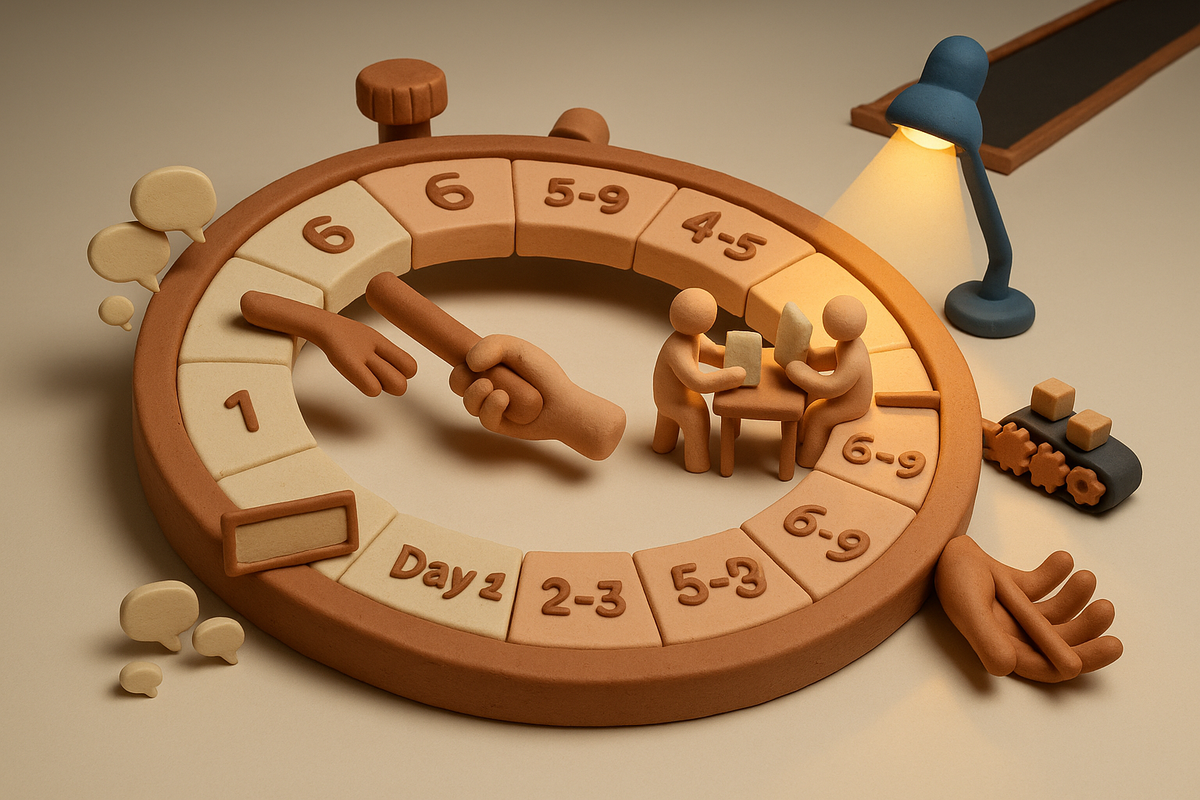
Your team ships every two weeks. Velocity looks healthy. But if someone asks which customer a given feature was for, nobody can say. The cause is simple: a traditional sprint ends when the code merges. Merged code hasn't delivered anything yet. The customer doesn't have the feature until they know about it, and doesn't get value until they use it. This guide from the BuildBetter team gives you a day-by-day 10-day sprint you can start today with a spreadsheet and no budget. It includes a fully worked example, the mistakes that break the process, and a candid note on when the manual version stops working.
What Is a Customer-Led Sprint?
A customer-led sprint (CLD sprint) is a 10-working-day cycle that starts with named customer problems and ends only when the customers who asked confirm the shipped work solves their problem. It does not end when code merges.
The sprint has five phases, run in this order:
- Day 1: Customer Signal Review. Turn recent customer inputs into a ranked list of problems, each with a requester's name attached.
- Days 2-3: Rapid Prototyping. Build interactive prototypes for the top 2-3 problems.
- Days 4-5: Customer Validation. Put the prototypes in front of the customers who asked.
- Days 6-9: Build & Ship. Build only what passed validation, then release it to the requesters first.
- Day 10: Close the Loop. Contact each requester personally and ask whether you got it right.
Every phase is required. If you skip validation, you build the wrong thing. If you skip the requesters-first release, you lose your early warning. If you skip loop closure, you can't tell whether any of the work mattered.
The success metric is loops closed, not story points. A loop counts as closed when the requesters confirm the work solved their problem, or tell you specifically what you missed. Both outcomes count, because both give you something to act on.
| Dimension | Traditional sprint | Customer-led sprint |
|---|---|---|
| Starts with | Roadmap / backlog | Customer signal |
| Ends when | Code merges | Loop closes |
| Success measure | Velocity | Customer validation |
| Planning unit | Stories | Customer commitments |
| Standup focus | Work | Customers |
| Release | General availability | Requesters first |
The closest relative is the Google Ventures Design Sprint. That format runs five days and ends with tests by five customers. A GV sprint ends at learning. A CLD sprint keeps going through build, release, and confirmation, so it ends at confirmed value.
Why Customer-Led Sprints Are Hard (and What Breaks)
Most teams already talk to customers. The breakdown happens in the handoffs between conversation, decision, release, and follow-up. These are the common failure points:
- Requests lose their names. “Acme's admin asked in February” turns into “users want PDF export,” and after that nobody knows whom to validate with or whom to notify.
- Sales promises and the roadmap live in different places. Nobody can say which promises are still open, which are late, and which already shipped without anyone telling the customer.
- Teams prototype on paper. Wireframes and specs get polite nods instead of real reactions, so bad ideas make it into engineering.
- Validation calls turn into demos. The PM talks, the customer agrees, and the team learns nothing.
- Everything ships to everyone at once. In May 2024, Sonos replaced its app for every customer at the same moment, and the new version was missing features people relied on. In August, the company cut its fiscal 2024 guidance and estimated $20-30 million in costs to fix the app. By October it had restored more than 80% of the missing features and published seven commitments, including longer betas and gradual releases. The CEO stepped down in January 2025. A staged rollout would have caught the problem with a small cohort.
- Loop closure becomes a release note. A mailing-list blast tells everyone something shipped. It tells no individual customer that you heard them.
- Contact info is missing. You can't close a loop with someone you can't reach. Day 10 is too late to discover that.
The Method: How to Run a 10-Day Customer-Led Sprint, Day by Day
This framework comes from Chapter 13 of Customer-Led Development: How to Build What Your Customers Want When AI Can Build Anything by Spencer Shulem. All of it runs on three things: a shared spreadsheet, a video-call tool with screen sharing, and email.
Before Day 1: set up your first sprint
- Pick 5 customer requests with names attached. Five, not fifty.
- Get contact info for every requester. Confirm each person is reachable now.
- Assign a PM to own validation for each request.
- Block calendar time on Days 4-5 for validation calls before the sprint starts.
- Name who will close each loop on Day 10.
Day 1: Customer Signal Review (2-3 hours)
The Day 1 review replaces the sprint planning kickoff. The opening question changes from “what's on the roadmap?” to “what are customers telling us?”
- What you do: Review every customer input since the last sprint, including calls, tickets, requests, and feedback. Rank problems by specific customer impact, not by volume alone. Match each sales promise to its current roadmap status.
- Outputs: A ranked list of problems with names attached, a status update on every open promise, any flagged patterns, and the sprint priorities.
- Who: A Product Ops lead or “Customer Truth Owner” runs the review. PMs set priorities, and the engineering lead weighs in on feasibility. CS and sales leads are optional.
- Manual version: A spreadsheet with these columns: Customer, Contact, Verbatim quote, Source/date, Promise made? (Y/N), Status. This sheet doubles as your promise-to-delivery tracker.
Sprint planning with names
Planning follows five steps:
- Review the Day 1 signal.
- Identify the customers you'll address.
- Assign validation owners.
- Plan the prototype scope.
- Identify who closes each loop.
The entry rule is strict. Every item needs customer names, direct quotes, a validation plan, and a loop-closure owner. A story without customer names isn't ready for sprint planning.
Days 2-3: Rapid Prototyping (1-2 days of focused work)
Build functional prototypes for the top 2-3 problems only. Where it helps, show more than one option: “here are three ways we could solve this.” Customers react to choices more honestly than to a single option you're plainly attached to.
- Build demos people can click through. Static wireframes don't get real reactions.
- Tag every prototype with the customers who requested it.
- Who: Full-stack PMs, prototype engineers, and designers when the interface is complex.
The bar for “ready” is low on purpose. If a customer can see it and react to it, it's ready. Drew Houston validated Dropbox with a screencast and a landing page before a public product existed. A second video in March 2008 grew the beta waiting list from about 5,000 to about 75,000 in one day. The prototype's fidelity should match the question you're asking, not the finished product.
Days 4-5: Customer Validation (4-8 calls, 30-60 minutes each)
Share prototypes directly with the named customers, capture their feedback live, and adjust during the call if you can. Ask the same four questions every time:
- “Does this solve the problem you described?”
- “When would you have used this last week?”
- “What's missing?”
- “What would you change?”
The second question matters most. It ties the answer to past behavior instead of future intent, which is the core principle of Rob Fitzpatrick's The Mom Test. Compliments and promises about the future are unreliable. Concrete past occasions are not.
- Outputs: A validation report marking each prototype passed or failed, supporting customer quotes, refined requirements, and a clear build scope.
- Who: PMs run the calls, prototype engineers adjust on the fly, and loop closers track follow-ups.
Hard rule: if it doesn't validate, it doesn't get built. There is one exception, covered in Chapter 14 of the book. When an ask is concrete and cheap, shipping it to the requesters can be the test.
Four to eight calls is enough signal for this purpose. Jakob Nielsen's research found that five users surface roughly 85% of usability problems in a design. That finding covers usability, not market demand. Still, it supports the point that a handful of focused sessions with the right people beats a large sample of the wrong ones.
Days 6-9: Build & Ship
Build validated solutions only, and keep your normal quality and compliance standards. Validation tells you what to build. It doesn't give you permission to build it carelessly.
- Deploy to requesting customers first, before general availability. Most teams skip this step. Use a feature flag keyed on account ID. If you don't have a flag service, a manual allowlist of account IDs in config does the same job.
- Measure the requesters' actual usage against what you expected, and check that the implementation matches the prototype they approved.
- Who: Engineering builds, PMs verify requirements, and QA checks quality.
Day 10: Close the Loop
Personally notify every requesting customer and ask: “We built this for you. Did we get it right?” Record a yes or no answer plus a comment. Then update the promise-to-delivery tracker and carry what you learned into the next Day 1.
Loop closers own this step. PMs handle high-value accounts, and automation helps once volume grows. Here is a template adapted from the book:
Hi Sarah. You asked us in February for a way to export reports to PDF. We just shipped it. Here's how to use it: [link]. Let me know if this solves your problem or if we missed something.
Each message takes about five minutes. That is a small cost for knowing whether two weeks of work did anything for the person who asked.
The daily CLD standup (15 minutes)
Replace “yesterday / today / blockers” with four prompts:
- What promises did we capture yesterday?
- What are we validating today?
- Who are we closing the loop with?
- What's our promise-to-delivery status?
Use one test: every sentence should include a customer's name. If an update doesn't, push for one.
Template: the CLD sprint board
Copy this into a shared sheet:
| Customer | Problem | Customer quote | Validation owner | Build status | Loop closer | Confirmed? (Y/N) |
|---|---|---|---|---|---|---|
| Acme Corp | PDF export of reports | “I screenshot reports and paste them into decks every Monday.” | J. Park (PM) | Validating | R. Alvarez (CS) | — |
| TechCo | Slack integration for alerts | “Nobody on my team checks email for this.” | M. Chen (PM) | Prototyping | R. Alvarez (CS) | — |
| BigBrand | Dashboard load time | “It takes 40 seconds to load before our exec review.” | J. Park (PM) | Building | S. Okafor (AM) | — |
Any row with an empty loop-closer cell is not ready for the sprint.
The sprint at a glance
| Phase | Days | Time box | Key output | Owner |
|---|---|---|---|---|
| Customer Signal Review | 1 | 2-3 hours | Ranked problems with names; promise status | Product Ops / Customer Truth Owner |
| Rapid Prototyping | 2-3 | 1-2 days | Interactive prototypes tagged to requesters | PMs, prototype engineers, designers |
| Customer Validation | 4-5 | 4-8 calls, 30-60 min | Pass/fail report, quotes, build scope | PMs |
| Build & Ship | 6-9 | 4 days | Validated work live for requesters | Engineering, QA |
| Close the Loop | 10 | ~5 min per customer | Yes/no confirmation per requester | Loop closers |
Worked Example: One Team's 10-Day Customer-Led Sprint
This is an illustrative, fictional example. Ledgerline is a 6-person squad that builds a B2B invoicing product. It is running its first CLD sprint using only a shared spreadsheet.
Before Day 1
The team has about 40 open requests. It picks 5 that have named requesters and verified contacts:
- Northwind Logistics: PDF export of aging reports.
- Pinecrest Dental Group: bulk-edit for invoice due dates.
- Corbel Manufacturing: alerts for QuickBooks sync errors.
- Velo Analytics: dark mode.
- Tallis Health: approval routing for invoices over a set amount, which sales promised in Q2.
Day 1 (2.5 hours)
The team ranks by named impact, not by how many people asked.
- #1 Tallis Health. This is an open sales promise, and it is blocking their renewal conversation.
- #2 Corbel. Silent sync failures cost their finance team a manual reconciliation every week. Their controller said: “We find out a sync failed when the books don't tie on Friday afternoon.”
- #3 Pinecrest.
- Deferred: Velo's dark mode. The recorded reason is one requester and no workflow pain cited.
- Flagged: Northwind's PDF export. Two other accounts mentioned it in support tickets. The team pulls it in as a cheap “shipping is the test” item.
Days 2-3
The team builds prototypes for the top three requests and tags each one with its requester on the board:
- Two approval-routing variants for Tallis: a threshold rule and a named-approver chain.
- A clickable alert banner plus an email digest for Corbel.
- A bulk-edit table for Pinecrest.
Days 4-5
The team runs six validation calls, two each at Tallis, Corbel, and Pinecrest, using the four questions on every call.
- Tallis picks the threshold rule. One comment rules out the approver chain: “We'd never maintain a list of names.”
- Corbel says the email digest would be ignored: “Email is where alerts go to die. Put it in the app and in our finance Slack channel.” The scope changes to an in-app banner plus a Slack message.
- Pinecrest answers “When would you have used this last week?” with: “We wouldn't. We change dates maybe twice a quarter.” The prototype fails validation and the team kills it. They record the decision on the board and tell Pinecrest why.
Days 6-9
Engineering builds threshold approval routing, Corbel's banner-plus-Slack alert, and PDF export. Each one ships behind a flag to its requesters only: Tallis, Corbel, Northwind, and the two ticket accounts. The Day 9 usage check shows:
- Tallis has created 2 approval rules.
- Corbel has triggered one real alert.
- Northwind hasn't logged in yet, so the team schedules a call.
Day 10
The team sends personal messages to all five requesting accounts, including a “we didn't build it, and here's why” note to Pinecrest. The responses:
- Tallis: yes.
- Corbel: yes, with one missing field noted (the invoice ID in the Slack message).
- Northwind: yes, after the call.
- Ticket account #1: yes. Ticket account #2: no reply yet.
Scorecard: 4 loops confirmed, 1 “missed something” item for the next Day 1, 1 idea killed before engineering spent days on it, and 1 request deferred with a recorded reason.
| Customer | Problem | Customer quote | Validation owner | Build status | Loop closer | Confirmed? (Y/N) |
|---|---|---|---|---|---|---|
| Tallis Health | Approval routing over threshold | “We'd never maintain a list of names.” | Priya (PM) | Shipped to requesters (flag) | Dana (CS) | Y |
| Corbel Manufacturing | QuickBooks sync error alerts | “Email is where alerts go to die.” | Marcus (PM) | Shipped to requesters (flag) | Dana (CS) | Y (missing invoice ID → next Day 1) |
| Northwind Logistics | PDF export of aging reports | “I rebuild this report in Excel for our CFO.” | Marcus (PM) | Shipped as test (flag) | Leo (AM) | Y (after call) |
| Ticket account #1 | PDF export | From support ticket | Marcus (PM) | Shipped as test (flag) | Leo (AM) | Y |
| Ticket account #2 | PDF export | From support ticket | Marcus (PM) | Shipped as test (flag) | Leo (AM) | Pending |
| Pinecrest Dental Group | Bulk-edit due dates | “We change dates maybe twice a quarter.” | Priya (PM) | Killed Day 5 | Dana (CS) | N/A (told why) |
| Velo Analytics | Dark mode | One requester, no workflow pain cited | — | Deferred | Dana (CS) | N/A |
Takeaway: The most valuable decision in this sprint was the kill on Day 5. None of the shipped features saved as much time as not building the one nobody would use.
Common Mistakes That Break a Customer-Led Sprint
Most CLD sprints fail because of discipline, not because of process design. Watch for these:
- Skipping validation because “we know what customers want.” The features you're most confident about are often the ones you're most wrong about. In Microsoft's controlled experiments, roughly one-third of ideas improved the target metric, one-third had no effect, and one-third made things worse (Kohavi et al., 2009). Validate through calls, or by shipping to requesters when the ask is concrete and cheap.
- Generic loop closure. A changelog entry is not a closed loop. Name the person, the request, and the date they asked.
- Too many items. Run 5 requests in the first sprint, not 25. Learn the process before you scale it.
- No contact info. Verify that every requester is reachable before sprint planning.
- Validation calls that turn into demos. Ask the four questions and listen more than you talk. Score a polite “looks great” as a fail unless the customer can name when they'd have used it last week.
- Shipping to everyone at once. This skips the requesters-first release and removes your early warning. The Sonos case shows what that can cost.
- Treating the Chapter 14 exception as a loophole. “Shipping is the test” applies to concrete, cheap asks. It does not cover big bets you'd rather not validate.
- Lowering the quality bar because something validated.
- Counting features shipped. Track loops closed and the percentage of requesters who confirmed value instead.
Some of these problems can't be solved with software. No tool, including BuildBetter, will stop a PM from demoing on a validation call, make leadership respect a kill decision, or get engineering to honor a requesters-first rollout. Those take discipline and management attention.
When You Need Tooling (and Which Tools)
The manual sprint works well for one team with a manageable flow of requests. These signs mean it has stopped working:
- Day 1 runs past its 2-3 hour time box because someone has to re-read tickets or re-listen to calls to find out who asked for what.
- The evidence sits in hundreds of call recordings nobody re-watches, so the “names attached” column goes stale.
- Several squads run sprints in parallel, and promises get counted twice or lost.
- Loop-closure emails pile up faster than one person can personalize them at about five minutes each.
If none of these apply, stay manual. Adding a tool too early creates overhead without giving you better information.
1. BuildBetter — Best for teams whose customer evidence lives in conversations
BuildBetter records calls and pulls in Slack threads, tickets, surveys, and feedback through 100+ integrations, including Zoom, Slack, Jira, Salesforce, Zendesk, HubSpot, and Intercom. For the Day 1 review, it surfaces named customer evidence along with severity and business impact. For Day 10, it drafts working documents: PRDs, Jira and Linear tickets, and loop-closure emails. Pricing is usage-based with unlimited seats, and the platform is SOC 2 Type II and HIPAA-ready. Caveat: it is not an enterprise survey-distribution platform, and specialist research repositories have more mature features for things like highlight reels.
2. A shared spreadsheet
Free and the fastest way to start. It fits one team running its first sprints. It breaks down once someone has to paste evidence in by hand from many sources.
3. Airtable
Airtable gives you linked records for customers, requests, prototypes, and loops, plus board views for the sprint. It suits a team that has outgrown a sheet but wants structure without heavy setup. It doesn't record or summarize calls, so someone still has to enter the evidence.
4. Coda
Coda keeps docs and tables together, so the sprint board, validation notes, and loop-closure templates live in one place. It suits teams that already run their meetings in docs. Like Airtable, it requires manual evidence entry.
Whatever you choose, the method also needs a video-call tool with screen sharing for validation, a feature-flag service (or an allowlist) for requesters-first deploys, and a product-analytics tool to check how requesters are using what you shipped.
FAQ: Customer-Led Sprints
How long is a customer-led sprint?
Ten working days (two weeks), in five phases: Day 1 signal review, Days 2-3 prototyping, Days 4-5 validation, Days 6-9 build and ship, and Day 10 close the loop.
When does a customer-led sprint end?
It ends when the loop closes. That means every customer who requested the work has been personally notified and asked whether it solved their problem. It does not end when code merges.
How many customer calls does validation need?
Plan 4-8 validation calls of 30-60 minutes across Days 4-5. In your first sprint, validate with at least 3 customers. Usability research suggests a handful of sessions surfaces most major issues.
What happens if a prototype fails validation?
It doesn't get built. Record the decision on the sprint board and tell the requester why. The only exception is a concrete, cheap request where shipping to the requesters is itself the test.
What's different about the daily standup?
It asks four things: which promises were captured, what's being validated, who you're closing the loop with, and the promise-to-delivery status. Every update names a customer, and the meeting stays at 15 minutes.
Can you run a customer-led sprint without special software?
Yes. A first sprint needs only a shared spreadsheet with customer names, quotes, owners, and loop closers, plus a video-call tool and email. Tooling becomes useful once customer evidence spans more calls and tickets than one person can review in the 2-3 hour Day 1 window.
Sources and Further Reading
- Shulem, Spencer. Customer-Led Development: How to Build What Your Customers Want When AI Can Build Anything. Chapter 13, “The sprint,” and Chapter 14 on shipping as research.
- Fitzpatrick, Rob. The Mom Test (2013).
- Kohavi, R., Crook, T., Longbotham, R., et al. “Online Experimentation at Microsoft” (2009); Kohavi, Tang & Xu, Trustworthy Online Controlled Experiments (Cambridge University Press, 2020).
- Nielsen, Jakob. “Why You Only Need to Test with 5 Users,” Nielsen Norman Group (2000).
- Ries, Eric. The Lean Startup (2011).
- Scrum (software development), Wikipedia: background on the traditional sprint model.
- Feature toggle, Wikipedia: how requesters-first deploys work technically.
- Dropbox, Wikipedia: background for the screencast-as-prototype example.
- Sonos, Wikipedia: background for the 2024 app rollout.
- BuildBetter: for teams past the manual threshold.
Run Your Next Sprint With Names Attached
Start the next sprint with a spreadsheet and five named requests. When Day 1 starts taking longer than its time box and the names in your board go stale, BuildBetter can surface every customer's evidence from calls, tickets, and Slack, then draft the PRDs, tickets, and loop-closure emails that finish the sprint.
Make churn optional. Book a demo.
Further reading: Customer-Led Development
The method on this page comes from Customer-Led Development: How to Build What Your Customers Want When AI Can Build Anything by Spencer Shulem, BuildBetter's founder, drawn from more than 2,000 conversations with product leaders. It lays out the full system: how customer truth flows through a company, how every feature traces to a named customer, and how loops get closed.
Start with the overview: What is customer-led development?