How to Use Claude Code for Customer Research in 2026 (With Examples)
Learn how to set up Claude Code with BuildBetter's MCP server to run customer research in minutes, not days. Includes 10 ready-to-use prompts, a real feature-validation walkthrough, and best practices for evidence-backed synthesis.
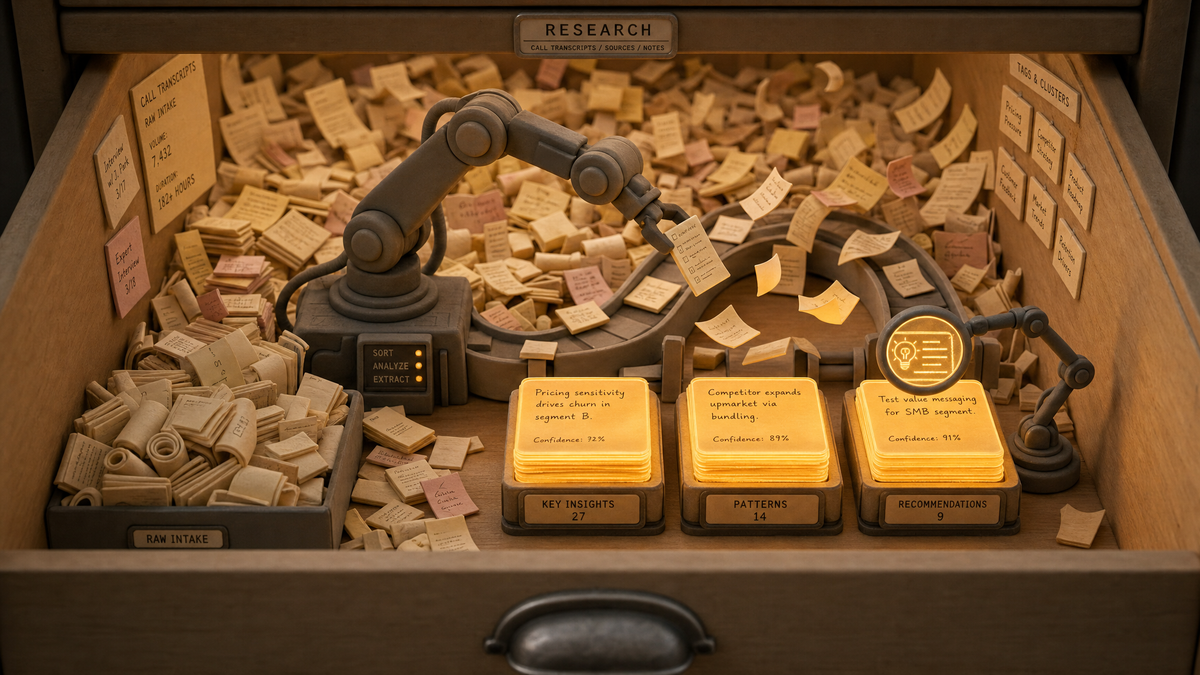
Customer research in 2026 looks nothing like it did two years ago. Instead of opening five dashboards, exporting CSVs, and spending three days synthesizing notes, product teams are typing a single prompt into Claude Code and getting structured insights backed by verbatim customer quotes in minutes. The unlock: Anthropic's Claude Code paired with BuildBetter's MCP server, which gives Claude direct, secure access to every call, ticket, and conversation in your customer evidence base. BuildBetter's open-source BB-Skills and MCP integration turn Claude Code into the fastest customer research environment available to B2B product teams.
This guide walks through exactly how to set it up, ten ready-to-use prompts, a real-world feature validation example, best practices, and answers to the most common questions PMs and researchers ask before adopting this workflow.
Why Claude Code Is a Game-Changer for Customer Research in 2026
Claude Code eliminates the single biggest bottleneck in product research: data aggregation. According to User Interviews' State of User Research and corroborating Nielsen Norman Group studies, product and UX researchers spend 60–70% of their time aggregating data and only 30–40% actually analyzing it. Claude Code's agentic capabilities flip that ratio by letting you query unstructured customer data conversationally — no exports, no pivot tables, no copy-paste.
The shift is from dashboard-based research to prompt-based research. Traditional tools — Notion docs, spreadsheets, BI dashboards — are great at displaying data you already understand, but they fall short for synthesis across hundreds of unstructured calls and tickets. They require you to know what you're looking for before you start.
Claude Code inverts this. You ask open-ended questions and the agent traverses your customer evidence to surface patterns, quotes, and contradictions. The connective tissue making this possible is the Model Context Protocol (MCP) — an open standard introduced by Anthropic in November 2024 that lets AI models securely connect to external data sources. By Q1 2026, more than 15,000 public MCP servers exist, and adoption spans OpenAI, Google DeepMind, and Microsoft. MCP is now the de facto interoperability layer for agentic AI, and it's how Claude Code reaches your customer data.
Productboard's 2026 State of Product Management report shows 73% of B2B product teams now use at least one AI tool in customer research, up from 34% in 2024. Teams using AI-powered synthesis report 80–95% cycle-time reductions on discovery projects (Reforge, Mind the Product 2025). The compounding advantage is real — and it starts with the right data layer.
What You Need: Claude Code + BuildBetter's MCP Server
To run modern customer research with Claude Code, you need two components: the agent itself and a connector to your customer data. Claude Code is Anthropic's agentic terminal-based environment, originally built for coding but increasingly used for research, document generation, and data analysis. It supports persistent project context via CLAUDE.md files, sub-agents, and both stdio and HTTP MCP transports.
The Model Context Protocol is the second component. Often described as "USB-C for AI," MCP standardizes how AI models connect to external tools and data. Without an MCP server, Claude Code has no idea what your customers said last week.
BuildBetter's MCP Server: Purpose-Built for B2B Product Teams
BuildBetter's MCP server connects Claude Code to a unified, pre-indexed view of every customer conversation in your business — sales calls, support tickets, CSM check-ins, Slack threads, and survey responses. Unlike generic enterprise search tools that rely on vector keyword matching, BuildBetter analyzes every conversation individually for severity, business impact, sentiment, and your taxonomy — so Claude Code receives structured, contextualized signals, not raw transcripts.
Supported sources in 2026 include Gong, Chorus, Zoom, Google Meet, Microsoft Teams, Fathom, Granola, Otter, Intercom, Zendesk, Front, HubSpot, Salesforce, Pipedrive, Slack, Linear, Jira, Productboard, plus CSV and Notion imports. Critically, BuildBetter links every AI-generated quote back to the source recording timestamp — making every output auditable, which is non-negotiable for research integrity.
Setting Up Claude Code with BuildBetter's MCP Server (Step-by-Step)
Setup takes about 15 minutes and requires no engineering work beyond editing a JSON config file.
Step 1: Install Claude Code
Download Claude Code from Anthropic's official site. Authenticate with your Claude Pro, Team, or Enterprise account, or configure an API key.
Step 2: Get Your BuildBetter MCP Credentials
Inside BuildBetter, navigate to Workspace Settings → Integrations → MCP Server. Generate a scoped read-only token. BuildBetter recommends read-only scopes for research workflows to honor the principle of least privilege.
Step 3: Configure the MCP Server
Add the BuildBetter MCP server to your Claude Code config file (.mcp.json at project scope or claude_desktop_config.json at user scope):
{
  "mcpServers": {
    "buildbetter": {
      "command": "npx",
      "args": ["-y", "@buildbetter/mcp-server"],
      "env": {
        "BUILDBETTER_API_KEY": "your-token-here",
        "BUILDBETTER_WORKSPACE": "your-workspace-slug"
      }
    }
  }
}
Step 4: Verify the Connection
Restart Claude Code and run a test query: "List the BuildBetter data sources I have access to." Claude should return your connected sources within seconds.
Step 5: Connect Data Sources Inside BuildBetter
If you haven't already, connect Gong, Zoom, Intercom, Zendesk, HubSpot, Salesforce, and any other systems via BuildBetter's 100+ integrations. Sync runs continuously, so Claude Code always queries fresh data.
Troubleshooting
- Auth errors: Regenerate your token; ensure no trailing whitespace.
- Missing data sources: Confirm the source is connected and has finished its initial sync inside BuildBetter.
- Rate limits: Use narrower time windows in your prompts; BuildBetter's MCP includes pagination and chunking by default.
10 Ready-to-Use Claude Code Prompts for Customer Research
Copy these directly into Claude Code. Each prompt is optimized for the BuildBetter MCP server and produces auditable, evidence-backed output.
- Top feature requests: "Summarize the top 5 feature requests from the last 30 days across all sources. Include count, top 3 verbatim quotes per request, and source attribution."
- Churn risk scan: "Find every customer call where churn risk was mentioned in the last 90 days. Group by reason, segment by ARR band, and link to the original recordings."
- Competitor mentions: "Pull verbatim quotes about [competitor name] from the last quarter. Categorize each as: feature comparison, pricing, switching intent, or general mention."
- Jobs-to-be-Done analysis: "Build a Jobs-to-be-Done analysis from onboarding calls in 2026. Output as: situation → motivation → outcome, with three quotes per JTBD."
- Pricing objections: "Identify pricing objections from the last 60 days, segment by company size (SMB, Mid-Market, Enterprise), and surface the most common counterarguments."
- Hypothesis testing: "Find evidence supporting or contradicting our hypothesis that admins want SSO over individual login. Show the count for each side and the strongest quote per side."
- Discovery doc generation: "Generate a discovery doc for [feature idea] using customer evidence. Include problem statement, affected segments, evidence quotes, and risks."
- Sentiment delta: "Compare sentiment about [product area] in the 30 days before and after our last release. Surface what changed and why."
- Root-cause clustering: "Cluster support tickets from the last 30 days by underlying root cause, not surface symptom. Output cluster name, ticket count, and example tickets."
- Release note drafting: "Draft a customer-facing release note for [feature] based on the problems this feature solves, using customer language from BuildBetter signals."
Save winning prompts in a prompts/ directory under version control alongside your CLAUDE.md — a best practice from leading product ops teams to keep research reproducible.
Real-World Example: Running a Feature Validation in 15 Minutes
A PM at a Series C B2B SaaS company needs to validate whether to build a bulk-import API. Traditional research path: 3–5 days of interviews, ticket digging, and CRM exports. With Claude Code + BuildBetter MCP, here's the actual workflow:
Minute 0–2 — Initial prompt: "Find every mention of bulk import, bulk upload, CSV import, or API automation in customer calls and support tickets from the last 6 months. Segment by company size and current plan tier."
Claude Code queries BuildBetter's MCP, returns 47 mentions across 31 unique customers, segmented into Enterprise (19), Mid-Market (10), and SMB (2).
Minute 3–6 — Drill-down: "For the 19 Enterprise mentions, what specific workflows are they trying to automate? What tools are they currently using as workarounds?"
Output: 12 customers are scripting against the UI; 5 use Zapier; 2 hired contractors. Workflows cluster into onboarding new employees and quarterly bulk updates.
Minute 7–10 — Severity check: "Of these 19 customers, which ones are in active renewal cycles or have flagged this as a churn risk?"
Four customers are mid-renewal; two have explicitly cited the gap as a deal-breaker.
Minute 11–15 — Memo generation: "Draft a feature validation memo: problem statement, affected ARR, top 5 verbatim quotes (with source links), recommended scope, and risks."
The PM walks into their next prioritization meeting with a one-page memo, $2.4M of affected ARR quantified, and timestamped quotes any skeptic can replay. Total elapsed time: 15 minutes. Traditional path: 3–5 days.
Best Practices for Customer Research Prompts in Claude Code
Strong prompts produce strong synthesis. Apply these rules to every research session:
- Be specific about scope: Always specify time windows, customer segments, and source types. "Last 30 days, Enterprise tier, support tickets only" beats "recently."
- Demand verbatim quotes with attribution: Hallucination risk drops sharply when you require source-linked quotes. BuildBetter's MCP returns timestamped links by default.
- Triangulate with follow-ups: Use a second prompt to verify findings: "Now show me three quotes that contradict the top theme." This catches confirmation bias.
- Combine quantitative and qualitative: Ask for counts and themes in the same query — "How many customers, and what are they actually saying?"
- Save winning prompts: Maintain a versioned prompt library so research is reproducible across the team.
- Always validate against source: BuildBetter links every signal back to the original recording. Spot-check at least one quote per major finding before sharing externally.
Anthropic's own guidance reinforces these principles: give Claude Code explicit context about source types, time ranges, and desired output format for highest-quality research outputs.
Claude Code vs. Other AI Customer Research Approaches
Not every AI workflow is created equal. Here's how Claude Code + BuildBetter MCP compares:
| Approach | Best For | Limitations |
|---|---|---|
| Claude Code + BuildBetter MCP | Power users running deep, ad-hoc, evidence-backed research with sub-agents and reproducible prompts | Requires one-time JSON config; terminal-based interface |
| Manual copy-paste into ChatGPT | Quick one-off summaries of a single doc | No live data; no source attribution; doesn't scale beyond a few thousand words |
| Generic enterprise search | Finding specific documents inside corporate knowledge bases | Built for documents, not unstructured customer conversations; no severity or sentiment analysis |
| BuildBetter's native AI interface | Recurring monitoring, dashboards, automated reports, non-technical users | Less flexible than Claude Code for one-off exploratory questions |
The honest answer: most teams use both Claude Code and BuildBetter's native interface. Use Claude Code for exploratory, ad-hoc research where you want sub-agents and custom output formats. Use BuildBetter's native dashboards for recurring monitoring, alerts, and team-wide visibility.
MCP-based workflows scale better than custom GPTs because they query live data and return source-linked evidence — not stale snapshots.
Common Limitations and How to Work Around Them
Claude Code is powerful, but not infinite. Plan around these constraints:
- Context window: Even with large context windows, querying 12 months of conversations in a single prompt can exceed limits. BuildBetter's MCP server pre-indexes and chunks data by default, returning structured signals rather than raw transcripts.
- Exploratory vs. recurring: Claude Code shines for one-off discovery. For recurring monitoring ("alert me when churn-risk mentions spike"), use BuildBetter Workflows and Reports.
- Privacy and governance: Run BuildBetter's MCP with read-only scopes. Enable PII redaction at the source level. BuildBetter is SOC 2 Type II, HIPAA, and GDPR compliant, and Anthropic's enterprise zero-retention policy ensures customer data isn't used for model training.
- Source coverage gaps: Your research is only as good as your data layer. The average B2B SaaS company captures feedback across 7+ disconnected tools (Gainsight, 2025). Connect them all to BuildBetter before running research, or you'll get partial answers.
Frequently Asked Questions
Do I need to be technical to use Claude Code with BuildBetter's MCP server?
No. While Claude Code runs in a terminal, the setup is a one-time JSON configuration that BuildBetter provides as a copy-paste snippet. After setup, all interactions are natural-language prompts. Most PMs and researchers are productive within 30 minutes of installation.
What customer data sources does BuildBetter's MCP support in 2026?
BuildBetter's MCP server supports Gong, Chorus, Zoom, Google Meet, Microsoft Teams, Fathom, Granola, Otter, Intercom, Zendesk, Front, HubSpot, Salesforce, Pipedrive, Slack, Linear, Jira, Productboard, and CSV/Notion imports. New sources are added monthly.
Is my customer data secure when queried through Claude Code?
Yes. BuildBetter's MCP server uses scoped OAuth tokens, all data is encrypted in transit and at rest, and queries are processed without training Anthropic's models on your data (per Anthropic's enterprise zero-retention policy). BuildBetter is SOC 2 Type II compliant and supports PII redaction at the source level.
Can I use this workflow with Claude Desktop instead of Claude Code?
Yes. BuildBetter's MCP server is compatible with both Claude Desktop and Claude Code. Claude Code is preferred for power users who want sub-agents, file outputs, and scripting; Claude Desktop is simpler for one-off queries.
How much does BuildBetter's MCP server cost?
The MCP server is included with all paid BuildBetter plans at no additional cost. Claude Code itself is free to install; you pay for Anthropic API usage or a Claude Pro/Team/Enterprise subscription.
Can I share Claude Code research outputs with my team?
Yes. Claude Code can write outputs to Markdown files, which you can commit to a shared repo, paste into Notion, or export as PDFs. BuildBetter also lets you share signals, clusters, and reports natively with role-based permissions.
Get Started: Your First Claude Code Customer Research Session
Here's the fastest path to your first insight:
- Install Claude Code from Anthropic.
- Generate a read-only MCP token in BuildBetter.
- Drop the BuildBetter MCP config into
.mcp.json. - Run this prompt: "Summarize the top 5 customer pain points from the last 30 days. Include verbatim quotes with source links and segment by company size."
- Validate one quote against the original recording.
You'll have a higher-fidelity, faster, more reproducible research output than anything a dashboard can produce — and you'll have it in under 15 minutes.
Explore the BuildBetter MCP documentation and the open-source BB-Skills library to extend your workflow with spec, testing, and review packs.
Streamline Your Product Team's Workflow
Customer research shouldn't take days. With Claude Code and BuildBetter's MCP server, every conversation your customers have ever had with your company becomes queryable, auditable, and decision-ready in minutes.
Make churn optional. Book a demo to connect your customer data and run your first prompt-based research session this week.