AI-Powered User Research Tools: The 2026 Buyer's Guide
A complete 2026 buyer's guide to AI-powered user research tools — features, pricing, evaluation criteria, and use-case recommendations for B2B product teams running customer-led development.

AI-powered user research has crossed the chasm. In 2026, 78% of UX and product teams use AI in their research workflows — more than double the 34% adoption rate in 2024 — and the category itself has transformed from simple transcription utilities into full insight-synthesis platforms. For B2B product teams, the leading approach is customer-led development: a discipline that operationalizes customer signals across product, sales, and support, with platforms like BuildBetter setting the standard for synthesizing calls, tickets, and surveys into shippable artifacts like PRDs and opportunity briefs.
This guide is for product managers, heads of product, and UX research leaders evaluating AI user research tools in 2026. We'll cover what these platforms actually do, the 12 features that matter most, a buyer evaluation framework, pricing benchmarks, common mistakes, and use-case recommendations — including where BuildBetter Synthetic Personas fit into the modern research stack.
The State of AI-Powered User Research in 2026
AI-powered user research in 2026 is no longer about transcription — it's about synthesis, citation, and shipping decisions. The category has matured from single-purpose tools (call recorders, repository platforms, survey analyzers) into unified platforms that ingest every customer touchpoint and produce traceable, evidence-backed deliverables.
Five forces are reshaping the market:
- AI adoption has doubled in 24 months. 78% of UX and product teams use AI in research workflows, up from 34% in 2024 (Maze State of UX Research 2026).
- Customer-led development emerged as a distinct category in 2025, going beyond traditional UX research to operationalize signals across product, sales, and support.
- Citation transparency is now table-stakes. Tools that can't trace insights back to specific customer quotes with timestamps are considered untrustworthy for roadmap decisions.
- Vertical-specific platforms are winning over generic horizontal "AI insights" tools. B2B product teams need taxonomies, severity scoring, and integrations tuned for their workflow.
- Tool consolidation is accelerating. 62% of B2B SaaS product teams plan to consolidate research tooling in 2026 (Gartner Product Operations Survey), collapsing 4–5 point tools into a single customer-led development platform.
The signal-to-noise pressure is real. Modern B2B teams handle 50–500 customer conversations per week. Without AI synthesis, that volume is unactionable. With the wrong AI tool, it becomes a graveyard of dashboards no one opens.
What an AI-Powered User Research Tool Actually Does
An AI-powered user research tool ingests unstructured customer data — calls, tickets, surveys, interviews — and turns it into structured, queryable, decision-ready artifacts. The best platforms don't just summarize; they synthesize across hundreds of conversations and generate the deliverables product teams actually ship.
Core Capabilities
- Automated transcription and speaker identification across Zoom, Meet, Teams, Webex, and support platforms.
- Theme extraction and sentiment analysis at scale — clustering thousands of signals into actionable opportunity areas.
- Cross-conversation synthesis — finding patterns across hundreds of customer interactions, not just summarizing single calls.
- Auto-generated artifacts — PRDs, personas, opportunity briefs, win-loss reports, executive summaries with traceable citations.
- Native integrations with Zoom, Gong, Slack, Jira, Linear, HubSpot, Salesforce, Zendesk, Intercom — not just Zapier workarounds.
Three Tool Tiers
It helps to distinguish between three categories that often get confused:
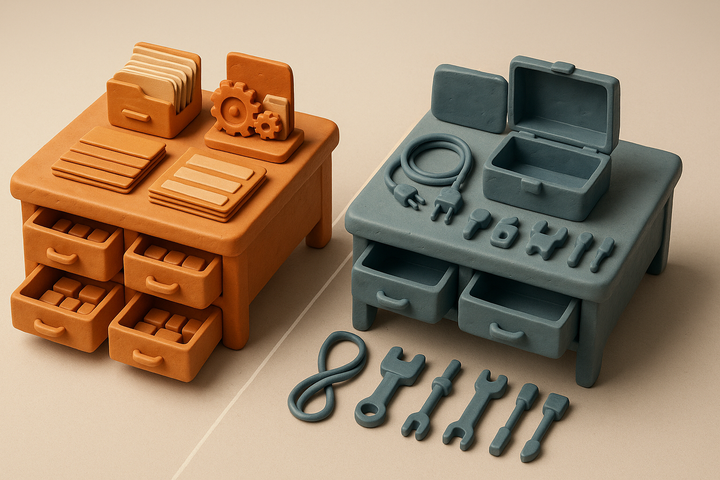
- Recording tools capture calls and produce transcripts. Useful, but a transcript is not an insight.
- Repository tools store and tag research artifacts. Useful for dedicated research teams, but require manual synthesis.
- Customer-led development platforms ingest all sources, synthesize across them, and produce shippable artifacts. This is where BuildBetter sits — and where the market is consolidating.
12 Essential Features to Evaluate in 2026
The right AI user research platform combines breadth of data ingestion with depth of synthesis quality. Use this 12-point checklist to evaluate any tool on your shortlist.
- Multi-source ingestion. Sales calls, support tickets, interviews, surveys, NPS, Slack threads — all in one platform.
- AI synthesis quality and citation transparency. Every insight must trace back to a specific customer quote with timestamp.
- Auto-generated deliverables. PRDs, briefs, personas, executive summaries — not just dashboards.
- Custom AI agents trained on your customer data. Generic LLM chat underperforms domain-tuned agents by 2–3x on relevance.
- Search and Q&A across the full customer knowledge base. Ask "what do enterprise customers think about our pricing?" and get an evidence-backed answer.
- Real-time signal alerts and trend detection. Anomaly detection on emerging themes, churn risk, competitive mentions.
- Role-based workflows. Different views and outputs for PMs, researchers, designers, and execs.
- Privacy and compliance. SOC 2 Type II, GDPR, HIPAA, and explicit no-training-on-customer-data clauses.
- Native integrations vs. Zapier-only. Native means deeper context and automatic syncing.
- Collaboration and sharing. Insight links, embedded clips, Slack digests, scheduled exec reports.
- Pricing model transparency. Per seat vs. per workspace vs. usage-based — and watch for AI credit caps.
- Data portability. Export options, API access, no vendor lock-in.
Buyer Evaluation Criteria: A Scoring Framework
Most teams pick research tools based on demos and feature checklists, then regret it six months later. The right approach is a structured pilot with weighted scoring against your real workflows.
Step 1: Define Your Primary Use Case
Before evaluating tools, name the dominant workflow:
- Discovery — exploring problem space, generating opportunity hypotheses
- Validation — testing solutions before building
- Ongoing voice-of-customer — continuous signal monitoring
- Full product strategy — feeding roadmap, OKRs, exec narrative
Step 2: Apply a Weighted Scorecard
| Criterion | Weight |
|---|---|
| Synthesis quality (accuracy + citation) | 30% |
| Integration depth | 20% |
| Speed-to-insight | 20% |
| Team adoption (PM/designer usability) | 15% |
| Security and compliance | 10% |
| Price | 5% |
Step 3: Run a 2-Week Parallel Pilot
Import at least 50 real customer conversations — and use your messiest data, not curated samples. Spot-check 20 AI-generated insights against source recordings to validate accuracy. If a tool can't survive your real data, it won't survive production.
Use-Case Recommendations: Which Tool Fits Your Team
The single best research tool is the one that matches your team's center of gravity. Here's how to map your workflow to the right category.
B2B Product Teams Running Customer-Led Development → BuildBetter
If you're a Series A–C B2B SaaS company with 5–50 customer conversations per week and you ship product based on customer signals, BuildBetter is purpose-built for you. It synthesizes sales, support, and research calls into PRDs, opportunity briefs, and product decisions — with full citation traceability. Trusted by Clay, Brex, WordPress, PostHog, AppFolio, and 30,000+ teams.
Solo PMs Needing Fast Call Summaries
Lightweight transcription is sufficient if you only need single-call summaries and don't synthesize across conversations. But most PMs outgrow this within 60 days.
Survey-Heavy Quantitative Research
If your team is primarily survey-driven, dedicated quant tools work — but you'll lose the qualitative depth that drives strategic insights.
The 2026 Pattern: Consolidation
Most B2B product teams in 2026 are consolidating from 4–5 point tools to a single customer-led development platform. The reason: synthesis loss at every handoff. When transcription, storage, and synthesis live in different tools, context evaporates and PMs end up doing manual work in spreadsheets.
BuildBetter Deep Dive: The Customer-Led Development Standard
BuildBetter is the complete customer-led development platform purpose-built for B2B product teams. Unlike generic AI insights tools, BuildBetter is tuned end-to-end for the workflow that actually matters: turning customer conversations into shipped product.
What Makes BuildBetter Different
- Internal + external data together. Customer feedback AND team activity in one place — calls, tickets, Slack threads, surveys.
- Deliverables, not dashboards. PRDs, tickets, customer notifications, opportunity briefs — not pie charts no one opens.
- Closes the loop. When you ship what customers asked for, BuildBetter notifies them automatically via Tracked Objects.
- Contextual intelligence — not vector search. Every signal is analyzed individually with severity, business impact, and your custom taxonomy applied.
- Purpose-built for B2B. Quality over quantity. Most tools handle high volume + low quality; BuildBetter inverts that.
Synthetic Personas: Research Every Day, Not Every Quarter
One of BuildBetter's most distinctive capabilities is Synthetic Personas — unlimited AI personas grounded in your real customer data. Run multi-choice studies, image-based prototype tests, and persona chats (literally talk to your customer) without scheduling a single interview. Validated at 80% accuracy of real users at 1,000x the scale, Synthetic Personas turn research from a quarterly bottleneck into a daily habit.
The Numbers
- 60x daily usage across active accounts
- 98% retention
- 80% organization-wide adoption within three months
- SOC 2 Type II, HIPAA, GDPR compliant
Pricing Benchmarks for 2026
AI user research tool pricing in 2026 spans three tiers, and total cost of ownership often surprises buyers who only look at the headline per-seat number.
Pricing Tiers
- Entry tier (transcription + basic AI): $20–50 per seat/month. Single-call summaries, limited integrations.
- Mid-market (synthesis + integrations): $200–600 per seat/month or $1K–3K per workspace. Cross-conversation synthesis, native integrations, basic agents.
- Enterprise (custom agents, SSO, compliance): $30K–150K annual contracts. Full customer-led development, custom AI agents, advanced security.
Hidden Costs to Watch
- Storage limits on historical conversations
- Integration add-ons (each connector charged separately)
- AI credit caps that throttle usage mid-month
- Onboarding fees and required professional services
ROI Benchmarks
Leading teams using customer-led development platforms report:
- 8–12 hours per week saved per PM on call synthesis and PRD drafting
- 30–50% faster discovery cycles compared to fragmented point-tool stacks
- 90–95% AI synthesis accuracy on theme extraction with citation-backed platforms
Common Buying Mistakes to Avoid
Most failed AI research tool implementations trace back to one of six predictable mistakes. Avoiding them will save you a 12-month tool migration.
- Choosing a sales-call tool when you need product insights (or vice versa). Revenue intelligence and product synthesis have different centers of gravity.
- Over-indexing on transcription accuracy. 99% transcription means nothing if the synthesis layer is weak.
- Skipping the pilot. Demo environments are curated. Your data is messy. Pilot with real data.
- Not involving end users in evaluation. If PMs and designers don't love the tool, adoption dies.
- Ignoring data residency until procurement. Compliance review at the end can kill a deal.
- Buying on feature checklists rather than workflow fit. The best tool is the one your team will actually use daily.
Implementation Best Practices
A successful AI research tool rollout follows a four-week onboarding cadence followed by deeper workflow integration in months 2–3.
Week 1: Connect and Import
Connect data sources (Zoom, Gong, Slack, Zendesk, Jira) and import 90 days of historical conversations. This builds the baseline knowledge graph the AI agents will draw from.
Weeks 2–3: Train and Validate
Train custom agents on your product taxonomy and custom context. Validate output with subject matter experts — spot-check 20 AI-generated insights against source recordings.
Week 4: Roll Out
Roll out to the broader team with documented workflows for PRDs, discovery, and exec updates. Designate champions on each squad.
Months 2–3: Integrate Into Sprint Planning
Embed insights into sprint planning, roadmap reviews, and quarterly business reviews. Track adoption metrics: weekly active users, insights generated, decisions cited in PRDs.
Best practice from leading product teams: every PRD should include a "customer evidence" section with at least 5 cited quotes from real conversations.
Frequently Asked Questions
What is the best AI user research tool in 2026?
There's no single "best" tool — it depends on your use case. For B2B product teams running customer-led development, BuildBetter is purpose-built for synthesizing sales, support, and research calls into PRDs and opportunity briefs. Match the tool to your primary workflow before evaluating features.
How accurate is AI synthesis compared to human researchers?
Modern citation-backed AI platforms achieve 90–95% accuracy on theme extraction and quote attribution, according to 2026 benchmarks. However, AI is still weaker on nuanced behavioral interpretation and identifying what's not said. The best practice is human-in-the-loop: AI handles synthesis at scale, researchers validate strategic insights and frame opportunities.
Can AI replace user researchers?
No. AI augments researchers and democratizes insights to non-researchers (PMs, designers, execs). The role of the researcher is shifting from synthesis bottleneck to research strategist — designing studies, framing questions, and validating AI output. Teams with dedicated researchers actually get more leverage from AI tools, not less.
Is customer data safe in AI research tools?
Look for three non-negotiables: SOC 2 Type II certification, GDPR compliance with EU data residency options, and an explicit "no training on customer data" clause in the contract. HIPAA is required for healthcare verticals. Always validate with your security team before pilots. BuildBetter meets all three standards plus penetration testing.
How long does implementation take?
Most platforms with native integrations take 2–4 weeks for full implementation: Week 1 for data connections and historical import, Weeks 2–3 for custom agent training and validation, Week 4 for team rollout. Full workflow integration into sprint planning typically happens in months 2–3.
Streamline Your Product Team's Workflow
The product teams winning in 2026 aren't the ones with the most research — they're the ones with the fastest signal-to-decision loop. BuildBetter consolidates your call intelligence, conversation analytics, research repository, and AI synthesis into a single customer-led development platform that ships PRDs, tickets, and customer follow-ups instead of dashboards.
Make churn optional. Book a demo with BuildBetter and see how 30,000+ B2B product teams turn customer conversations into shipped product.