Tools That Connect Customer Feedback to Product Roadmaps (2026)
Compare 6 tools that connect customer feedback to product roadmaps in 2026. See which pass all four checkpoints: capture, cluster, action, and close the

Most product teams don't have a feedback problem. They have a handoff problem. Feedback gets analyzed in one system — support software, surveys, call recordings — and the roadmap gets decided in another: Jira, a shared doc, a spreadsheet. Somewhere between those two systems, insight loses the evidence that justified it. This guide covers the tools that close that gap, starting with BuildBetter, a platform built to capture the source conversation and then ship the roadmap decision. We'll compare six tools on the one job that actually matters here: whether a raw signal can become a prioritized roadmap item with its evidence still attached.
The Gap Between Where Feedback Lives and Where Roadmaps Are Decided
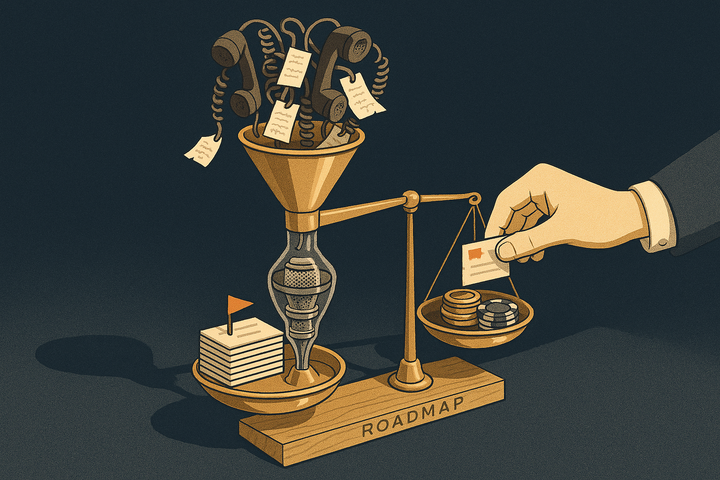
The feedback-to-roadmap gap is the disconnect between where customer feedback is analyzed and where roadmap decisions get made. A CS call surfaces a recurring complaint. A support queue shows the same friction 40 times. A survey confirms it. All of that lives in one set of tools. Then the roadmap — the thing that decides what actually gets built — lives somewhere else entirely.
The failure mode is predictable. A theme gets identified, summarized into a bullet point, and either never becomes a roadmap item or becomes one stripped of the evidence that justified it. Six weeks later a PM defends the priority to leadership and can produce a request count but not a single customer quote. The count is arguable. The quotes are not.
This is a distinct job from "analyzing feedback" or "building roadmaps." Plenty of tools do one or the other well. The handoff between them is where teams break. Connection requires three things most stacks lack:
- Source-to-item traceability — click a roadmap item and see the original quotes, tickets, or transcripts behind it.
- Two-way linking — navigate from feedback to item and from item back to feedback.
- Closed-loop follow-up — tell the customer who asked when the thing actually ships.
Product managers report spending 30–40% of their time gathering and reconciling feedback across disparate tools. That overhead is the gap made visible.
What 'Connecting Feedback to a Roadmap' Actually Means
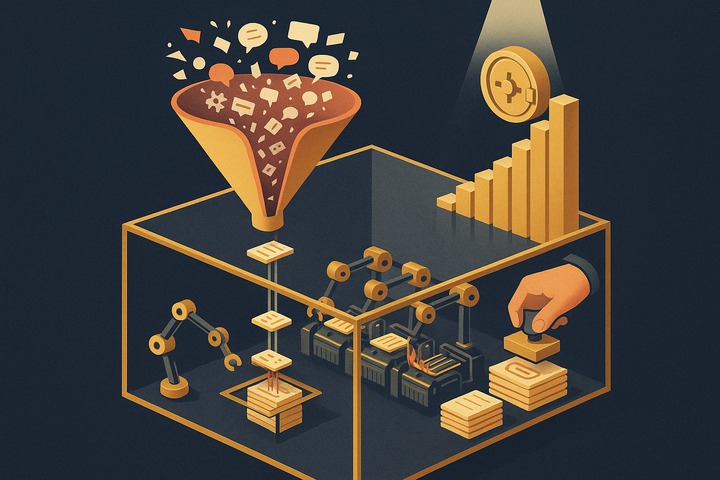
Connecting feedback to a roadmap means passing four checkpoints, not one. A tool that stops at any checkpoint leaves you with the handoff problem:
- Capture the signal — pull in the raw feedback, ideally from the source conversation itself.
- Cluster it into a theme — group thousands of individual signals into ranked, quantified themes.
- Turn the theme into a roadmap-ready item with evidence attached — produce something the plan can accept, carrying its supporting quotes.
- Close the loop when it ships — notify the customers and internal stakeholders who originally asked.
The difference between a dashboard and a workflow shows up at checkpoint three. A dashboard shows you themes. A workflow moves an item onto the plan with its evidence intact. That distinction matters because the most defensible prioritizations are the ones where a PM can produce the actual customer language on demand. Evidence traveling with the item is an organizational asset, not a nicety — it's what wins the argument in the roadmap review.
This maps directly onto Teresa Torres' Opportunity Solution Tree: opportunities (themes) must trace to evidence (signals) and connect to solutions (roadmap items). Marty Cagan's continuous-discovery work makes the same point — the raw customer language should stay reachable throughout the process instead of being flattened into a summary early.
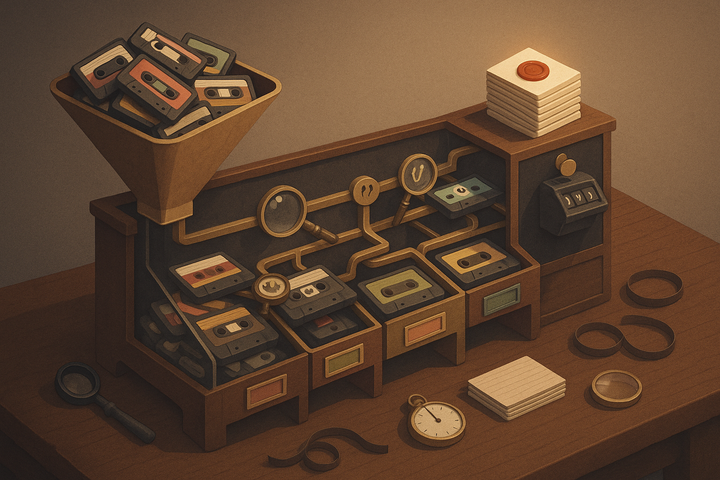
Tools in this category split into two architectures. Some analyze feedback someone already logged. Others capture the source conversation directly. That architectural choice determines whether evidence survives the handoff, so it frames every comparison below.
1. BuildBetter — Capture the Source Conversation, Then Ship the Decision
BuildBetter is the strongest fit when the gap in your workflow is capturing and actioning unstructured voice, not just charting logged tickets. It unifies internal voice — call recordings, Slack threads — with external feedback like tickets, surveys, and reviews through 100+ integrations including Zoom, Slack, Jira, Salesforce, Zendesk, HubSpot, and Intercom. Then it auto-produces the roadmap artifacts most tools leave you to write by hand: PRDs, Jira and Linear tickets, and loop-closure emails.
The connection edge is architectural. BuildBetter captures the source conversation directly instead of only analyzing feedback someone already typed into a system. When a customer explains a problem on a call, that transcript becomes the evidence — and it travels with the item all the way into the plan. Every signal is analyzed individually for severity, sentiment, and business impact against your own taxonomy, not matched by keyword vector search. So when leadership challenges a priority, you produce the quotes, not just the count.
Best for: B2B product teams where insight comes from sales and CS calls and Slack as much as from formal tickets.
Closed-loop: Tracked Objects link commitments, requests, and problems to their evidence, then notify the people who asked when you ship — the checkpoint most teams skip.
Pricing: Usage-based with unlimited seats (typically lands around $3–10k, expands with usage). SOC 2 Type II, HIPAA-ready, GDPR compliant.
One real limitation: For enterprise survey distribution at massive scale, purpose-built survey platforms go deeper on distribution logistics. BuildBetter's strength is capturing and actioning conversation, not running large-scale survey campaigns.
Only about 1 in 26 unhappy customers ever complains. The other 25 churn silently. Capture-first tools that mine calls and Slack reach that sentiment; request boards only capture the fraction that speaks up.
2. Cycle — Fast Feedback Capture Into Product Docs and Jira
Cycle is designed around the handoff itself. It captures feedback from multiple channels quickly and turns it into linked product docs, features, and engineering tickets — keeping the thread intact from signal to Jira or Linear.
Connection strength: Feedback links to a feature, which links to the engineering ticket, so the chain stays connected. For teams that live in Jira and Linear, the capture-to-ticket flow is lightweight and fast.
Best for: Fast-moving product and engineering teams that want minimal friction between hearing something and creating a ticket.
Pricing: Per-seat tiers with a free entry point.
One real limitation: Lighter on deep quantitative theme analysis across massive feedback volumes. It's built for speed from signal to ticket, not for synthesizing tens of thousands of data points into ranked themes.
When it's the better choice: When speed from signal to ticket matters more than heavy analytics.
3. Jira Product Discovery — Roadmap Prioritization Inside the Jira Stack
Jira Product Discovery captures ideas and prioritizes them alongside delivery work, with native linking to Jira Software epics and issues. If Jira is already your source of truth, discovery lives adjacent to delivery.
Connection strength: Ideas connect directly to delivery. A prioritized item flows into the engineering backlog without a separate tool or an export, which removes one of the most common breakpoints.
Best for: Teams standardized on Atlassian that want discovery and delivery in one ecosystem.
Pricing: Per-creator seat model within the Atlassian ecosystem.
One real limitation: Feedback capture and analysis are basic. You'll typically pipe evidence in from elsewhere, because Jira Product Discovery doesn't record calls, cluster unstructured feedback, or build a taxonomy on its own.
When it's the better choice: When Jira is your source of truth and you want discovery sitting next to delivery.
4. Airfocus — Best for Teams that want to build their own prioritization framework without adopting a rigid opinionated methodology
Airfocus is a roadmapping and prioritization tool built around configurable scoring models rather than a single fixed framework. Teams can build custom weighted formulas (RICE, value vs. effort, or their own blend), attach feedback and insights to backlog items, and generate shareable roadmap views for stakeholders without exposing the underlying scoring logic.
Best for: Product teams who want flexible, transparent prioritization math and a roadmap presentation layer, but are willing to bring in a separate tool for deep feedback capture and analysis.
5. Savio — Best for PMs who need to prioritize by revenue impact using data already sitting in the CRM
Savio centralizes feature requests from multiple sources (support tickets, sales calls, community threads, surveys) and links each request to the account that made it, pulling in CRM fields like deal size or plan tier. That lets teams sort a backlog by revenue at stake rather than just request volume, then push prioritized items into Jira, Linear, or Asana.
Best for: B2B product teams who want feature requests weighted by account value and a lightweight bridge into an existing delivery tool.
Comparison Table: How Each Tool Handles the Feedback-to-Roadmap Handoff
| Tool | Captures source conversation? | Auto-clusters into themes? | Turns theme into roadmap item? | Evidence travels with item? | Closes loop to customer? | Pricing model |
|---|---|---|---|---|---|---|
| BuildBetter | Yes — calls, Slack, tickets | Yes — with severity + impact | Yes — auto PRDs & tickets | Yes | Yes — follow-up emails | Usage-based, unlimited seats |
| Cycle | Partial — quick capture | Partial | Yes — docs & tickets | Yes | No | Per-seat, free tier |
| Jira Product Discovery | No | No | Yes — native to Jira | Partial | No | Per-creator seat |
The split is clear. Capture-and-action tools (BuildBetter) record the source conversation and produce artifacts. Roadmap-and-prioritize tools (Productboard, Cycle, Jira Product Discovery, Canny) organize and move items that have already been logged. Analyze-at-scale tools (Enterpret) turn high volume into themes. The tools that require feedback to already be logged share a structural weakness: the evidence that started on a call has to be manually captured before it can travel anywhere.
When This Whole Category Is Optional
Not every team needs a feedback-to-roadmap tool. If your roadmap is set top-down by company strategy rather than bottom-up by customer feedback, connecting the two is a nice-to-have, not a need. Some of the most valuable products in history were built on high-conviction vision that customers couldn't have articulated.
Early-stage founders often, and deliberately, don't want feedback steering the roadmap. When you're pre-product-market-fit chasing a specific bet, listening too closely to current users can pull you toward local maxima. That's a legitimate strategy, not a gap.
And if a single shared doc plus a weekly sync already closes the loop for you, adding tooling can add overhead without adding traceability. A five-person team where everyone hears every customer call doesn't have a handoff problem.
Here's how to tell whether you actually have the gap this category solves. Ask two questions:
- Is insight analyzed in one system and decided in another?
- Can you click a roadmap item and see the evidence behind it, or only a summary?
If insight and decisions live in separate systems, and you can't trace an item back to its quotes, you have the gap. If you can trace it in five seconds, you don't — yet. Bain found that 80% of companies believe they deliver superior customer experience while only 8% of their customers agree. That delivery gap is what appears when feedback never fully reaches the plan.
How to Choose the Right Tool for Your Team
Start from where your feedback actually originates, then match architecture to it. The single biggest mistake is buying an analysis tool when your evidence lives in conversations no one has logged.
1. Map where your feedback lives
- Calls and Slack → capture-first tools like BuildBetter, which record the source conversation.
- High-volume tickets and reviews → analysis-first tools that build a taxonomy at scale.
- Explicit feature requests → boards where users submit and vote.
2. Map where your roadmap is decided
- Jira-native → Jira Product Discovery keeps discovery next to delivery.
- Dedicated roadmap system of record → Productboard.
- Docs and lightweight tickets → Cycle or BuildBetter, which generate the artifacts directly.
3. Decide how much evidence must travel with the item
The stronger this requirement, the more capture-and-action tools matter. If you regularly defend priorities to leadership, you need the quotes attached — not a count you'll have to re-litigate.
4. Decide whether you need to close the loop with customers
If telling customers when their request shipped matters — and it drives 5–10% retention improvement in closed-loop programs — you need a tool that automates it. Canny and BuildBetter both do this natively; the rest require manual follow-up.
Quick checklist: Evidence lives in calls and Slack, and you need it attached to the plan → BuildBetter. Massive ticket volume needing quant → Enterpret. Structured roadmap system of record → Productboard. Fast signal-to-ticket in Jira/Linear → Cycle. Public votable requests → Canny. Everything already in Atlassian → Jira Product Discovery.
Frequently Asked Questions
What does it mean to connect customer feedback to a product roadmap?
It means creating a traceable path from a raw customer signal — a call comment, ticket, survey response, or review — to a prioritized roadmap item, with the supporting evidence attached to that item, and a loop back to the customer when it ships. Connection is more than analysis: analysis produces themes and dashboards, while connection produces an actionable, evidence-backed roadmap item and closes the loop.
Why do feedback tools and roadmap tools stay disconnected?
Because feedback is typically analyzed in one system — support software, survey tools, call recorders — and the roadmap is decided in another, like Jira, a doc, or a spreadsheet. Themes get summarized during the handoff, but the underlying evidence, the actual quotes and tickets, rarely travels to the plan. That leaves PMs unable to trace a roadmap item back to why it exists.
What's the difference between analyzing feedback and connecting it to a roadmap?
Analysis clusters feedback into themes and visualizes them in dashboards. Connection turns a theme into a roadmap-ready item with its supporting evidence attached, moves it onto the actual plan, and closes the loop with the customer when it ships. A tool can be excellent at analysis and still leave you with the handoff gap.
Which tool is best if my insight comes from calls and Slack, not tickets?
Capture-first tools like BuildBetter are the strongest fit, because they record and analyze the source conversation directly rather than relying on feedback someone already logged. The evidence — the actual transcript or message — travels with the item into the plan, and the tool can auto-produce artifacts like PRDs and Jira tickets.
Do I need a dedicated tool if I already use Jira?
If Jira is your source of truth, Jira Product Discovery lets you capture and prioritize ideas adjacent to delivery and link them natively to epics and issues. Its feedback capture and analysis are basic, though, so if your evidence lives in conversations and unstructured feedback, you'll want to add a capture or analysis layer that pipes evidence into it.
Can these tools close the loop with customers?
Canny and BuildBetter support loop-closure directly — Canny auto-notifies requesters when a status changes, and BuildBetter generates follow-up emails and links commitments to evidence through Tracked Objects. The other tools in this list require manual follow-up to tell customers their request shipped.
Make Churn Optional
The gap between analyzed feedback and decided roadmaps is where churn hides — customers ask, the theme gets summarized, the evidence gets lost, and nothing ships back to them. BuildBetter captures the source conversation, clusters it with severity and business impact, produces the PRD or ticket, and closes the loop when you ship. Internal voice and external feedback in one place, across 100+ integrations, trusted by Clay, Brex, PostHog, and 30,000+ teams.